
BlockSight
A lightweight Bedrock HUD that instantly shows useful information about the blocks and entities you’re looking at.
⬇ Download on CurseForgeThe author built this one for Minecraft 26.40. On other versions it may install and then do nothing.
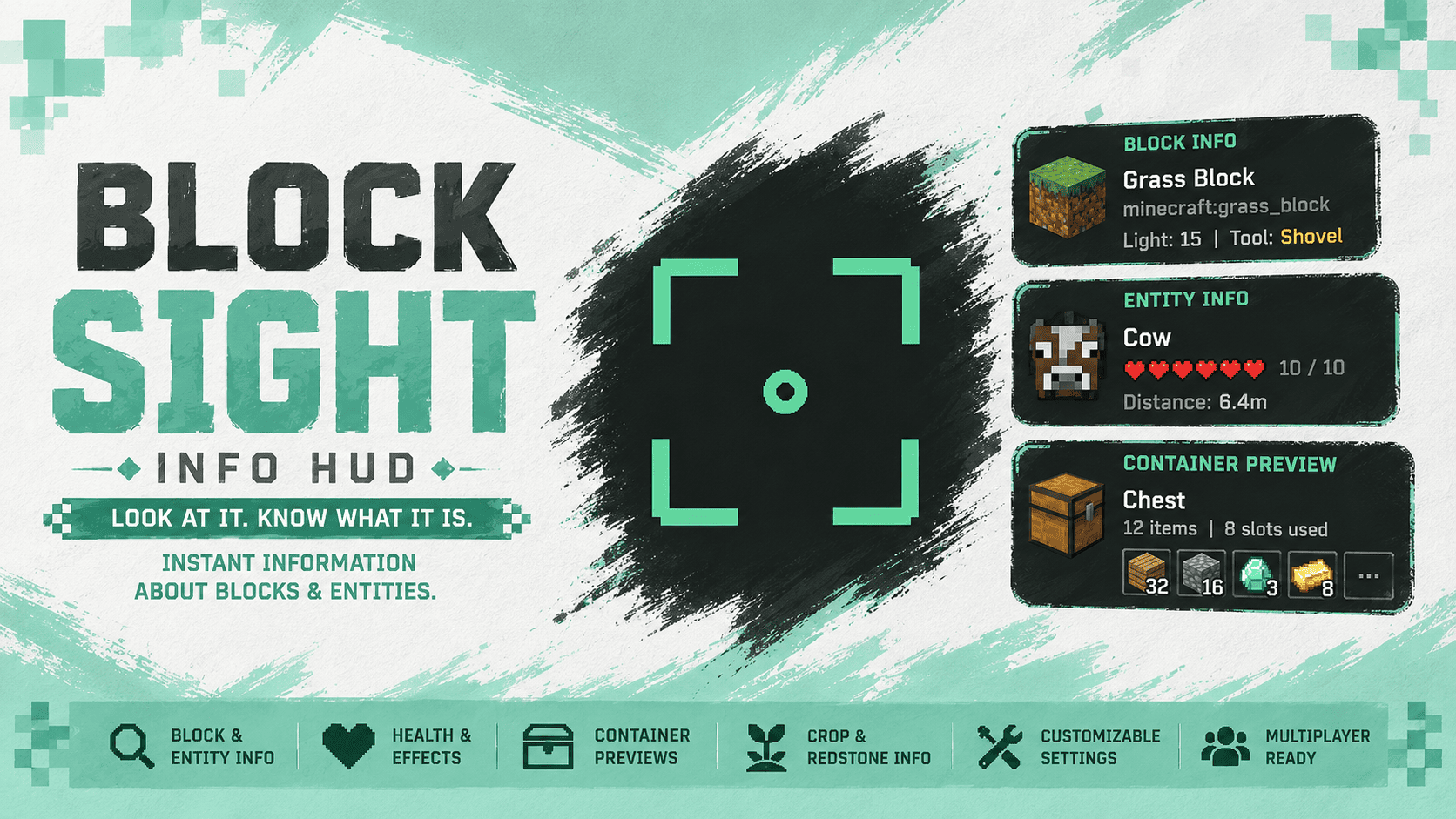
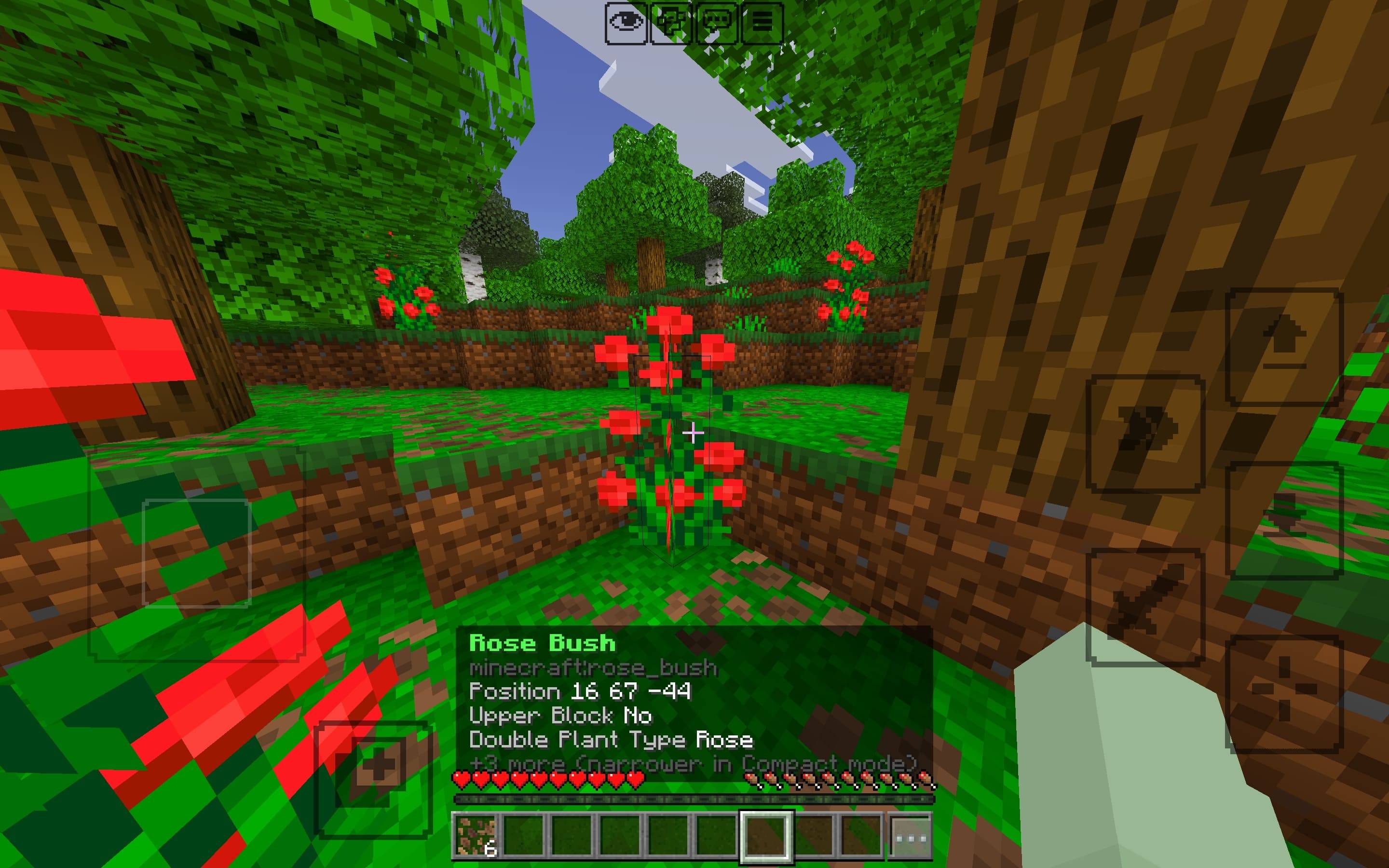
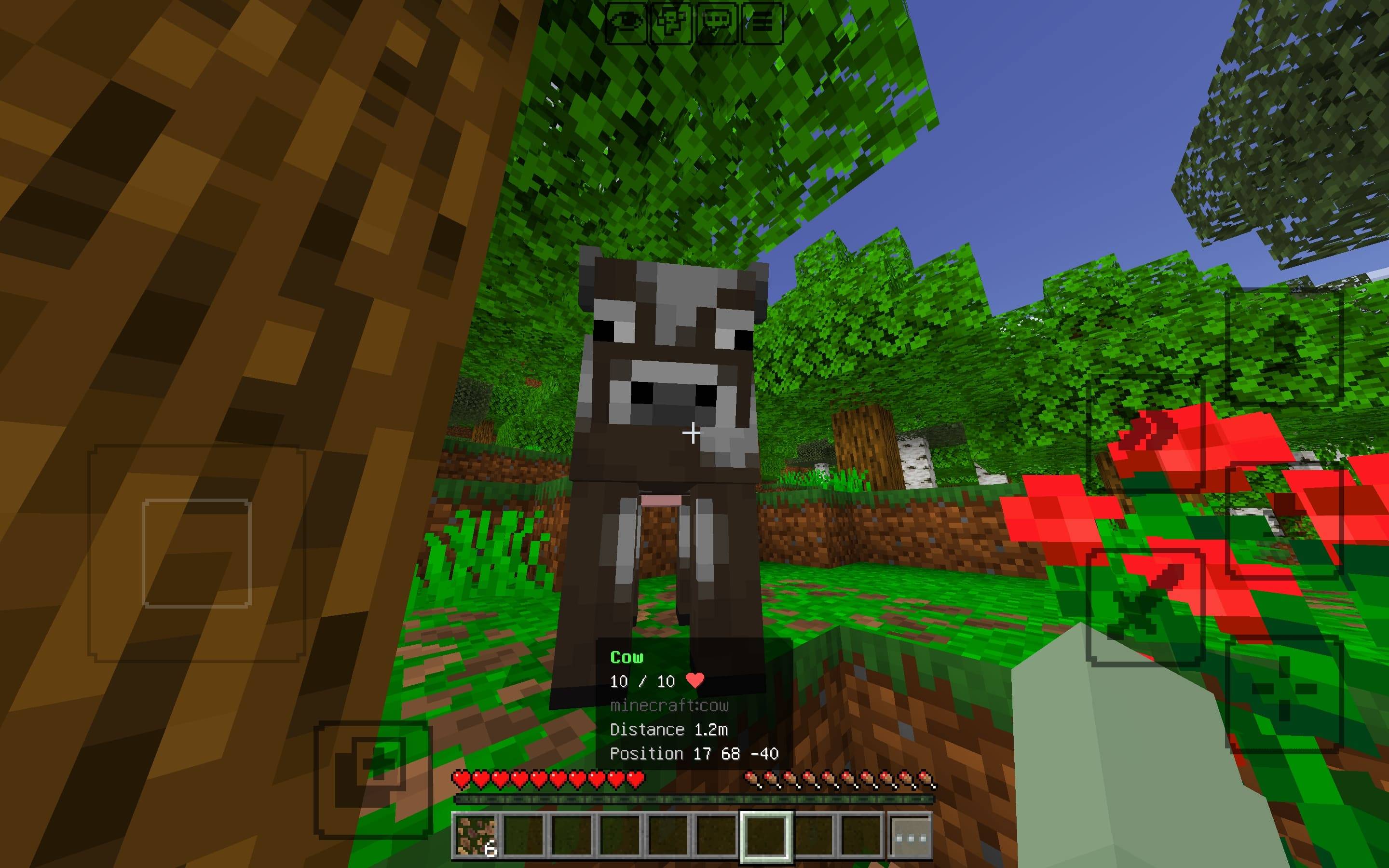
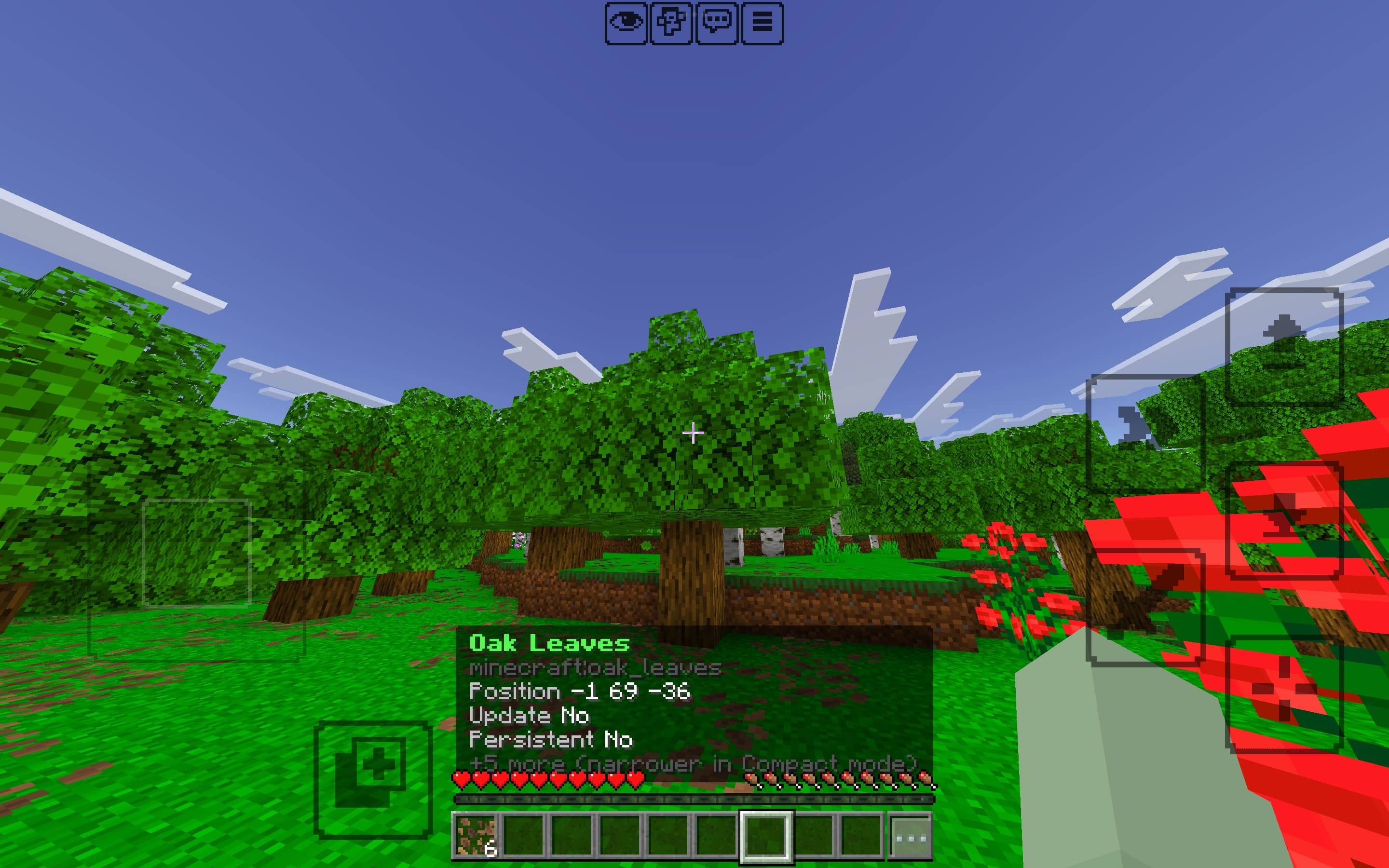
✦ BlockSight
Know what you're looking at.
BlockSight is a lightweight, Bedrock-native information HUD that shows useful information about the blocks and entities you're looking at without opening menus.
Simply look at something in the world and BlockSight gives you a compact readout with relevant details.
✦ See What's In Front of You
BlockSight continuously detects what you're looking at and displays information without requiring you to interact with the target.
- 🔍 Block and entity detection
- ⚡ Fast target updates
- 🎯 Entity-aware detection
- 🧭 Short-range target assistance for small or moving entities
- ✨ Anti-flicker grace period when switching targets
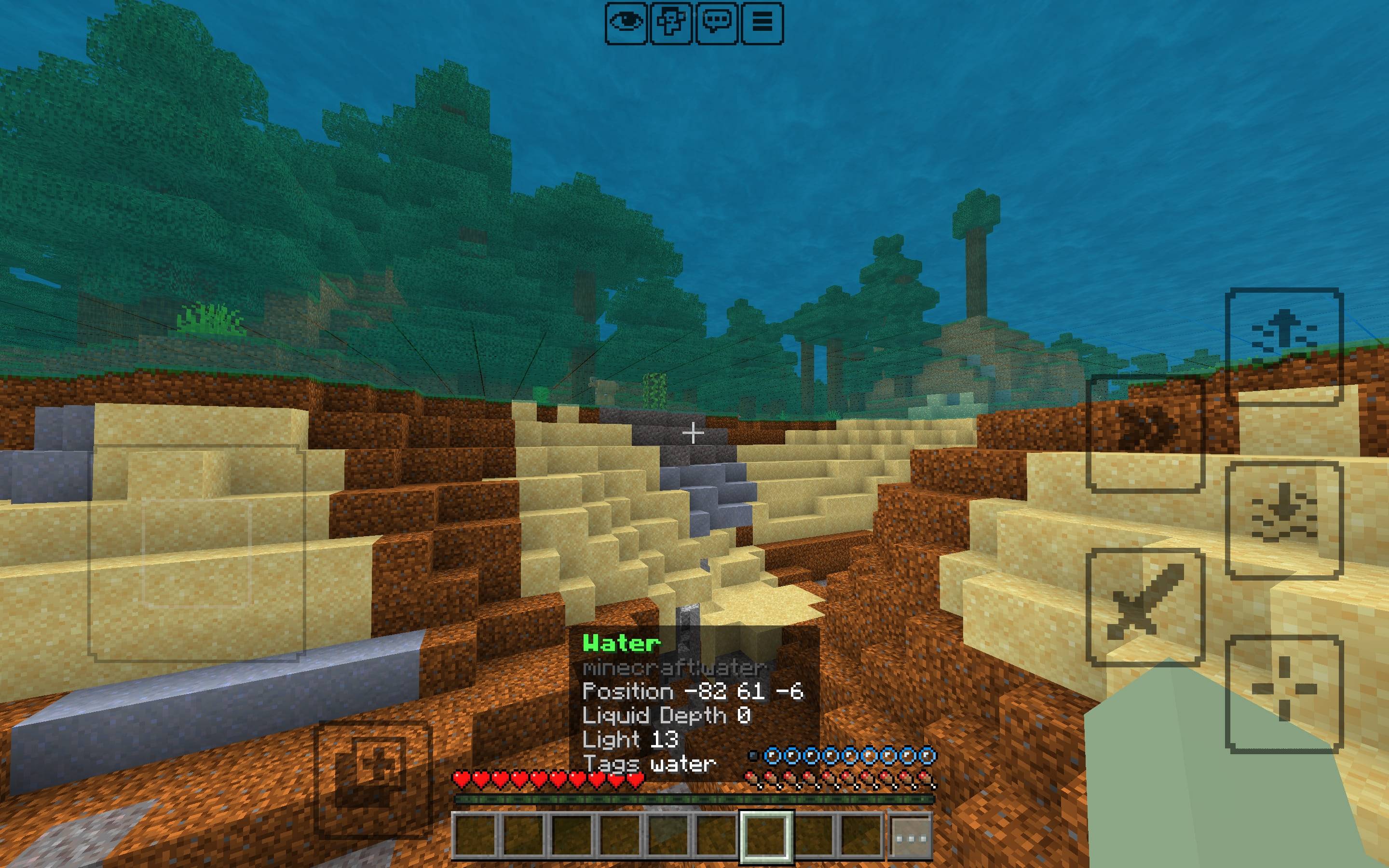
🧱 Block Information
Look at a block to see useful information about it.
- Block name
- Block identifier
- Coordinates
- Block states
- Light level
- Block tags
- Tool required
- Held-tool effectiveness
- Interactable status where detectable
BlockSight uses actual Bedrock block and item tags when determining tool effectiveness instead of relying entirely on hardcoded item lists.
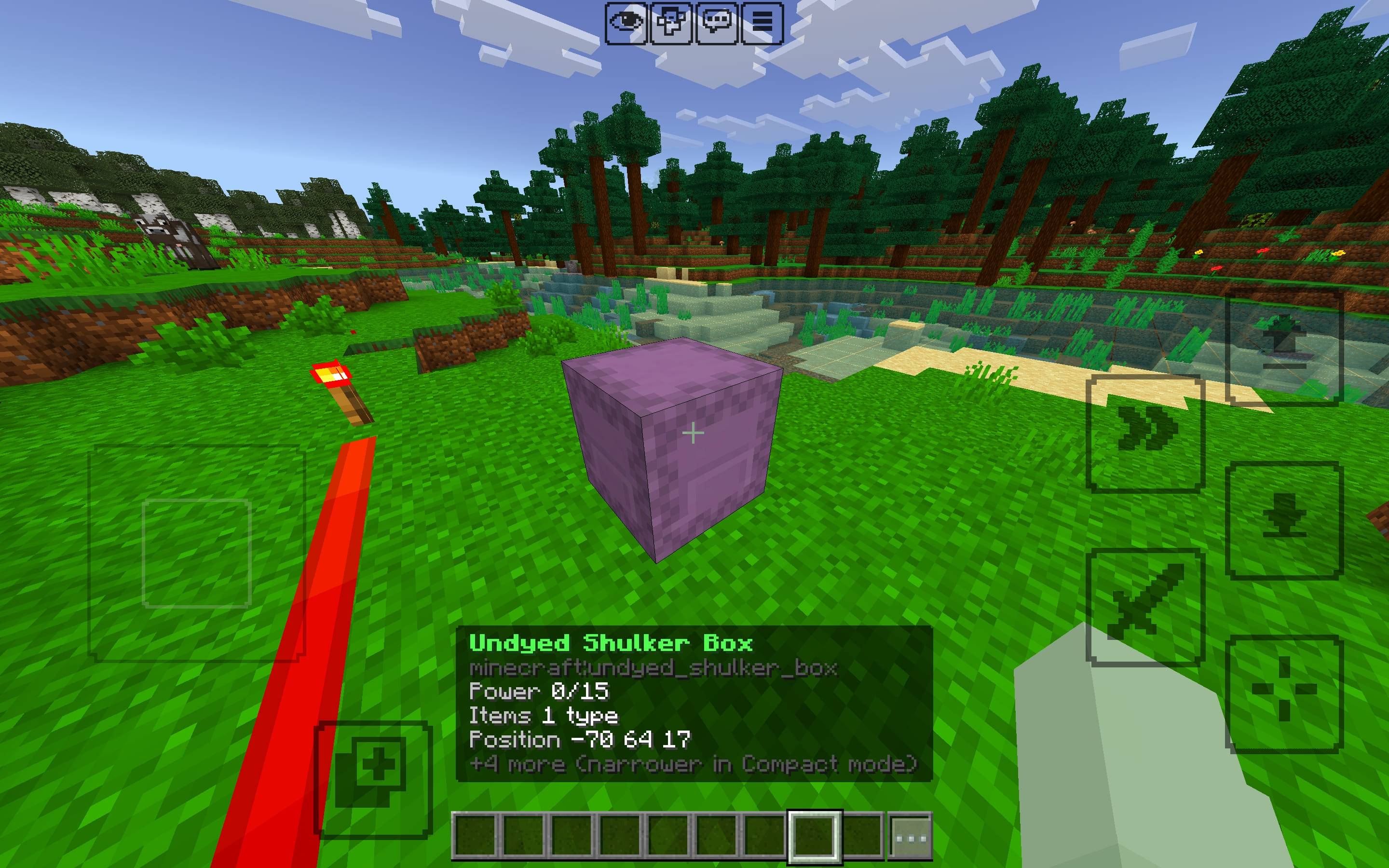
📦 Container Preview
Inspect containers without opening them.
- Chests
- Barrels
- Shulker boxes
- Hoppers
- Droppers
- Dispensers
- Furnaces
- Blast furnaces
- Smokers
Supported containers can display their item type count, occupied slots, and a compact preview of their contents. Shulker boxes can also display their dye color.
🌱 Crop Information
Check crop growth without breaking or opening anything.
- Wheat
- Carrots
- Potatoes
- Beetroot
- Nether wart
- Pumpkin and melon stems
- Sweet berry bushes
- Cocoa
Supported crops display their growth stage and show a Ready indicator when fully grown.
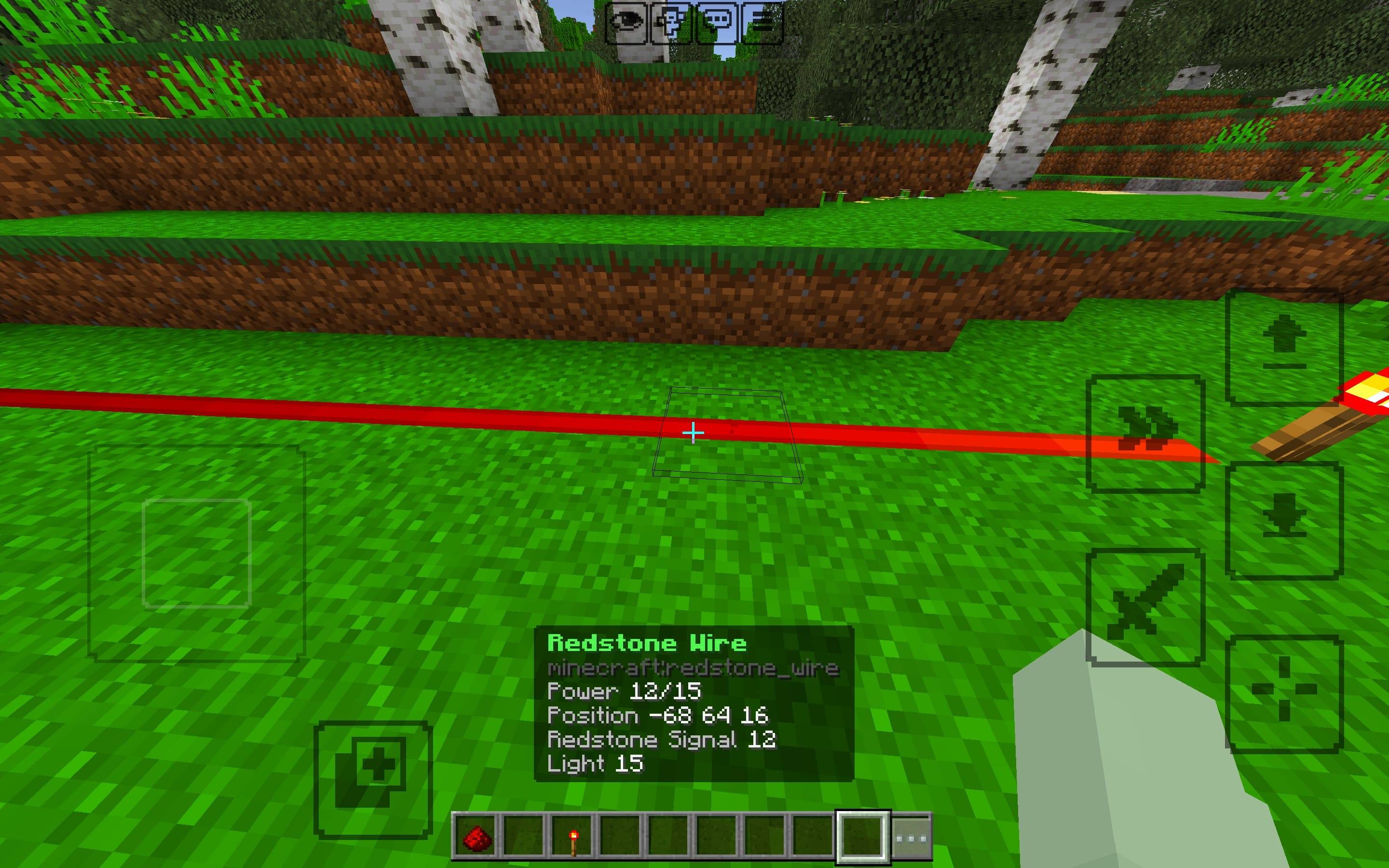
🔴 Redstone Information
Get useful information from redstone-related blocks.
- Power level
- Powered state
- Facing and orientation
- Open state
- Triggered state
- Extended state
- Lit state
BlockSight reads the states exposed by the Bedrock Script API rather than pretending to know properties that aren't available.
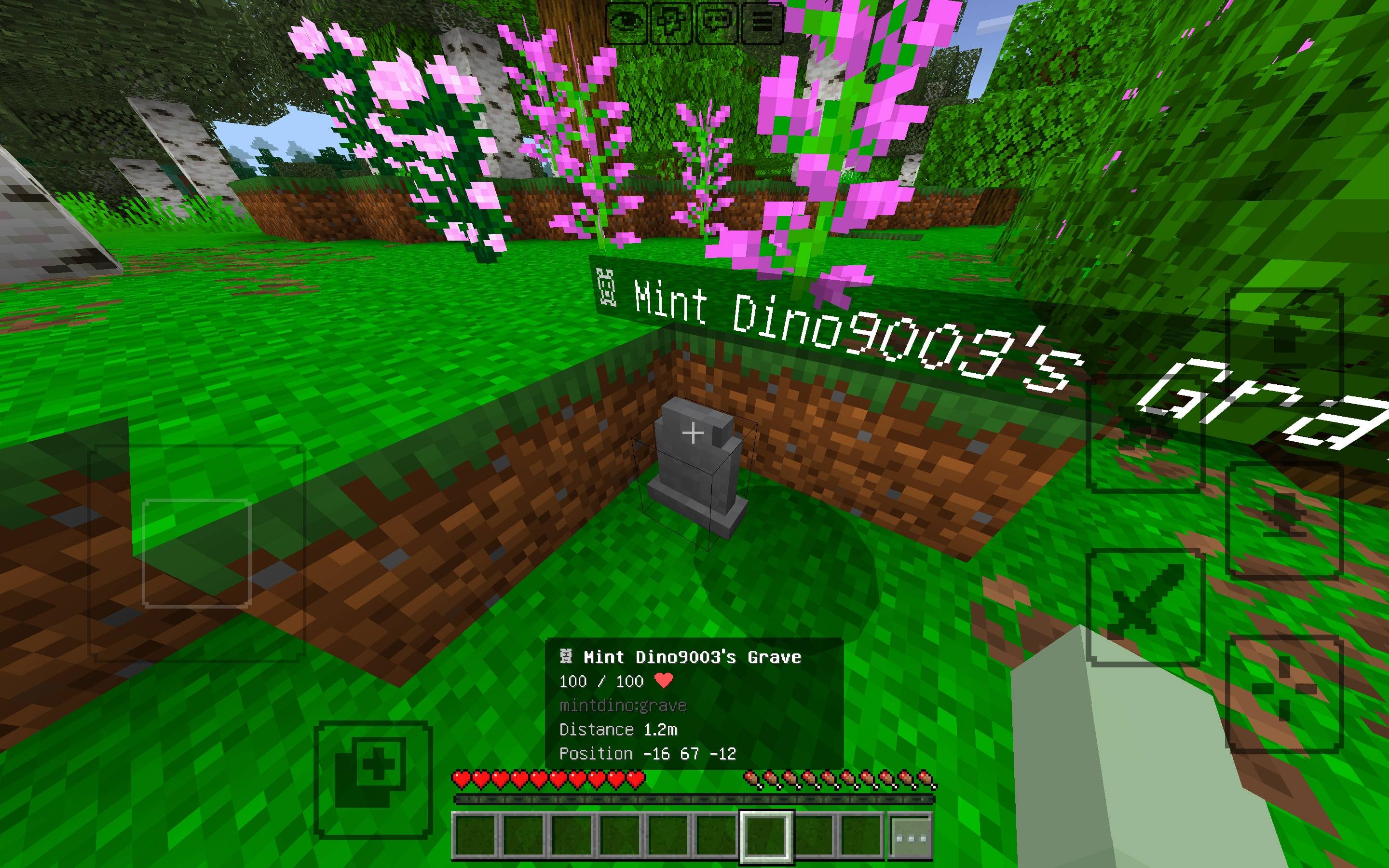
⚔️ Entity Information
Look at a mob or player to see useful information about them.
- Entity name
- Entity identifier
- Health and maximum health
- Distance
- Coordinates
- Name tag
- Baby/adult state where available
- Tamed state where available
- Active effects
- Equipped armor and held items
- Variant information where available
❤️ Health at a Glance
Living entities display their real current and maximum health in an easy-to-read format.
Cow
10 / 10 ❤
Health information is obtained from the entity's actual health component.
⚙️ Display Modes
Choose how much information you want to see.
Compact
Shows the most important information while keeping the HUD minimal.
Detailed
Displays additional information such as identifiers, coordinates, states, effects, equipment, and advanced data.
You can also configure the maximum number of lines shown to prevent the information panel from becoming too large on different devices and UI scales.
🎛️ Settings
Customize exactly what BlockSight displays.
- Enable/disable BlockSight
- Block information
- Entity information
- Health
- Coordinates
- Identifiers
- Tool information
- Block states
- Effects
- Container previews
- Crop information
- Redstone information
- Advanced information
- Compact/Detailed mode
- Maximum HUD lines
Settings are stored independently for each player and persist between sessions.
⚙️ Commands
Open the BlockSight settings menu with:
/scriptevent blocksight:settingsYou can also try:
blocksight
!bs
The chat shortcuts depend on the Bedrock version and available chat events. The /scriptevent command is the reliable method.
⚡ Built for Performance
BlockSight is designed to avoid unnecessary processing.
- Target detection runs every 2 ticks
- HUD text is only resent when its content changes
- Information gathering is safely isolated
- Player state is cleaned up when players leave
- Settings are stored per player
- Designed to work in multiplayer
No constant inventory scanning. No unnecessary HUD updates.
🌐 Multiplayer
BlockSight supports multiplayer worlds with independent player state.
Different players can look at different targets and use different settings without affecting each other.
⚠️ Bedrock Limitations
BlockSight is built around the stable Bedrock Script API, so some information available to Java mods cannot be accessed.
- HUD positioning is fixed to the Bedrock action bar.
- Official localized block and item names cannot be directly resolved, so names are derived from identifiers.
- Villager profession and trade data are not exposed through the stable API.
- Tamed-animal owner information is not exposed.
- Spawner contents cannot be reliably read.
- Some interactable states are detected using heuristics.
BlockSight does not fake unavailable information. If Bedrock doesn't expose something reliably, it is simply omitted.
🛠️ Installation
- Import
BlockSight.mcaddon. - Open your world settings.
- Go to Behavior Packs.
- Activate BlockSight.
- Activate the included resource pack if Minecraft does not enable it automatically.
✓ Built for the current stable Script API.
✓ No experimental toggles required.
✦ Built for Bedrock
BlockSight is built from scratch specifically for Minecraft Bedrock using the Script API, with no shared code, assets, or branding from other mods.
Look at it. Know what it is.
- Pack type: .mcaddon — behaviour and resource pack in one file
- Complete pack — everything it depends on is inside the file
- Download size: 19 KB
- Download link checked 19 Aug 2026 — working
These come from our own check of the pack file, not from the source page.