
敵味方MOD Capture the mob and make it an ally
Java mod listed for Minecraft 1.20. Downloads from the MC Java Mods app on Android.
※My computer just broke, so I can't test this mod right now.So please let me know if you find any bugs or have I made this because I admire a certain…
⬇ Download on Modrinth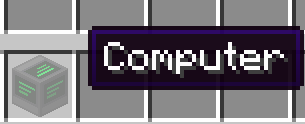
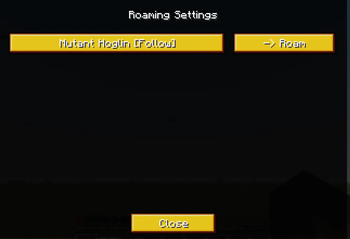
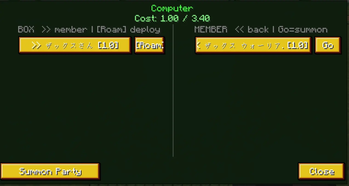
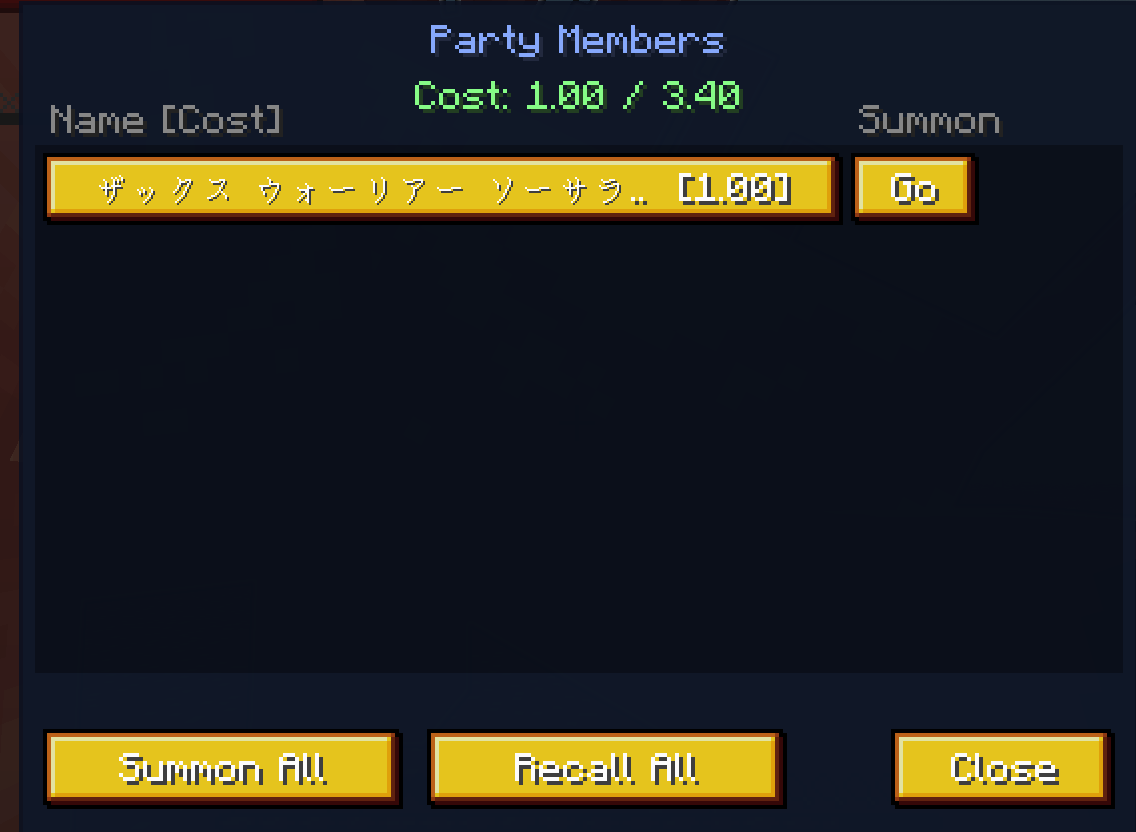
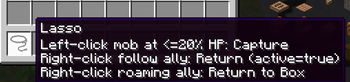
日本語は下 ※My computer just broke, so I can't test this mod right now.So please let me know if you find any bugs or have パソコンがちょうど壊れてしまったので、今はこのMODをテストできません。ですから、バグを見つけた場合や何かあった場合は、ぜひお知らせください。 Capture Mob is a mod for Minecraft Forge 1.20.1 that allows you to capture mobs on the brink of death and enlist them as allies. You can capture mobs whose HP has dropped to 20% or less, and manage the captured mobs in a dedicated inventory. You can summon and recall them as needed; once they become your allies, they will follow you and automatically fight hostile mobs. Key Features Capture mobs with HP at 20% or below Manage captured mobs in a dedicated inventory Summon and recall mobs at any time Companion mobs follow the player Automatically attack hostile mobs Display the inventory and recall all mobs using keyboard shortcuts To capture an enemy, left-click on one whose health is at or below 20% using the “lasso” item. To summon a captured mod, right-click the “computer” block, select its name from the list, and it will move from the BOX to the MEMBER list. Then, press the G key to display the MEMBER inventory; you can summon one member at a time by clicking “GO,” or summon all allies in the MEMBER inventory by clicking “Summon All.” Press the H key to return an ally in “follow” mode to the member inventory. You can also return an ally to the member inventory by left-clicking on them while using the lasso. Press the R key to mount the nearest ally within 8 blocks; for flying mobs, press the Space bar to ascend and the Shift key to descend. You can use the K key to turn the “Light emission” status for allies on or off. Pressing the “j” key displays a list of currently summoned allies and allows you to toggle between ‘Follow’ and “Free Action” modes. In “Free Action” mode, allies do not follow the player, act independently, and do not glow. Furthermore, this mod is designed so that you can use mobs as allies without removing their unique animations or attack patterns. Have fun! Capture Mob は、瀕死になったMobを捕獲し、自分の仲間として使役できる Minecraft Forge 1.20.1 向けMODです。 HPが20%以下になったMobを捕獲でき、捕獲したMobは専用インベントリで管理できます。 必要に応じて召喚・回収を行うことができ、仲間になったMobはプレイヤーに追従し、敵対Mobと自動で戦います。 主な機能 HP20%以下のMobを捕獲 捕獲したMobを専用インベントリで管理 好きなタイミングで召喚・回収 仲間Mobがプレイヤーを追従 敵対Mobへの自動攻撃 キー操作によるインベントリ表示・全Mob回収 敵を捕獲するには、「lasso」アイテムを使用して、HPが20%以下の敵を左クリックします。 捕獲したモッドを召喚するには、「computer」ブロックを右クリックし、リストからその名前を選択すると、BOXからMEMBERリストに移動します。その後、Gキーを押してMEMBERインベントリを表示し、「GO」をクリックして1人ずつ召喚するか、「Summon All」をクリックしてMEMBERインベントリ内のすべての味方を一度に召喚できます。 Hキーを押すと、「follow」モードの味方をメンバーインベントリに戻せます。また、lassoを使用中に味方を左クリックしても、メンバーインベントリに戻すことができます。 Rキーを押すと、8ブロック以内の最も近い味方に騎乗できます。飛行モブの場合は、スペースバーを押して上昇し、Shiftキーを押して下降します。 Kキーを使用すると、味方の「発光」ステータスをオンまたはオフに切り替えることができます。 「j」キーを押すと、現在召喚されている味方のリストが表示され、「フォロー」モードと「自由行動」モードを切り替えることができます。「自由行動」モードでは、味方はプレイヤーに追従せず、独立して行動し、光りません。 さらに、このMODは、モブの固有のアニメーションや攻撃パターンを損なうことなく、味方として使用できるように設計されています。 楽しんでください!
- Edition: Minecraft Java
- File type: .jar
- Minecraft version listed: 1.20.1
- How to install: Install the matching mod loader (Forge, Fabric or NeoForge) for your Minecraft version. → Download the .jar. → Put it in the .minecraft/mods folder and launch that loader profile.
- Where to get it: Opens on Modrinth — not every file is mirrored on our own servers.
Install steps are the general flow for this file type — How to install Minecraft Java mods & modpacks walks through it step by step.
- Ships as capturemob-1.0.0.jar — drop this file into the mods folder
- Download size: 1018 KB
- Download link checked 19 Oct 2026 — working
These come from our own check of the pack file, not from the source page.