HomeJavaShadersCinematix Shader
Cinematix Shader
ShadersJava

Cinematix Shader

by Overshot · on Modrinth

A vibrant, cinematic shaderpack focused on breathtaking colors, dramatic lighting, beautiful skies, and stunning atmosphere, while keeping performance at…

⬇ Download on Modrinth
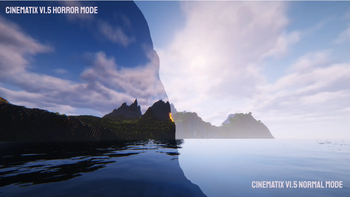
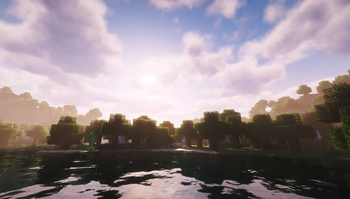
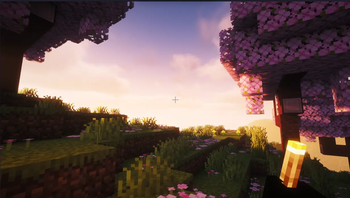
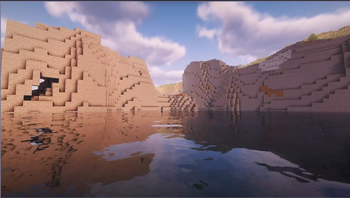
Cinematix Shader — screenshot 1Cinematix Shader — screenshot 2Cinematix Shader — screenshot 3Cinematix Shader — screenshot 4

Cinematix Shader

A cinematic Minecraft shader pack that transforms your world into a breathtaking visual experience.

Cinematix is a modified shader pack based on Complementary Reimagined by Complementary Development. It has an stunning cinematic look. Whether you're exploring lush overworld biomes , delving into atmospheric caves lit by glowing ores, or watching the aurora across a star-filled night sky, Cinematix makes every frame look like a movie.


Showcase Video

Credits & Acknowledgements

Cinematix is a Modified Pack based on Complementary Reimagined by EminGT / Complementary Development.

Support the original developer on Patreon

Join the community on Discord


Key Features

Atmosphere & Sky

Water & Translucents

Lighting & Shadows

Materials & PBR

Camera & Post-Processing

World & Environment


Performance Profiles

Cinematix includes four carefully tuned profiles to fit any hardware:

Profile Best For Key Highlights
Lite Low-end devices / max FPS No shadows, 80-block shadow distance, no reflections, FXAA, basic clouds
Balanced (Default) Most players Shadow quality 2, 192-block shadow distance, reflections, 128 colored lights, balanced clouds
Cinematic High-end setups Shadow quality 3, 256-block shadow distance, full reflections, 256 colored lights, anisotropic filtering, cinematic clouds
Ultra Enthusiast hardware Shadow quality 4, 320-block shadow distance, world-space reflections, 384 colored lights, max anisotropic filtering

It's recommended to use one of these profiles unless you know what you're doing. All affected settings can be found in the "Performance Settings" menu.


Installation

  1. Install Iris (or OptiFine) for your Minecraft version — Iris is recommended: irisshaders.dev
  2. Download the latest Cinematix shader .zip file
  3. Place the .zip file in your shaderpacks folder — Options > Video Settings > Shader Packs > Open Shader Pack Folder
  4. Select Cinematix from the shader pack list
  5. Choose a profile that matches your hardware (Balanced is recommended)
  6. Enjoy!


License

Cinematix is distributed under the Complementary License Agreement 1.6. This is a Modified Pack as defined by the license. The original Complementary Reimagined shader pack is credited and linked above as required by the license terms.


FAQ

What's the difference between Cinematix and Complementary Reimagined?

Cinematix is a modified version of Complementary Reimagined, with a cinematic visual direction. It features adjusted profiles, atmosphere, and visual settings designed to give Minecraft a more movie-like appearance.

Which renderer do I need?

Cinematix works with Iris (recommended) or OptiFine. Make sure you're using a compatible version for your Minecraft version.

Will it work on my computer?

The Lite profile is designed for low-end hardware. If you're unsure, start with Lite and work your way up. Balanced is the sweet spot for most devices.

Can I use this in a modpack?

Yes, as long as Cinematix is credited in the modpack description and added through CurseForge/Modrinth's existing systems (no direct file redistribution).

Does it support resource packs?

Yes Cinematix supports IntegratedPBR+ (built-in), Basic mode (no PBR), and labPBR/seuspbr (requires PBR resource packs).

Verified by MCModsHub

These come from our own check of the pack file, not from the source page.

Explore more