
Pvp inventory
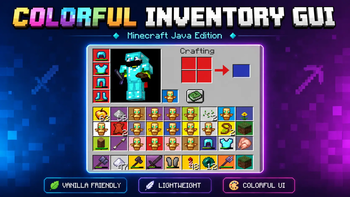
Refresh Minecraft Java Edition with a clean, colorful inventory GUI that gives your interface a modern new look.
⬇ Download on Modrinth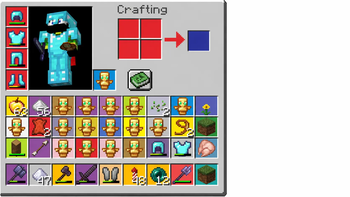
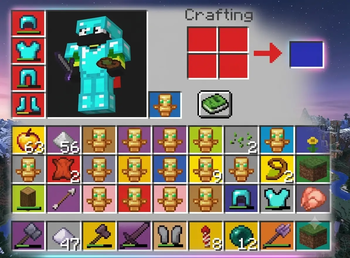
Colorful Inventory GUI (Java Edition)
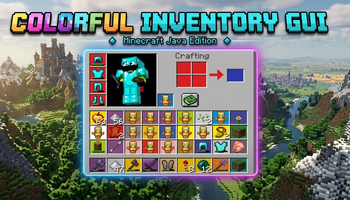
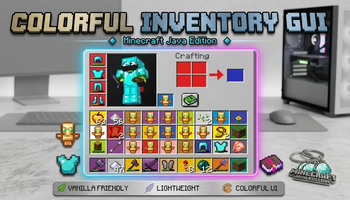
Give your Minecraft inventory a fresh new appearance with this Colorful Inventory GUI resource pack for Minecraft Java Edition. This pack redesigns the inventory interface with vibrant colors and a clean layout while keeping the classic Minecraft feel.
If you're looking for a simple visual upgrade without changing blocks, items, or gameplay, this pack is the perfect choice.
✨ Features 🎨 Redesigned inventory interface 🌈 Bright and colorful slot backgrounds 🛡️ Custom armor slot icons 📦 Improved inventory styling 💎 Clean vanilla-friendly design ⚡ Lightweight with no performance impact 🎮 Multiplayer compatible ✅ Supports Minecraft Java Edition (replace with your supported version, e.g. 1.21.8) 📋 What's Included Inventory GUI Creative Inventory GUI (if included) Crafting Interface Armor Slot Icons Hotbar & Interface Elements (if included) Custom Slot Backgrounds 📥 Installation Download the resource pack. Open Minecraft Java Edition. Go to Options → Resource Packs. Open the Resource Packs folder. Move the downloaded .zip file into the folder. Enable the pack and enjoy! ⚠️ Notes This is a resource pack only. It does not change gameplay, blocks, weapons, or mobs. Works best with the supported Minecraft Java version. May not be compatible with other packs that modify the GUI.
If you enjoy this resource pack, consider leaving a ❤️ favorite and following for future updates!
- Downloads as beauti.zip
- Download size: 4.8 MB
- Download link checked 20 Aug 2026 — working
These come from our own check of the pack file, not from the source page.