![[MTR4]BR Class 360 EMR](https://cdn.modrinth.com/data/LUvLIsY4/28f536aeca0b6e738ce5f0e20bf2458afc197bad_96.webp)
[MTR4]BR Class 360 EMR
Java resource pack listed for Minecraft 1.19–1.20. Downloads from the MC Java Mods app on Android.
⬇ Download on Modrinth![[MTR4]BR Class 360 EMR — screenshot 1](https://cdn.modrinth.com/data/LUvLIsY4/images/31207bd3999b8d815f1f30cdef1d90a9ca3e7527_350.webp)
![[MTR4]BR Class 360 EMR — screenshot 2](https://cdn.modrinth.com/data/LUvLIsY4/images/7e98f59afd7b347abf858477db59a908acec2bbf_350.webp)
![[MTR4]BR Class 360 EMR — screenshot 3](https://cdn.modrinth.com/data/LUvLIsY4/images/f27fee611e7b8ab5eb98ec93c38934371dc8fa80_350.webp)
Introduction
This resource pack adds East Midlands Railway class 360 fleet for Minecraft Transit Railway Mod.
This pack requires Minecraft Transit Railway Mod (MTR4 - Latest version is recommended)
Terms & Disclaimer
This RP can be applied manually in the 'Resource Packs' page in the same way that other RPs are applied after Installing Required Mods and Addons.
Before using, please set the JVM arguments to 6GB or higher. It may take some time to load this RP.
for more information, check readme inside the pack.
This resourcepack is not official product of real companies.
Contents
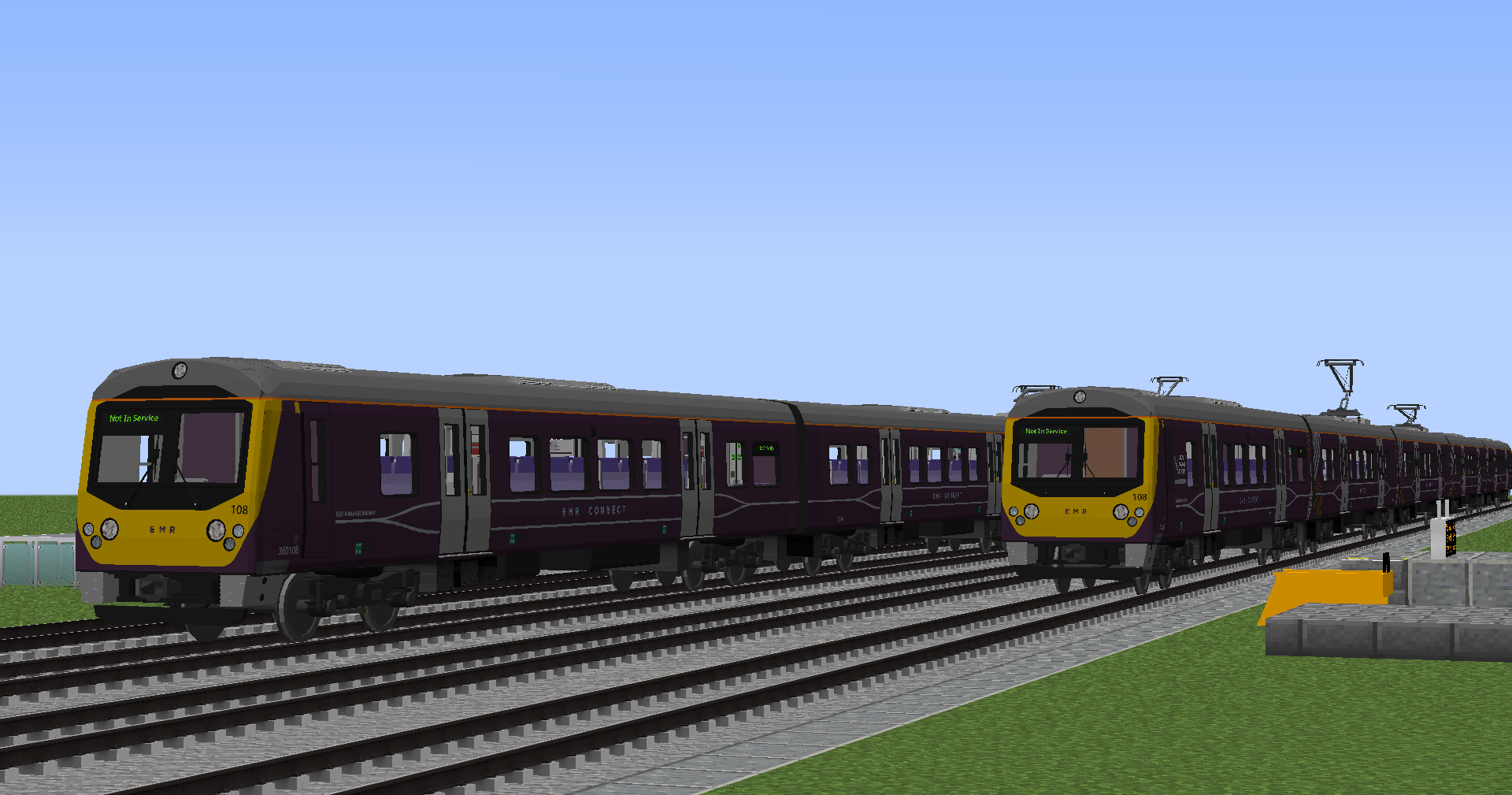
- EMR Class 360
- EMR Class 360 Luton Airport Express livery
- Edition: Minecraft Java
- File type: .zip (resource pack)
- Minecraft versions listed: 1.19.2, 1.19.4, 1.20.1
- How to install: Download the .zip resource pack — do not unzip it. → Put it in .minecraft/resourcepacks. → Enable it in Options → Resource Packs.
- Where to get it: Opens on Modrinth — not every file is mirrored on our own servers.
Install steps are the general flow for this file type — How to install Minecraft Java resource packs walks through it step by step.
- Downloads as MTR4_BR_Class360_srt_260823.zip
- Download size: 5.2 MB
- Download link checked 1 Oct 2026 — working
These come from our own check of the pack file, not from the source page.