
ResourcepacksJava
【MTR3】Metro Train Kit Type-A|メトロ風車両キットA
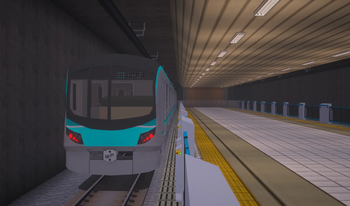
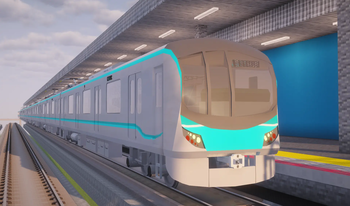
MTR(Minecraft Transit Railway)にメトロ風の架空車両を追加します。 This resource pack adds a fictional metro-style vehicle to the MTR (Minecraft Transit Railway)!
⬇ Download on Modrinth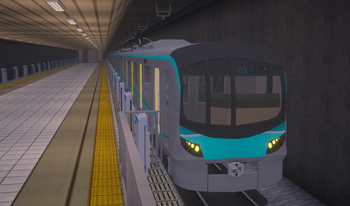
Note
In the case of MTR3, since this uses obj files, please also install NTE (Nemo's Transit Expansion). Link: https://modrinth.com/mod/mtr-nte
[Installation Instructions]
- Place the zip file in the resourcepacks folder in the startup settings, then press “Resource Packs...” in Minecraft settings, select it, and apply.
- Select the vehicle depot tracks from the dashboard, then choose your preferred vehicle from “Metro Train Kit Type-A”For MTR4, create a train set using the cars labeled “Metro Train Kit Type-A.”
- If the vehicle appears, installation was successful!
注意
MTR3の場合は、objファイルを使用しているので、NTE(Nemo's Transit Expansion)も導入してください。 リンク: https://modrinth.com/mod/mtr-nte
[インストール手順]
- 起動設定のresourcepacksフォルダにzipを入れ、マイクラの設定から「リソースパック...」を押し、選択して適応させます。
- ダッシュボードから車両基地の線路を選択し、「Metro Train Kit Type-A」を選択します。MTR4の場合は、「Metro Train Kit Type-A」と書いてある車両から編成を作成します。
- 車両が見えたら成功です!
Verified by MCModsHub
- Downloads as botamochi129_mtk_a-MTR3 v.1.0.zip
- Download size: 16.7 MB
- Download link checked 21 Aug 2026 — working
These come from our own check of the pack file, not from the source page.