
Classic Textures
Bring Minecraft back to its roots.
This resource pack restores all classic Minecraft textures from older versions, replacing the modern visuals with the original artwork that many players know and love.
Features
- Restores classic block textures
- Restores classic item textures
- Restores classic mob textures
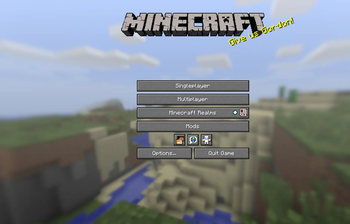
- Restores classic GUI textures
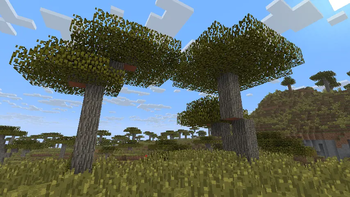
- Restores classic environment textures
- Restores classic particles
- Preserves the nostalgic Minecraft experience
- Designed for modern Minecraft versions
Why use this pack?
If you miss the original look of Minecraft, this resource pack is for you. Every texture has been replaced with its classic counterpart, allowing you to enjoy the timeless style of older Minecraft versions while playing on modern releases.
Installation
- Download the resource pack.
- Move the ZIP file into your
resourcepacksfolder. - Open Minecraft.
- Go to Options → Resource Packs.
- Enable Classic Textures.
- Enjoy the original Minecraft look!
Compatibility
- Supports the Minecraft versions listed on this Modrinth page.
- Works in Singleplayer and Multiplayer.
Notes
This pack focuses on restoring the original Minecraft textures. It does not aim to redesign or enhance the game's appearance—only to bring back the classic visuals.
Thank you for downloading Classic Textures!
Enjoy the nostalgia.
- Edition: Minecraft Java
- File type: .zip (resource pack)
- Minecraft versions listed: 1.20, 1.20.1, 1.20.2
- How to install: Download the .zip resource pack — do not unzip it. → Put it in .minecraft/resourcepacks. → Enable it in Options → Resource Packs.
- Where to get it: Opens on Modrinth — not every file is mirrored on our own servers.
Install steps are the general flow for this file type — How to install Minecraft Java resource packs walks through it step by step.
- Downloads as Back To Classic V1.zip
- Download size: 51.6 MB
- Download link checked 11 Sept 2026 — working
These come from our own check of the pack file, not from the source page.