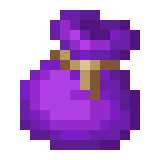
The Bundle Project
Java mod listed for Minecraft 26.x. Downloads from the MC Java Mods app on Android.
Reworks bundles into portable 27-slot inventories with full-stack storage, direct right-click access, any-item retrieval, and optional Smart Collection…
⬇ Download on ModrinthThe Bundle Project
The Bundle Project reworks Minecraft bundles into portable 27-slot inventories. Instead of using Mojang's weight calculation, every normal item stack occupies exactly one slot.
That means all of these consume one slot each:
- 64 stone
- 16 ender pearls
- One enchanted book
- One tool, weapon, or piece of armor
Open all 27 slots in a familiar 3×9 inventory and choose exactly which item you want to remove.
Features
- 27 persistent storage slots in every normal and dyed bundle
- One stack per slot, regardless of the item's vanilla bundle weight
- Familiar chest-style inventory with normal clicking, dragging, and shift-clicking
- Remove any stored item instead of being limited to the first visible entries
- Automatically migrates existing vanilla bundle contents on first use
- Safely returns overflow to the player's inventory or drops it at their feet
- Prevents bundles from being placed inside other bundles
- Locks the source bundle in place while its inventory is open
- Preserves item names, enchantments, durability, container data, and other components
- No commands, configuration, data pack, or resource pack required
How to use
- Hold any bundle in your main hand or offhand.
- Right-click the air.
- Use the 27 slots like a small portable chest.
- Close the screen when finished. Changes are saved directly into that bundle.
Compatibility
| Platform | Requirement |
|---|---|
| Minecraft | Java Edition 26.2 |
| Fabric | Fabric Loader 0.19.3+ and Fabric API 0.156.0+26.2 |
| Forge | Forge 65.1.0+ |
| Java | Java 25 |
The Fabric and Forge editions use the same minecraft:custom_data storage format. Bundles can therefore move between Fabric and Forge worlds without losing their reworked contents.
For dedicated multiplayer servers, install the appropriate edition on the server. The inventory uses Minecraft's standard 3×9 screen and does not require a custom client interface. For single-player, install the appropriate mod in the client's mods folder because the client hosts the integrated server.
Important
Back up your world before installing or removing any storage mod. Empty reworked bundles before permanently removing The Bundle Project; their stored data remains on the item but cannot be accessed normally until a compatible edition is installed again.
Do not install the Fabric and Forge JARs together. Choose the file matching your mod loader.
Creator
Created by Dex_Sxcrifice.
- Edition: Minecraft Java
- File type: .jar
- Minecraft version listed: 26.2
- How to install: Install the matching mod loader (Forge, Fabric or NeoForge) for your Minecraft version. → Download the .jar. → Put it in the .minecraft/mods folder and launch that loader profile.
- Where to get it: Opens on Modrinth — not every file is mirrored on our own servers.
Install steps are the general flow for this file type — How to install Minecraft Java mods & modpacks walks through it step by step.
- Ships as TheBundleProject-Fabric-2.1.0.jar — drop this file into the mods folder
- Download size: 365 KB
- Download link checked 1 Oct 2026 — working
These come from our own check of the pack file, not from the source page.