Andy's Locks & Keys
Bedrock add-on listed for Minecraft 26.x. Download on the author's site.
Secure vanilla doors, trapdoors, gates, chests, and barrels in Minecraft Bedrock. Craft tiered locks and keys, share access, pick locks, or brute-force…
⬇ Download on CurseForge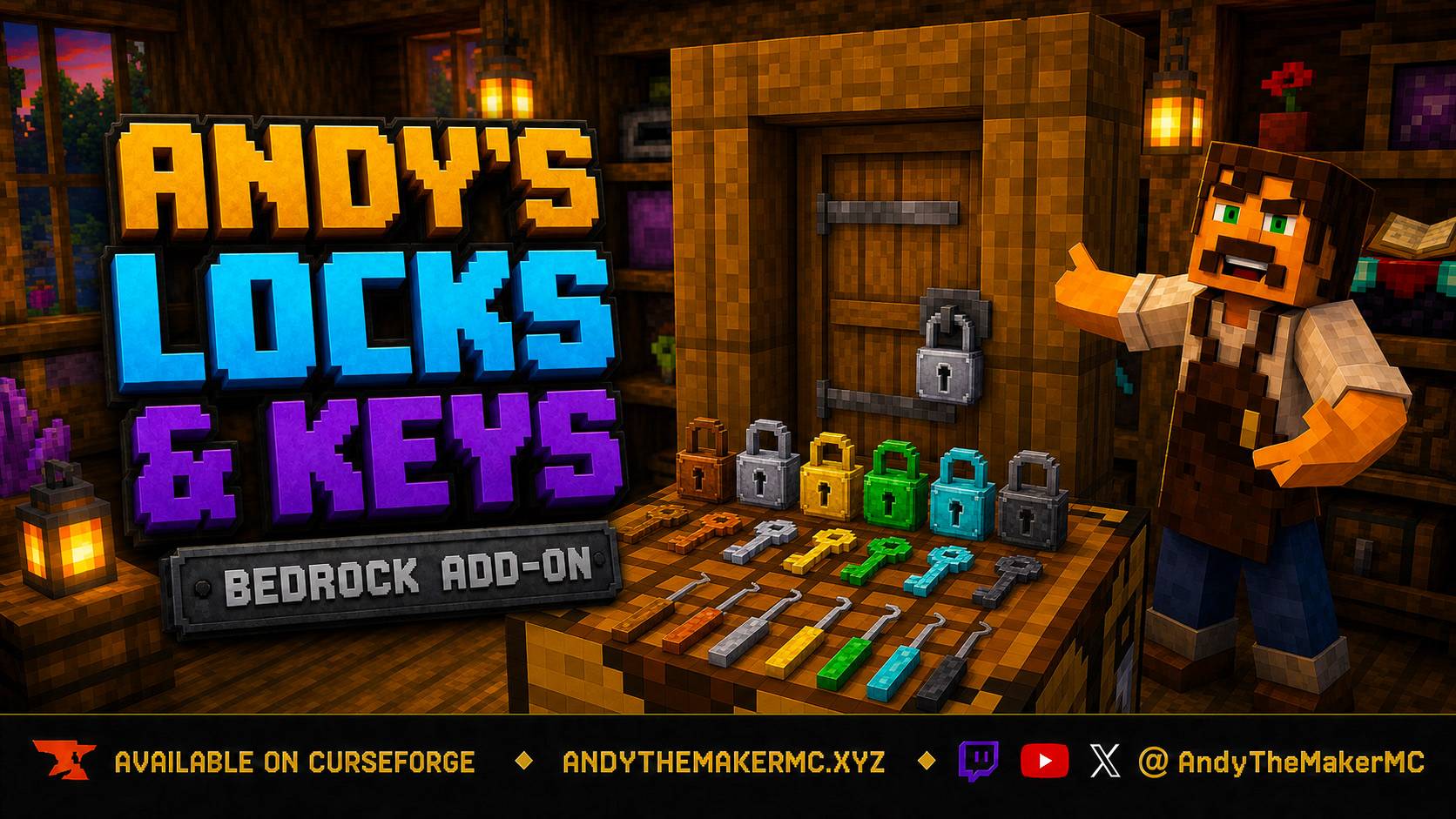
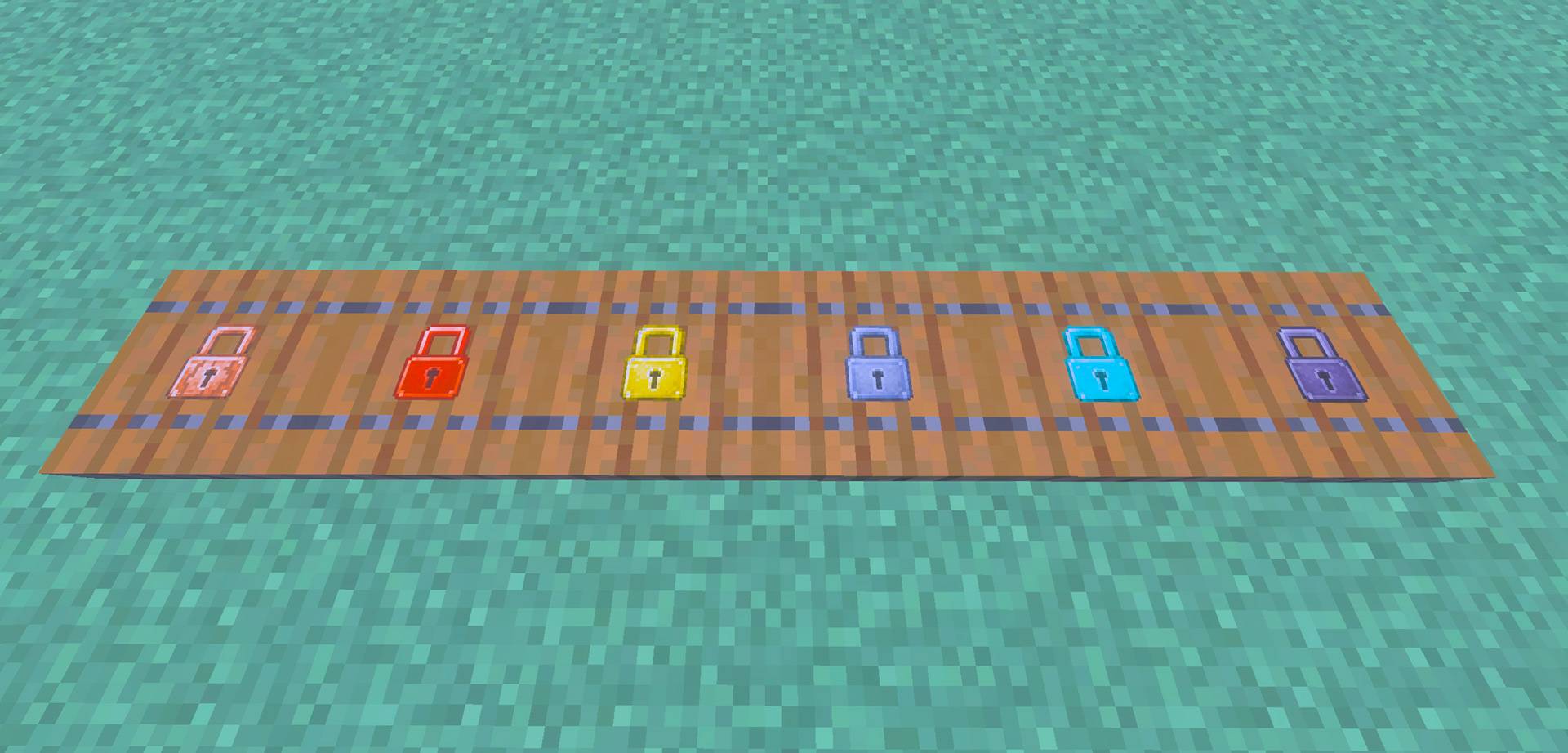
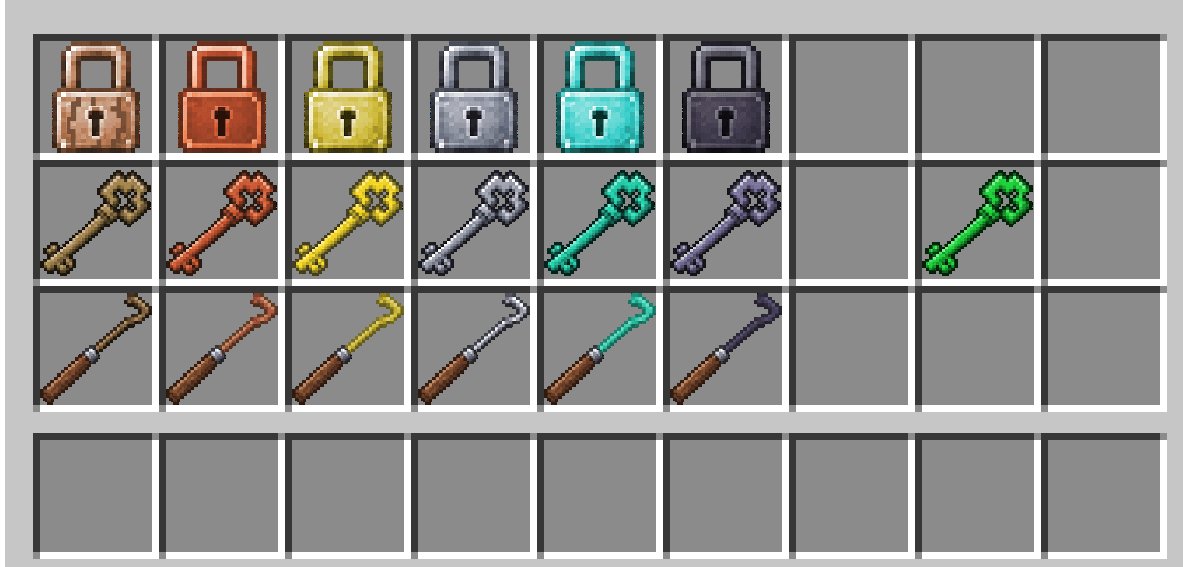
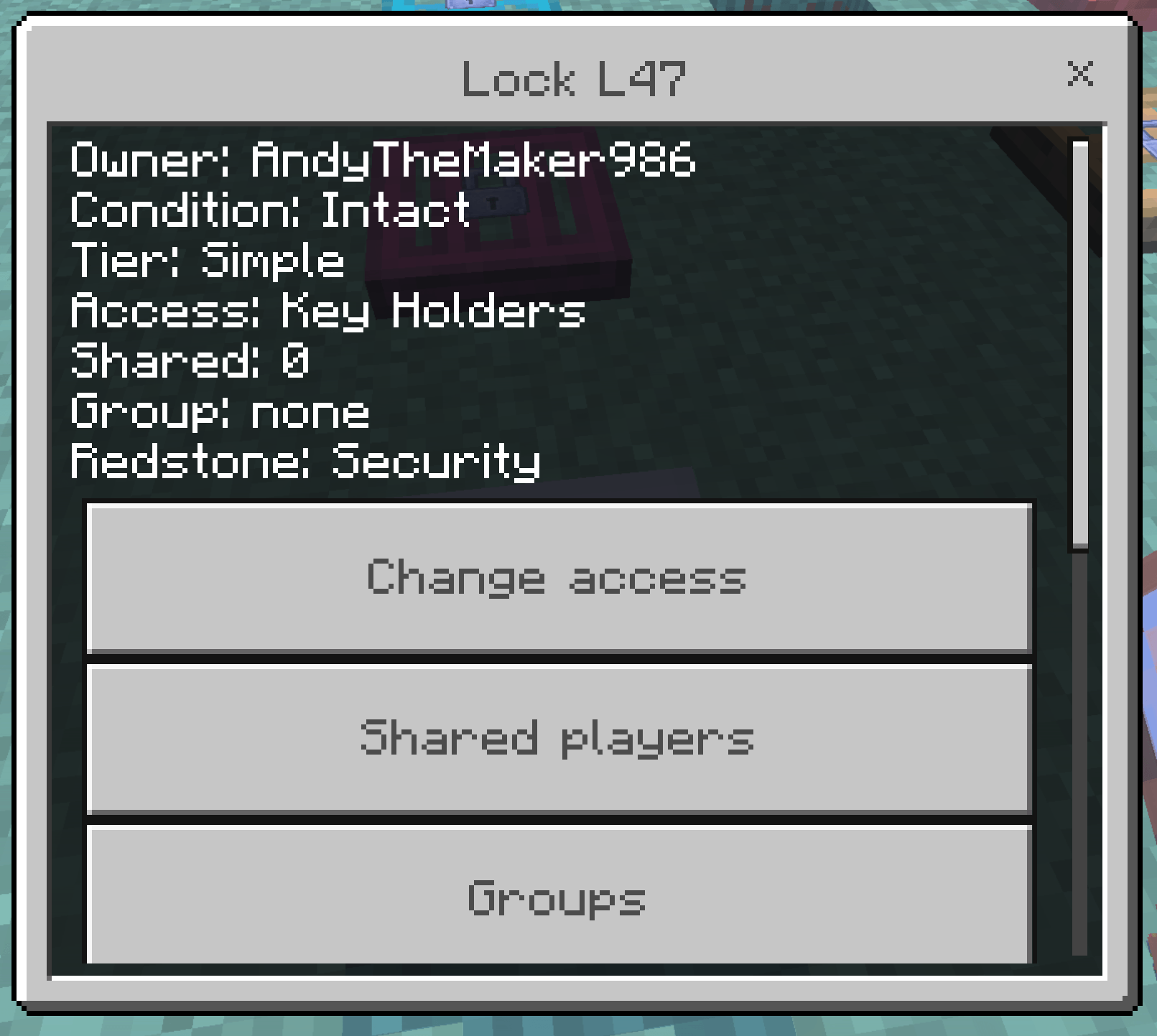
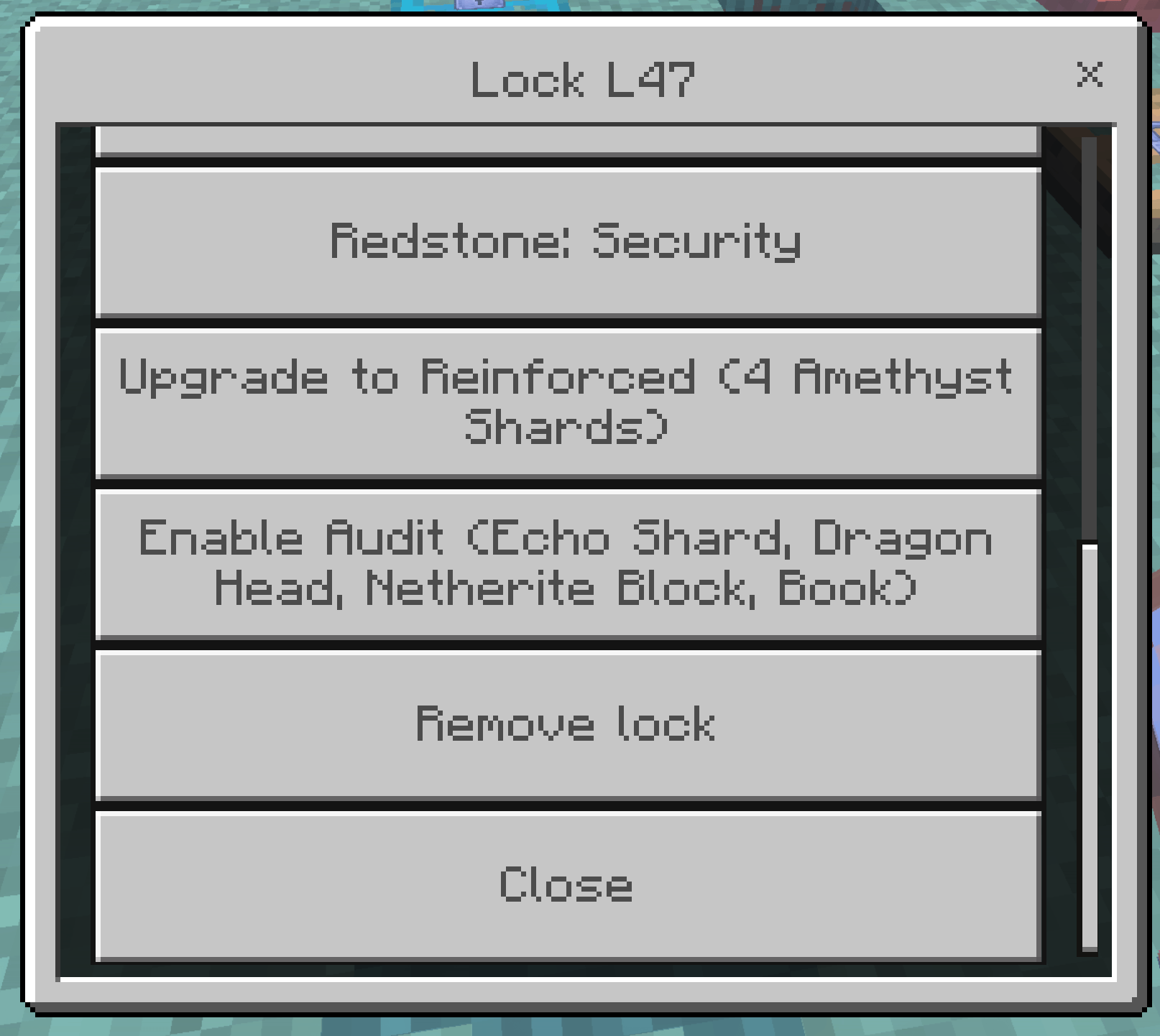
Andy's Locks & Keys
Lock vanilla doors, trapdoors, and fence gates in Minecraft Bedrock
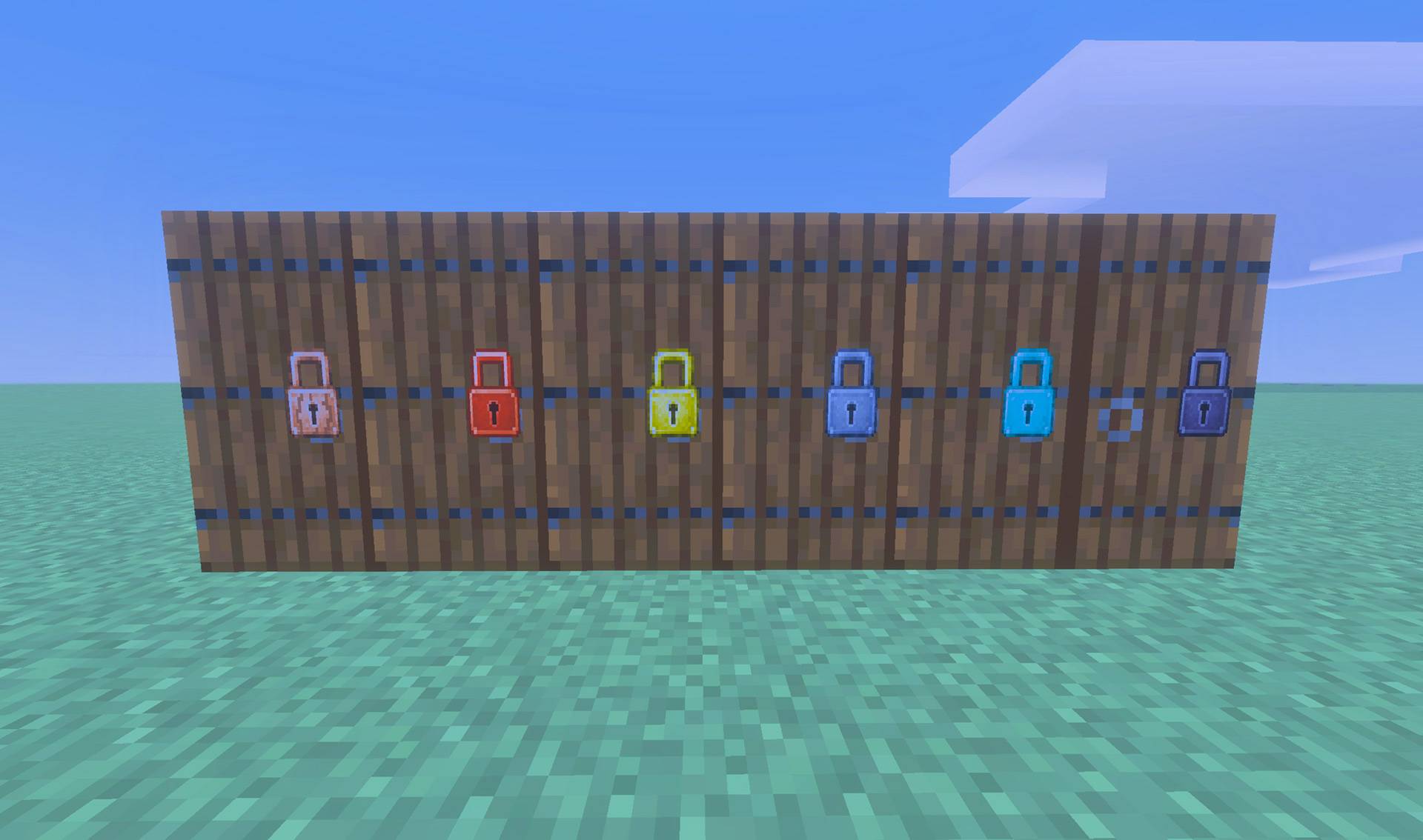
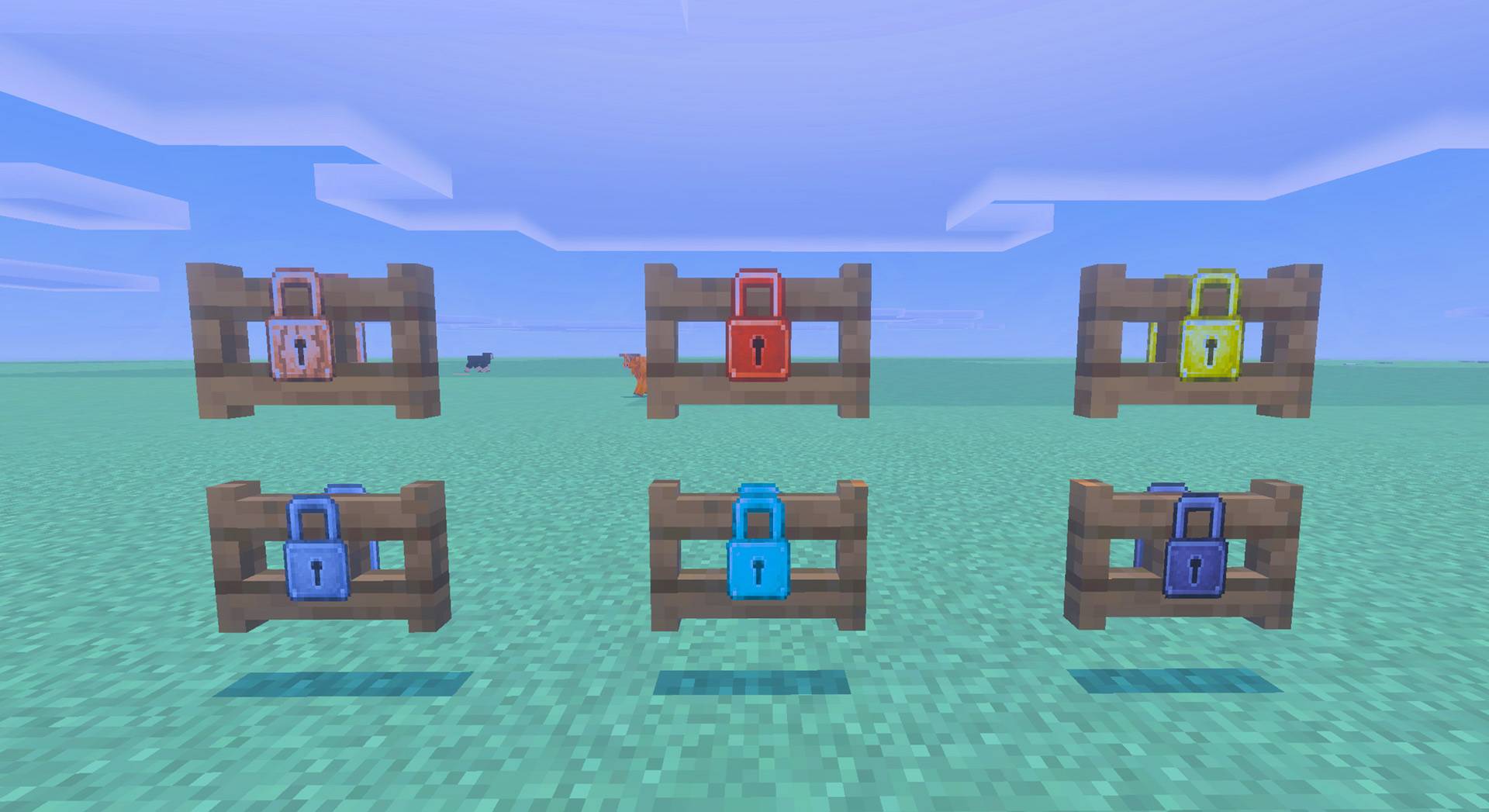
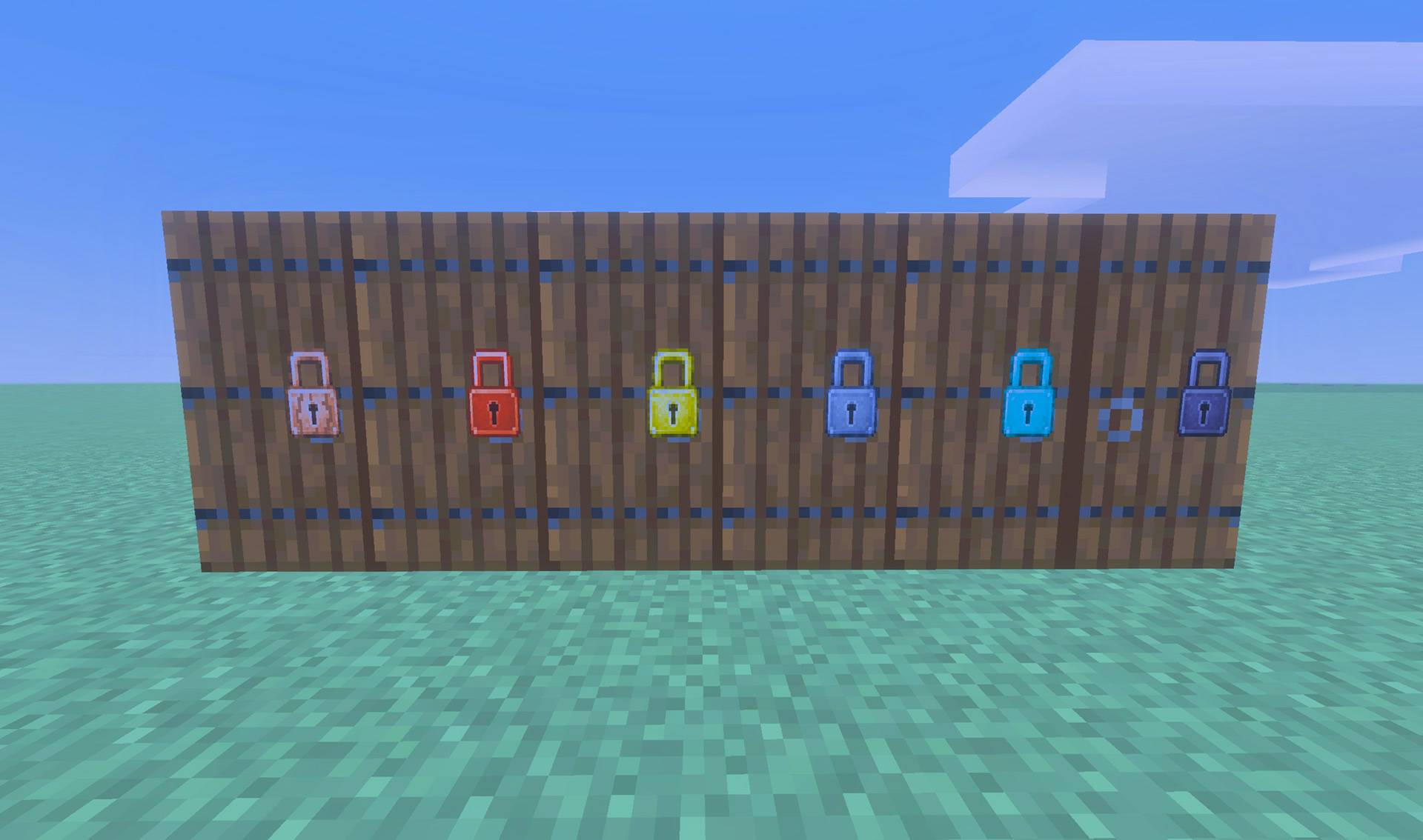
Andy's Locks & Keys lets you secure the entrances you already build. Craft a lock, crouch, and use it on a door, trapdoor, or fence gate. You become the owner. A visible padlock sits on the leaf. Other players cannot open it unless you share access, bind them a key, or they succeed at picking or smashing a Simple lock.
The add-on is built for Survival bases, shops, multiplayer towns, Realms, and servers. It uses only stable Script APIs. Cheats and experiments are not required. Standard graphics and Vibrant Visuals both work.
Features
- Lock any vanilla door, trapdoor, or fence gate
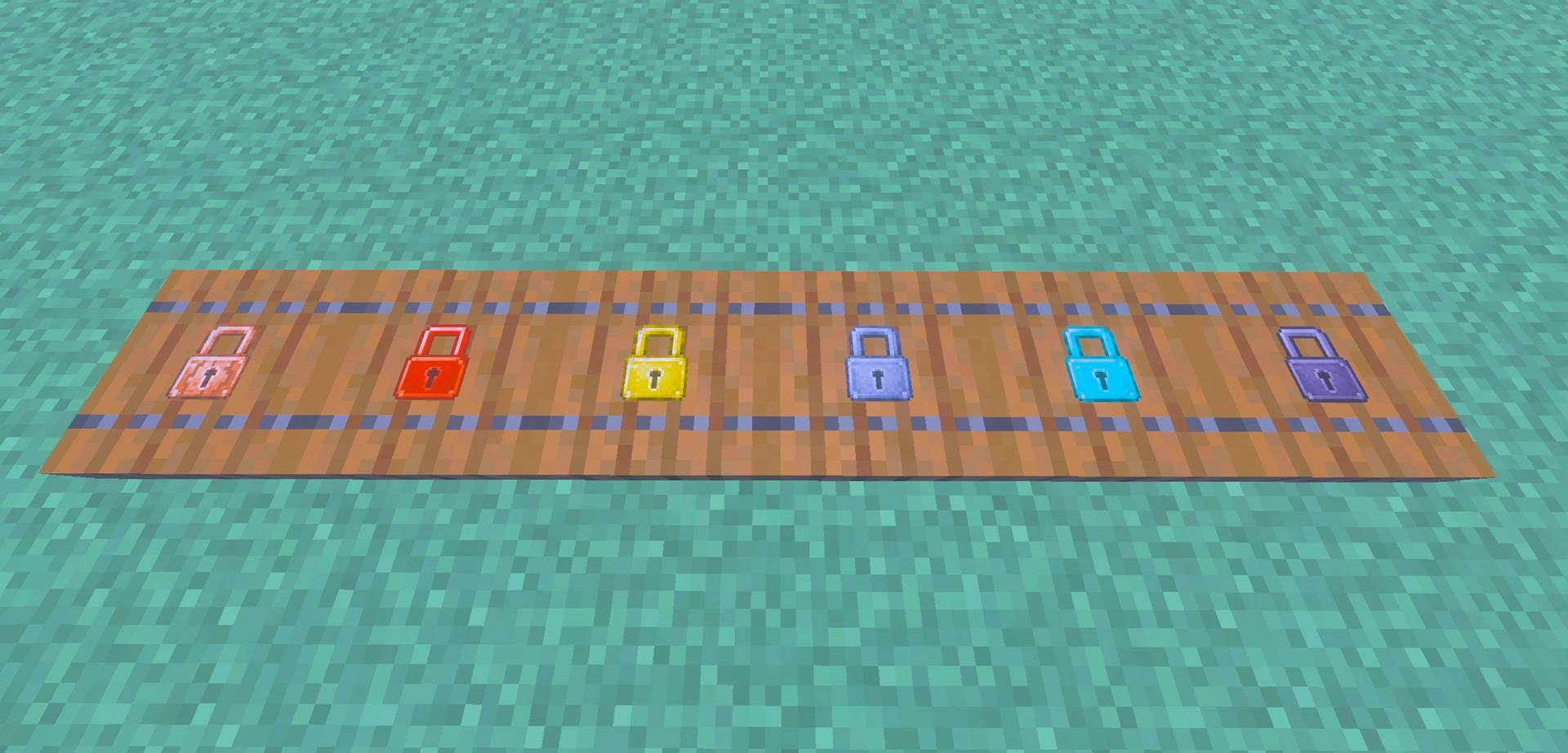
- Wood, Copper, Gold, Iron, Diamond, and Netherite lock / key / lockpick families
- Visible padlock hasp that follows the closed and open leaf
- Crouch-use a lock item to install; crouch-use again for settings
- Bound Keys for a specific Lock ID; Blank Keys for owner copying
- Master Key that opens every lock you own
- Operator holding a Master Key can open every lock in the world
- Access modes: Owner Only, Key Holders, Shared, Group, and Public
- Simple, Reinforced, and Advanced lock upgrades
- Lockpicking with material odds and pick durability
- Netherite pickaxe brute force on Simple locks (crouch, hold-swing, 30–50s)
- Locked blocks cannot be broken until the lock is removed
- Security redstone snap-close, or Redstone Allowed / Advanced wiring
- Double doors and paired fence gates share one lock
- Overworld, Nether, and End
- Single-player, multiplayer, Realm, and supported Bedrock-server compatibility
- No required dependencies
Installation Guide
Windows, Android, iPhone, and iPad
- Download
Andys_Locks_And_Keys_0.10.19.mcaddonfrom this official CurseForge project. - Open the downloaded
.mcaddonfile with Minecraft Bedrock. - Wait for Minecraft to confirm that both included packs imported successfully.
- Create a world, or edit the world where you want to use the add-on.
- Open Behavior Packs → My Packs.
- Select Andy's Locks & Keys [BP] and choose Activate.
- Confirm that Andy's Locks & Keys [RP] is also active under Resource Packs. Minecraft should activate the linked Resource Pack automatically.
- Enter the world, place a door, and crouch-use a lock item on it.
Minecraft Bedrock 26.30 or newer is required. Cheats, commands, and experimental gameplay toggles are not required.
Back up an important world before installing or updating any add-on.
Xbox, PlayStation, and Nintendo Switch
Consoles generally cannot import arbitrary local .mcaddon files directly. Import and activate the add-on on Windows or mobile, upload the prepared world to a Realm, and join that Realm from the console. Realm members receive the world's required packs through Minecraft's normal world-pack delivery.
Updating the Add-On
- Back up the world.
- Close the world completely.
- Import the newer
.mcaddonfile. - Edit the world and verify that both included packs show the same newest version.
- Remove obsolete active copies if Minecraft retained them.
- If you are updating from an older test build, break and replace existing locked doors, then lock them again so hasps sit on the current leaf.
Usage Guide
1. Craft a lock, blank key, and lockpicks
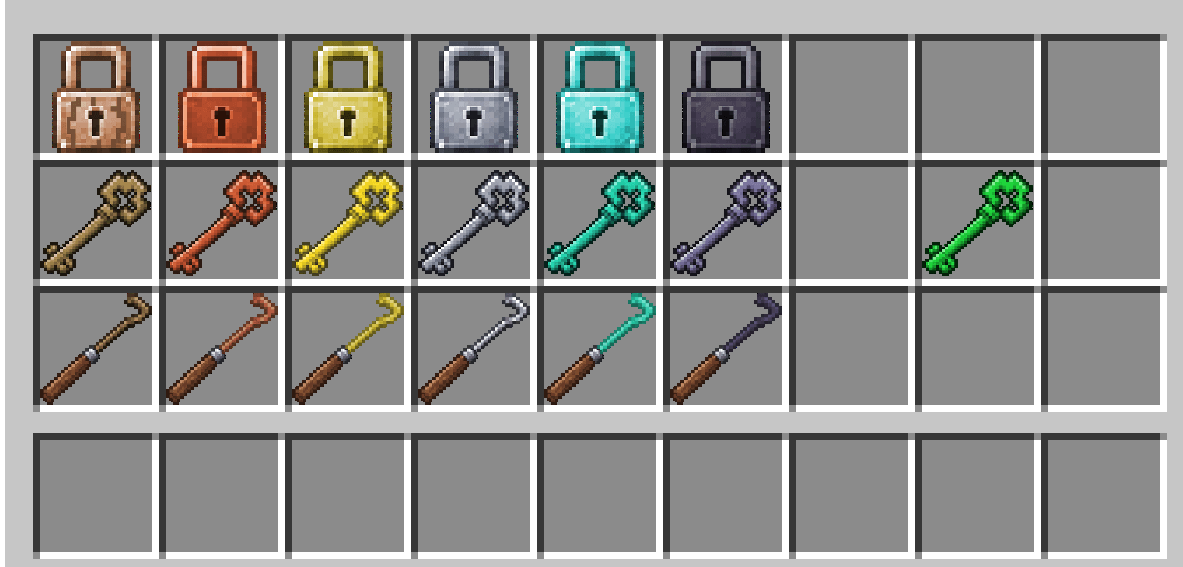
All recipes are always unlocked in the recipe book. You do not have to find the material first.
Locks are shapeless: the matching material plus an iron nugget (oak planks + iron nugget for Wood).
| Lock | Craft |
|---|---|
| Wooden Lock | Oak planks + iron nugget |
| Copper Lock | Copper ingot + iron nugget |
| Gold Lock | Gold ingot + iron nugget |
| Iron Lock | Iron ingot + iron nugget |
| Diamond Lock | Diamond + iron nugget |
| Netherite Lock | Netherite ingot + iron nugget |
Blank keys are shapeless: matching material + stick (oak planks + stick for Wood). Bound keys have no recipe; bind a blank key on a lock you own.
| Blank key | Craft |
|---|---|
| Wooden Blank Key | Oak planks + stick |
| Copper Blank Key | Copper ingot + stick |
| Gold Blank Key | Gold ingot + stick |
| Iron Blank Key | Iron ingot + stick |
| Diamond Blank Key | Diamond + stick |
| Netherite Blank Key | Netherite ingot + stick |
Lockpicks are shaped vertically: two sticks over the matching material.
| Lockpick | Craft |
|---|---|
| Wooden Lockpick | 2 sticks + oak planks |
| Copper Lockpick | 2 sticks + copper ingot |
| Gold Lockpick | 2 sticks + gold ingot |
| Iron Lockpick | 2 sticks + iron ingot |
| Diamond Lockpick | 2 sticks + diamond |
| Netherite Lockpick | 2 sticks + netherite ingot |
| Result | Craft |
| ---------- | -------------------------------------- |
| Master Key | Emerald + netherite ingot + gold ingot |
/give @s andylocks:iron_lock also works for testing.
2. Install the lock
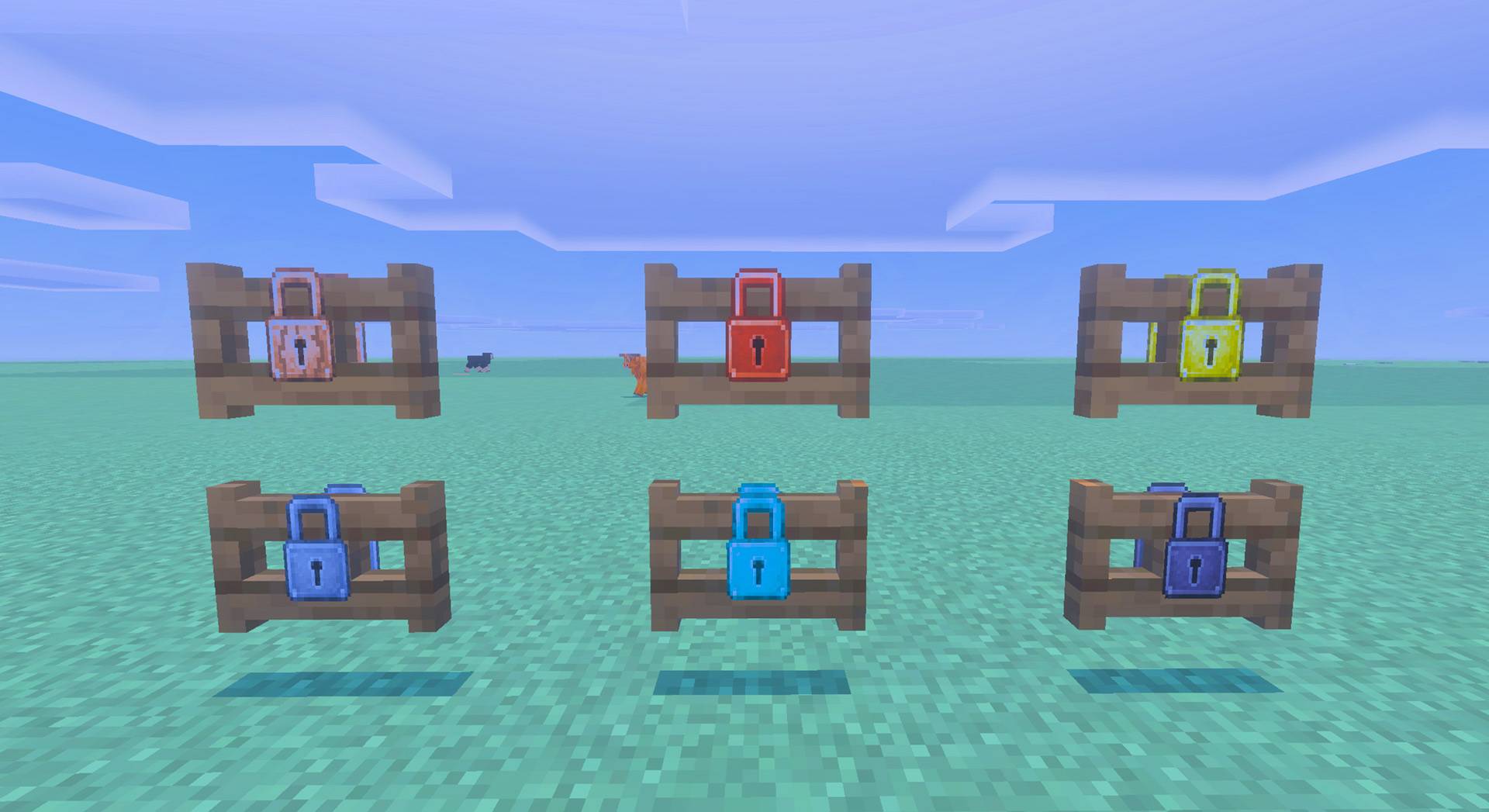
- Place a vanilla door, trapdoor, or fence gate.
- Hold the lock item.
- Crouch and use it on the entrance.
- The lock item is consumed. A padlock hasp appears on the leaf. You are the owner.
A standing click still opens the door. Only crouch-use installs.
Side-by-side matching doors or fence gates share one lock. Removing it from either side unlocks the pair.
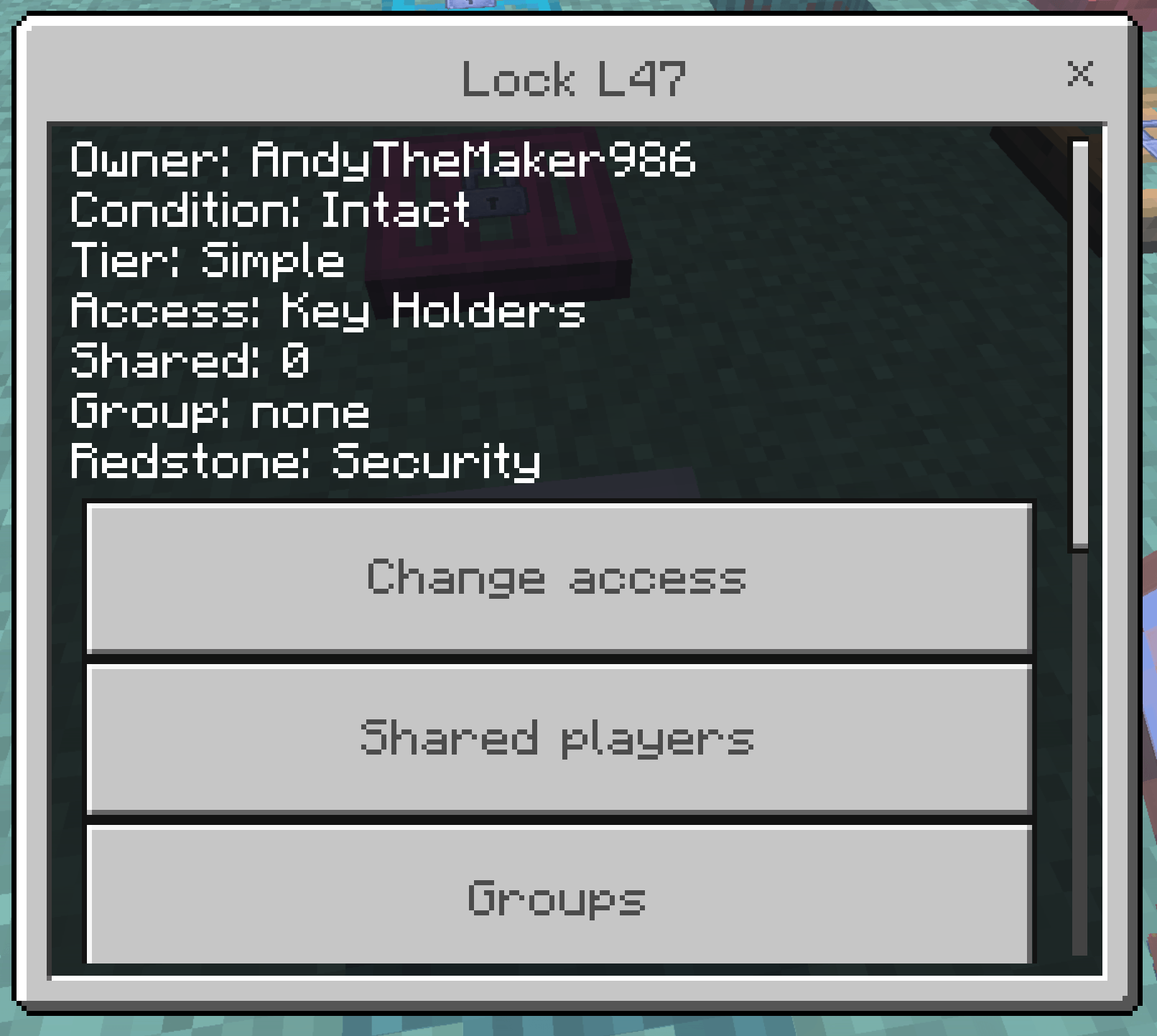
Crouch and use a lock item (or an empty hand / Master Key while crouching on a scuffed lock) on an entrance you own. Settings cover:
- Access mode
- Shared players
- Groups
- Public access
- Redstone Security vs Allowed
- Upgrades
- Repair
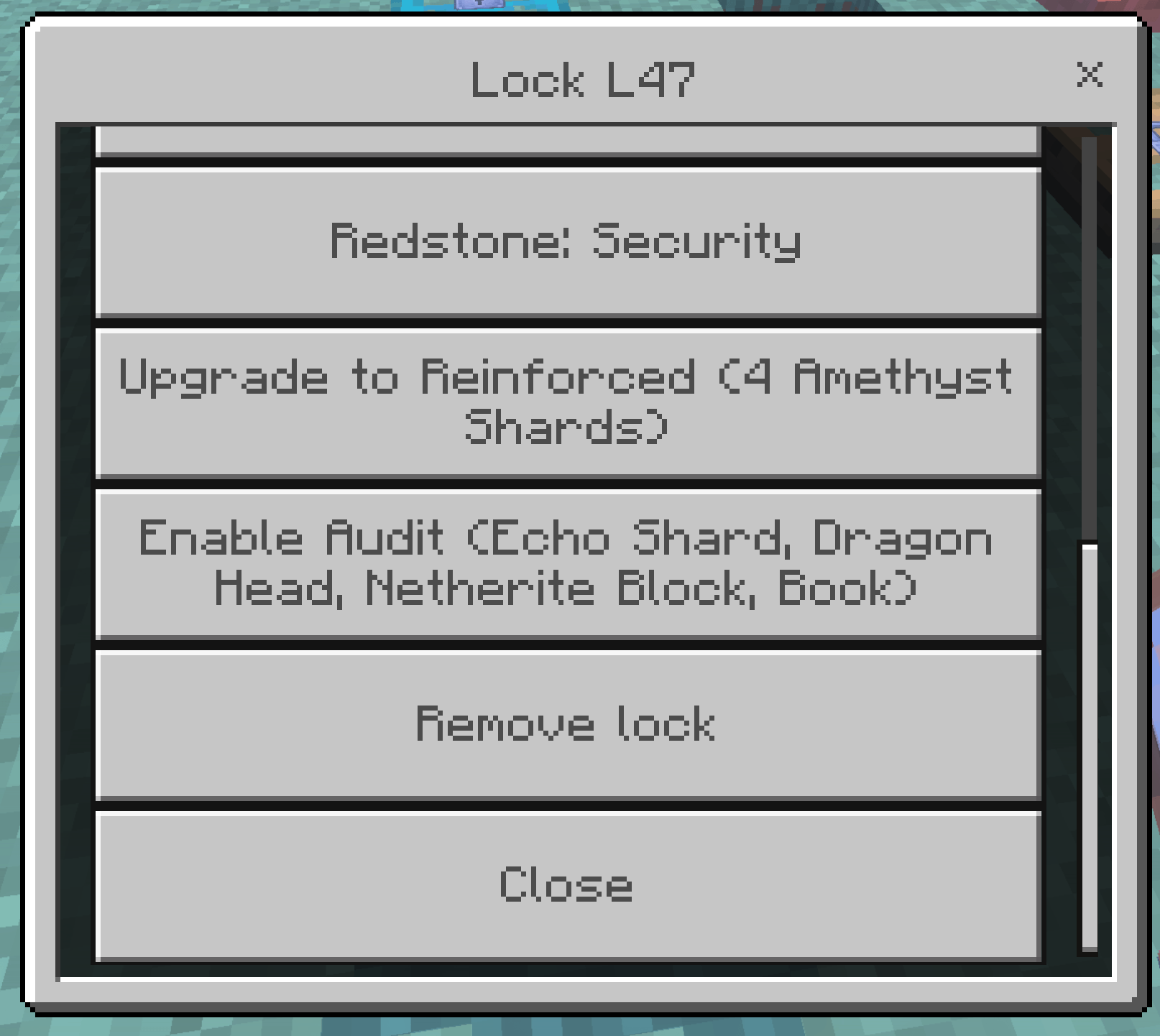
- Remove (returns a stamped lock item)
5. Keys
Blank keys craft from the matching material plus a stick (oak planks + stick for Wood).
Crouch-use a blank key on a lock you own. Chat: Key bound to L#.
Standing-click with that bound key opens that lock and spends one use. A wrong bound key fails and still wears. Only the owner can copy keys onto blanks.
Unbreaking on a key adds extra uses. Mending restores uses when you gain XP (the addon handles this; keys are not vanilla durability bars).
6. Master Key
Crouch-use an unbound Master Key on a lock you own. That one key opens all of your locks. An operator holding a Master Key can open every lock in the world. Uses still wear out. It does not let other people copy your keys.
7. Sharing
In settings, choose Shared, Group, or Public.
- Owner Only — only you (and admin/master). Bound keys are rejected.
- Key Holders — you plus matching bound keys (default).
- Shared — listed players as well.
- Group — members of the assigned group.
- Public — anyone can use the entrance. A wrong bound key still fails.
8. Upgrades
Applied to the installed lock from settings:
- Reinforced — 4 Amethyst Shards. Diamond or Netherite lockpicks only. No netherite smash.
- Advanced — Redstone Block + Clock. Same as Reinforced, and redstone is Allowed.
Anvil Unbreaking or Mending onto a lock item before installing:
- Unbreaking III on a lock — immune to netherite smash, still pickable.
- Mending on a lock — pick chance is divided by three.
9. Lockpicking
Aim a lockpick at someone else's locked entrance. You do not need to crouch.
- Success:
The lock clicked open— that entrance opens once. The lock stays. - Failure:
The lock holds— still spends one attempt.
Wood picks have 2 attempts; Netherite picks have 12. Stronger lock material is harder to pick. A wood pick against a Reinforced lock snaps immediately.
10. Brute force
Crouch with a Netherite Pickaxe and keep swinging at a Simple lock for a random 30–50 seconds. Stop swinging, stand up, look away, or switch items and progress resets.

The pickaxe wears like mining obsidian (about 3–5 uses, Unbreaking applies). Hitting the padlock counts. The smashed lock stays on the door. The block still cannot be broken until you remove the lock in settings.
Repair a scuffed or smashed lock from settings (iron nuggets + iron ingot). Crouch-use the entrance to open that menu.
Reinforced, Advanced, and Unbreaking III locks cannot be smashed this way.
11. Redstone
Security (default): if something unauthorized opened the entrance, it closes again. Buttons usually lose. A lever left on can flicker.
Redstone Allowed (settings, or Advanced upgrade): wiring may operate the entrance. Unauthorized players still cannot click it open.
When you are allowed to open one leaf of a locked pair, the other leaf matches.
12. Remove
Owner settings → remove. You get the lock item back, including its upgrade stamp. The hasp disappears.
Chests & Barrels Update
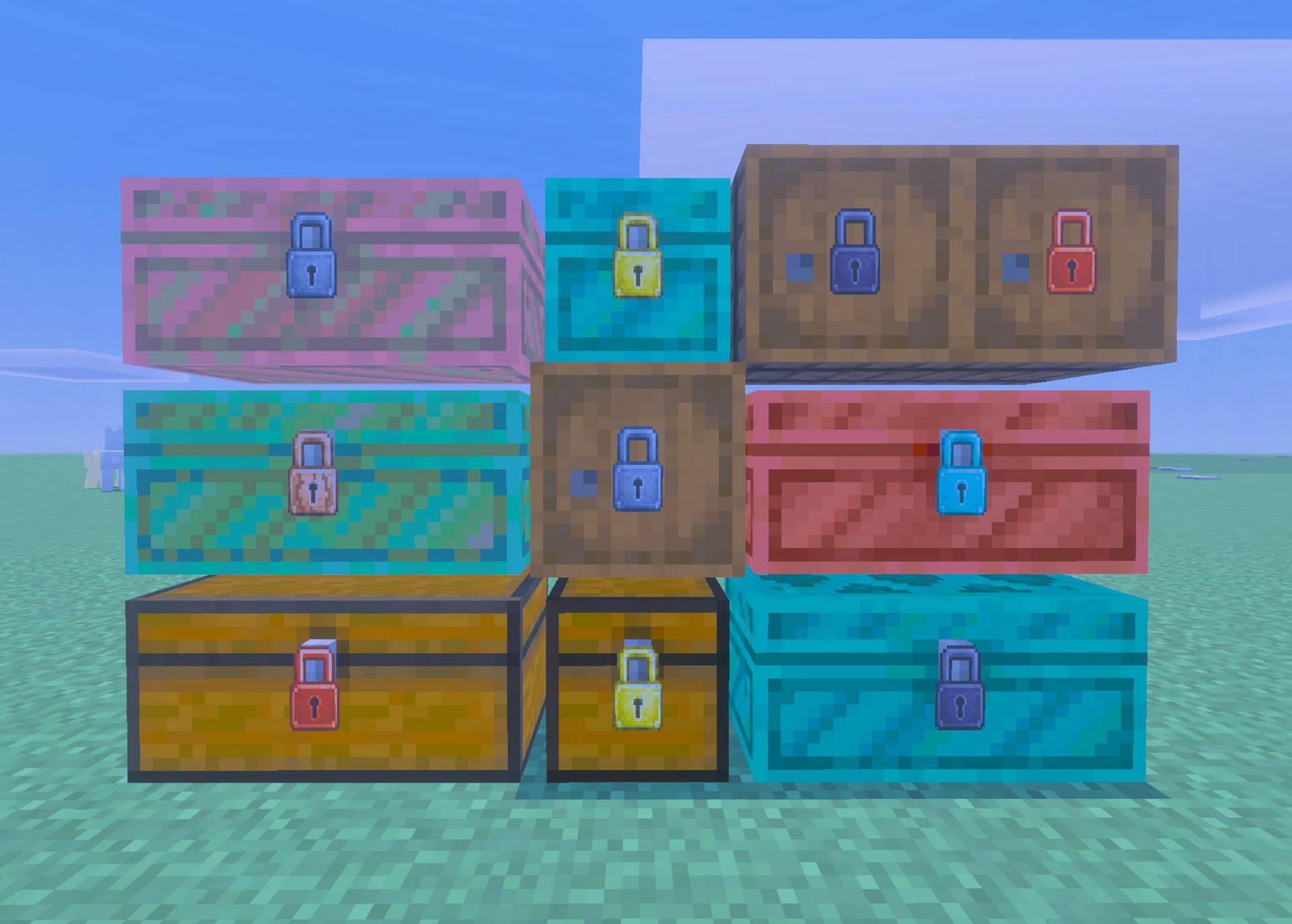
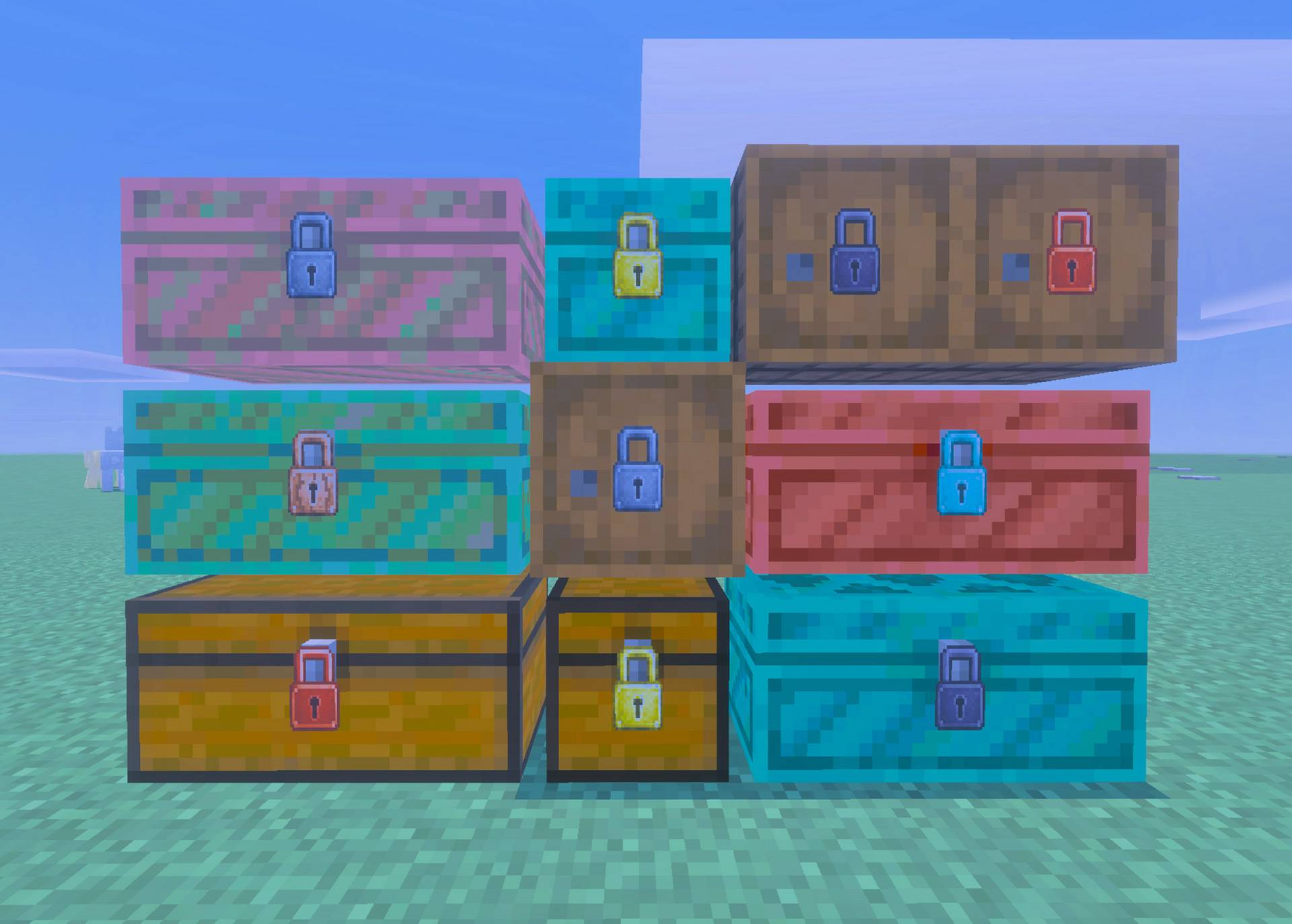
Locks are no longer limited to entrances. Secure normal Chests, Double Chests, Trapped Chests, Double Trapped Chests, Ender Chests, every Copper Chest oxidation and waxed variant, and Barrels using the same ownership, keys, sharing, groups, lockpicking, upgrades, repair, and brute-force systems used by doors.
- Locked Chests and Barrels cannot be opened by unauthorized players or destroyed with tools in Survival or Creative.
- Double Chests share one lock across both exact block coordinates and display one padlock at the front seam.
- Chests display one compact outward-facing padlock at the front latch.
- Barrels display one compact padlock only on the face used during installation—including the top and bottom.
- Container padlocks are 20% smaller than entrance padlocks. Door, Trapdoor, and Fence Gate padlock geometry and orientation remain unchanged.
- Eligible Simple locks can be brute-forced only by a crouched Survival player holding the vanilla Netherite Pickaxe.
- Hold the mine button to run the countdown with repeated sounds and particles. Releasing the button clears the overlay and resets the entire attempt.
- No other pickaxe or tool can start or advance brute force.
- A successful brute-force attempt smashes the lock; the broken lock remains attached and requires repair.
- Trapped Chests retain their normal authorized redstone behavior, while denied interactions never open them.
Hoppers can still transfer items because the stable Bedrock Script API does not provide a cancellable hopper-transfer event.
Troubleshooting
The padlock is missing or floating
- Confirm Andy's Locks & Keys [RP] is active and matches the Behavior Pack version.
- Remove older Locks & Keys packs, then re-import.
- If you updated from an older test build, break the door, place it again, and lock it fresh.
I cannot lock the block
- Crouch. Standing click opens the door instead of locking.
- Aim at the door, trapdoor, or gate itself, not the block under it.
- Hold a lock item in the selected hotbar slot.
The door opens from a button
- Default Security mode snaps unauthorized opens closed after a moment.
- A constantly powered lever can flicker. Use a button, or set Redstone Allowed if you want wiring to work.
My bound key does not open the lock
- Bind it with crouch-use on a lock you own. Standing click spends a use.
- Owner Only mode rejects bound keys.
- A key bound to a different Lock ID is a wrong key.
Lockpicking does nothing / snaps immediately
- You cannot pick your own lock.
- Reinforced and Advanced locks reject wood/copper/gold picks.
- Confirm you are aiming at someone else's locked entrance.
Brute force does nothing
- Crouch. Hold a Netherite Pickaxe. Keep swinging for 30–50 seconds.
- Only Simple locks smash this way. Unbreaking III on the lock blocks smash.
- Progress resets if you stop.
Vibrant Visuals looks wrong
- Confirm the matching Resource Pack is active.
- Remove older pack copies and restart Minecraft.
Pack versions do not match
Delete both packs from global resources and re-import the matching .mcaddon.
Bug reports
Include add-on version, Minecraft Bedrock version, device, single-player / Realm / server, reproduction steps, screenshots, and any [andylocks] Content Log lines.
Enjoying Andy's Locks & Keys?
Follow the project on CurseForge for updates, leave a comment with feedback, and share screenshots of the bases, shops, and towns you lock down.
If the add-on makes your world feel more secure, please consider rating or favoriting the project. Those small actions help other Minecraft Bedrock players discover Andy's Add-ons.
Follow and Support Andy
Visit AndyTheMakerMC.xyz for Andy's add-ons, .mcstructure downloads, HoloPrint files, world lore, tutorials, guides, videos, and other Minecraft content.
Follow @AndyTheMakerMC on:
- YouTube
- Twitch
- <input type="checkbox" disabled style="margin: 0px 0.35em 0.25em -1.6em; vertical-align: middle;" checked>(https://x.com/AndyTheMakerMC)
- TikTok
Support future projects through Ko-fi or a direct Stripe contribution.
Player, Server, Realm, and Content Creator Permission
Players may use an official, unmodified release of Andy's Locks & Keys in personal worlds, multiplayer worlds, Realms, and servers. Normal delivery of the official, unmodified add-on to players joining an authorized world, Realm, or server is permitted.
Content creators may use, review, and showcase an official, unmodified release in their worlds, multiplayer worlds, Realms, servers, videos, livestreams, screenshots, tutorials, reviews, showcases, articles, guides, social posts, and other original gameplay content, including monetized content.
Credit to AndyTheMakerMC and a link to the official CurseForge project page are appreciated whenever practical.
This permission does not allow anyone to offer the add-on file as a separate download or to modify, translate, adapt, decompile, disassemble, reverse engineer, extract, repackage, mirror, rehost, resell, sublicense, redistribute, or reuse any project content.
All Rights Reserved License
All Rights Reserved. Copyright © 2026 Andy / AndyTheMakerMC.
Except for the limited player, server, Realm, and content-creator permissions above, no part of the add-on, source code, documentation, branding, textures, models, or promotional artwork may be redistributed, reuploaded, rehosted, mirrored, resold, sublicensed, bundled, repackaged, modified and published, translated, adapted, decompiled, disassembled, reverse engineered, extracted, reused, or incorporated into another add-on, pack, application, website, download, or project without prior written permission from the copyright holder.
The permissions above allow normal gameplay, server and Realm use, reviews, showcases, and original gameplay content using an official, unmodified release. They do not transfer ownership or grant permission to distribute, modify, reverse engineer, or rehost the project files.
The promotional artwork is original AI-assisted concept artwork directed for this project. It is not an in-game screenshot.
Minecraft is a trademark of Microsoft Corporation. This project is not affiliated with, endorsed by, sponsored by, or associated with Microsoft or Mojang Studios.
Official Links and Attribution
- Website: www.AndyTheMakerMC.XYZ
- Creator credit: AndyTheMakerMC
- X, Twitch, and YouTube: @AndyTheMakerMC
- Edition: Minecraft Bedrock
- File type: .mcpack or .mcaddon
- Minecraft versions listed: 26.30, 26.40
- How to install: Download the .mcpack or .mcaddon file. → Open it — Minecraft imports it. → In your world: Behavior Packs → Available → Activate, then the same under Resource Packs.
- Where to get it: Opens on CurseForge — not every file is mirrored on our own servers.
Install steps are the general flow for this file type — How to install Minecraft Bedrock addons & mods walks through it step by step.
Andy's Locks & Keys is a free Minecraft Bedrock addon. Compatible with Minecraft 26.30, 26.40. Downloaded 1,370 times (via CurseForge). Download it and open it directly in the game.