Despawn Notifier
Java mod listed for Minecraft 1.21. Downloads from the MC Java Mods app on Android.
【Clear Despawn Unofficial Port】Flashes the item on ground after a certain amount of time to indicate its going to despawn
I don't know my version or loader
This mod is an unofficial port of Clear Despawn (Due to some strange new rules on CurseForge, I had to give it a new name instead of calling it Clear Despawn Unofficial).
It makes dropped items start flashing when they are about to despawn (default: 20 seconds remaining in 1.0.0).
The original flashing behavior seems too fast to be noticeable in 1.21, so some adjustments have been made, while maintaining a similar overall experience.
This mod received a major overhaul in version 2.0.0, solving the issue of item entity age desynchronization in multiplayer. This means that to ensure synchronized despawn warnings in multiplayer, the mod must now (2.0.0+) be installed on both the client and the server.
Additionally, a new fade-in/fade-out mode has been added, making the flashing effect appear more natural.
(Of course, if you're playing in singleplayer, there's no need to worry about this.)
The mod is compatible with ItemPhysicsLite and Loot Beams: Refork. ↓↓
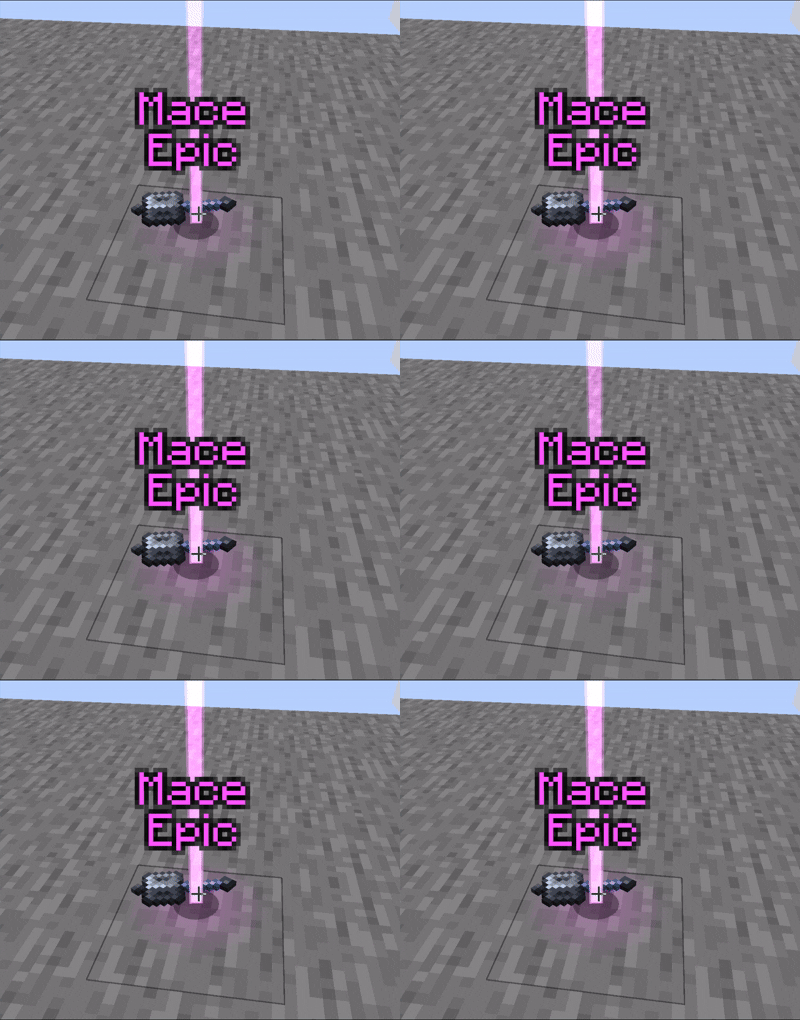
(1.0.0) You can customize its behavior via the DespawnNotifierConfig.toml file located in your config folder:
⏰Time for Flashing - The number of seconds the item has left before despawn to start flashing (default: 20)
⭐Whether to have item flash faster as it gets closer to despawning - (default: true)
(2.0.0)
⏳ itemFlashStartTimePercentage: The percentage of an item's total lifespan remaining at which it should begin flashing. For example, a value of 20 means items will start flashing when only 20% of their lifespan remains.
⚠️ isUrgentFlashEnabled: If enabled, items will flash faster as they get closer to despawning.
🚨 urgentFlashThresholdPercentage: If urgent flashing is enabled, this sets the threshold (as a percentage of total lifespan) below which urgent flashing kicks in.
✨ flashAlphaMin: Minimum alpha (transparency) value during the flash cycle. 0.0 = fully invisible, 1.0 = fully opaque.
💡 flashAlphaMax: Maximum alpha (transparency) value during the flash cycle.
🔁 flashCycleTicks: Duration in ticks for a full flash cycle. Lower values = faster flashing.
- Edition: Minecraft Java
- File type: .jar
- Minecraft versions listed: 1.21.1, 1.21.5, 1.21.4
- How to install: Install the matching mod loader (Forge, Fabric or NeoForge) for your Minecraft version. → Download the .jar. → Put it in the .minecraft/mods folder and launch that loader profile.
- Where to get it: Opens on CurseForge — not every file is mirrored on our own servers.
Install steps are the general flow for this file type — How to install Minecraft Java mods & modpacks walks through it step by step.
- Ships as DespawnNotifier-NeoForge-1.21.1-2.0.0.jar — drop this file into the mods folder
- Download size: 17 KB
- Download link checked 2 Oct 2026 — working
These come from our own check of the pack file, not from the source page.