FakeFPS – Fake Your Frame Rate with Style
Java mod listed for Minecraft 1.21. Downloads from the MC Java Mods app on Android.
I don't know my version or loader
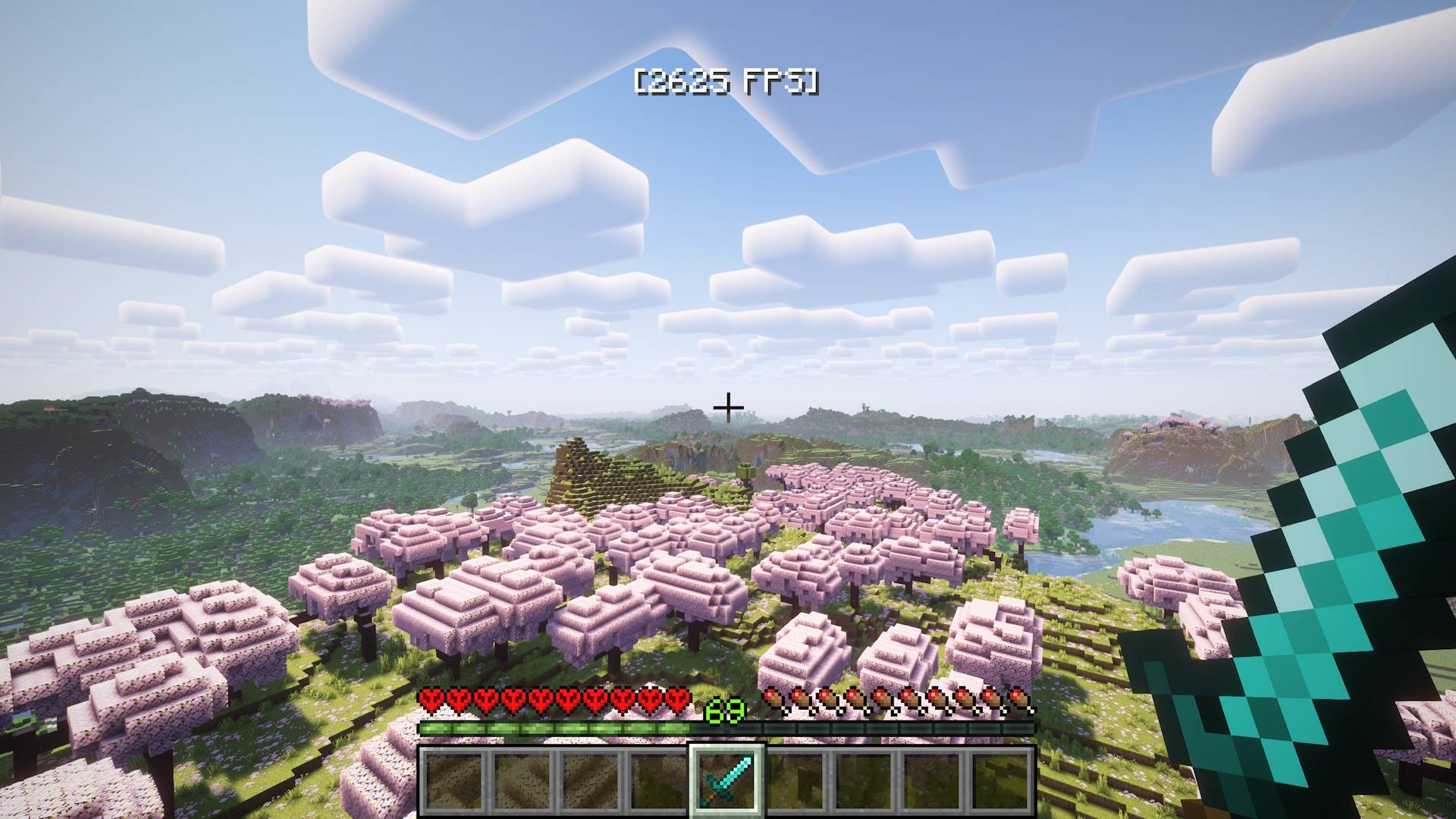
FakeFPS is a lightweight client-side mod that displays realistic-looking fake FPS numbers on your screen. The numbers change dynamically within a configurable range to simulate a smooth gameplay experience — even if your real FPS doesn't agree.
🎮 Perfect For:
- 🖥 Streamers & YouTubers – make your gameplay look smoother on camera
- 📸 Cinematic recordings & screenshots – impress with high FPS overlays
- 🎨 Custom modpacks – add a cool touch to your HUD
- 🤫 Pranks or aesthetic use – make people wonder how you're running 500 FPS on a potato
⚙️ Features:
- HUD Overlay – Displays a fake FPS counter (e.g.
[456 FPS]) on screen with smooth, realistic fluctuations. Choose from six positions: top/bottom, left/right, or center. - F3 Debug Screen Override (v1.1.0+) – The F3 menu shows your fake FPS too, in Minecraft's native format. Completely seamless. Toggle it in the config or via command.
- Realistic FPS Behavior (v1.1.0+) – FPS drifts naturally toward a target value with occasional micro-dips to simulate chunk loading and GC pauses — much more convincing than random jumps.
In-Game Commands (Minecraft 1.21.11+ only) – Change your settings without touching any files or restarting the game. Full tab-complete support included.
/fakefps min <number> – set minimum FPS (v1.1.0+)/fakefps max <number> – set maximum FPS (v1.1.0+)/fakefps position <name> – change HUD position (v1.1.0+)/fakefps hud <true/false> – toggle HUD on and off (v1.1.1+)/fakefps f3 <true/false> – toggle F3 override (v1.1.0+)/fakefps status – show current settings (v1.1.0+)
Config File – All settings are stored in config/fakefpsmod.json. Old config files from v1.0.x are automatically migrated — no manual changes needed.
{
    "min_fps": 360,
    "max_fps": 540,
    "position": "top_center",
    "fake_f3": true
}
Valid positions: top_left, top_right, top_center, bottom_left, bottom_right, bottom_center
💬 Whether you're going for cinematic perfection or just trolling your friends, FakeFPS gives you total control over how fast your game looks.
🛠️ Tech Details:
- Fully client-side mod (won’t sync or affect servers)
- Zero performance impact
- Tested with Fabric API 0.141.3 (1.21.11)
- Compatible with other HUD overlays and mods like ReplayMod, minimaps, etc.
- 📜 License: MIT
- Edition: Minecraft Java
- File type: .jar
- Minecraft versions listed: 1.21.11, 1.21.9, 1.21.8
- How to install: Install the matching mod loader (Forge, Fabric or NeoForge) for your Minecraft version. → Download the .jar. → Put it in the .minecraft/mods folder and launch that loader profile.
- Where to get it: Opens on CurseForge — not every file is mirrored on our own servers.
Install steps are the general flow for this file type — How to install Minecraft Java mods & modpacks walks through it step by step.
- Ships as 26.2.x-fakefps-1.1.1.jar — drop this file into the mods folder
- Download size: 10 KB
- Download link checked 2 Oct 2026 — working
These come from our own check of the pack file, not from the source page.