ModsJava
True Fullbright
I don't know my version or loader
Open the Minecraft launcher and look at the profile you play on — it names both, like fabric-loader-1.21.4. The version also shows in the bottom-right corner of the game's main menu.
No loader in the profile name? Then it's plain Minecraft, and these mods won't run — you need Fabric or NeoForge installed first.
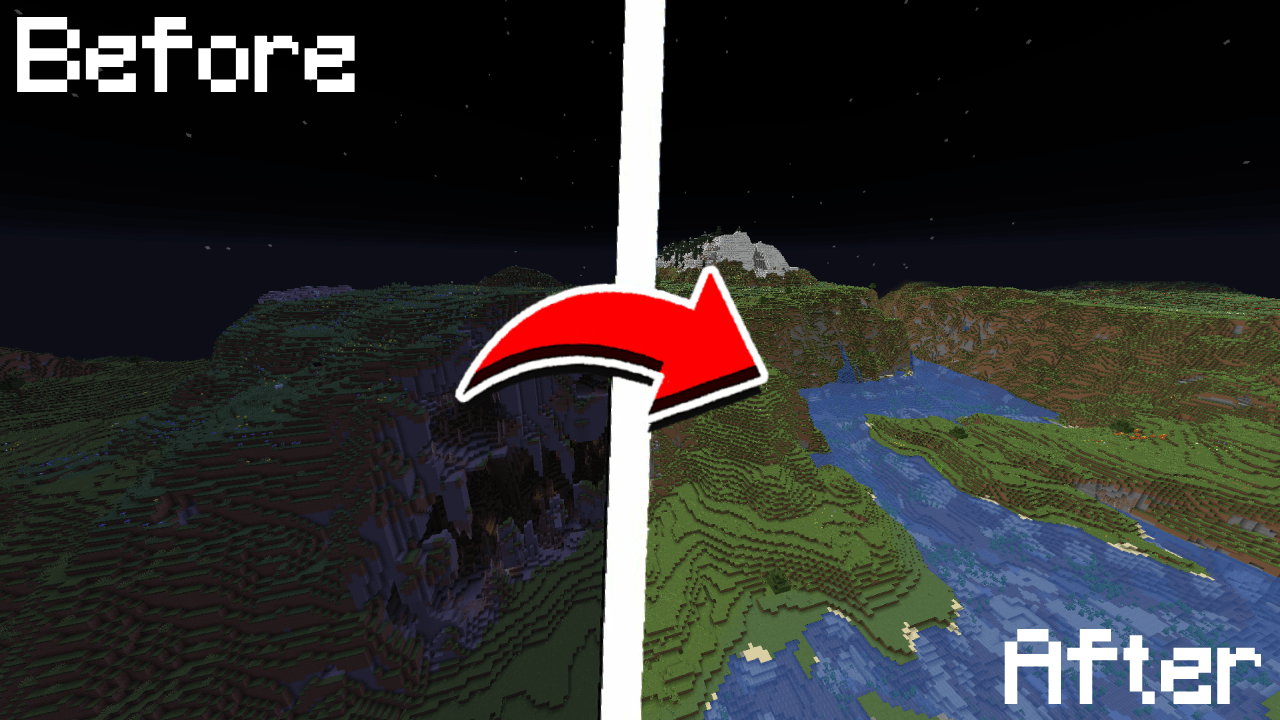
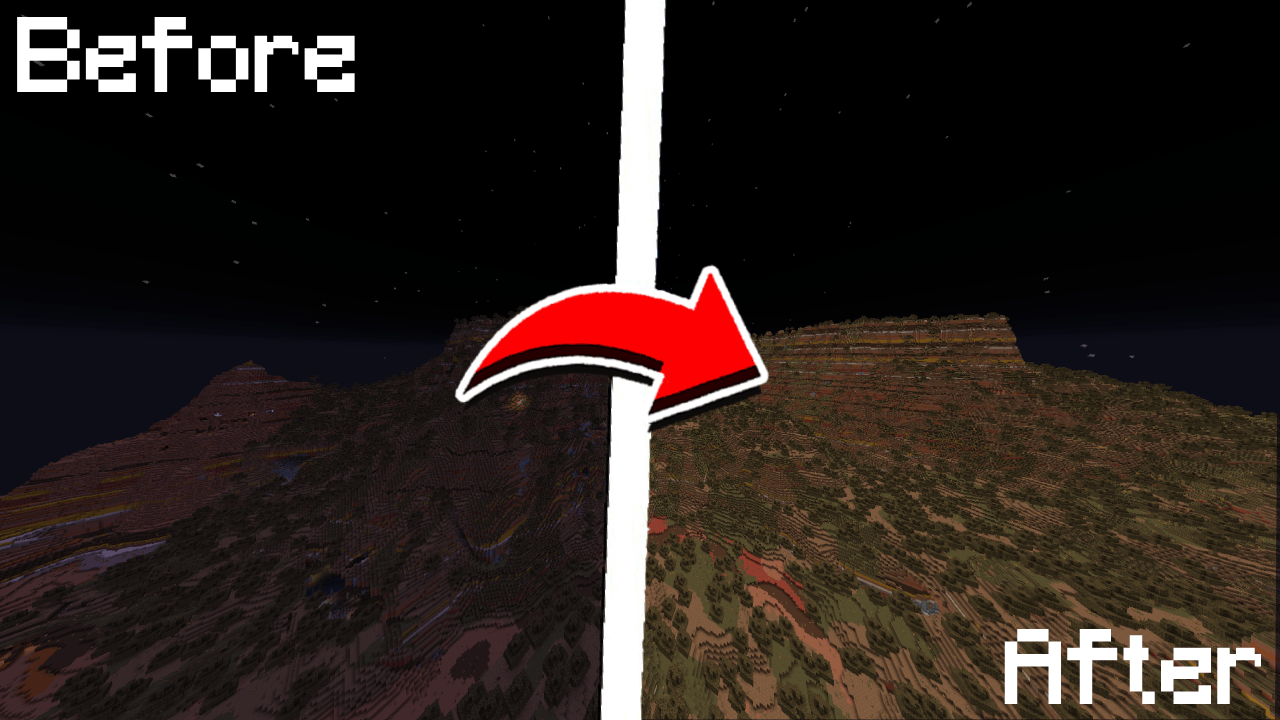
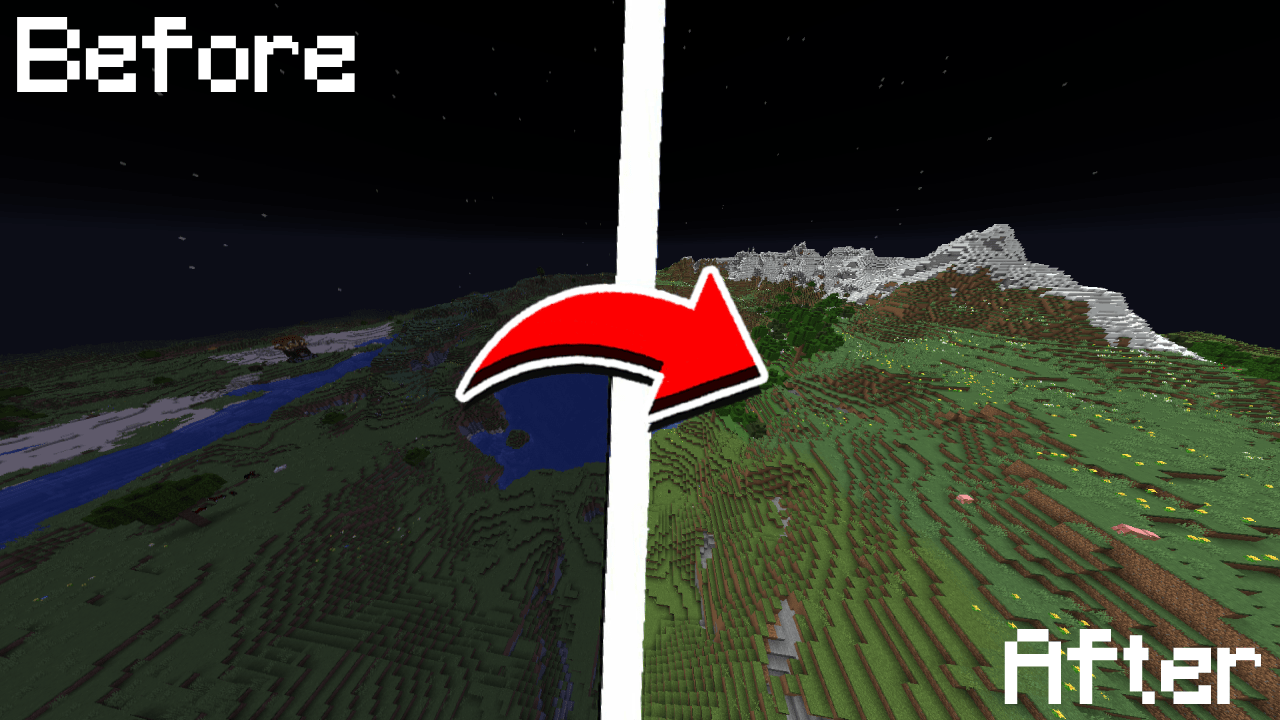
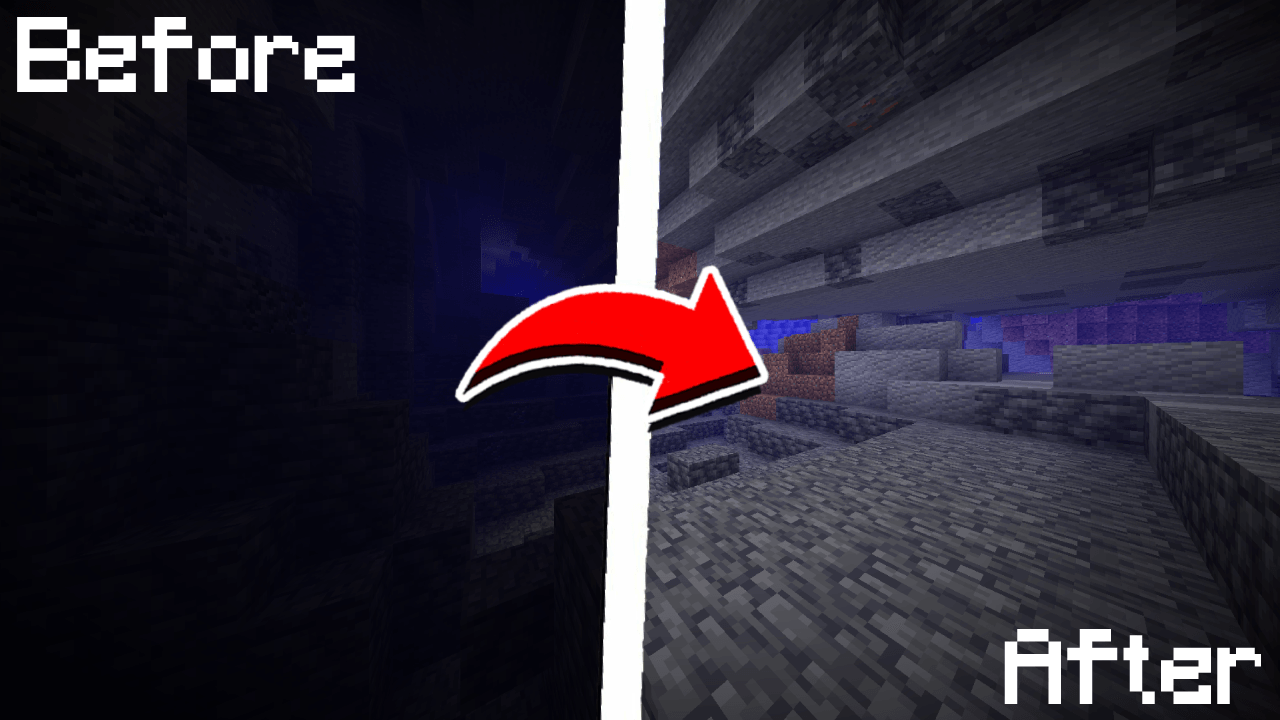
💡 True Fullbright
A simple, toggleable, and configurable full brightness mod for Fabric.



Requires:
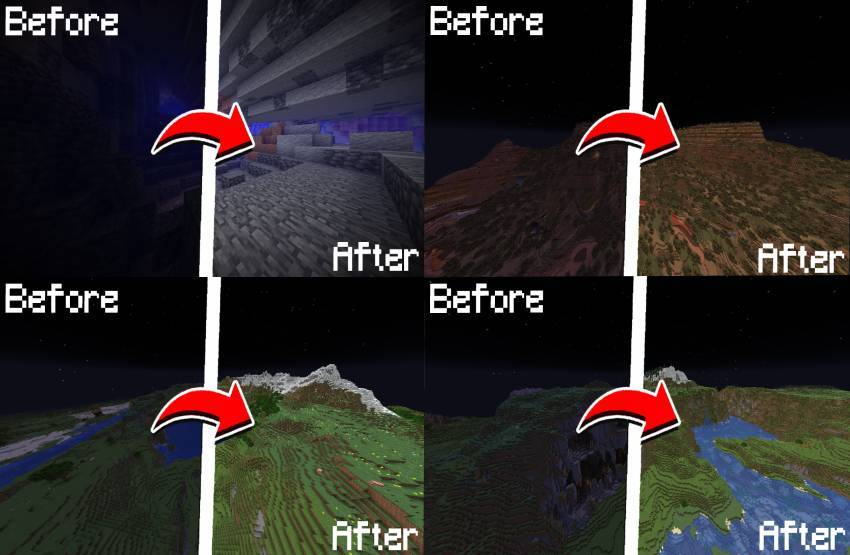
Feature List
- Toggle fullbright using a keybind (default:
B) - Adjust gamma
- Switch to night vision mode (optional)
- Fully configurable through
/fullbrightcommands or the in-game config screen - Keybinds available for toggling, increasing/decreasing gamma
Command List
| Command | Description | |
|---|---|---|
/fullbright or /fullbright status |
Check current brightness settings | |
/fullbright toggle |
Turn fullbright on/off | |
/fullbright set <number> |
Set brightness to exact value | |
/fullbright increase |
Make it brighter by one step | |
/fullbright decrease |
Make it dimmer by one step | |
|
Turn off all brightness modes | |
/fullbright min |
Jump to minimum brightness | |
/fullbright max |
Jump to maximum brightness | |
/fullbright mode gamma |
Switch to gamma brightness mode | |
/fullbright mode nightvision |
Switch to night vision mode | |
/fullbright saveconfig |
Save your current settings | |
/fullbright resetconfig |
Reset everything to default | |
/fullbright config |
Open the config screen |
Default Keybinds
| Action | Default Key | |
|---|---|---|
| Toggle Fullbright On/Off | B |
|
| Increase Brightness | Arrow Up |
|
| Decrease Brightness | Arrow Down |
|
| Maximum Brightness | End |
|
| Minimum Brightness | Home |
|
| Open Config Screen |
Not Bound |
Customize all of these under:
Options → Controls → Keybinds → True Fullbright
How do I install the mod?
- Drop the
.jarfile into yourmods/folder - Make sure the dependencies listed above are installed
3. Launch the game
How do I use the mod?
- Press
Bto toggle fullbright on/off - Use
/fullbrightcommands to adjust gamma, change modes, or view status - Open the config screen with
/fullbright configor via Mod Menu - Use keybinds to adjust brightness step-by-step or jump to
min/max
Contact – Report Bug
Have feedback or ran into an issue?
→ DM me on Discord at rijz.gg
Developed by Rijz & Clyriz4
Quick facts
- Edition: Minecraft Java
- File type: .jar
- Minecraft versions listed: 1.21.11, 1.21.10, 1.21.9
- How to install: Install the matching mod loader (Forge, Fabric or NeoForge) for your Minecraft version. → Download the .jar. → Put it in the .minecraft/mods folder and launch that loader profile.
- Where to get it: Opens on CurseForge — not every file is mirrored on our own servers.
Install steps are the general flow for this file type — How to install Minecraft Java mods & modpacks walks through it step by step.
Verified by MCModsHub
- Ships as truefullbright-1.0.0-pre1.jar — drop this file into the mods folder
- Download size: 154 KB
- Download link checked 12 Sept 2026 — working
These come from our own check of the pack file, not from the source page.