
Thom's Wandering Traders
Java mod listed for Minecraft 1.19–1.20. Downloads from the MC Java Mods app on Android.
I don't know my version or loader





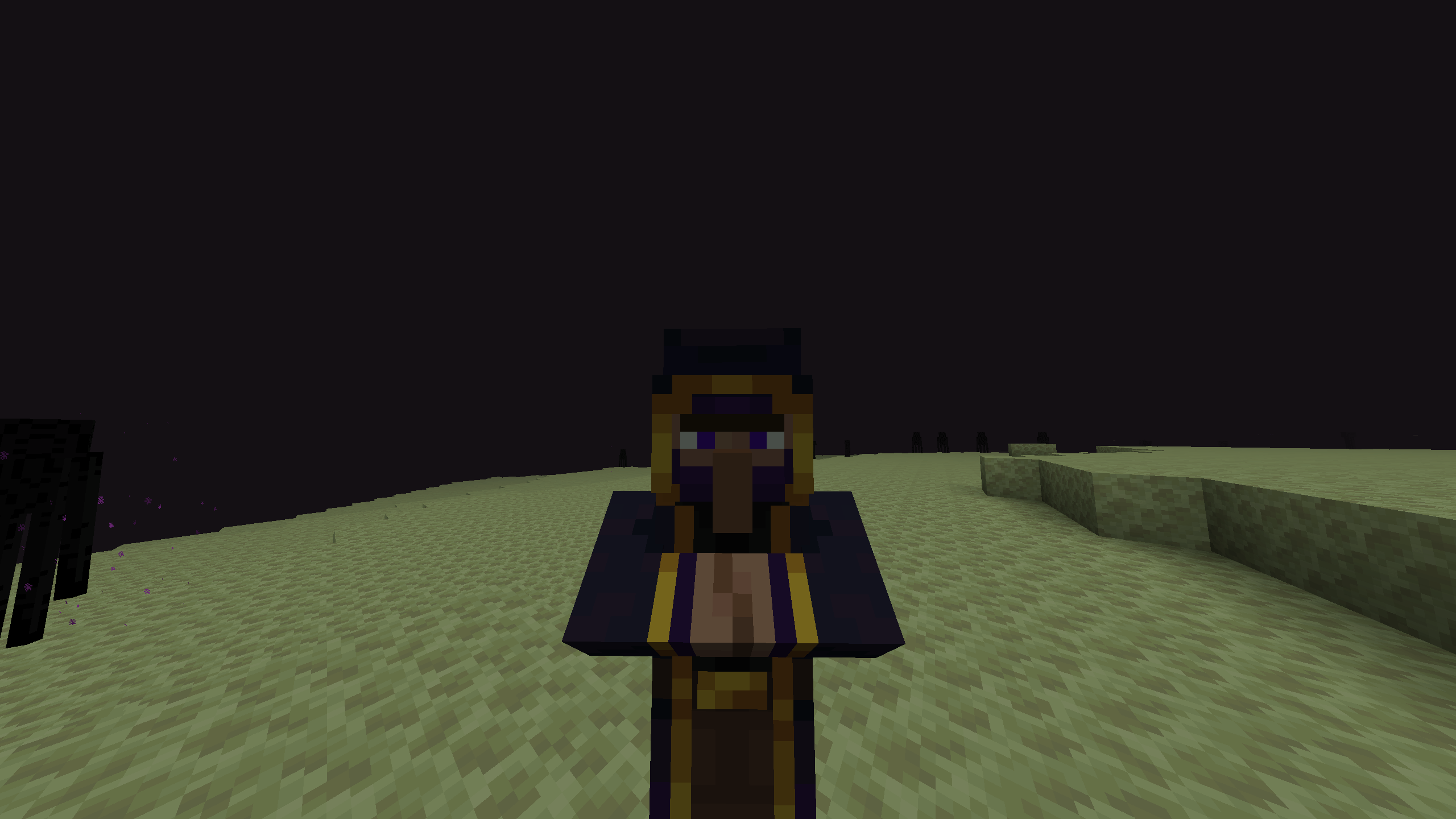






Wandering Traders Mod
Welcome to the Wandering Traders mod! This mod introduces a variety of new wandering traders to Minecraft, each with unique trades and mechanics. Below is a comprehensive guide to the features and functionalities of the mod.
Dependencies !!!
Fabric version of mod needs both fabric-api and yacl to function
NeoForge/Forge version of mod doesn't need dependencies
Overview
The Wandering Traders mod adds the following traders:
- End Trader
- Forest Trader
- Animal Trader
- Book Trader
- Decoration Trader
- Potion Trader
- Exclusive Trader
End Trader
- Functionality: The End Trader allows players to recover lost loot (items that have been lost, destroyed, or despawned).
- Invocation: He can be summoned using an End Bell, which is a rare drop from Endermen.
- Dynamic Pricing: The price for recovering items is dynamic and based on the type of item lost.
- Spawn Mechanics:
- Does not spawn naturally and cannot be found in the End.
- Stays for 48,000 ticks (approximately 2 Minecraft weeks) after being summoned.
- Cannot be killed; if damaged by a player, he will teleport away. If damaged by a player linked to him, he will return to the End, destroying any untraded loot.
- Linking: Each End Trader is linked to a single player, preventing multiple players from recovering loot with one End Bell.
Forest Trader
- Functionality: Trades various seeds and saplings, including Nether saplings, as well as potatoes and carrots.
- Spawn Location: Appears in forests in the Overworld.
Animal Trader
- Functionality: Trades animal spawn eggs.
- Spawn Location: Found in plains biomes.
Book Trader
- Functionality: Trades enchanted books. Requires 1 book and emeralds, with dynamic pricing based on the number and level of enchantments.
- Limitations: Each item can only be purchased once.
- Spawn Location: Appears in snowy biomes, including:
- Snowy Beach
- Snowy Plains
- Snowy Slopes
- Snowy Taiga
- Frozen Peaks
Decoration Trader
- Functionality: Trades decorative blocks, including colored wools, glass, bricks, terracottas, concrete, banners, paintings, and item frames.
- Spawn Location: Found in deserts.
Potion Trader
- Functionality: Trades uncraftable potions with random effects. Potions have a longer-lasting effect (1.5 times the normal duration).
- Spawn Location: Appears near swamp huts.
Exclusive Trader
- Functionality: Trades high-value exclusive items such as wither skulls, totems of undying, nametags, horse armor, and saddles.
- Spawn Location: Found in the Nether, specifically in the Crimson Forest biome.
Lost Loot Command
The mod includes a /lostloot command that allows players to manage their lost loot:
- View Lost Loot: Players can use this command to view their lost loot.
- Clear Lost Loot: If you have operator (OP) permissions, you can clear lost loot for yourself or for other players.
Configuration Options
- All trader spawns can be disabled in the configuration settings.
- Players can also configure the availability of End Bells, loot recovery, and trader despawn times (default is 48,000 ticks).
End Trader Bell
- Item Description: The End Bell functions like a spawn egg. Right-clicking it will summon the End Trader and produce a bell sound.
- Usage Restrictions:
- The bell can only be used if there is no End Trader currently assigned to the player.
- After the End Trader leaves, players can summon him again with another bell.
- If a player attempts to use a bell while a trader is nearby, they will receive a notification indicating the presence of a trader and, if close enough, the coordinates of the trader.
License
This mod is licensed under the LGPL. See the LICENSE file for details.
- Edition: Minecraft Java
- File type: .jar
- Minecraft versions listed: 1.19.4, 1.20.1, 1.20.6
- How to install: Install the matching mod loader (Forge, Fabric or NeoForge) for your Minecraft version. → Download the .jar. → Put it in the .minecraft/mods folder and launch that loader profile.
- Where to get it: Opens on CurseForge — not every file is mirrored on our own servers.
Install steps are the general flow for this file type — How to install Minecraft Java mods & modpacks walks through it step by step.
- Ships as wandering-traders-neoforge-1.20.6-1.0.0.jar — drop this file into the mods folder
- Download size: 256 KB
- Download link checked 2 Oct 2026 — working
These come from our own check of the pack file, not from the source page.