
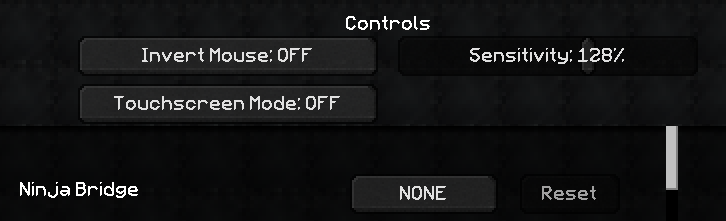
This makes bridging in Minecraft effortless by automatically sneaking at block edges and switching to your next block when your current one runs out. First, go into Controls and assign a key to Ninja Bridge. Then, hold that key and you’ll stay safely on the edge without ever having to press Shift yourself. Have Fun!
Quick facts
- Edition: Minecraft Java
- File type: .jar
- How to install: Install the matching mod loader (Forge, Fabric or NeoForge) for your Minecraft version. → Download the .jar. → Put it in the .minecraft/mods folder and launch that loader profile.
- Where to get it: Opens on CurseForge — not every file is mirrored on our own servers.
Install steps are the general flow for this file type — How to install Minecraft Java mods & modpacks walks through it step by step.
Ninja Bridge is a free Minecraft Java mod. Downloaded 2,775 times (via CurseForge). Download it and open it directly in the game.