ai-assistant
Java mod listed for Minecraft 1.20–1.21. Downloads from the MC Java Mods app on Android.
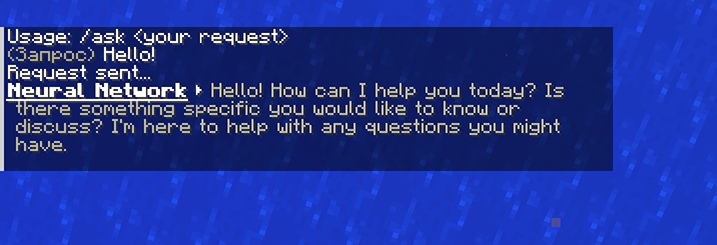
Adds an in-game AI assistant that answers your questions using Mistral. Use /ask to chat directly from Minecraft.
⬇ Download on CurseForgeThe author built this one for Minecraft 1.20–1.21.7 on Fabric. On other versions it may install and then do nothing.
🇬🇧 English
Gpt Assistant is a Minecraft mod that adds an integrated chat assistant based on the ChatGPT and Mistral neural networks.
Key Features:
-
/askcommand directly in the in-game chat -
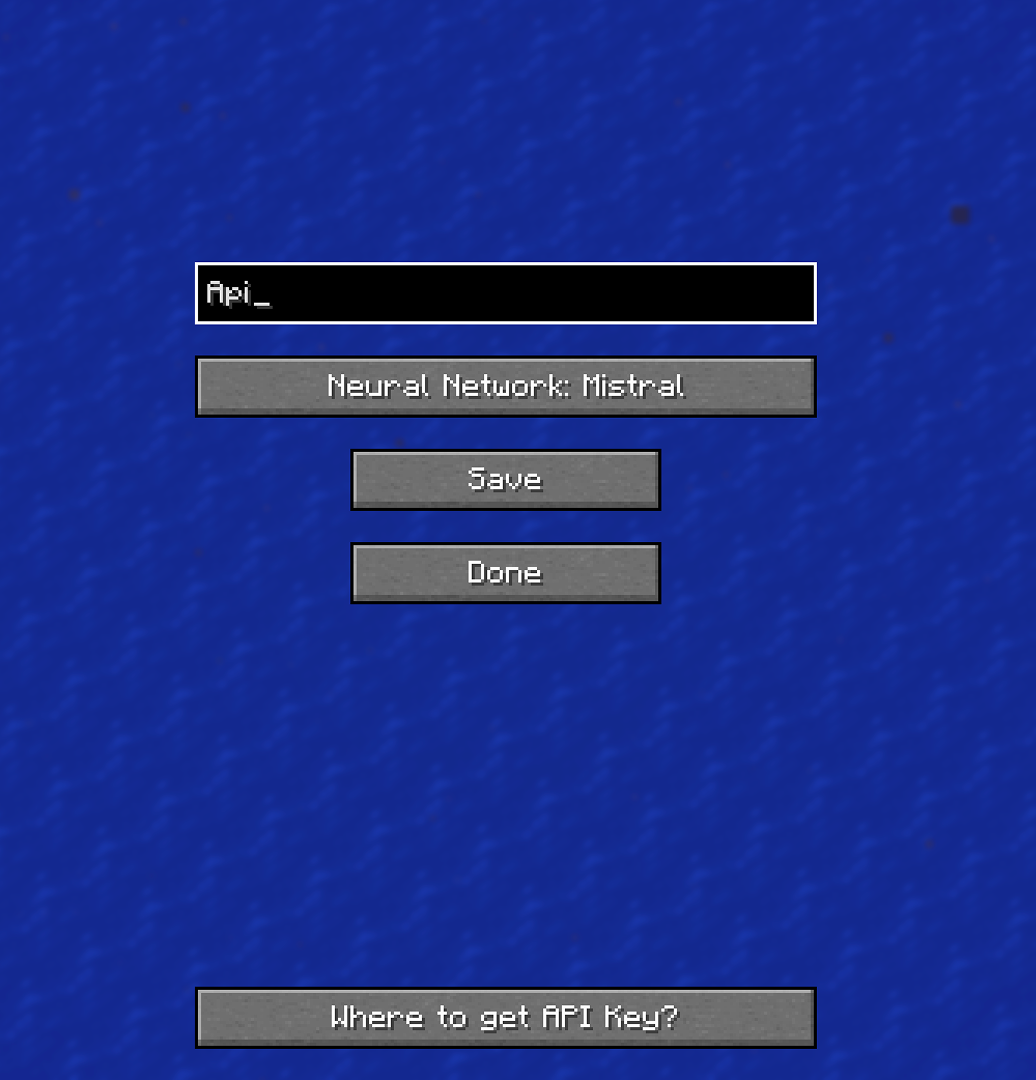
API key setup in mod settings (press "I" to open, and it can be changed in settings)
-
Mistral support
-
API key verification and saving via buttons
-
Disable text formatting in responses
How to use:
-
Open Mods → Gpt Assistant → Settings by pressing the "i" button
-
Paste your Mistral API key
-
Click "Verify"
-
After successful verification, click "Save"
-
Type
/ask your queryin chat
How to get API keys:
-
For Mistral:
-
Register at Mistral.ai
-
Go to API Keys in your account
-
Create and copy your key
-
If no key is provided, a warning message will appear in the chat.
Multiline responses and text formatting removal are supported.
🇷🇺 Русский
Gpt Assistant мод для Minecraft, добавляющий встроенного чат-помощника на базе нейросетей ChatGPT и Mistral.
Основные возможности:
-
Команда
/askпрямо в игровом чате -
Настройка API ключа в параметрах мода что бы открыть их нажмите I можно заменить в настройках
-
Поддержка Mistral
-
Проверка и сохранение API ключа через кнопки
-
Отключение форматирования текста в ответах
Как пользоваться:
-
Откройте Mods → Gpt Assistant → Настройки нажав на кнопку i откроются
-
Вставьте API ключ от Mistral
-
Нажмите "Проверить"
-
После успешной проверки нажмите "Сохранить"
-
Введите
/ask ваш запросв чат
Как получить API ключи:
-
Для Mistral:
-
Зарегистрируйтесь на Mistral.ai
-
В личном кабинете перейдите в API Keys
-
Создайте и скопируйте ключ
-
Если ключ не указан, в чате появится сообщение с предупреждением.
Поддерживаются многострочные ответы и очистка форматирования.
- Edition: Minecraft Java
- File type: .jar
- Minecraft versions listed: 1.20.2, 1.21, 1.20.5
- How to install: Install the matching mod loader (Forge, Fabric or NeoForge) for your Minecraft version. → Download the .jar. → Put it in the .minecraft/mods folder and launch that loader profile.
- Where to get it: Opens on CurseForge — not every file is mirrored on our own servers.
Install steps are the general flow for this file type — How to install Minecraft Java mods & modpacks walks through it step by step.
- Ships as gpt-assistant-1.0.0.jar — drop this file into the mods folder
- Download size: 41 KB
- Download link checked 2 Oct 2026 — working
These come from our own check of the pack file, not from the source page.