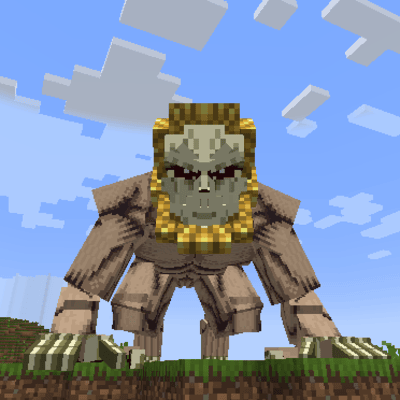
Shingeki No Craft Switch Titans
Java mod listed for Minecraft 1.21. File opened and checked on 23 Sep 2026; downloads from the MC Java Mods app on Android.
⬇ Download on CurseForgeThe author built this one for Minecraft 1.21.4 on NeoForge. On other versions it may install and then do nothing.
This addon allows you to freely switch between titans when using the Shingeki No Craft mod by Fanfo!
In the original mod, you can acquire multiple titans, but you are locked to your first titan shifter. Even though owning several titans grants you access to new abilities – such as the Cart Titan’s infinite stamina – you cannot switch, for example, from the Attack Titan to the Cart Titan once you’ve got your initial titan.
This addon solves that problem by adding a simple keybind (R by default) that lets you swap between all the titans you own at any time.
Once you have obtained a titan shifter in the original mod, eating another titan shifter will now allow you to choose which titan you want to play as by pressing R.
For example, if you first ate the Attack Titan and later eat the Colossal Titan, you will no longer be forced to play only as the Attack Titan. By pressing R, you will be notified that your main titan has switched to the Colossal Titan.
- Edition: Minecraft Java
- File type: .jar
- Minecraft version listed: 1.21.4
- How to install: Install the matching mod loader (Forge, Fabric or NeoForge) for your Minecraft version. → Download the .jar. → Put it in the .minecraft/mods folder and launch that loader profile.
- Where to get it: Opens on CurseForge — not every file is mirrored on our own servers.
Install steps are the general flow for this file type — How to install Minecraft Java mods & modpacks walks through it step by step.
- Ships as Shingeki No Craft Switch Titans 1.0.jar — drop this file into the mods folder
- Download size: 35 KB
- Download link checked 2 Oct 2026 — working
These come from our own check of the pack file, not from the source page.