
JEI Hover Search
Java mod listed for Minecraft 1.18–1.20. Downloads from the MC Java Mods app on Android.
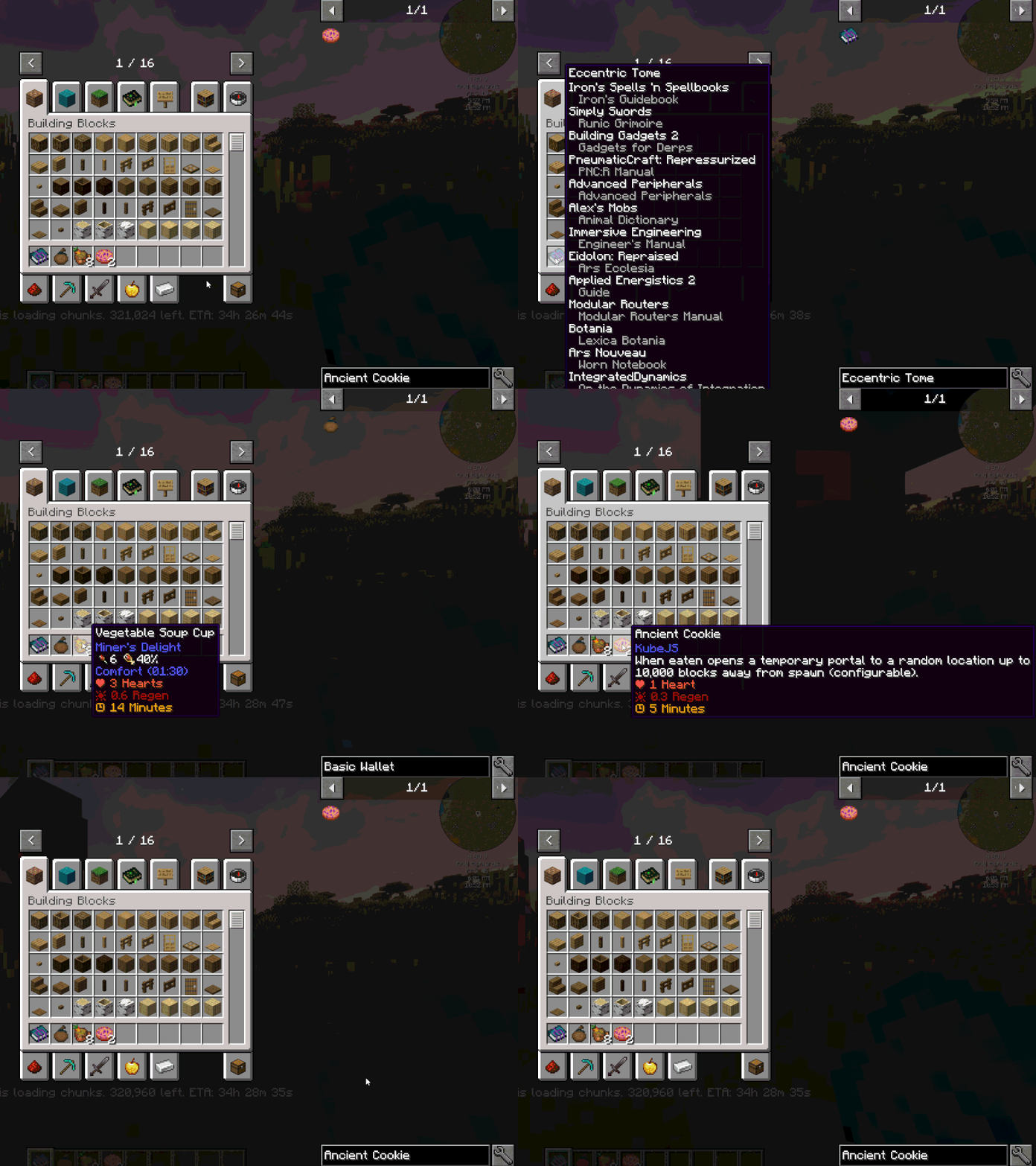
A simple and convenient Minecraft mod that allows you to quickly search for items in JEI by simply hovering over them and pressing a hotkey.
I don't know my version or loader
JEI Hover Search
A simple and convenient Minecraft mod that allows you to quickly search for items in JEI by simply hovering over them and pressing a hotkey.
Inspired by JEI's hover functionality, this mod adds the ability to instantly search for the item you're currently hovering over, making inventory management and recipe discovery much faster and more intuitive.
Downloads


Usage
- Hover over any item in your inventory, JEI interface, or any GUI
- Press the hotkey (default:
Ykey) - JEI instantly searches for that item
The keybinding can be customized in Minecraft's Controls settings under the "JEI (Hovering with Mouse)" category.
Requirements
- JEI (Just Enough Items): Required
- Architectury API: Required
Compatibility
This mod is designed to work seamlessly with JEI and integrates directly into its existing interface without conflicts.
Issues & Suggestions
Found a bug or have a suggestion? Please report it on the Issues page.
- Edition: Minecraft Java
- File type: .jar
- Minecraft versions listed: 1.20.1, 1.18.2
- How to install: Install the matching mod loader (Forge, Fabric or NeoForge) for your Minecraft version. → Download the .jar. → Put it in the .minecraft/mods folder and launch that loader profile.
- Where to get it: Opens on CurseForge — not every file is mirrored on our own servers.
Install steps are the general flow for this file type — How to install Minecraft Java mods & modpacks walks through it step by step.
- Ships as jei_hover_search-1.20.1-1.0.0-forge.jar — drop this file into the mods folder
- Download size: 115 KB
- Download link checked 2 Oct 2026 — working
These come from our own check of the pack file, not from the source page.