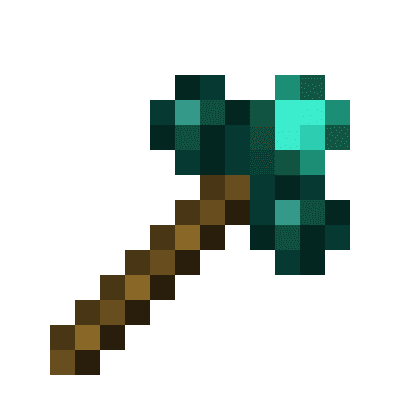
Morphing Multi-Tool
Minecraft Java mod. Downloads from the MC Java Mods app on Android.
⬇ Download on CurseForgeA tool that will morph into the right tool to break the block you are looking at, given the right tool is inside the Morphing Mult-Tool
Things to bear in mind:
- It only morphs to a tool if it's the correct harvest tool for the block your looking at. It DOES NOT morph for right clicking tools for a block i.e wrenches. Please use Morph-O-Tool for that
- Picking up the Morphing Multi-Tool while it's morphed as another tool, will change it back. Same with dropping it
- You can only have 1 of each tool class, i.e you can't have two pickaxes, or two spades ect
- Mod tools with the same tool class as other tools, such as hammers (tool class: pickaxe), and excavators (tool class: shovel) from Thermal Expansion will take up the tool class
- Mod tools with their own tool class e.g. a Sickel from Thermal Exansion will be work like normal tools
- Mod tools without a tool class e.g. a Hoe. Will not be able to be added to the Morphing Multi-Tool
Adding a tool: Same way as a bundle. Pickup the Morphing Mult-Tool in your inventory and right click on the tool you wish to add. The order you add your tools in will be the order they will be checked when finding out what tool to morph to. So if you have two tools for leaves, say a sickel and shears. The tool it will morph into will be whichever was added first. Press shift on the Morphing Multi-Tool to see this order
Removing a tool: Pickup the Morphing Mult-Tool in your inventory and right click on an empty slot. The order in which the tools are removed is the inverse of the order you added them. e.g. if you added a pickaxe, shovel, and shears. The order they'd be removed in would be shears, shovel, pickaxe
Known issues:
- Swapping to axe when looking at grass(not grass block), tall grass, flowers. Is a bug with the Axe's destroy speed for them blocks. It's 0.2, instead of 0.1
- Edition: Minecraft Java
- File type: .jar
- How to install: Install the matching mod loader (Forge, Fabric or NeoForge) for your Minecraft version. → Download the .jar. → Put it in the .minecraft/mods folder and launch that loader profile.
- Where to get it: Opens on CurseForge — not every file is mirrored on our own servers.
Install steps are the general flow for this file type — How to install Minecraft Java mods & modpacks walks through it step by step.
- Ships as Morphing Multi-Tool-1.0.0.jar — drop this file into the mods folder
- Download size: 46 KB
- Download link checked 23 Oct 2026 — working
These come from our own check of the pack file, not from the source page.