On-Screen Keyboard
Java mod listed for Minecraft 1.20–1.21. Download on the author's site.
⬇ Download on CurseForge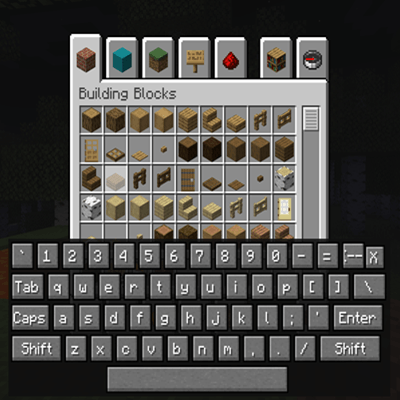
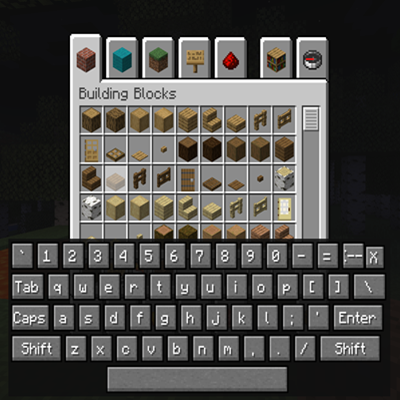
On-Screen Keyboard (OSK)
This mod adds a virtual keyboard overlay to Minecraft, letting you type and interact with text fields directly on your screen.
Features
- On-screen keyboard panel that appears at the bottom of the screen when toggled
- Works with controllers and D-pad navigation, no physical keyboard required
- Full mouse support, so you can click keys like a touchscreen keyboard
- Handles Shift and Caps Lock for uppercase letters and symbols
- Includes special keys like Backspace, Enter, Tab, and Shift
- Focus lock system prevents inputs from leaking into the game while typing
- Close button to quickly hide the keyboard
- Custom key binding to toggle the keyboard on or off
This mod is especially helpful for players using controllers or TV setups without a keyboard, and for accessibility needs.
If you are looking for full controller support in Minecraft, check out the Controllable mod.
This mod is All Rights Reserved. You may include it in modpacks, but modification or redistribution outside CurseForge is not allowed.
- Edition: Minecraft Java
- File type: .jar
- Minecraft versions listed: 1.21.1, 1.20.1
- How to install: Install the matching mod loader (Forge, Fabric or NeoForge) for your Minecraft version. → Download the .jar. → Put it in the .minecraft/mods folder and launch that loader profile.
- Where to get it: Opens on CurseForge — not every file is mirrored on our own servers.
Install steps are the general flow for this file type — How to install Minecraft Java mods & modpacks walks through it step by step.
On-Screen Keyboard is a free Minecraft Java mod. Compatible with Minecraft 1.21.1, 1.20.1. Downloaded 13,073 times (via CurseForge). Download it and open it directly in the game.