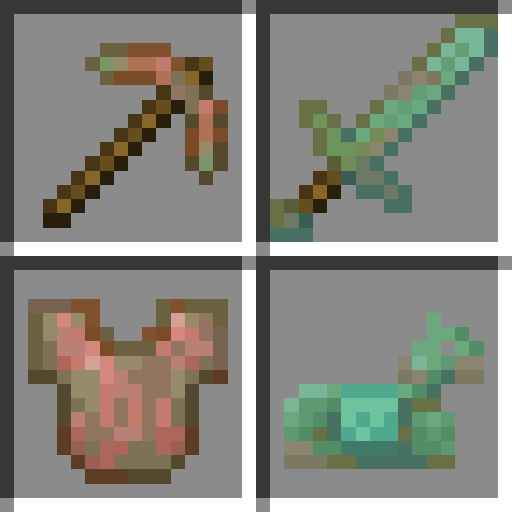
Oxidizable Copper Gear
Java mod listed for Minecraft 1.21. Downloads from the MC Java Mods app on Android.
I don't know my version or loader
Oxidizable Copper Gear
This mod makes copper tools and armor oxidize over time, much like copper blocks. Can also be used as a framework to make any item oxidizable.
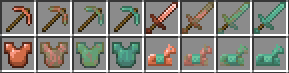
Items will oxidize while they're in your inventory, equipped, or dropped on the ground. They won't oxidize if they're stored in a chest for example.
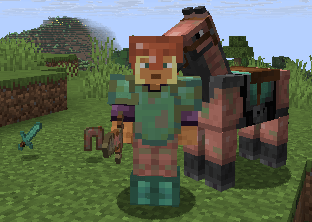
Oxidization speed is similar to the speed copper blocks oxidize at. It's also increased depending on how much the item durability differs from the current oxidation state.
Crafting recipes:
- Items can be waxed by combining them with honeycomb.
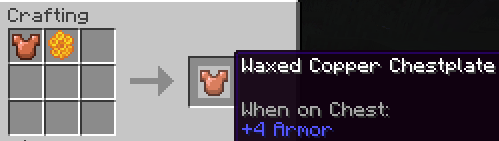
- Items can be dewaxed by combining them with any axe, where the axe will remain and take one durability damage.
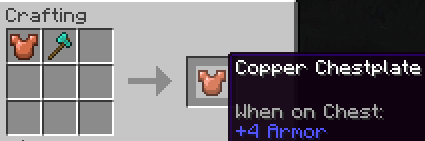
- Oxidation on items can be reduced by combining them with any axe, where the axe will remain and take one durability damage.
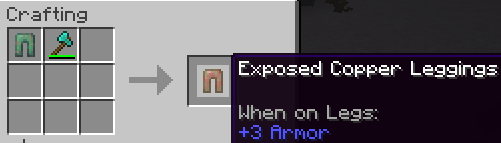
Adding your own oxidizable items
This mod can also be used as a framework to make any item oxidizable by creating a data pack and resource pack. The default data pack which makes copper tools and armor oxidizable can be disabled like any other data pack if desired.
- In the data pack, add your items to the
oxidizableitem tag from this mod (example). This tells the mod to:- Make your items oxidize over time
- Allow oxidation-related crafting recipes to be used on your items
- Add exposed, weathered, oxidized and waxed variants of your items to creative tabs
- In the resource pack, add models and textures for oxidation stages of your items (example).
- The
itemsfolder has to be under the namespace of the mod which adds the item you're adding assets for, or theminecraftnamespace in case of vanilla items, as you're overriding the original files. - Models and textures can be under any namespace, but this mod's namespace is recommended (
oxidizable_copper_gear).
- The
- Edition: Minecraft Java
- File type: .jar
- Minecraft versions listed: 1.21.11, 1.21.10, 1.21.9
- How to install: Install the matching mod loader (Forge, Fabric or NeoForge) for your Minecraft version. → Download the .jar. → Put it in the .minecraft/mods folder and launch that loader profile.
- Where to get it: Opens on CurseForge — not every file is mirrored on our own servers.
Install steps are the general flow for this file type — How to install Minecraft Java mods & modpacks walks through it step by step.
- Ships as oxidizable_copper_gear-1.2.0+1.21.11-neoforge.jar — drop this file into the mods folder
- Download size: 164 KB
- Download link checked 2 Oct 2026 — working
These come from our own check of the pack file, not from the source page.