Avaritia Tweak
Java mod listed for Minecraft 1.20–1.21. File opened and checked on 1 Oct 2026; downloads from the MC Java Mods app on Android.
I don't know my version or loader
Avaritia Tweak
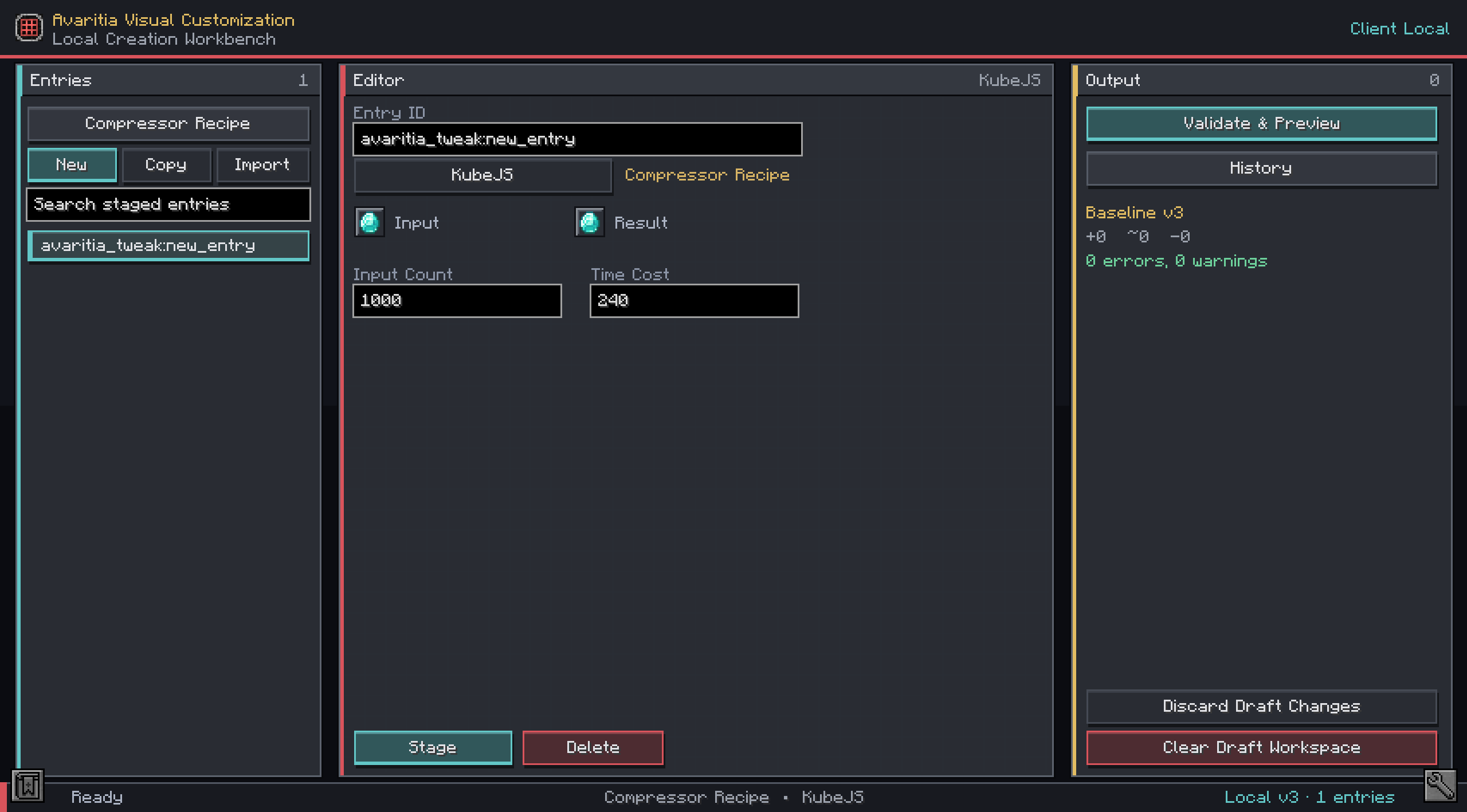
A powerful in-game visual customization editor for Avaritia and Re-Avaritia.
Avaritia Tweak is designed for modpack creators who want to create, inspect, and manage Avaritia recipes and singularities without manually writing every script or data-pack file.
The editor uses safe, client-local ghost slots and structured forms. It never consumes items from the player’s inventory. Every change can be validated, previewed, committed to local history, and rolled back before being used in a modpack.
Features
Visual Recipe Editor
Create and edit:
- Shaped and shapeless crafting recipes
- 3×3, 5×5, 7×7, and 9×9 crafting grids
- Catalyst-preserving shaped recipes
- Neutronium Compressor recipes
- Extreme Smithing recipes
- Infinity Catalyst recipes
- Eternal Singularity recipes
Singularity Customization
- Create or replace singularities
- Configure materials, required amounts, processing time, and colors
- Enable or disable singularities and their recipes
- Remove individual singularities
- Disable or remove all singularities through script operations
- Import existing runtime singularities for editing
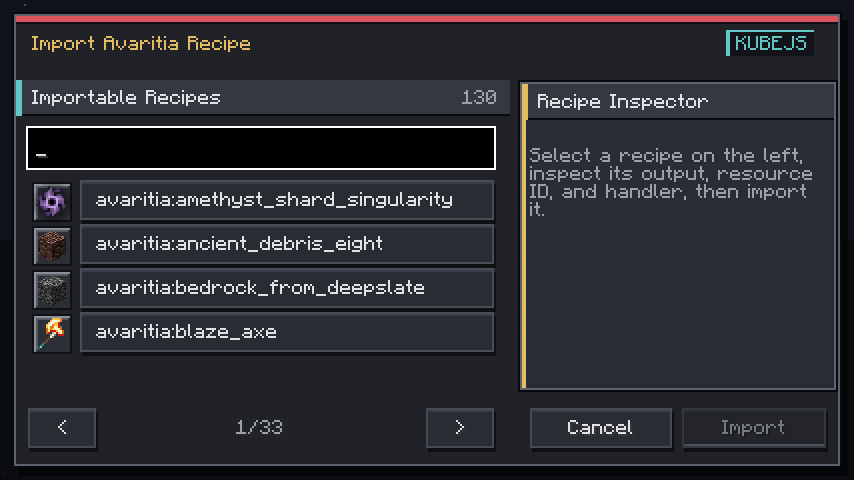
Recipe Importer
- Import supported recipes from the current game
- Inspect complete ingredient layouts before importing
- Search by recipe ID, output item, or localized name
- Filter recipes using items from the player’s backpack
- Preserve items, tags, NBT, ingredient choices, and supported component predicates
- Automatically hide duplicate internal singularity recipes
Efficient Editing Tools
- Ingredient brush for rapidly filling crafting grids
- Fill-empty and replace-matching operations
- Row and column operations
- Horizontal and vertical mirroring
- 90-degree grid rotation
- Hold and drag ingredients to move or swap slots
- Right-click context menus
- Structured ingredient and output clipboard
- IME-compatible search fields
Output Formats
Generate managed content for:
- KubeJS
- CraftTweaker
- Singularity data packs
KubeJS and CraftTweaker recipes are stored in deterministic, tool-managed aggregate files. Singularity data packs use one JSON file per singularity.
Preview, History, and Rollback
- Validate changes before writing files
- Preview complete generated scripts and JSON
- Review added, modified, and removed entries
- Add notes to entries for easier navigation
- Create local versions with change descriptions
- Inspect previous versions
- Roll back to any recorded version
- Detect external file modifications
- Back up conflicting files before explicitly taking ownership
The editor’s Commit system refers only to its own local history. It does not run Git commands or modify your source repository.
Responsive Interface
- Multiple built-in visual themes
- Responsive layouts for different GUI scales
- Full 7×7 and 9×9 grids displayed on one page
- Searchable item, recipe, and singularity selectors
- Entry notes displayed as primary navigation labels
- Entry IDs and notes arranged in a balanced single-row layout
Safety
Avaritia Tweak is built as a local creation tool:
- It uses ghost slots instead of real inventory slots
- It never consumes, moves, or creates player inventory items
- It does not write files to a remote server
- It does not request administrator permissions
- It does not automatically trigger server reloads
- Drafts and history remain on the local client
Generated content must be installed in the appropriate game, modpack, world, or server environment before it becomes active.
Compatibility
Minecraft 1.20.1
- Loader: Forge
- Requires: Avaritia 1.4.1
Minecraft 1.21.1
- Loader: NeoForge
- Requires: Re-Avaritia 1.4.1
KubeJS or CraftTweaker must be installed when using their respective output formats.
Make sure to download the file matching your Minecraft version and mod loader.
Intended Audience
Avaritia Tweak is especially useful for:
- Modpack authors
- Server pack maintainers
- Avaritia add-on developers
- Players creating heavily customized progression systems
- Anyone who prefers a visual workflow over manually maintaining large recipe scripts
Avaritia Tweak is an independent community project and is not an official part of Avaritia or Re-Avaritia.
- Edition: Minecraft Java
- File type: .jar
- Minecraft versions listed: 1.20.1, 1.21.1
- How to install: Install the matching mod loader (Forge, Fabric or NeoForge) for your Minecraft version. → Download the .jar. → Put it in the .minecraft/mods folder and launch that loader profile.
- Where to get it: Opens on CurseForge — not every file is mirrored on our own servers.
Install steps are the general flow for this file type — How to install Minecraft Java mods & modpacks walks through it step by step.
- Ships as AvaritiaTweak-neoforge-1.21.1-1.2.0-release.jar — drop this file into the mods folder
- Download size: 808 KB
- Download link checked 2 Oct 2026 — working
These come from our own check of the pack file, not from the source page.