Hardcore Revival Co-Op
Java mod listed for Minecraft 1.20. Downloads from the MC Java Mods app on Android.
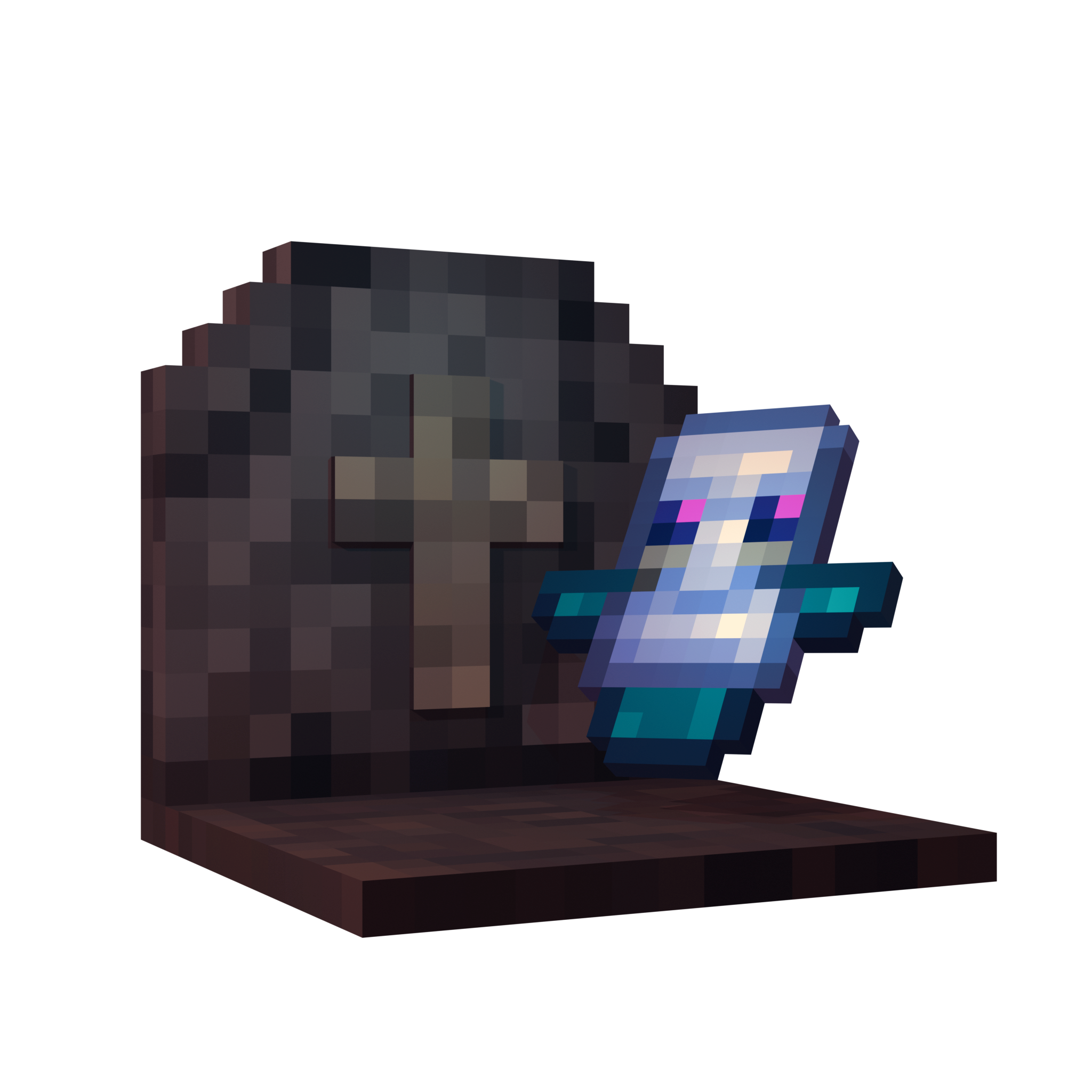
Adds a revival system for Hardcore mode. When players die, they leave behind a gravestone that teammates can use to bring the player back with a Amulet of…
⬇ Download on CurseForgeThe author built this one for Minecraft 1.20.1 on Forge. On other versions it may install and then do nothing.
Hardcore Revival Co-Op
A mod for those who don’t want to say goodbye to friends in hardcore.
What This Mod Does
When players die, instead of losing their world, they become spectators and leave behind a gravestone. Other players can interact with this gravestone to revive them, bringing them back to life with partial health and hunger.
Features
Revival System
- Dead players enter spectator mode instead of game over
- Gravestone spawn at death locations
- Other players can revive the dead by interacting with gravestone
- Revived players return with 25% health and hunger
Two Revival Methods
- Amulet of Resurrection: Craft and use a special item to revive players
- Right-click revival: Simply right-click the gravestone (configurable)
Configuration Options
- Choose between amulet-required or free revival
- Toggle death coordinate broadcasting
- Enable for hardcore mode only or all game modes
- Adjust settings with in-game commands
Advancements
- Craft your first amulet
- Get revived from death
- Revive another player
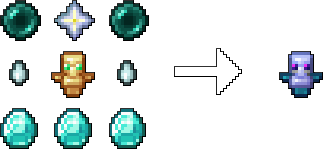
Crafting the Amulet
undefined
To craft the Amulet of Resurrection, combine the following items in a crafting table:
- 1 Totem of Undying
- 1 Nether Star
- 2 Ender Pearls
- 2 Ghast Tears
- 3 Diamonds
How It Works
- Player dies from any cause
- They become a spectator instead of losing the game
- A gravestone appears at their death location
- Other players can revive them using the configured method
- Revived player returns to survival mode with reduced stats
Commands
Requires operator permissions:
/hardcorerevival config useitem [true/false] - Toggle amulet requirement/hardcorerevival config broadcast [true/false] - Toggle coordinate broadcastingundefined
Installation
- Install Minecraft Forge 47.4.0+
- Put the mod file in your mods folder
- Start the game
- Configure settings via commands or config files /config/hardcorerevivalcoop-common.toml
undefined
Best For
- Multiplayer hardcore servers
- Cooperative hardcore gameplay
- Groups who want death to encourage teamwork rather than end the game
This mod gives players extra chances instead of permanent death.
- Edition: Minecraft Java
- File type: .jar
- Minecraft version listed: 1.20.1
- How to install: Install the matching mod loader (Forge, Fabric or NeoForge) for your Minecraft version. → Download the .jar. → Put it in the .minecraft/mods folder and launch that loader profile.
- Where to get it: Opens on CurseForge — not every file is mirrored on our own servers.
Install steps are the general flow for this file type — How to install Minecraft Java mods & modpacks walks through it step by step.
- Ships as hardcorerevivalcoop-1.0.0-1.20.1-forge.jar — drop this file into the mods folder
- Download size: 260 KB
- Download link checked 23 Oct 2026 — working
These come from our own check of the pack file, not from the source page.