Mana and Artifice - Custom Spell Icon Loader
Java mod listed for Minecraft 1.20. Downloads from the MC Java Mods app on Android.
This Mod adds the ability to load in new spell icons for Mana and Artifice with user defined configs and resource packs.
I don't know my version or loader
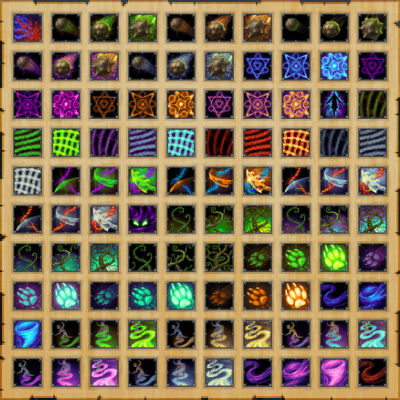
Mana and Artifice has a large variety of preloaded spell icons to choose from already(405 to be exact) but many players of expressed interest in adding ones of their own
While the current api doesnt allow for it this mod serves to fill that role
Simply define in the moremnaicons-client.toml file a list of model file locations like so
customIcons =
["yourresourcepackname:spell_icon/custom-icon",yourresourcepackname:spell_icon/custom-icon2"]
and either modify the uploaded template resource pack or create a small resource pack structured like so
yourresourcepackname-
-assets ->
- yourresourcepackname ->
-textures->
-textures->
-item->
-sorcery->
-icons->
- custom-icon.png
-models ->
-spell_icon->
-custom-icon.json
{
"parent": "item/generated",
"textures": {
"layer0": "spellicondatapack:item/sorcery/icons/custom-icon",
"layer1": "mna:item/sorcery/spell_frame"
}
}
-pack.mcmeta
and your good to go!
- Edition: Minecraft Java
- File type: .jar
- Minecraft version listed: 1.20.1
- How to install: Install the matching mod loader (Forge, Fabric or NeoForge) for your Minecraft version. → Download the .jar. → Put it in the .minecraft/mods folder and launch that loader profile.
- Where to get it: Opens on CurseForge — not every file is mirrored on our own servers.
Install steps are the general flow for this file type — How to install Minecraft Java mods & modpacks walks through it step by step.
- Ships as moremnaspellicons-1.0.0.jar — drop this file into the mods folder
- Download size: 745 KB
- Download link checked 12 Nov 2026 — working
These come from our own check of the pack file, not from the source page.