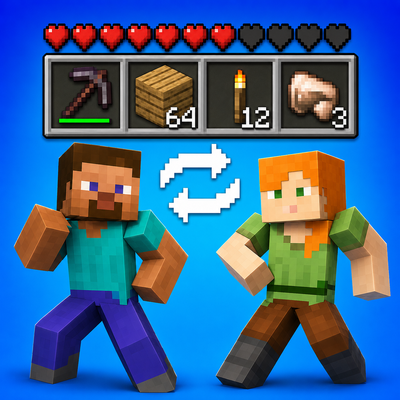
Shared Inventory + Hearts
Java mod listed for Minecraft 1.21. Downloads from the MC Java Mods app on Android.
I don't know my version or loader
Shared Inventory – Fabric 1.21.x
Shared Inventory is a Fabric mod that makes players share their inventory with each other.
If one player picks up an item, crafts something, mines blocks, drops items, or uses resources, the inventory updates for everyone in the same team. This makes survival feel more cooperative and forces players to actually work together instead of playing separately.
The mod also supports multiple inventory teams. This means you can split players into different groups, and each group will have its own shared inventory. It works well for team challenges, LAN worlds, survival experiments, or team-vs-team gameplay.
There is also an optional shared hearts system. When it is enabled, players in the same team share health behavior. If one player takes damage, the team feels it too. Knockback is also synchronized, so damage affects the team more naturally.
Main features:
-
Shared inventory between players
-
Separate shared inventories for different teams
-
Optional shared hearts
-
Knockback sync when shared hearts are enabled
-
Works in singleplayer, LAN, and servers
-
Designed to avoid inventory resets and item duplication after death or respawn
Useful commands:
/inv status
Shows the current mod status.
/inv teams create
Creates a new team.
/inv teams join
Joins a team.
/inv teams leave
Returns to the default team.
/inv teams list
Shows all teams.
/inv synchronize inv true/false
Turns inventory synchronization on or off.
/inv hearts true/false
Turns shared hearts and knockback synchronization on or off.
This mod is made for players who want a more team-based Minecraft experience, where every item and every mistake matters for the whole group.
- Edition: Minecraft Java
- File type: .jar
- Minecraft versions listed: 1.21.9, 1.21.8, 1.21.11
- How to install: Install the matching mod loader (Forge, Fabric or NeoForge) for your Minecraft version. → Download the .jar. → Put it in the .minecraft/mods folder and launch that loader profile.
- Where to get it: Opens on CurseForge — not every file is mirrored on our own servers.
Install steps are the general flow for this file type — How to install Minecraft Java mods & modpacks walks through it step by step.
- Ships as shared_inventory+hearts-0.3-1.21.9.jar — drop this file into the mods folder
- Download size: 1.1 MB
- Download link checked 2 Oct 2026 — working
These come from our own check of the pack file, not from the source page.