
allthingsflying
Java mod listed for Minecraft 1.20. Downloads from the MC Java Mods app on Android.
⬇ Download on CurseForgeThe author built this one for Minecraft 1.20.1 on Forge. On other versions it may install and then do nothing.
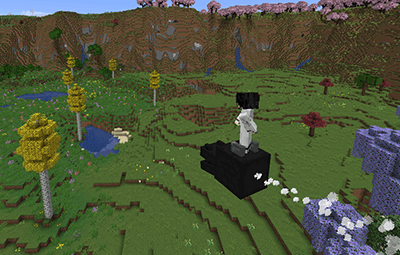
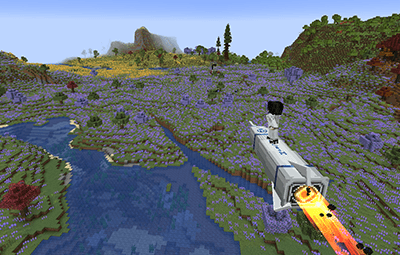

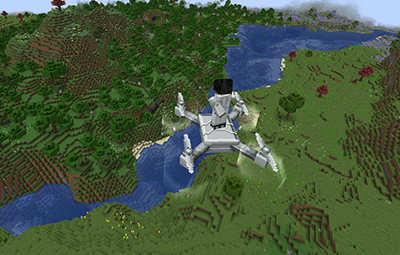

Gameplay Guide:
Upon entering the world, you will receive a Flight Starter Kit (also dropped by Ghasts). Combine the Flight Core (or any other block/item from the kit) with a Flight Engine in a crafting grid to create your Flyer.
All crafting recipes for this add-on (including Flight Engines and Upgrade Cores) can be viewed using mods like JEI.
Hold any Flyer in your hand and right-click to place it. Press W to mount and fly—the Flyer moves in the direction you are looking (look up to ascend, down to descend, etc.). Hold CTRL to boost your speed. Press SPACE to ascend vertically. Use the A/D keys to switch your riding animation.
You can use an Enchanting Table or an Enchanted Book to apply the Engine Mending enchantment to a Flyer. This automatically consumes your experience orbs to repair the engine's durability.
- Edition: Minecraft Java
- File type: .jar
- Minecraft version listed: 1.20.1
- How to install: Install the matching mod loader (Forge, Fabric or NeoForge) for your Minecraft version. → Download the .jar. → Put it in the .minecraft/mods folder and launch that loader profile.
- Where to get it: Opens on CurseForge — not every file is mirrored on our own servers.
Install steps are the general flow for this file type — How to install Minecraft Java mods & modpacks walks through it step by step.
- Ships as allthingsflying-1.20.1-0.0.3-beta.jar — drop this file into the mods folder
- Download size: 1.4 MB
- Download link checked 12 Nov 2026 — working
These come from our own check of the pack file, not from the source page.