
Sea Life
Java mod listed for Minecraft 1.21. Downloads from the MC Java Mods app on Android.
I don't know my version or loader









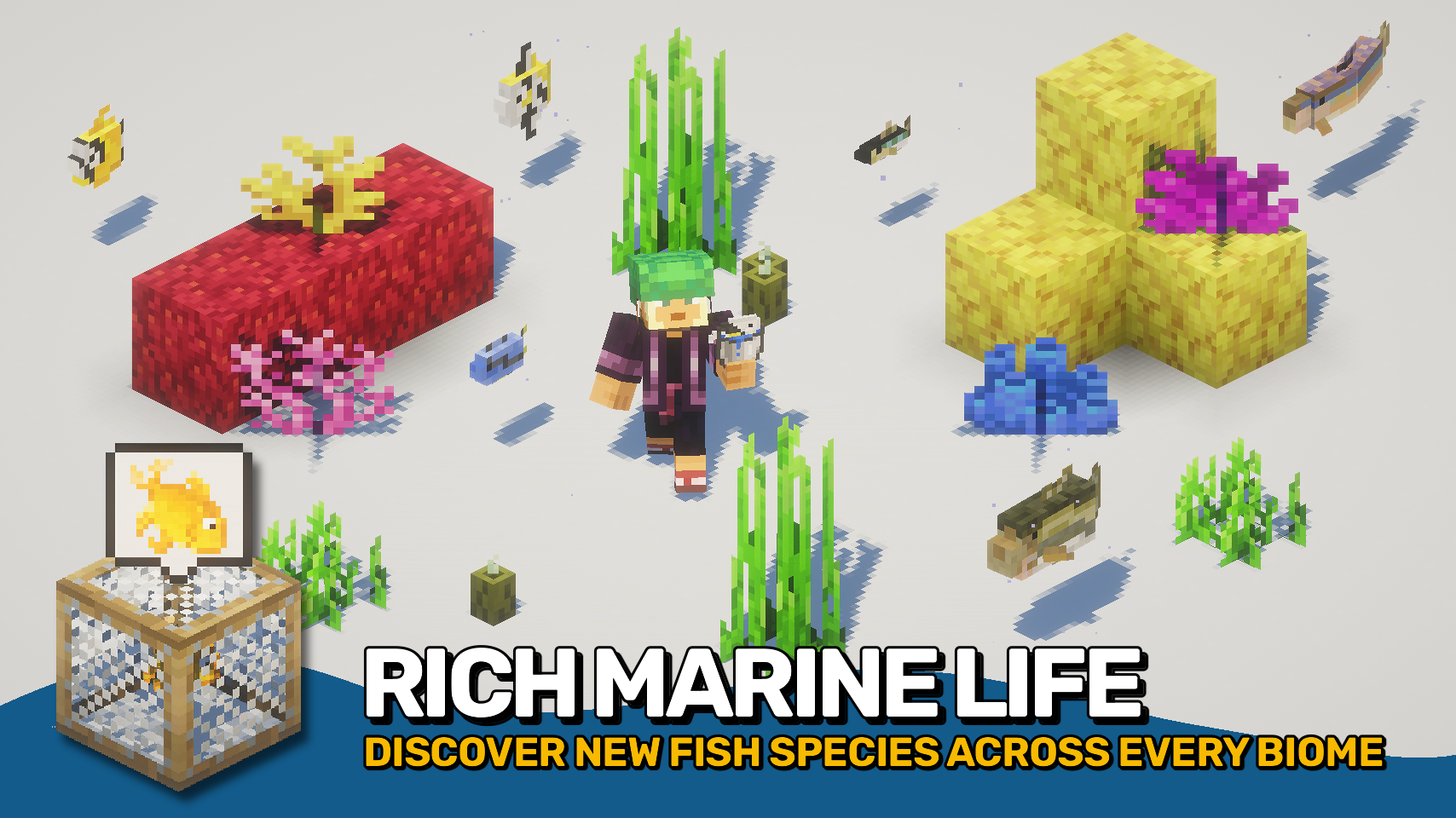
Sea Life expands the waters of your world with dozens of unique fish species, each found in their natural biomes. From deep-sea predators to calm river dwellers, the oceans feel alive and varied.
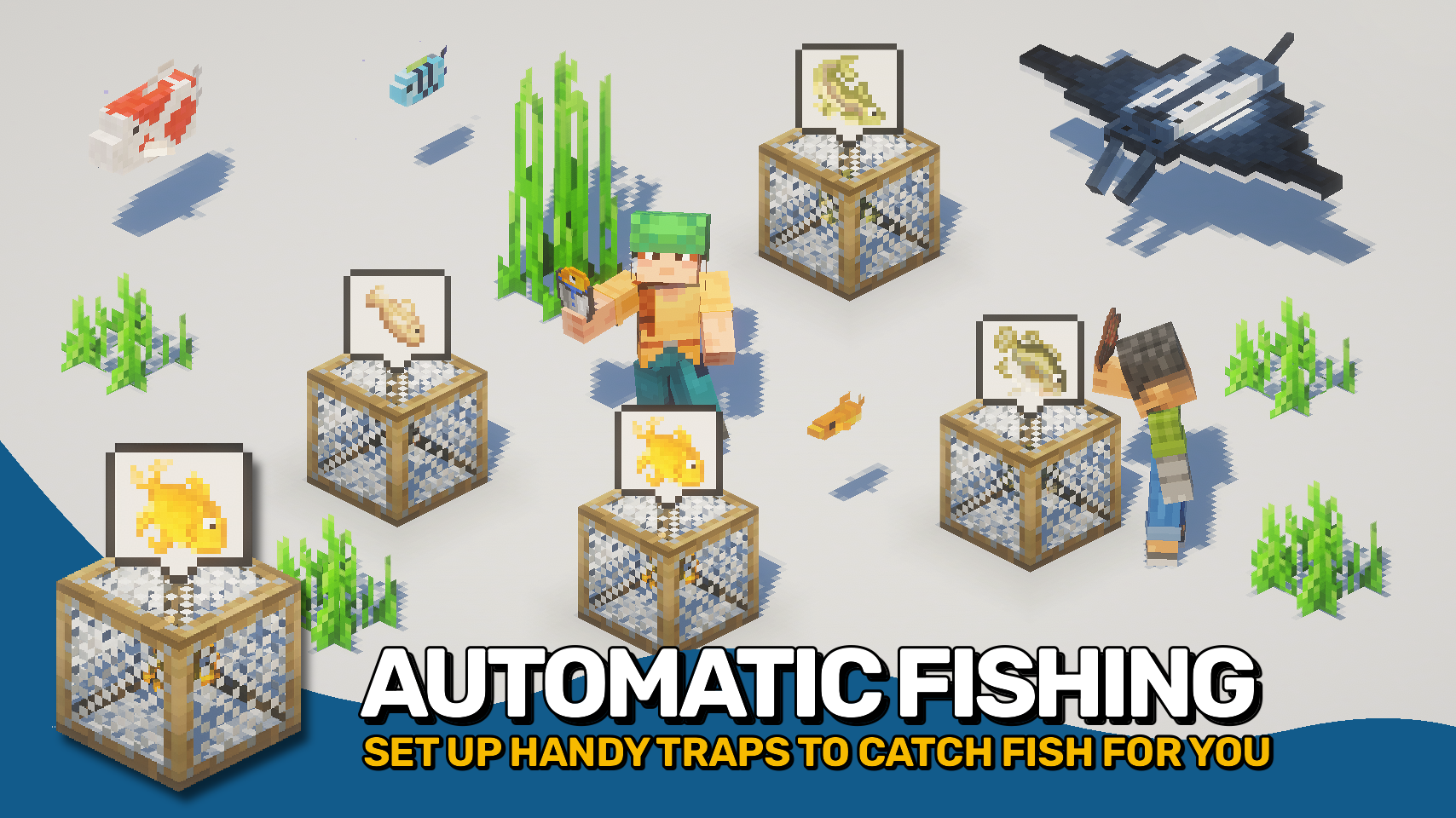
Set up fish traps to catch fish automatically or use a fish hatchery to breed them over time. Discover new loot while fishing, or cook up tasty fish-themed meals. Your oceans and rivers have never felt so full of life.

- 🎣 Fish Trap: Place underwater and bait with rotten flesh to catch fish while you are busy.
- 🪶 Fish Hatchery: Place in shallow water to breed fish from buckets over time.
- 🪙 New Fishing Loot: Find pirate treasure, empty cans, fish bones, and fossils.
- 🖼️ Custom Paintings: Decorate your world with new aquatic-themed custom art.
- 🐟 Anchovy: Small saltwater fish found in cooler oceans.
- 🐠 Angelfish: Bright freshwater fish living in jungle rivers and swamps.
- 💡 Anglerfish: Deep-sea dweller found in the dark cold ocean depths.
- 🎣 Bass: Common freshwater fish in rivers, plains, and forests.
- 🩵 Blue Tang: Colorful reef fish thriving in warm tropical oceans.
- 🐊 Bowfin: Freshwater fish of slow rivers and swampy waters.
- 🦋 Butterflyfish: Vibrant reef fish found in warm ocean biomes.
- 🐡 Carp: Hardy freshwater fish living in rivers, plains, and forests.
- 🐋 Catfish: Bottom-dwelling fish in rivers and swamps.
- 🌊 Chub: Small freshwater fish found in rivers and streams.
- 💛 Damselfish: Tiny tropical fish darting through coral reefs.
- ⚡ Electric Ray: Shocking saltwater fish from various ocean depths.
- 🧡 Goldfish: Peaceful freshwater fish, found in rivers and ponds.
- 🎏 Koi: Ornamental carp swimming in rivers and cherry groves.
- 🩸 Lamprey: Parasitic fish found in both fresh and saltwater.
- 🌴 Lungfish: Air-breathing fish of swamps and jungles.
- 🪸 Manta Ray: Graceful ocean giant in warm to temperate waters.
- 🐠 Minnow: Tiny fish found across rivers and meadows.
- ✨ Neon Tetra: Bright tropical fish from jungle rivers.
- ❄️ Northern Pike: Cold-water predator from taiga lakes and rivers.
- 🪶 Perch: Freshwater fish in lakes, rivers, and meadows.
- 🌿 Pickerel: Freshwater fish from rivers and forest streams.
- 🔴 Piranha: Aggressive predator found in jungle waters.
- 🏜️ Pupfish: Small desert fish living in isolated rivers.
- 🐚 Sardine: Schooling saltwater fish in cold and deep oceans.
- 💜 Siamese Fighting Fish: Colorful tropical fish from jungles and swamps.
- 🩶 Silver Stripe Blaasop: Cold-water pufferfish from icy oceans.
- 🏖️ Whitemargin Stargazer: Sand-burrowing tropical fish in warm oceans.
- 🌤️ Stingray: Coastal fish from temperate and tropical seas.
- 🧊 Trout: Cold-water fish found in taiga streams and groves.
- 🐋 Tuna: Large ocean predator roaming open waters.
- 🌌 Walleye: Northern freshwater fish living in lakes and rivers.


⏩ INSTALLATION REQUIRED ON CLIENT & REQUIRED ON SERVER
⏩ REQUIRES PUZZLES LIB TO BE INSTALLED (FABRIC & NEOFORGE)
⏩ REQUIRES FABRIC API TO BE INSTALLED (FABRIC)
⏩ REQUIRES FORGE CONFIG API PORT TO BE INSTALLED (FABRIC)

If available for a mod, configuration is possible directly from in-game using the mod menu (requires Mod Menu by Prospector to be installed on Fabric). Please note that on older Minecraft versions installing Forge Config Screens is also a requirement.
For manual configuration using an external text editor all files are found at .minecraft/config, named as MOD_ID-client.toml, MOD_ID-common.toml, or MOD_ID-server.toml, depending on the type of config. Not all types might exist for a mod, if any at all.

🌟 Huge thanks to joshiejack for the original Piscary mod, with its wonderful variety of new marine life and fine detail, now continued for modern Minecraft.
🌟 Thanks to Tamlighter for updating and refining several textures.
 |
 |
|
 |
 |
|
 |
 |
|
 |
 |
|
 |
 |
|

- Edition: Minecraft Java
- File type: .jar
- Minecraft versions listed: 1.21.1, 1.21.11, 1.21.10
- How to install: Install the matching mod loader (Forge, Fabric or NeoForge) for your Minecraft version. → Download the .jar. → Put it in the .minecraft/mods folder and launch that loader profile.
- Where to get it: Opens on CurseForge — not every file is mirrored on our own servers.
Install steps are the general flow for this file type — How to install Minecraft Java mods & modpacks walks through it step by step.
- Ships as SeaLife-v26.2.0-mc26.2.x-NeoForge.jar — drop this file into the mods folder
- Download size: 379 KB
- Download link checked 2 Oct 2026 — working
These come from our own check of the pack file, not from the source page.