
Shroom craft
Java mod listed for Minecraft 1.21. Downloads from the MC Java Mods app on Android.
I don't know my version or loader









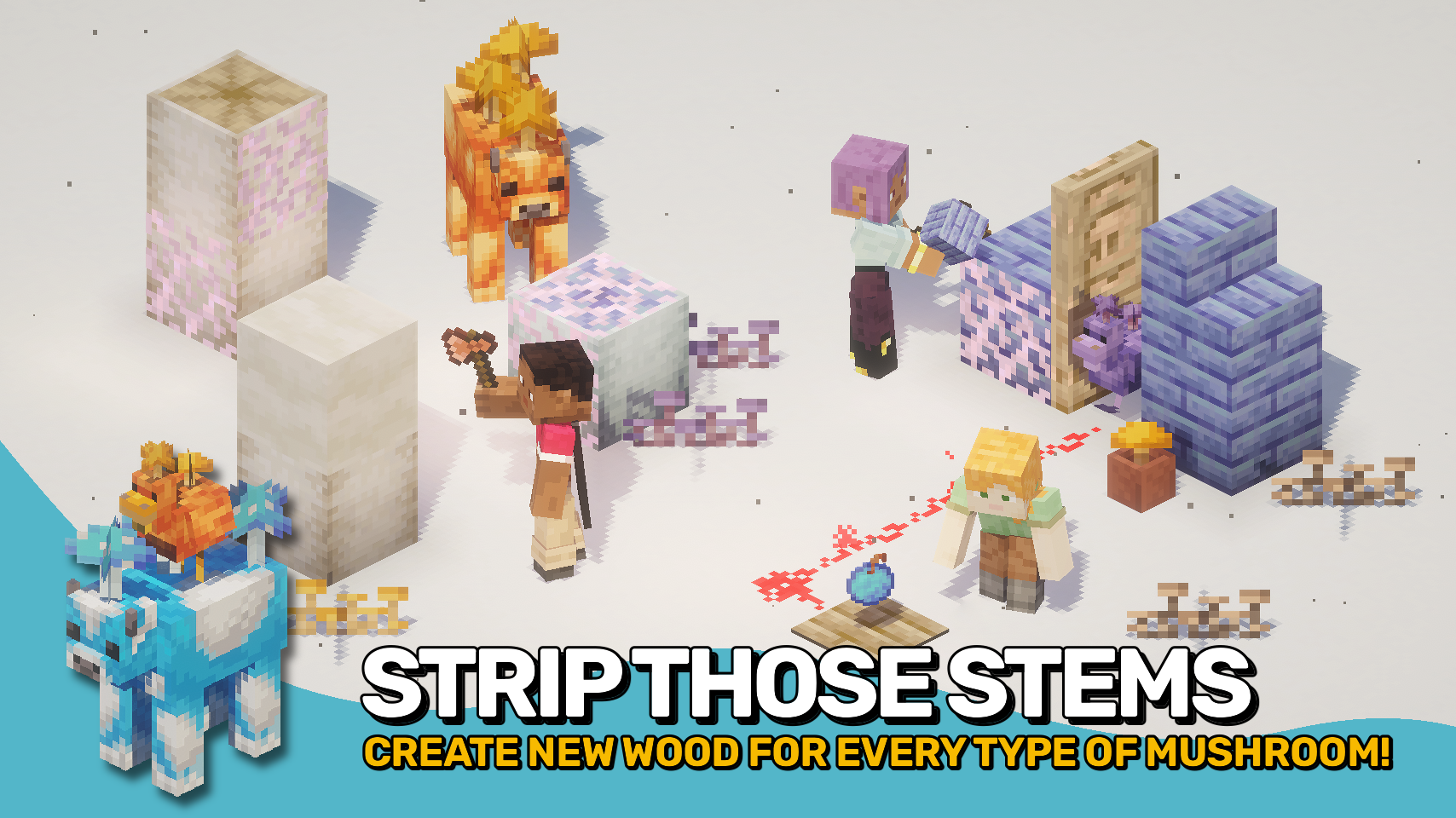
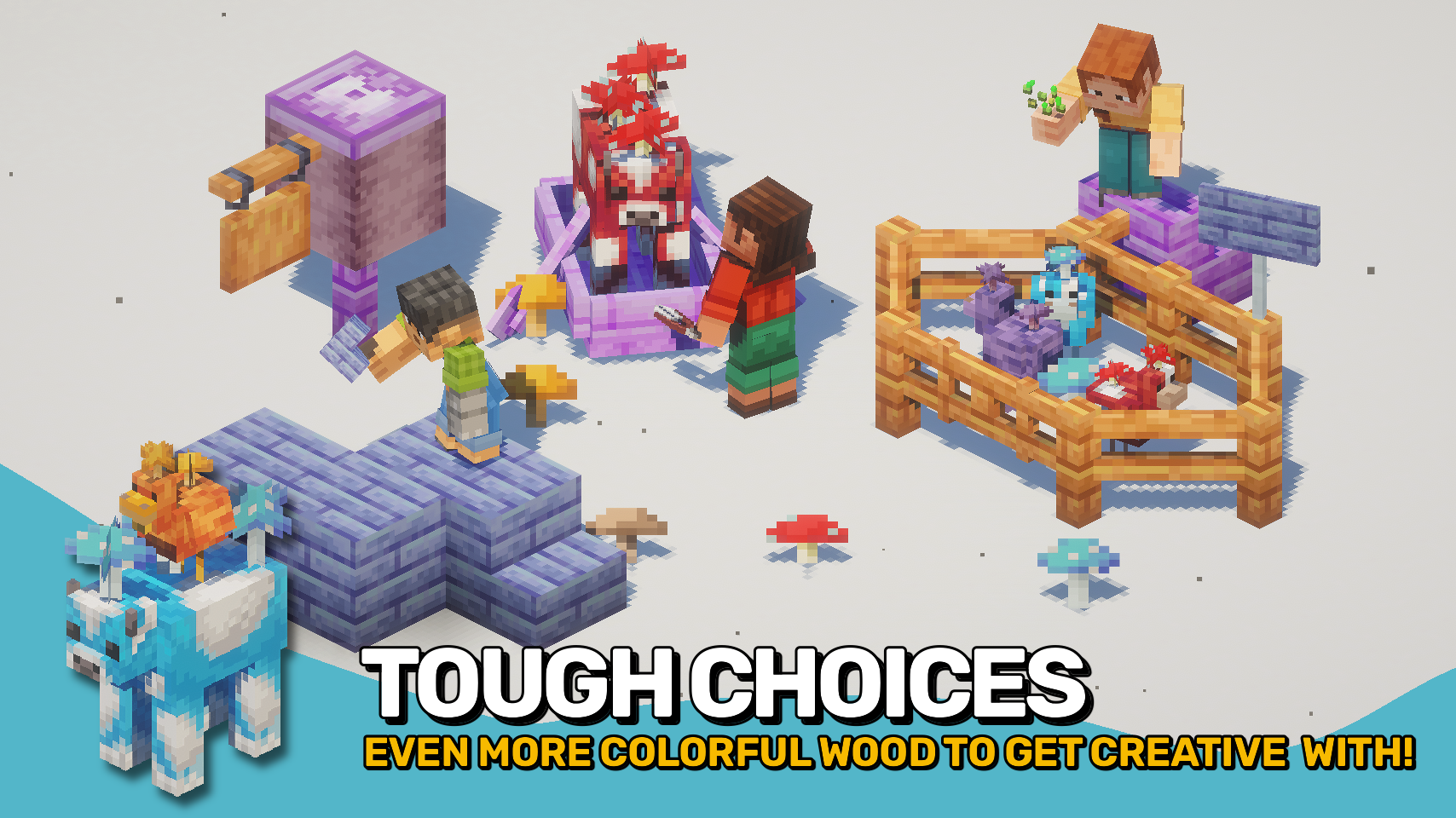
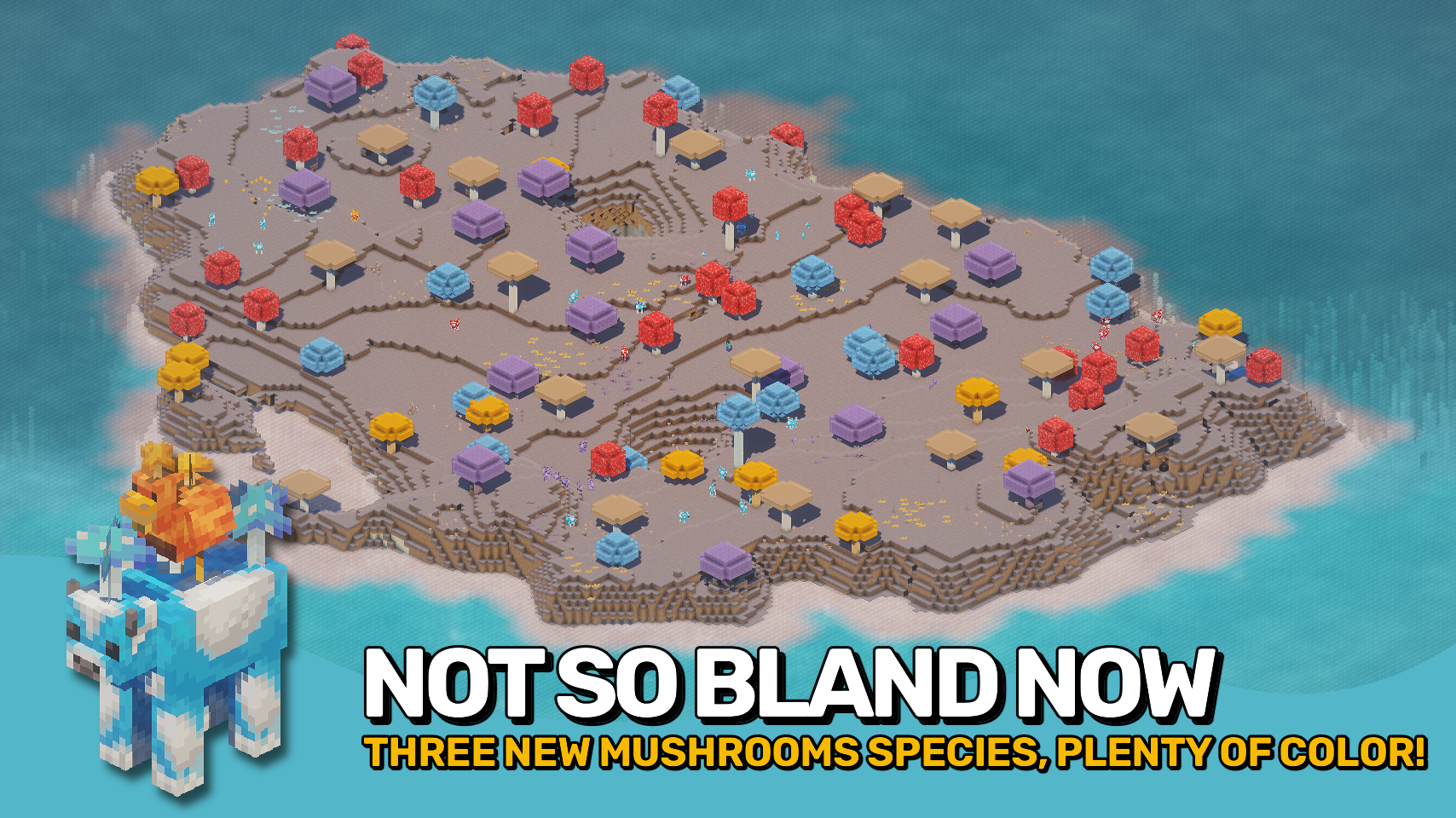
Shroomcraft expands Minecraft’s fungi family with new mushroom types, adorable creatures, and vegetation that bring fresh life to Mushroom Islands. Discover orange, purple, and blue mushrooms growing alongside the classic brown and red ones, from tiny sprouts to towering giants. Each type comes with matching wood, blocks, and decorations, giving builders a full palette of rich colors and textures for cozy builds and vibrant landscapes.
Life on the islands has never been livelier. Mooshrooms now appear in every new color, joined by quirky chickens carrying mushrooms on their backs: the cluckshrooms. You might even encounter the rare shroomfin swimming in nearby waters. Beneath the surface, glowing mycelial growth lights up the caves, and spores can be crafted into mushroom bombs for a little extra mischief. Explore, build, and thrive in your very own mushroom paradise.

- 🍄 New Mushrooms: Orange, purple, and blue mushrooms grow alongside classic brown and red ones.
- 🌳 Mushroom Wood: Each mushroom type has its own full wood set for creative building.
- 🐄 Mooshroom Variants: Unique mushroom cows for all five overworld and two nether fungi.
- 🐔 Cluckshrooms: Chickens with mushrooms on their backs living peacefully on mushroom islands.
- 🐟 Shroomfin Fish: A new fish found in the waters in and around mushroom islands.
- 🌱 Mushroom Sprouts: Small vegetation in every color adds detail to your islands.
- 💥 Mushroom Bombs: Throwable spores that release lingering harmful effects.
- 🌌 Mycelial Growth: Glowing cave fungi light up the underground like glow lichen.
- 🌾 Tiny Mushrooms: Grow small mushrooms from spores for easy farming.


⏩ INSTALLATION REQUIRED ON CLIENT & REQUIRED ON SERVER
⏩ REQUIRES PUZZLES LIB TO BE INSTALLED (FABRIC & NEOFORGE)
⏩ REQUIRES FABRIC API TO BE INSTALLED (FABRIC)
⏩ REQUIRES FORGE CONFIG API PORT TO BE INSTALLED (FABRIC)

If available for a mod, configuration is possible directly from in-game using the mod menu (requires Mod Menu by Prospector to be installed on Fabric). Please note that on older Minecraft versions installing Forge Config Screens is also a requirement.
For manual configuration using an external text editor all files are found at .minecraft/config, named as MOD_ID-client.toml, MOD_ID-common.toml, or MOD_ID-server.toml, depending on the type of config. Not all types might exist for a mod, if any at all.

🌟 Big thanks to Dayiel for their wonderful Shroomed mod, whose charming assets helped shape the look and feel of this project.
🌟 Massive thanks to the incredibly talented mim1q for creating the stunning, vibrant textures that give this mod its lively charm.
 |
 |
|
 |
 |
|
 |
 |
|
 |
 |
|
 |
 |
|

- Edition: Minecraft Java
- File type: .jar
- Minecraft versions listed: 1.21.1, 1.21.8, 1.21.5
- How to install: Install the matching mod loader (Forge, Fabric or NeoForge) for your Minecraft version. → Download the .jar. → Put it in the .minecraft/mods folder and launch that loader profile.
- Where to get it: Opens on CurseForge — not every file is mirrored on our own servers.
Install steps are the general flow for this file type — How to install Minecraft Java mods & modpacks walks through it step by step.
- Ships as Shroomcraft-v26.2.1-mc26.2.x-NeoForge.jar — drop this file into the mods folder
- Download size: 583 KB
- Download link checked 2 Oct 2026 — working
These come from our own check of the pack file, not from the source page.