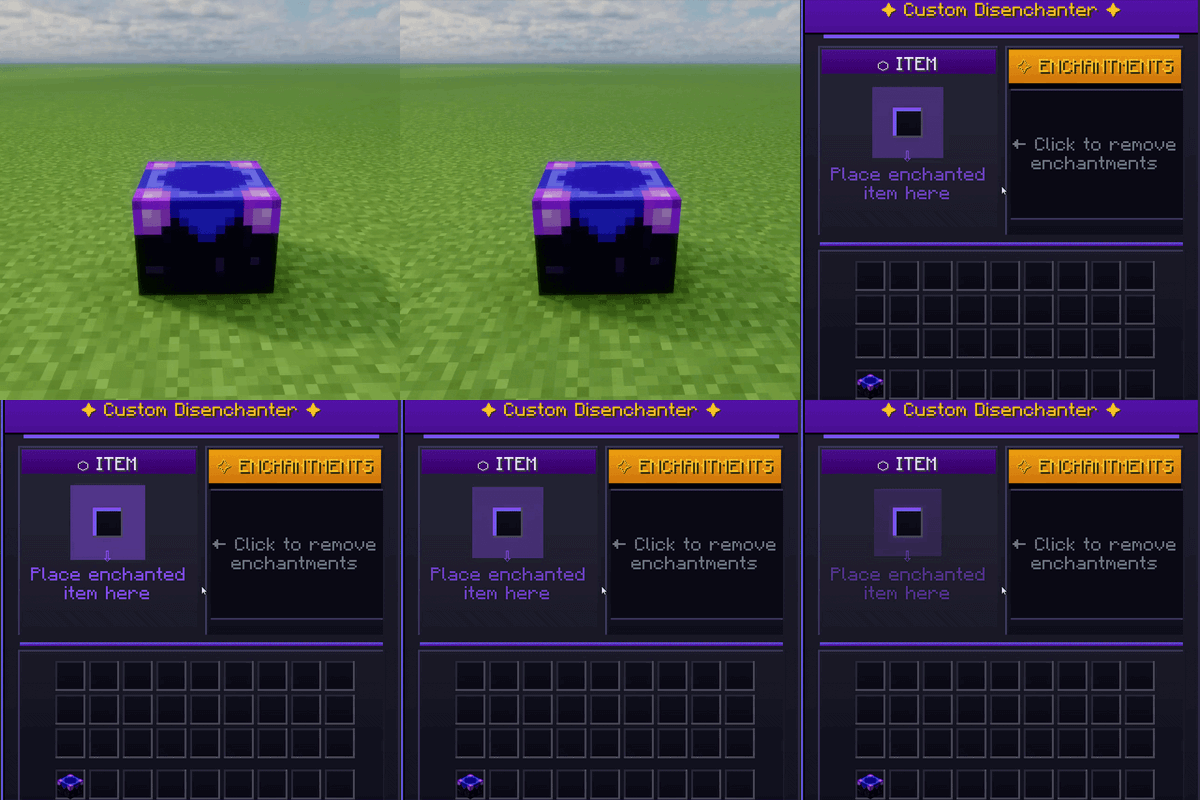
Custom Disenchanter
Java mod listed for Minecraft 1.16–1.21. Downloads from the MC Java Mods app on Android.
I don't know my version or loader
Custom Disenchanter
Overview
Custom Disenchanter is a next-generation Minecraft mod that completely redefines enchantment management.
Unlike the vanilla Grindstone, which removes all enchantments, this mod introduces a dedicated Disenchanter Block — allowing you to selectively extract enchantments from your items with full control.
Features
- Selective Enchantment Removal — Remove specific enchantments without affecting others
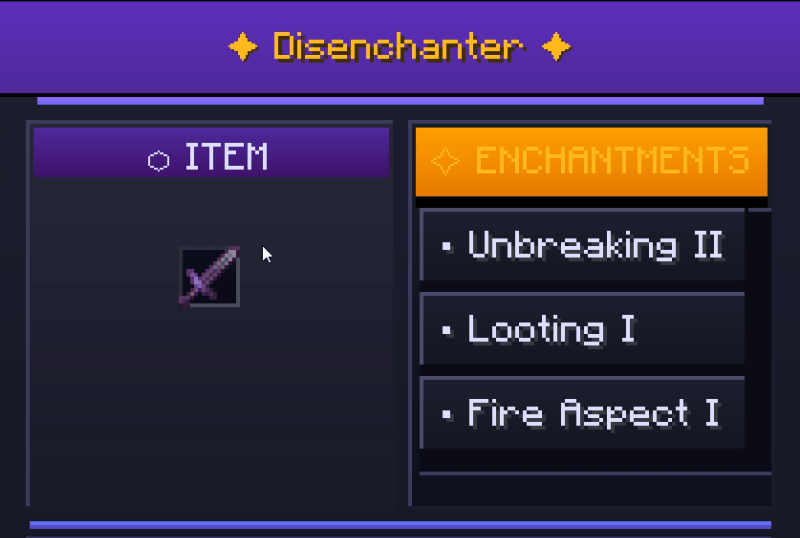
- Intuitive GUI — Easy-to-use interface for managing your enchanted items
- Custom Creative Tab — Access all disenchanter-related items quickly
- Full Capability Support — Inventory persists properly and supports hoppers
- Multiplayer Ready — Works flawlessly in single-player and server environments
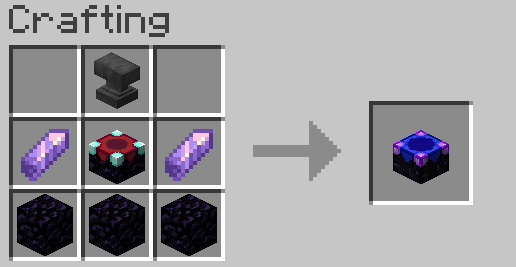
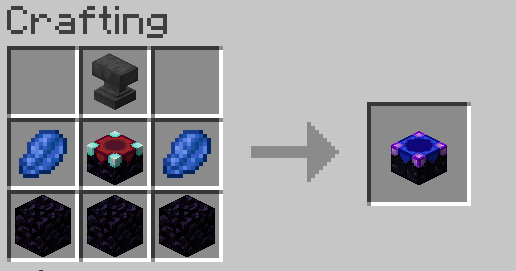
Crafting Recipes
Recipe (Minecraft 1.17+)
Recipe (Minecraft 1.16.5 & below)
In-Game Preview
How to Use
- Craft or obtain a Disenchanter Block
- Place it in your world
- Right-click to open the interface
- Important: You must have at least one book in your inventory to store removed enchantments
- Insert your enchanted item
- Select the enchantment(s) to remove
- Retrieve your modified item and the book containing the extracted enchantment(s)
💬 Community & Support
Join our Discord community for help, feedback, and updates!

License & Credits
Developed by OSAMA
All rights reserved.
Feel free to share and use in your modpacks with credit.
- Edition: Minecraft Java
- File type: .jar
- Minecraft versions listed: 1.20.1, 1.21.11, 1.21.10
- How to install: Install the matching mod loader (Forge, Fabric or NeoForge) for your Minecraft version. → Download the .jar. → Put it in the .minecraft/mods folder and launch that loader profile.
- Where to get it: Opens on CurseForge — not every file is mirrored on our own servers.
Install steps are the general flow for this file type — How to install Minecraft Java mods & modpacks walks through it step by step.
- Ships as CustomDisenchanter-3.2.0.jar — drop this file into the mods folder
- Download size: 41 KB
- Download link checked 2 Oct 2026 — working
These come from our own check of the pack file, not from the source page.