
RA: Redstone Additions
Java mod listed for Minecraft 1.20–1.21. Downloads from the MC Java Mods app on Android.
I don't know my version or loader
1.21.10 support along with 1.1.0 Update is out!
View the changelog here Please report any bugs through the GitHub or through the comment section
I am aware of this whole section being bugged out for some reason. I will fix it.
Purpose of the Mod
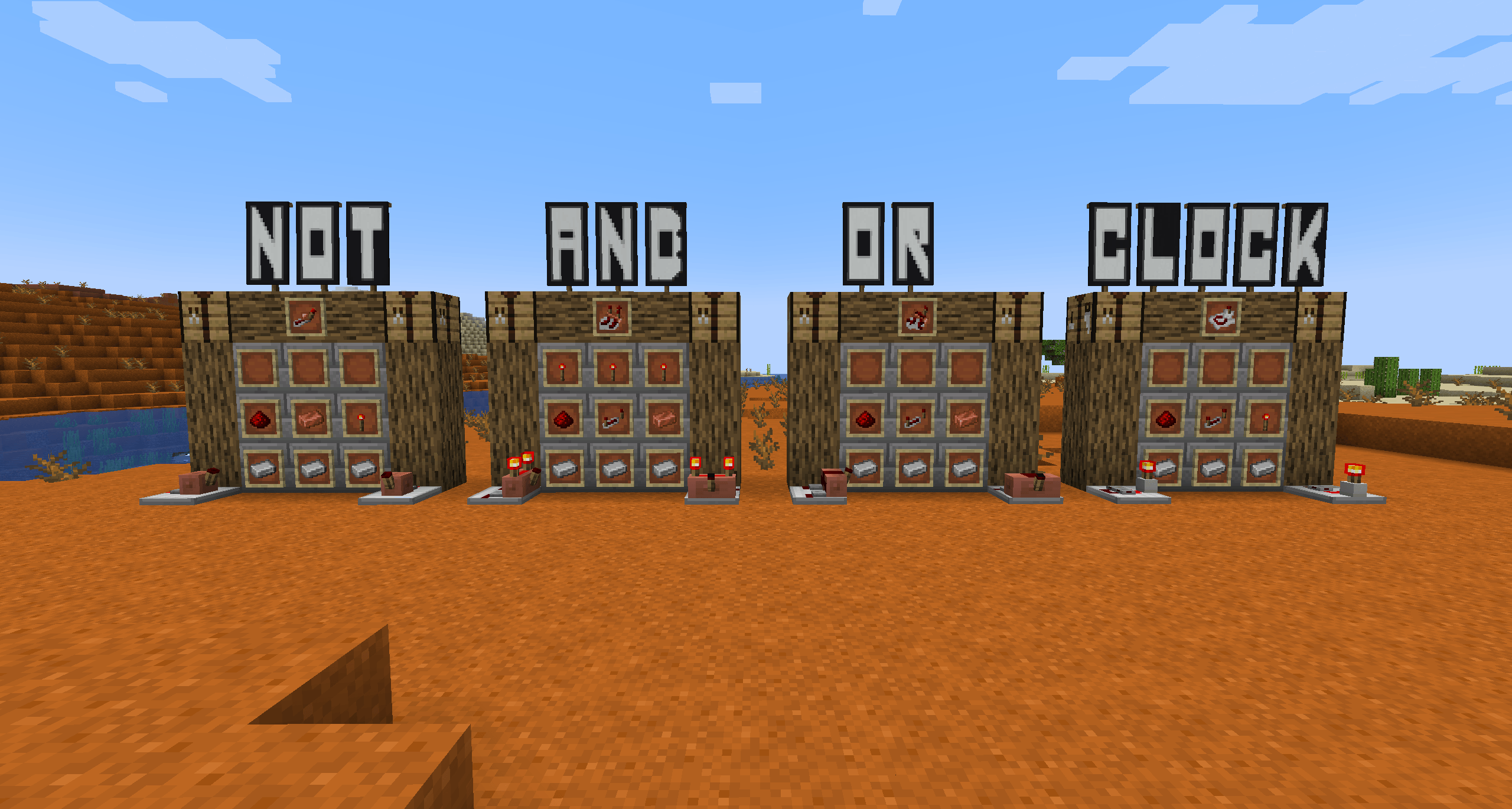
Adds OR, XOR, NOT, and AND boolean logic gates and a CLOCK with the idea of designing more compact redstone machines with potentially better performance.
Recipes and Usage
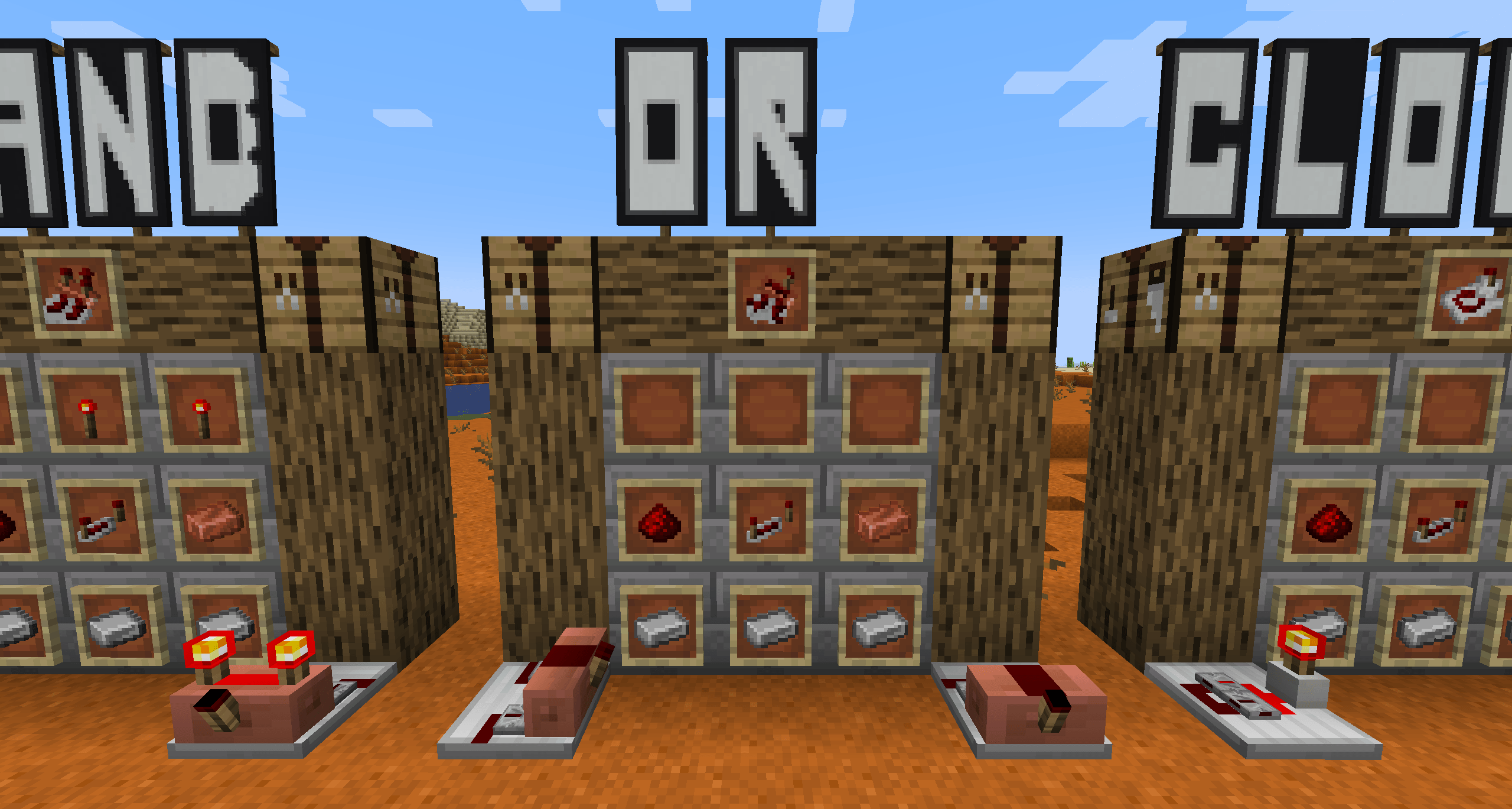
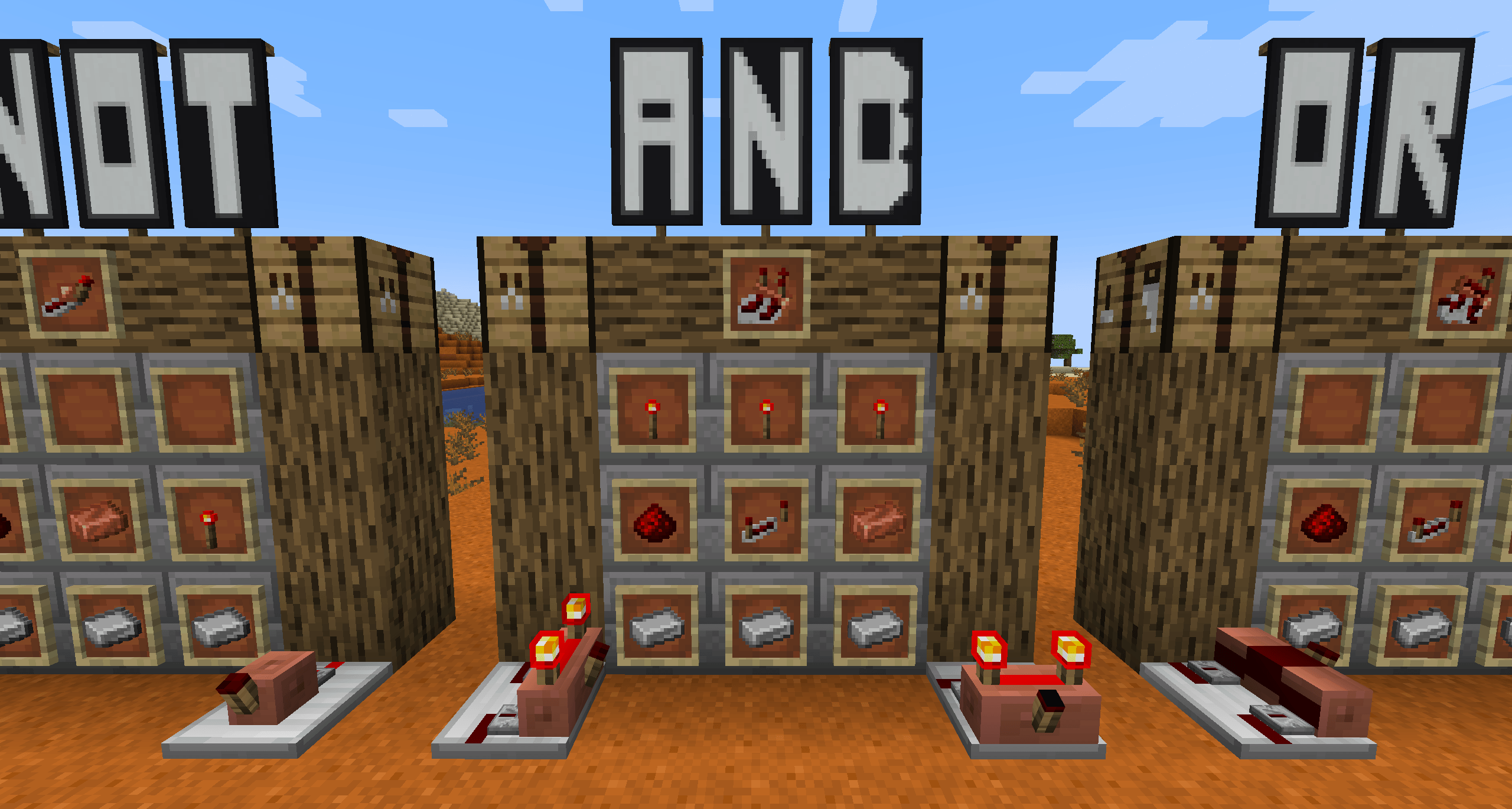
AND Gate:
| | | | | | | | |  | | | |
  |
|_JE1.png/32px-Redstone_Repeater_(item) _JE1.png?1b9a2) |
_JE1.png?1b9a2) | | |
| |  | | |
| | |
Usage
2 Inputs 1 Output 1 Input on Left 1 Input on Right 1 Output on redstone torch side
| L |R |Output | | - |- |------ | | 0 |0 |0 | | 0 |1 |0 | | 1 |0 |0 | | 1 |1 |1 |
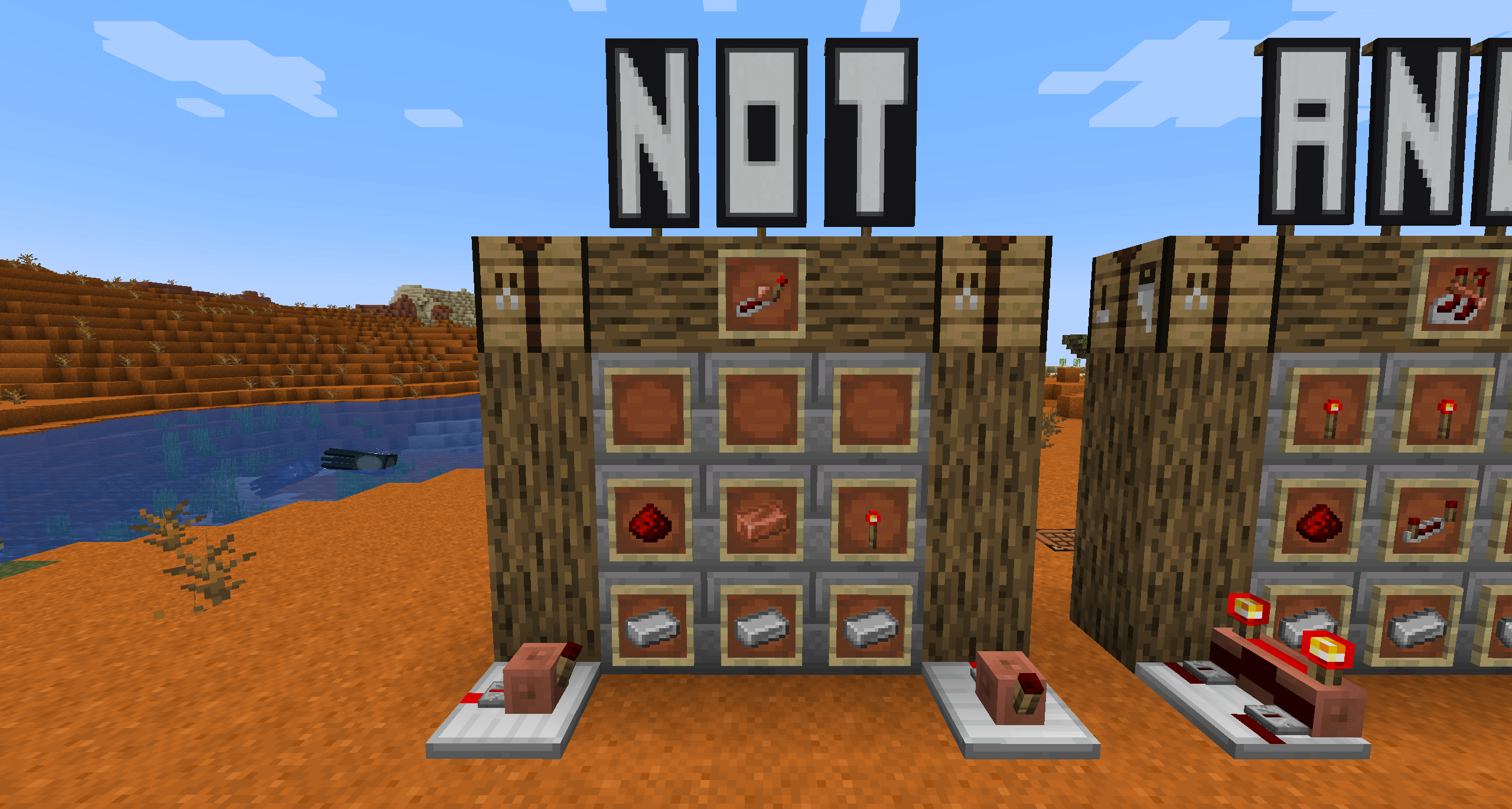
NOT Gate:
| X |X |X | | - |- |- | | | | | | | | |
Usage
1 Input and 1 Output Output is the opposite of the input So if Redstone is powered in, it will come out off.
| Input | Output |
|---|---|
| 0 | 1 |
| 1 | 0 |
(X)OR Gate:
XOR and OR is the same block
| X |X |X | | - |- |- | | |_JE1.png?1b9a2) | | | | | |
Usage
2 Inputs 1 Output 1 Input on Left 1 Input on Right 1 Output on Redstone torch side
OR:
| L | R | Output |
|---|---|---|
| 0 | 0 | 0 |
| 1 | 0 | 1 |
| 0 | 1 | 1 |
| 1 | 1 | 1 |
| XOR: | ||
| L | R | Output |
| -- | -- | -- |
| 0 | 0 | 0 |
| 1 | 0 | 1 |
| 0 | 1 | 1 |
| 1 | 1 | 0 |
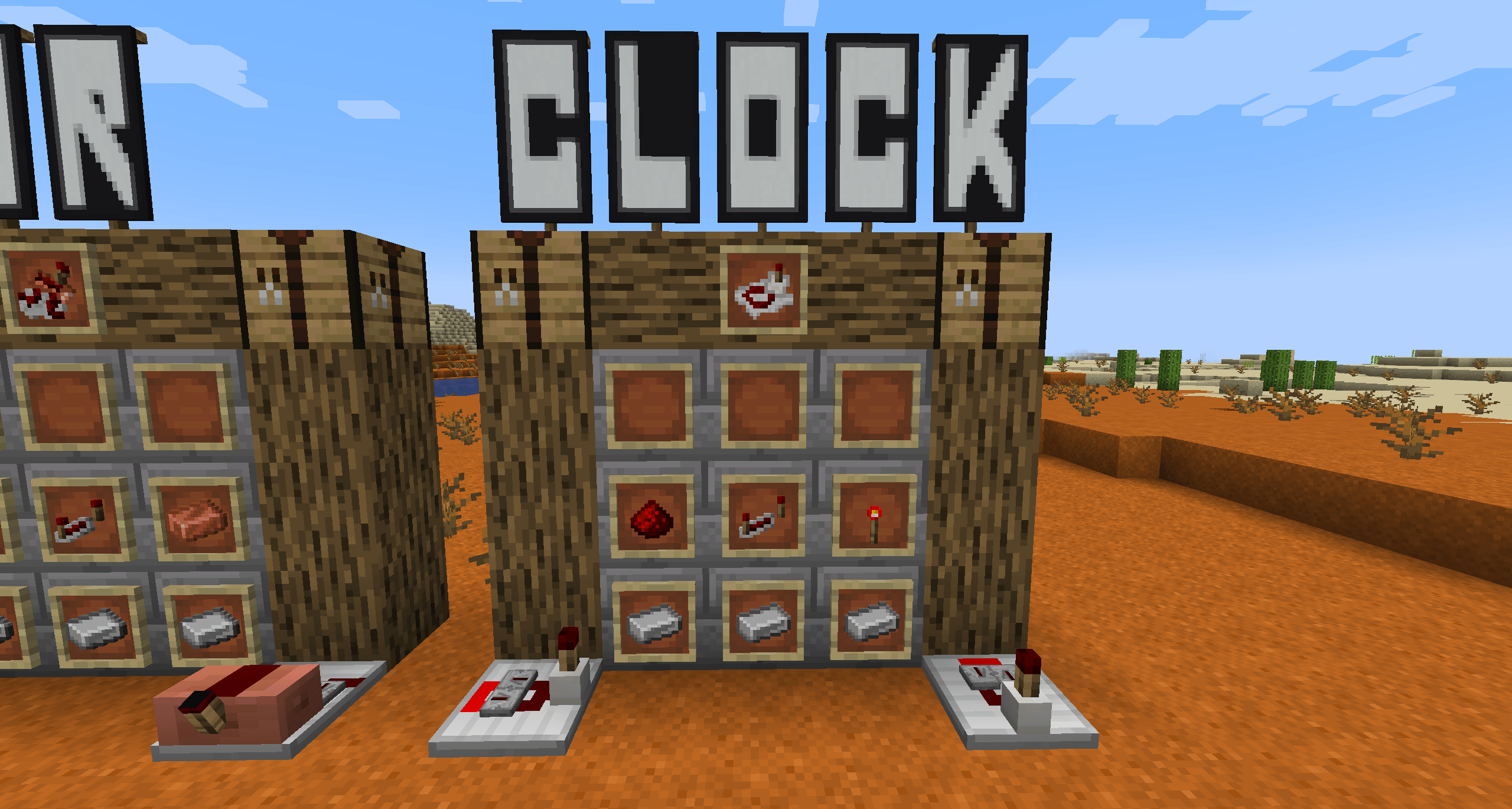
CLOCK:
| X |X |X | | - |- |- | | |_JE1.png?1b9a2) | | | | | |
Usage
1 Output: Flips between on and off at a rate specified by the delay which is changed when right clicked
| Delay # | Flips per Second |
|---|---|
| 1 | 20 |
| 5 | 4 |
| 10 | 2 |
| 15 | 1.333 |
| 20 | 1 |
Potential Performance Increase with Clocks
NOTE!
I never made this mod to make a better performant way for using Redstone, I more built this to learn modding and to save space in Redstone designs. Do not download this mod for the potential performance increase
If you have any information to add regarding of if the test is accurate or flawed, I would love to hear about it.
Base Rules for each test:
Both worlds were duplicates using Minecrafts built in recreate button Sim distance: 12 chunks Render Distance: 12 chunks Super flat world with "Redstone Ready" preset. Peaceful, no structures. Windowed mode Forge install with just Redstone Additions and WorldEdit
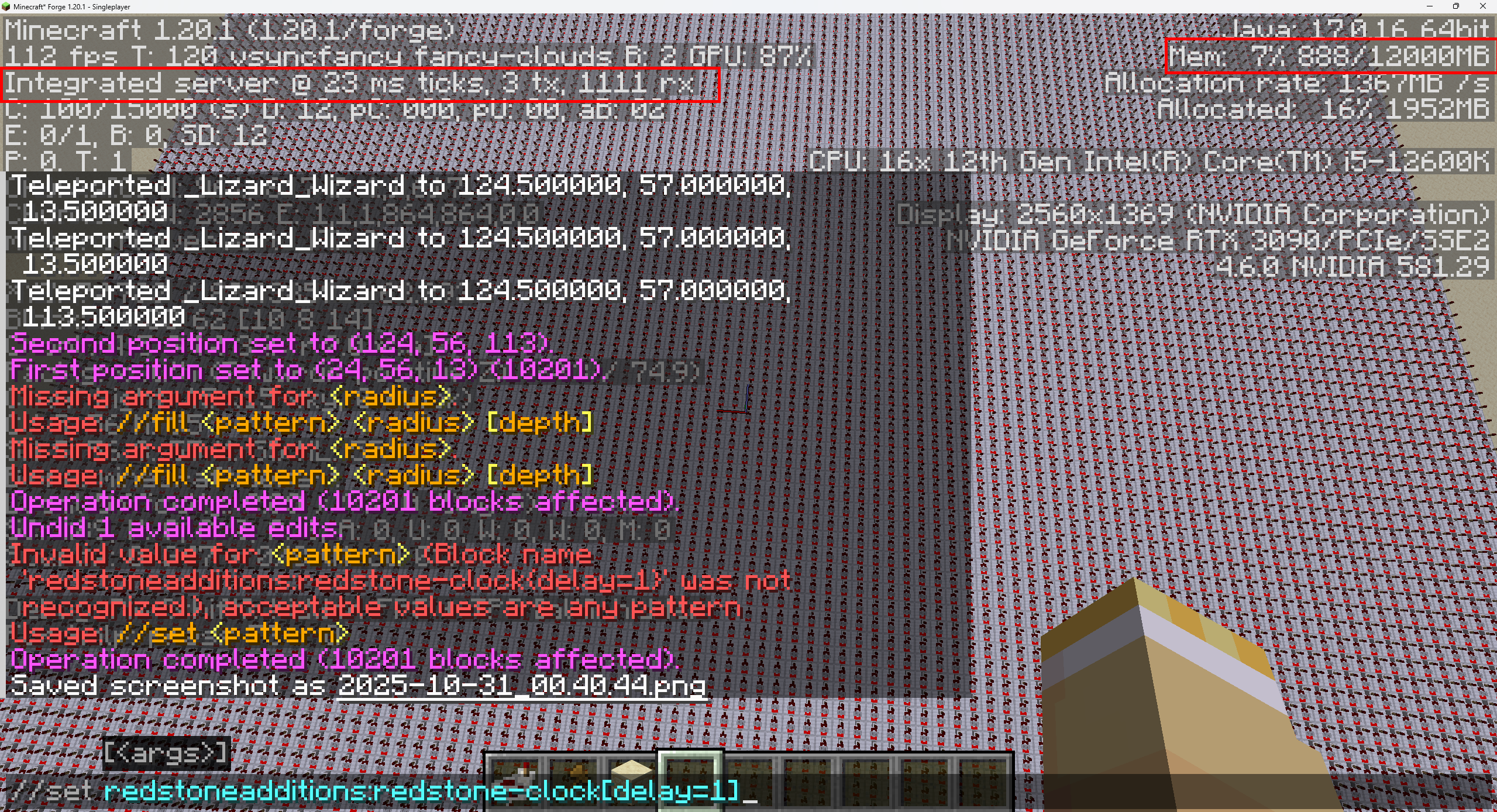
Redstone Additions Clock
For the Redstone Additions test, 10,201 (100x100 grid) clocks were set with WorldEdit with a delay set to 1 (flips 20 times a tick)
Vanilla Clock
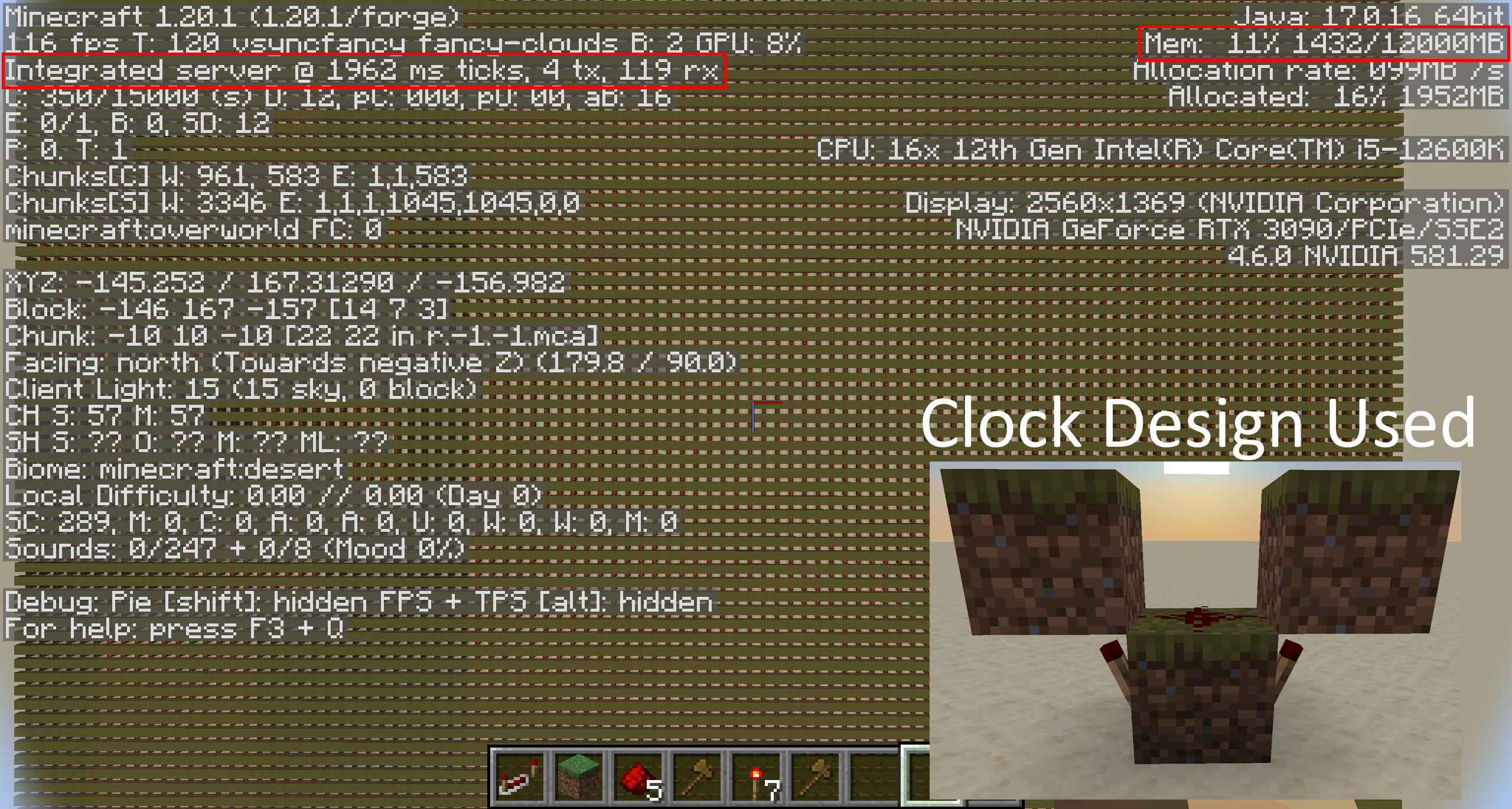
For the vanilla clock, this is a design I have came across from just playing the game, I am unsure the exact speed it flips but just watching the flip rate, it feels similar to the speed of Redstone Additions Clock with a delay =1 world edit was also used to copy and stack in a 100x100 grid effectively placing 10,000 individual instances of this design.
The conclusions
Through my own research on what each value means in the f3 menu through the following Minecraft Wiki Link, it would seem that using the mod lowers the total amount of memory while also lowering speed it takes to process a tick. The mod also has an increased amount packets received from the Integrated Server by roughly 10x. You can compare these values and anything else I might have missed by looking at both images above.
NOTE!
I never made this mod to make a better performant way for using Redstone, I more built this to learn modding and to save space in Redstone designs. Do not download this mod for the potential performance increase
If you have any information to add regarding of if the test is accurate or flawed, I would love to hear about it.
- Edition: Minecraft Java
- File type: .jar
- Minecraft versions listed: 1.20.1, 1.21.10
- How to install: Install the matching mod loader (Forge, Fabric or NeoForge) for your Minecraft version. → Download the .jar. → Put it in the .minecraft/mods folder and launch that loader profile.
- Where to get it: Opens on CurseForge — not every file is mirrored on our own servers.
Install steps are the general flow for this file type — How to install Minecraft Java mods & modpacks walks through it step by step.
- Ships as redstoneadditions-1.20.1-1.1.0.jar — drop this file into the mods folder
- Download size: 235 KB
- Download link checked 2 Oct 2026 — working
These come from our own check of the pack file, not from the source page.