
Atlas Alarms
Java mod listed for Minecraft 1.20. Download on the author's site.
⬇ Download on CurseForge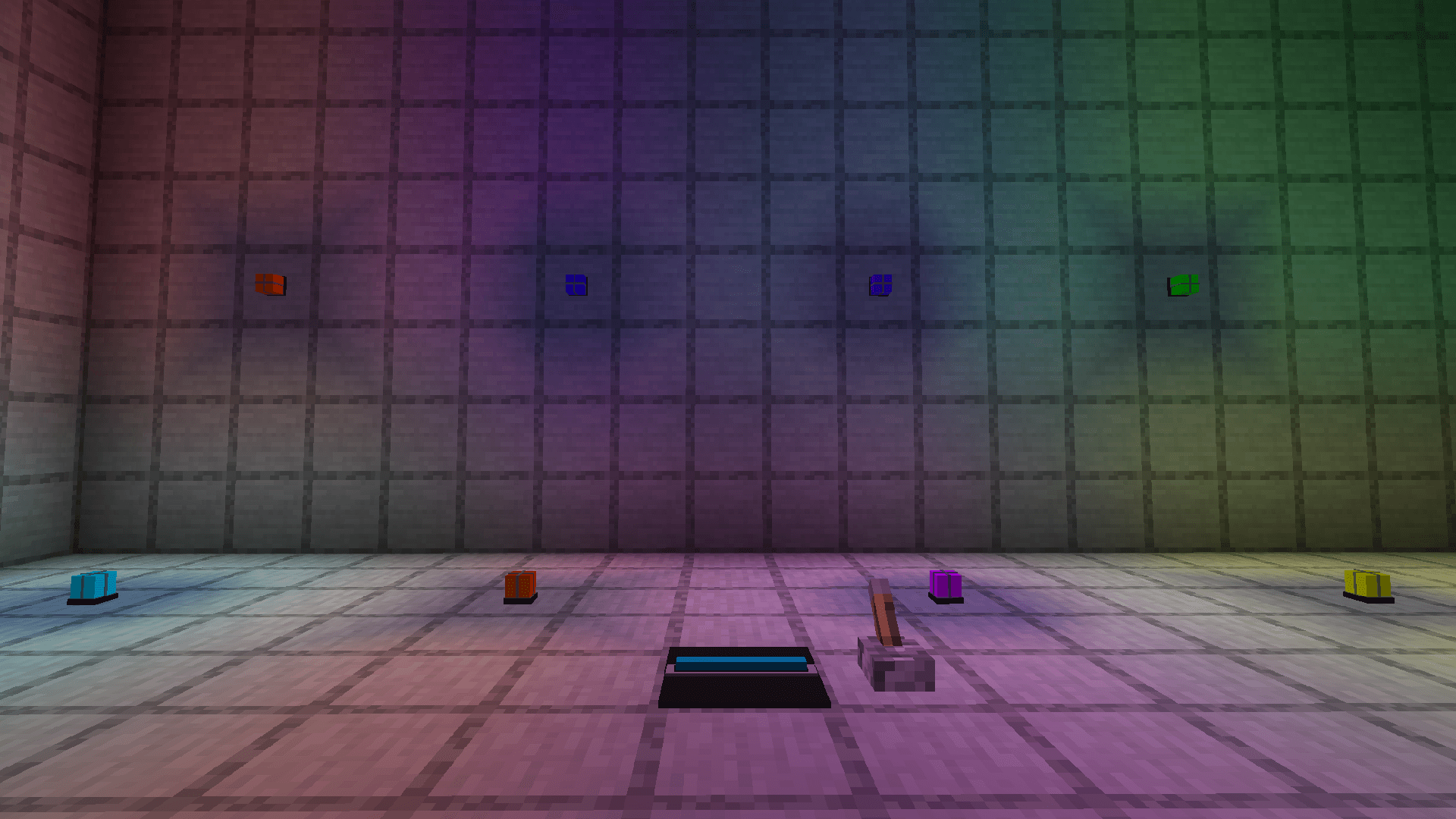
Atlas Alarms


Features
- Placeable alarms that flash and play sound
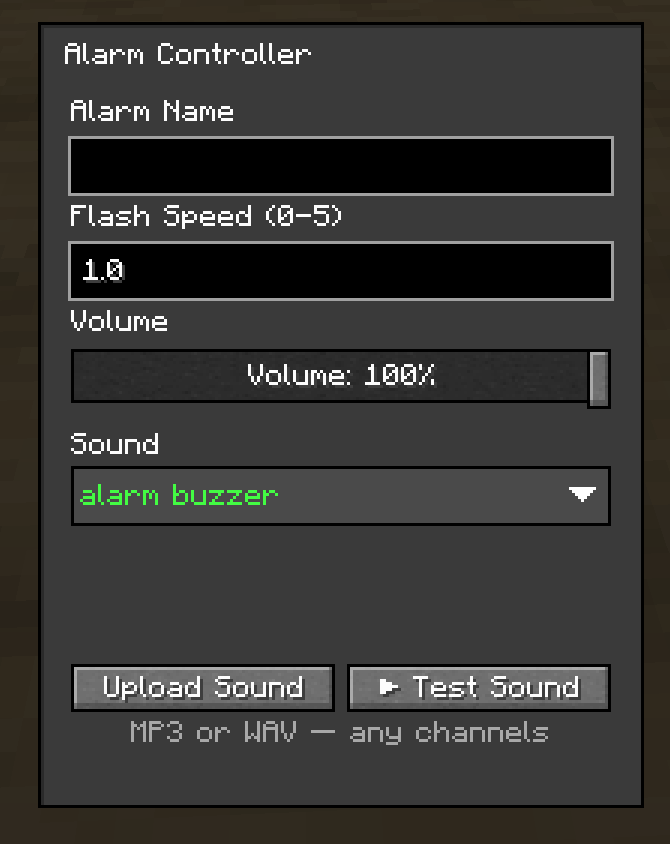
- Upload your own sounds — MP3 or WAV, up to 10 seconds
- Built-in sound presets included
- Adjustable flash speed (0–5, where 0 = solid on, no flashing)
- Adjustable volume slider (0–100%)
- Group alarms by name — one controller drives every alarm sharing its name in the dimension, no matter how far apart they are
- Alarm Controllers are Redstone-powered
- Set an alarm's name by Shift + Right-Click on an alarm block while holding an alarm in your main hand
- Per-dimension unique controller names — no two controllers can claim the same name
- Perfect for SCP facilities, labs, military bases, security rooms
Description
Atlas Alarms adds customizable flashing alarm systems
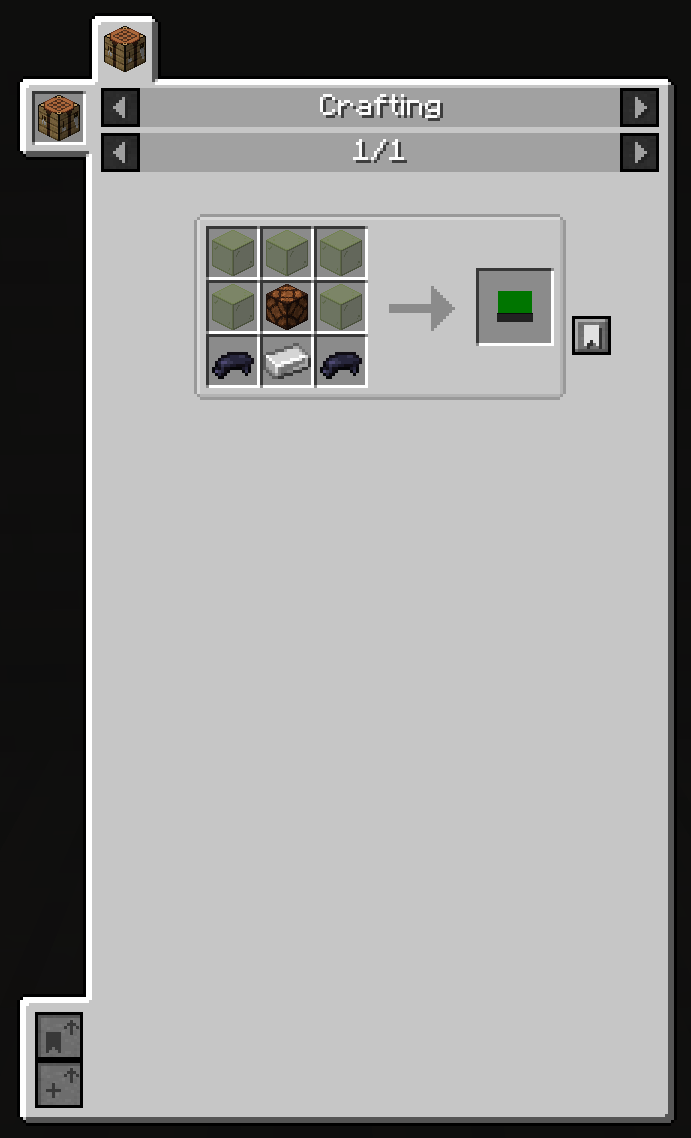
Place an Alarm block and give it a name. Place an Alarm Controller, type that same name in, and the controller takes over every alarm with that name in the current dimension. Power the controller with redstone and every linked alarm flashes and plays your chosen sound in sync.
You can also Shift + Right-Click an alarm block while holding another alarm in your main hand to open its name/config screen — the alarm keeps that configuration when you place it elsewhere.
Custom sounds
Open any Alarm Controller and hit Upload to pick an MP3 or WAV file (≤ 10 seconds). The sound uploads to the server automatically, gets shared with everyone on the world/server, and shows up in every controller's sound list.
If you want colored light

Install Colorful Lighting (Sodium Compat).
Recommendations
- Redstone Pen — clean redstone routing to your alarm controllers
Compatibility
- Minecraft 1.20.1 — Forge
- Works in singleplayer and on dedicated servers
- Atlas Alarms itself is required on both client and server
- Edition: Minecraft Java
- File type: .jar
- Minecraft version listed: 1.20.1
- How to install: Install the matching mod loader (Forge, Fabric or NeoForge) for your Minecraft version. → Download the .jar. → Put it in the .minecraft/mods folder and launch that loader profile.
- Where to get it: Opens on CurseForge — not every file is mirrored on our own servers.
Install steps are the general flow for this file type — How to install Minecraft Java mods & modpacks walks through it step by step.
Atlas Alarms is a free Minecraft Java mod. Compatible with Minecraft 1.20.1. Downloaded 7,462 times (via CurseForge). Download it and open it directly in the game.