Player Scanner
Java mod listed for Minecraft 1.20. Downloads from the MC Java Mods app on Android.
⬇ Download on CurseForgeThe author built this one for Minecraft 1.20.1 on Forge. On other versions it may install and then do nothing.
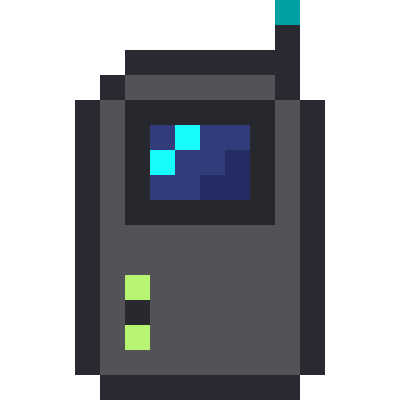
Player Scanner is a lightweight, vanilla-friendly utility mod designed for multiplayer servers, especially for PvP, manhunt, or survival games. It adds a item: the Player Scanner.
How It Works
- Craft & Go: Craft the Player Scanner with simple, vanilla-friendly ingredients. No complex machines needed!
- Charge & Scan: Hold right-click to charge the device. Once fully charged, it will be consumed, sending out a pulse that reveals the locations of nearby players.
- Visualize: A visual effect expands from your position, showing the scan's range. Detected players will be highlighted with a clear, visible marker for a short duration.
- Stay Balanced: A configurable cooldown prevents spamming, keeping the gameplay fair and balanced.
Features
- Consumable Item: The Player Scanner is a one-time-use item, making every scan a strategic decision.
- Fully Server-Configurable (playerscanner-server.toml): Server administrators have complete control. Adjust the scan radius, charge time, cooldown, marker duration, and even the visual effects to perfectly match your server's gameplay balance.
- Stunning Visuals: A sleek, shader effect provides clear feedback on your scan's range, while a highly visible marker makes sure you never lose sight of your target.
- Lightweight & Compatible: Designed to be simple and efficient, with no world-gen or complex dependencies, ensuring high compatibility with other mods.
Whether you're hunting down your friends or trying to avoid being found, the Player Scanner adds a new layer of strategy and excitement to your Minecraft multiplayer experience!
- Edition: Minecraft Java
- File type: .jar
- Minecraft version listed: 1.20.1
- How to install: Install the matching mod loader (Forge, Fabric or NeoForge) for your Minecraft version. → Download the .jar. → Put it in the .minecraft/mods folder and launch that loader profile.
- Where to get it: Opens on CurseForge — not every file is mirrored on our own servers.
Install steps are the general flow for this file type — How to install Minecraft Java mods & modpacks walks through it step by step.
- Ships as playerscanner-1.20.1-0.1.0-bata.1.jar — drop this file into the mods folder
- Download size: 48 KB
- Download link checked 23 Oct 2026 — working
These come from our own check of the pack file, not from the source page.