
Viscord - Discord/Fluxer Multi-Server Integration
Java mod listed for Minecraft 1.18–1.21. Downloads from the MC Java Mods app on Android.
I don't know my version or loader
Viscord
Connect your Minecraft server to Discord, Fluxer, or both.
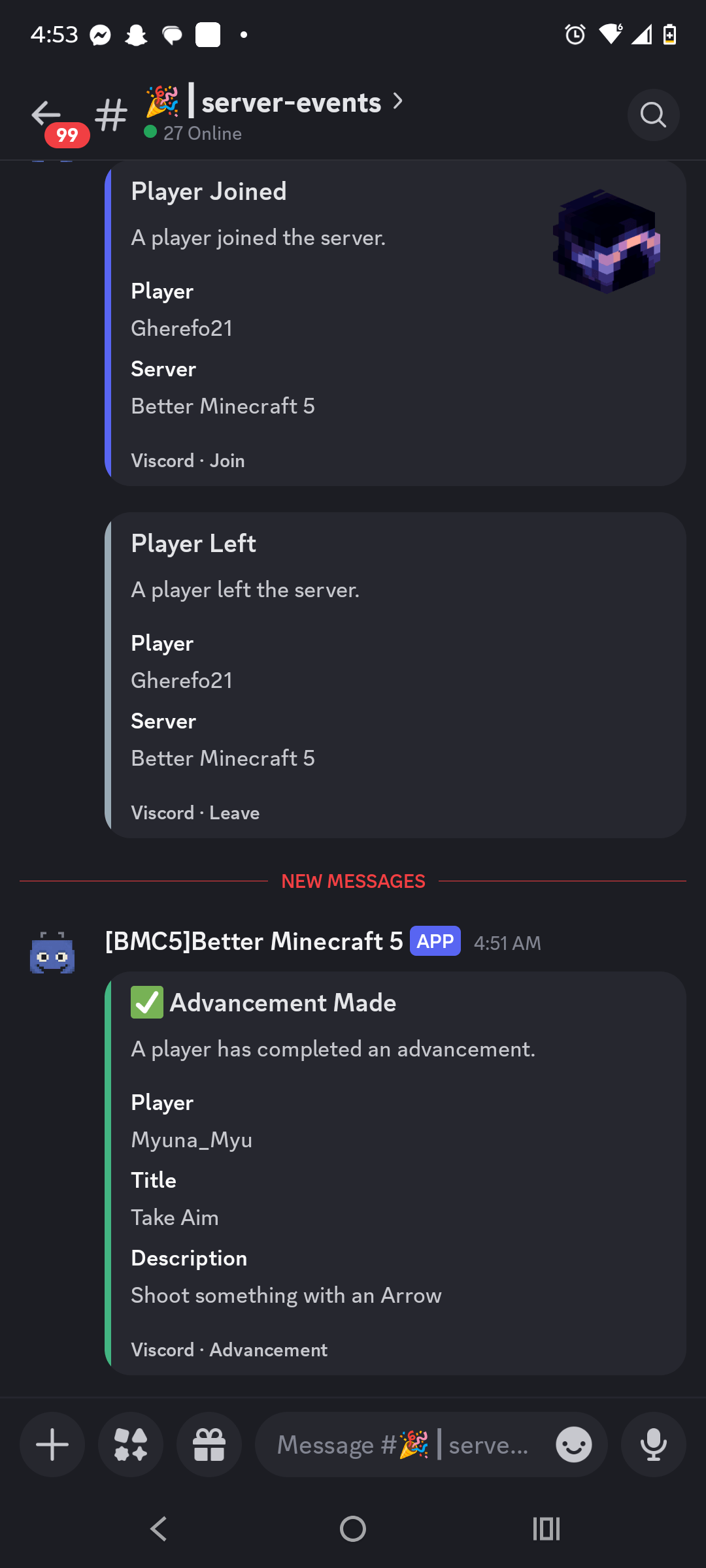
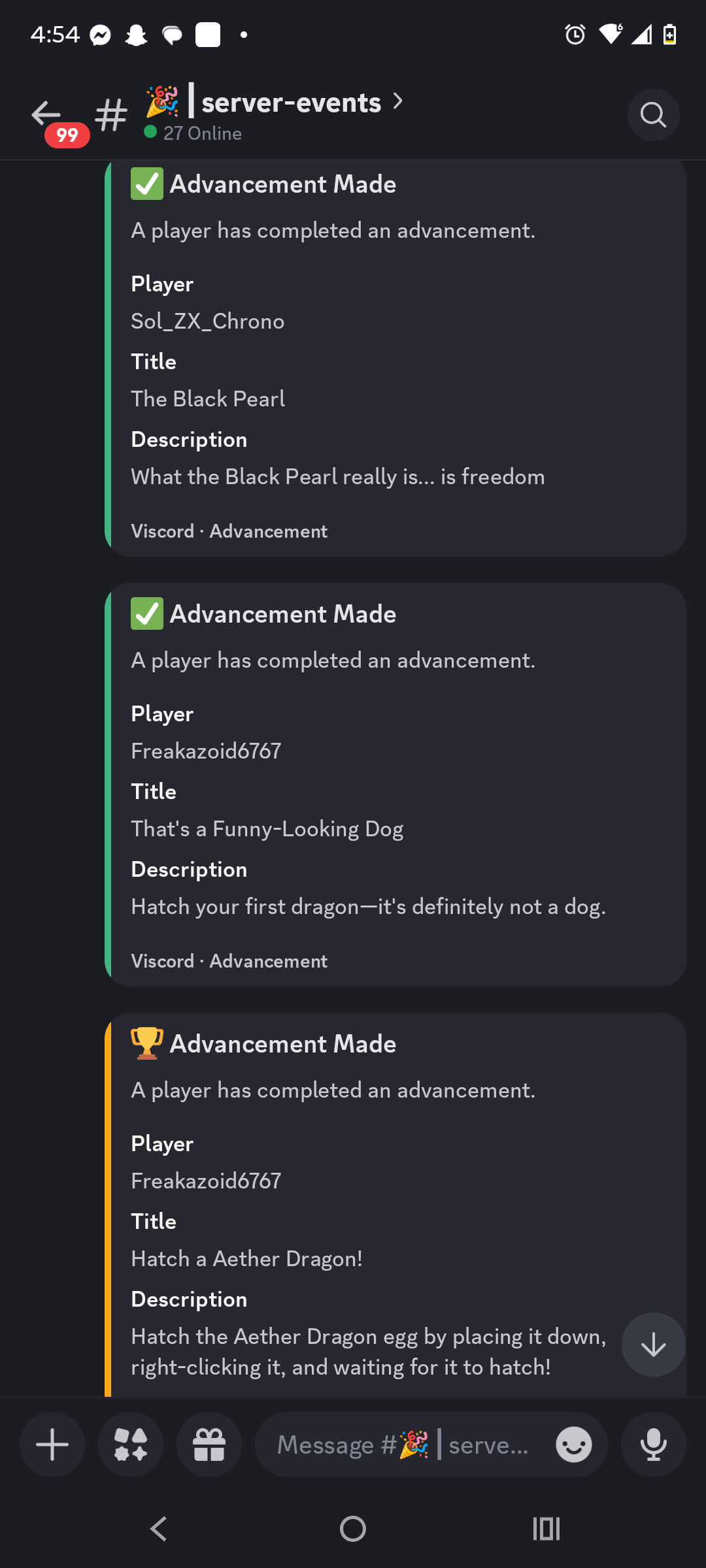
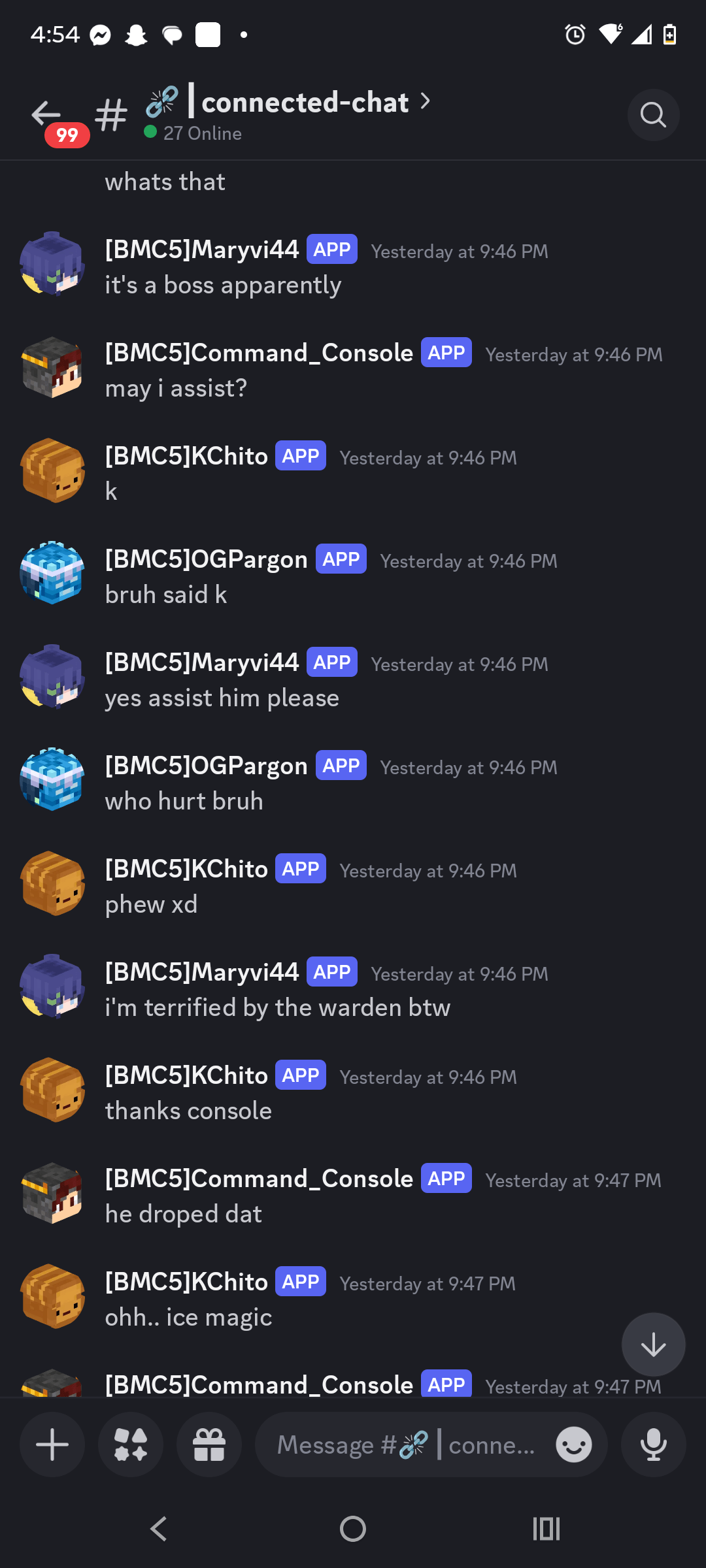
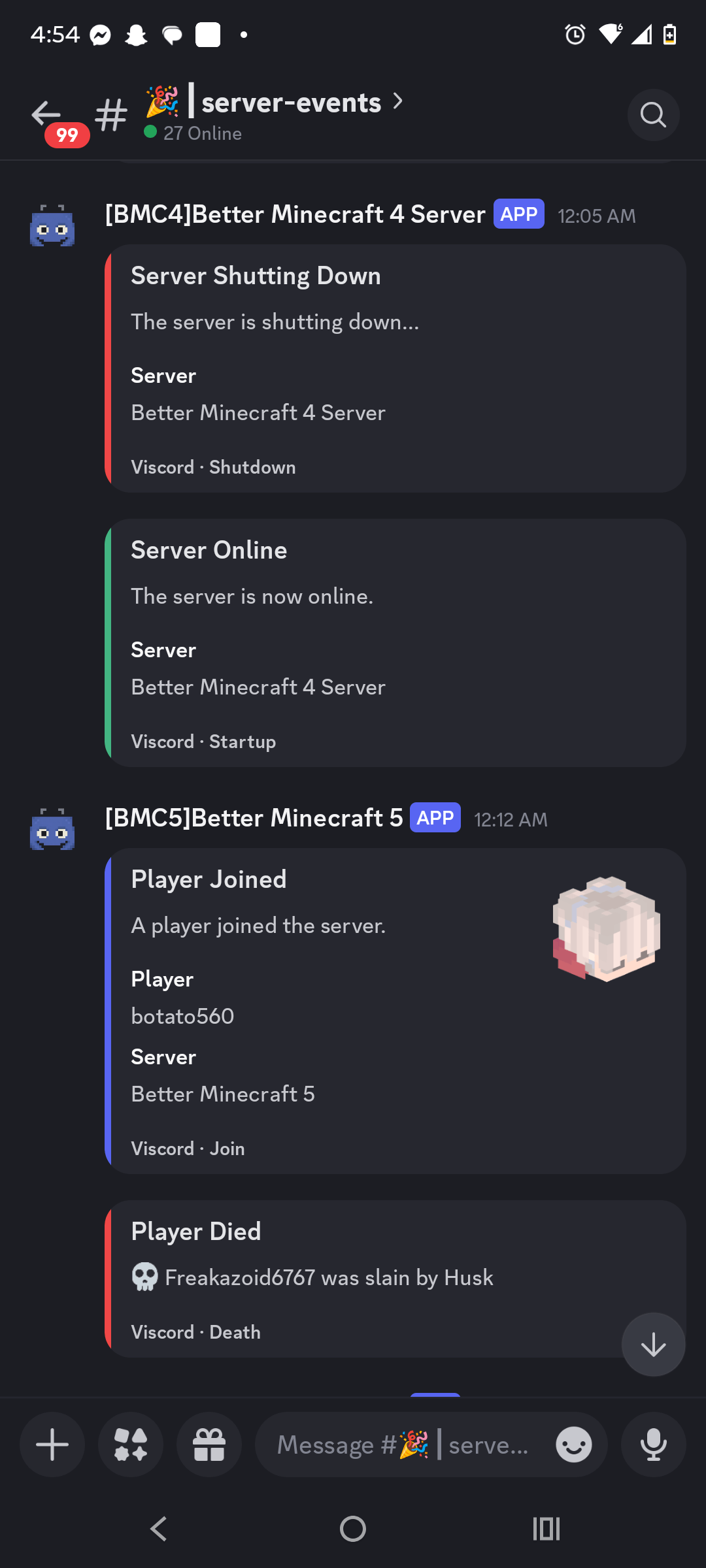
Viscord is a server-side bidirectional chat-integration mod for dedicated Minecraft servers. It connects in-game chat and server events with Discord and Fluxer while keeping the player experience client-free: players do not need to install Viscord.
Features
- Discord and Fluxer support — Run Discord-only, Fluxer-only, both platforms independently, or enable tridirectional Discord ↔ Fluxer ↔ Minecraft bridging.
- Bidirectional chat — Send Minecraft messages to your community platforms and relay platform messages back into Minecraft.
- Rich formatting — Supports Minecraft color formatting, Discord-style formatting, configurable prefixes, and customizable message templates.
- Server events — Announce joins, leaves, deaths, advancements, server startup, and server shutdown.
- Multi-channel monitoring — Configure multiple chat and event channels for a single server connection.
- Multi-server relay — Give each server a unique prefix and use trusted bot or webhook identifiers for controlled cross-server event and message relay.
- Account linking — Link Minecraft UUIDs to Discord accounts using short-lived, securely generated verification codes.
- Player preferences — Let players independently control whether they receive bridged chat, event notifications, and system messages.
- Hot reload — Reload configuration with
/viscord reloadwithout requiring a full server restart for routine changes. - Asynchronous operation — Network work, status updates, and persistence are handled away from the Minecraft tick loop with bounded scheduling and back-pressure.
- Loop prevention — Self-originated bot, webhook, and prefixed messages are filtered to prevent echo loops between platforms.
- Server-side only — Vanilla clients can connect normally; no client mod is required.
Supported bridge modes
Discord       Minecraft ↔ Discord
Fluxer        Minecraft ↔ Fluxer
Both          Minecraft ↔ Discord and Minecraft ↔ Fluxer
Tridirectional Discord ↔ Fluxer ↔ Minecraft
Useful commands
/viscord reload                    Reload safe configuration changes
/viscord status                    Inspect bridge status
/viscord discord link              Begin account linking
/viscord discord unlink            Remove a linked account
/viscord discord messages          Toggle bridged message preferences
/viscord discord events            Toggle event notification preferences
Server-side installation
- Download the Viscord build matching your Minecraft version and loader.
- Place the JAR in the server's
mods/folder. - Start the server once to generate
config/viscord/viscord.toml. - Configure the selected platform credentials, channels, webhooks, server identity, and message formats.
- Use
/viscord reloadafter safe configuration changes.
Keep bot tokens and webhook URLs private. They belong only in the server configuration and should never be shared publicly.
Compatibility
Viscord provides version-specific Fabric, Forge, and NeoForge builds for the supported Minecraft lanes, including the 1.18.2, 1.19.2, 1.20.1, and 1.21.1 templates. Shared bridge behavior is maintained across the version-specific modules.
Community bridge for dedicated servers
Whether you want a simple Discord chat relay, a Fluxer connection, event notifications, or a three-way community bridge, Viscord keeps the integration configurable, asynchronous, and independent of client-side installation.
Project: Vonix Network
Project version: 5.0.0
Release line: V2 common rewrite

- Edition: Minecraft Java
- File type: .jar
- Minecraft versions listed: 1.18.2, 1.19.2, 1.20.1
- How to install: Install the matching mod loader (Forge, Fabric or NeoForge) for your Minecraft version. → Download the .jar. → Put it in the .minecraft/mods folder and launch that loader profile.
- Where to get it: Opens on CurseForge — not every file is mirrored on our own servers.
Install steps are the general flow for this file type — How to install Minecraft Java mods & modpacks walks through it step by step.
- Ships as viscord-1.20.1-forge-2.4.1.jar — drop this file into the mods folder
- Download size: 19.1 MB
- Download link checked 2 Oct 2026 — working
These come from our own check of the pack file, not from the source page.