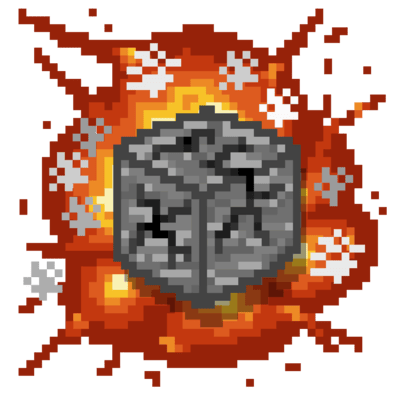
Block Explosion Damage
Java mod listed for Minecraft 1.20–1.21. Downloads from the MC Java Mods app on Android.
I don't know my version or loader


Block Explosion Damage
Make Minecraft explosions more strategic! Blocks now require multiple TNT hits to break, and will even heal overtime.

Config System
Control how explosions interact with blocks for balanced gameplay:
- Set healing speed for blocks over time.
- Adjust default explosion resistance by multiplying block hardness.
- Customize blocks:
- Custom blocks list → individualy tweak explosion resistance of blocks.
- Protective block list → blocks that don't get destroyed and will protect blocks behind them from explosions.
Commands
Manage your TNT balance easily without restarting the game:
/block_explosion_damage reload→ Reload the configuration./block_explosion_damage cleardamage→ Reset all TNT damage in the world.
Gamerule Support
Enable or disable automatic block healing to suit your needs:
/gamerule tntblockdamagedecay true|false→ Turn block healing on or off.- (1.21.11+):
/gamerule block_explosion_damage:tnt_block_damage_decay
Explosion Mechanics
Explosions now behave more realistically:
- Distance-based damage: Blocks closer to the blast take more damage.
- Wider range of destruction: Allows blocks like obsidian to be broken with enough explosions.
- Supports all explosion types, including TNT, creepers, beds, and custom explosions.

Server-Friendly TNT Balancing
Great for multiplayer and TNT cannons:
- Prevents one-hit destruction, allowing time for defense.
- Encourages creative strategies and makes TNT cannons feel more rewarding.

- Edition: Minecraft Java
- File type: .jar
- Minecraft versions listed: 1.21.11, 1.21.8, 1.21.6
- How to install: Install the matching mod loader (Forge, Fabric or NeoForge) for your Minecraft version. → Download the .jar. → Put it in the .minecraft/mods folder and launch that loader profile.
- Where to get it: Opens on CurseForge — not every file is mirrored on our own servers.
Install steps are the general flow for this file type — How to install Minecraft Java mods & modpacks walks through it step by step.
- Ships as block_explosion_damage-1.1.6.jar — drop this file into the mods folder
- Download size: 27 KB
- Download link checked 12 Nov 2026 — working
These come from our own check of the pack file, not from the source page.