
Malum - Arma
Java mod listed for Minecraft 1.21. Downloads from the MC Java Mods app on Android.
⬇ Download on CurseForgeThe author built this one for Minecraft 1.21.1 on NeoForge. On other versions it may install and then do nothing.
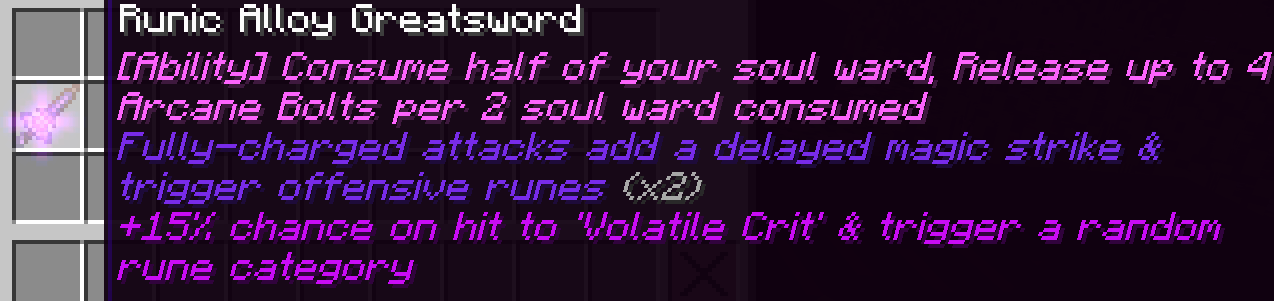
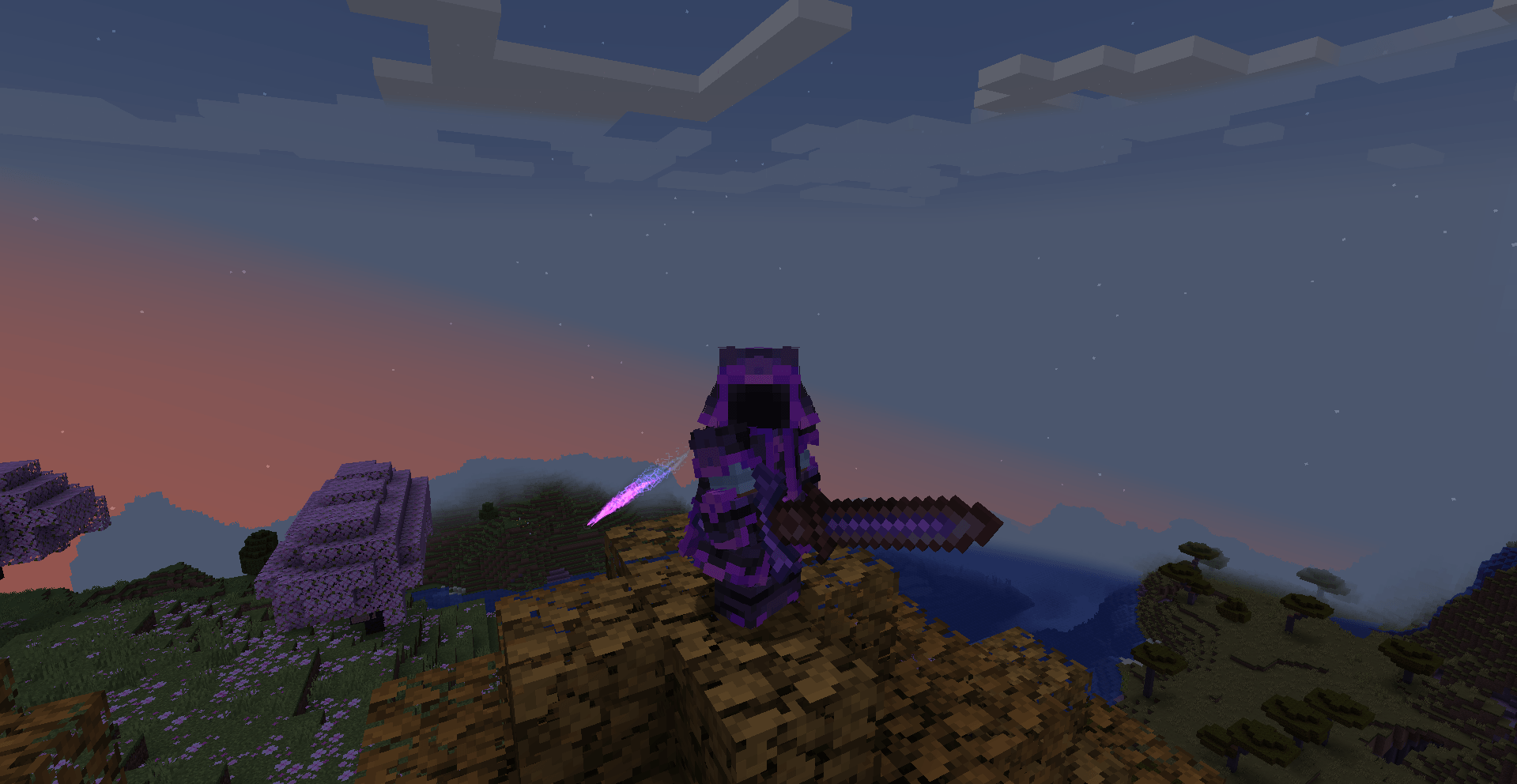
A Magecraft of War
Malum - Arma is an addon for the magic mod Malum, focused around combat, weaponry, and generally anything based around fighting.
Currently, it adds Runic Weapons & Arma Runes
Runic Weaponry
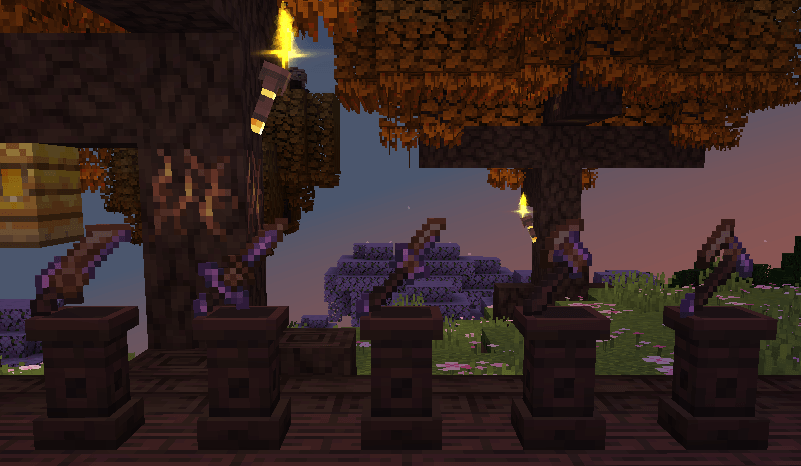
(Sword, Greatsword, Glaive, Hatchet, Greataxe)
A new family of weapons, Fashioned from Runic Alloy, a new material, Runic Weapons have Rune Slots on them, which allow any rune to be socketed into them, granting the weapon various effects depending on the rune.
You'll have to experiment and see what builds you can make, as I'm definitely not writing every effect here!
Arma Runes
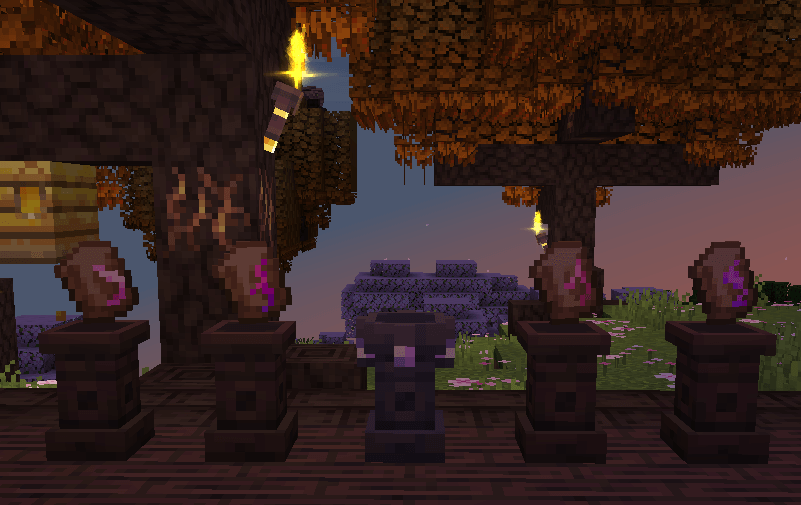
( Mana Redirection, Spatial Carving, Opposing, Soul Gashing )
To go with the new weapons, a new set of runes is also added! Arma Runes, also made from Runic Alloy, grant your runic weapons an ability, however each one has a unique drawback to it.
You can only fit one per weapon, so choose wisely!
Credits & stuff
ApacheHC - Coding & concepts
Drown3d - Pixel Art for all the items, effects, and most of the blocks
My_life101 - Sound design for all sound effects in the mod
Flowerism - Textures for some of the contributor plushies
Est / Emett - Logo
SammySemicolon - Feedback, help, & the Malum mod
Hrzx - Bugtesting & Feedback
Arma is my first mod, so some things may not be the best, If you have any feedback, would like to report a bug, or want to say anything to me, then please ping me on the Lodestar Discord or DM me @apache.helicopter! I'm always open to talking about Arma or listening to feedback
Support Me
While I'd much rather you support Malum, if you'd like to support me, you can do so using my Pebblehost affiliate link
I'm not sponsored or endorsed by Pebblehost, but I do use their service, and in my experience its been absolutely wonderful. Their support is great and the pricing is very nice for what you get.
- Edition: Minecraft Java
- File type: .jar
- Minecraft version listed: 1.21.1
- How to install: Install the matching mod loader (Forge, Fabric or NeoForge) for your Minecraft version. → Download the .jar. → Put it in the .minecraft/mods folder and launch that loader profile.
- Where to get it: Opens on CurseForge — not every file is mirrored on our own servers.
Install steps are the general flow for this file type — How to install Minecraft Java mods & modpacks walks through it step by step.
- Ships as malumarma-1.0.5.jar — drop this file into the mods folder
- Download size: 888 KB
- Download link checked 2 Oct 2026 — working
These come from our own check of the pack file, not from the source page.