Gamepad Hotbar
A mod for Minecraft which makes the HUD hotbar more gamepad friendly by rearranging the slots and adding new control binds.
I don't know my version or loader

Gamepad Hotbar

 Supports NeoForge and Fabric.
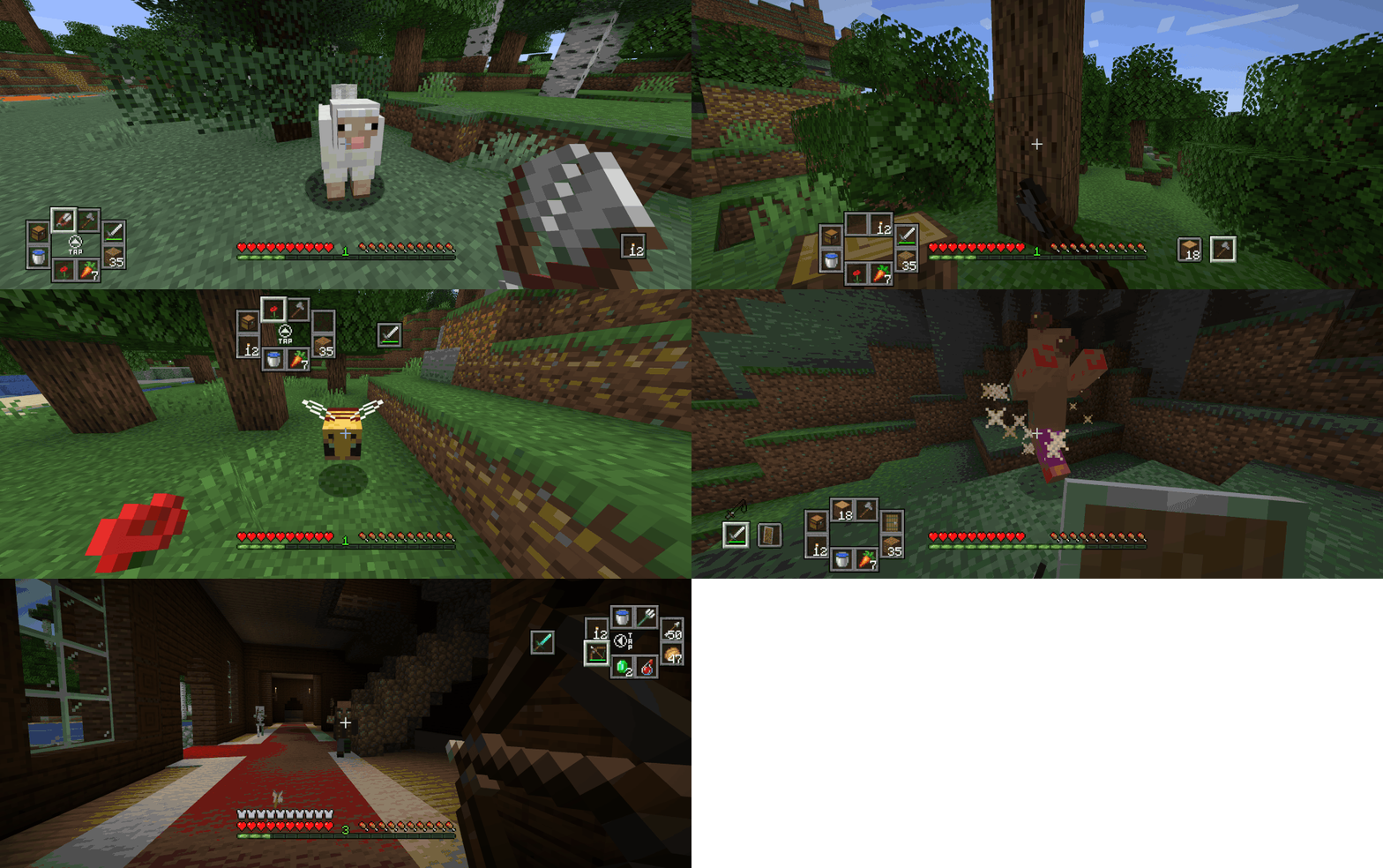
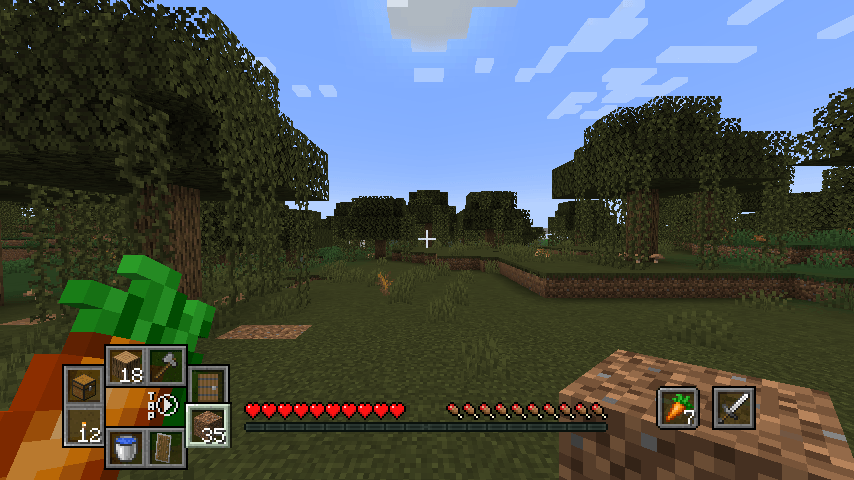
Gamepad Hotbar is a client mod for Minecraft which makes the HUD hotbar more gamepad friendly by rearranging the slots and adding new control binds.
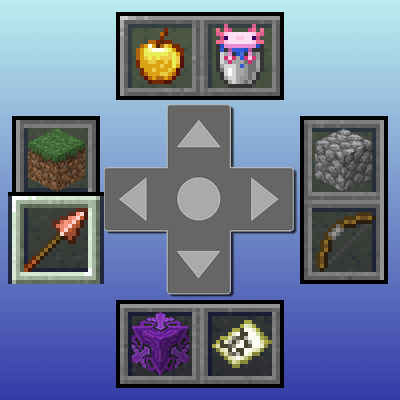
The first 8 slots of the hotbar are split into four pairs and placed into adjacent quadrants on one side of the screen. The 9th and off-hand slots are placed into their own pair on the other side of the screen. They're arranged to resemble the directional-pad and face buttons of a standard game controller.
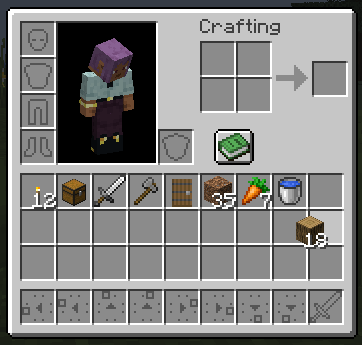
In each of the in-game menu screens, this mod adds distinct icons to each of the inventory hotbar slots to make it clear where each gamepad hotbar slot corresponds.
Control binds 🎮
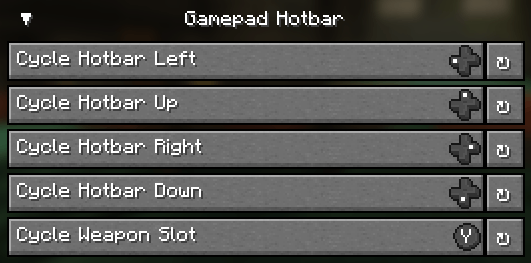
Five new control binds have been added for making hotbar slot selection more accessible on gamepads:
Cycle Hotbar Left → cycles through the item pair in the left quadrant
Cycle Hotbar Up → cycles through the item pair in the up quadrant
Cycle Hotbar Right → cycles through the item pair in the right quadrant
Cycle Hotbar Down → cycles through the item pair in the down quadrant
Cycle Weapon Slot → selects the 9th hotbar slot (a.k.a. "weapon slot")
By default, these control binds are unmapped. The ideal way to assign them is to have the cycle hotbar quadrants correspond to directions on your controller's d-pad and map the weapon button to something different, such as a face button or shoulder button. Alternatively, hotbar quadrants could be mapped to the four face buttons, and the weapon slot to a d-pad button.
Configurable ⚙️
A mod configuration screen is included where users can adjust the position of the hotbar on their display. Multiple options are available to suit a variety of user tastes. This also serves to account for mods that alter the positions of other HUD elements.
- Edition: Minecraft Java
- File type: .jar
- Minecraft versions listed: 1.21.11, 1.21.1
- How to install: Install the matching mod loader (Forge, Fabric or NeoForge) for your Minecraft version. → Download the .jar. → Put it in the .minecraft/mods folder and launch that loader profile.
- Where to get it: Opens on CurseForge — not every file is mirrored on our own servers.
Install steps are the general flow for this file type — How to install Minecraft Java mods & modpacks walks through it step by step.
- Ships as gamepadhotbar-1.21.11-1.0.2-neoforge.jar — drop this file into the mods folder
- Download size: 121 KB
- Download link checked 22 Aug 2026 — working
These come from our own check of the pack file, not from the source page.