
OPAC Better GUI
Java mod listed for Minecraft 1.20. Downloads from the MC Java Mods app on Android.
⬇ Download on CurseForgeThe author built this one for Minecraft 1.20.1 on Forge. On other versions it may install and then do nothing.
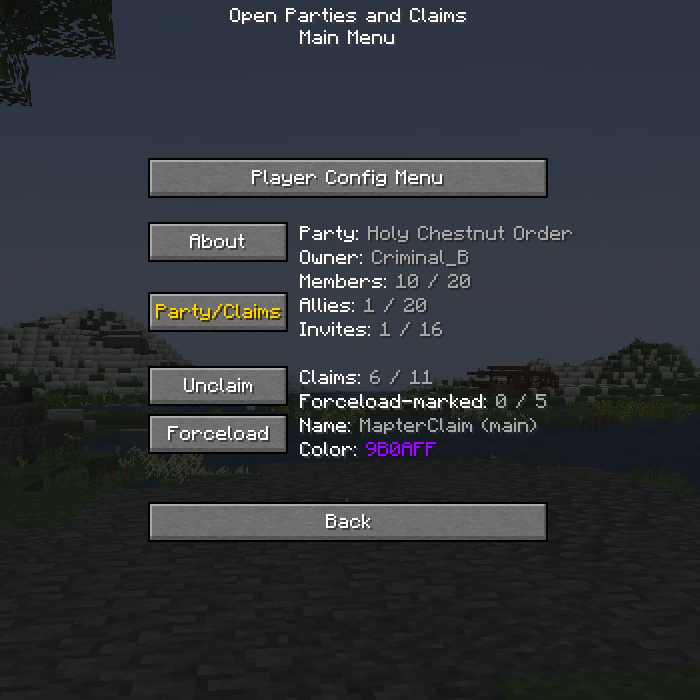
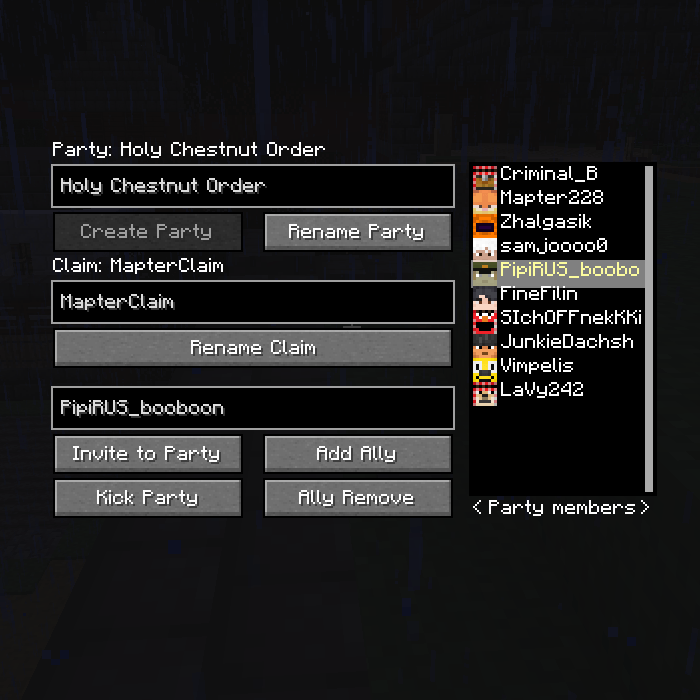
Addon for Open Parties And Claims. It adds a new menu to the user interface for convenient management of your group.
This mod runs on the client side! It does not need to be installed on the server.
You can open a new menu through the main menu of the mod "Open parties and claims" or using the command /opacgui menu
Added GUI features:
- List of online players on the server
- List of members in your party
- List of your allies (only party names)
- Can click on a name from the list to insert the nickname of this player in the nickname input field
- Buttons for quickly adding and removing a player to/from the party
- Buttons for quickly adding a player as an ally
- Quickly create a party with a name immediately
- Rename parties and claims
Planned for future updates:
- Сhat for party
- Convenient color change
- List of players from allied groups, not just their Party names
- Series of visual improvements
- Series of technical improvements and optimizations
- Edition: Minecraft Java
- File type: .jar
- Minecraft version listed: 1.20.1
- How to install: Install the matching mod loader (Forge, Fabric or NeoForge) for your Minecraft version. → Download the .jar. → Put it in the .minecraft/mods folder and launch that loader profile.
- Where to get it: Opens on CurseForge — not every file is mirrored on our own servers.
Install steps are the general flow for this file type — How to install Minecraft Java mods & modpacks walks through it step by step.
- Ships as opacgui-1.0.jar — drop this file into the mods folder
- Download size: 18 KB
- Download link checked 2 Oct 2026 — working
These come from our own check of the pack file, not from the source page.