
Creative Tab Organizer
Java mod listed for Minecraft 1.20–1.21. Downloads from the MC Java Mods app on Android.
I don't know my version or loader
[EN] Description in English first
[ES] Descripción en español más abajo
📦 Creative Tab Organizer
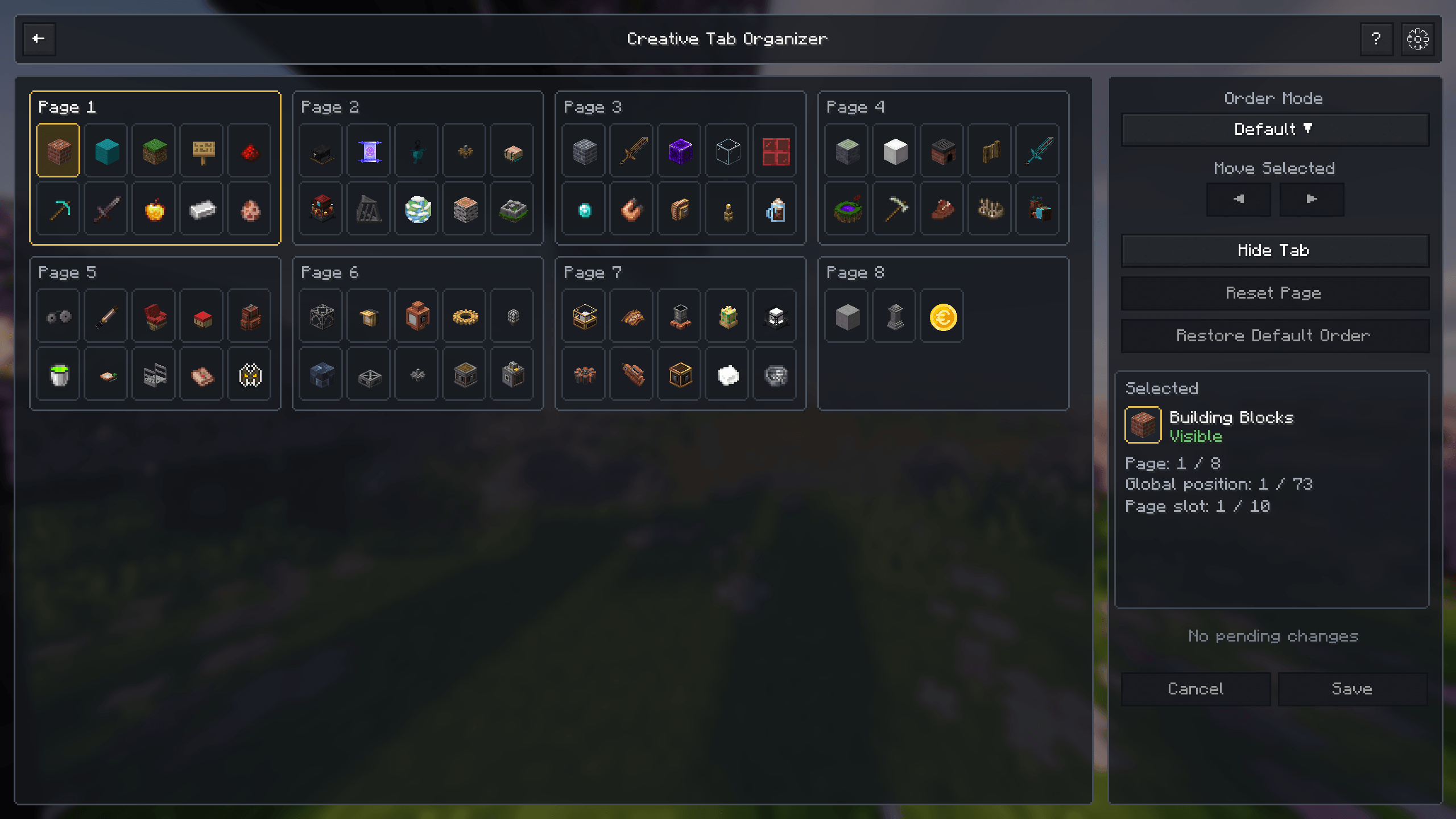
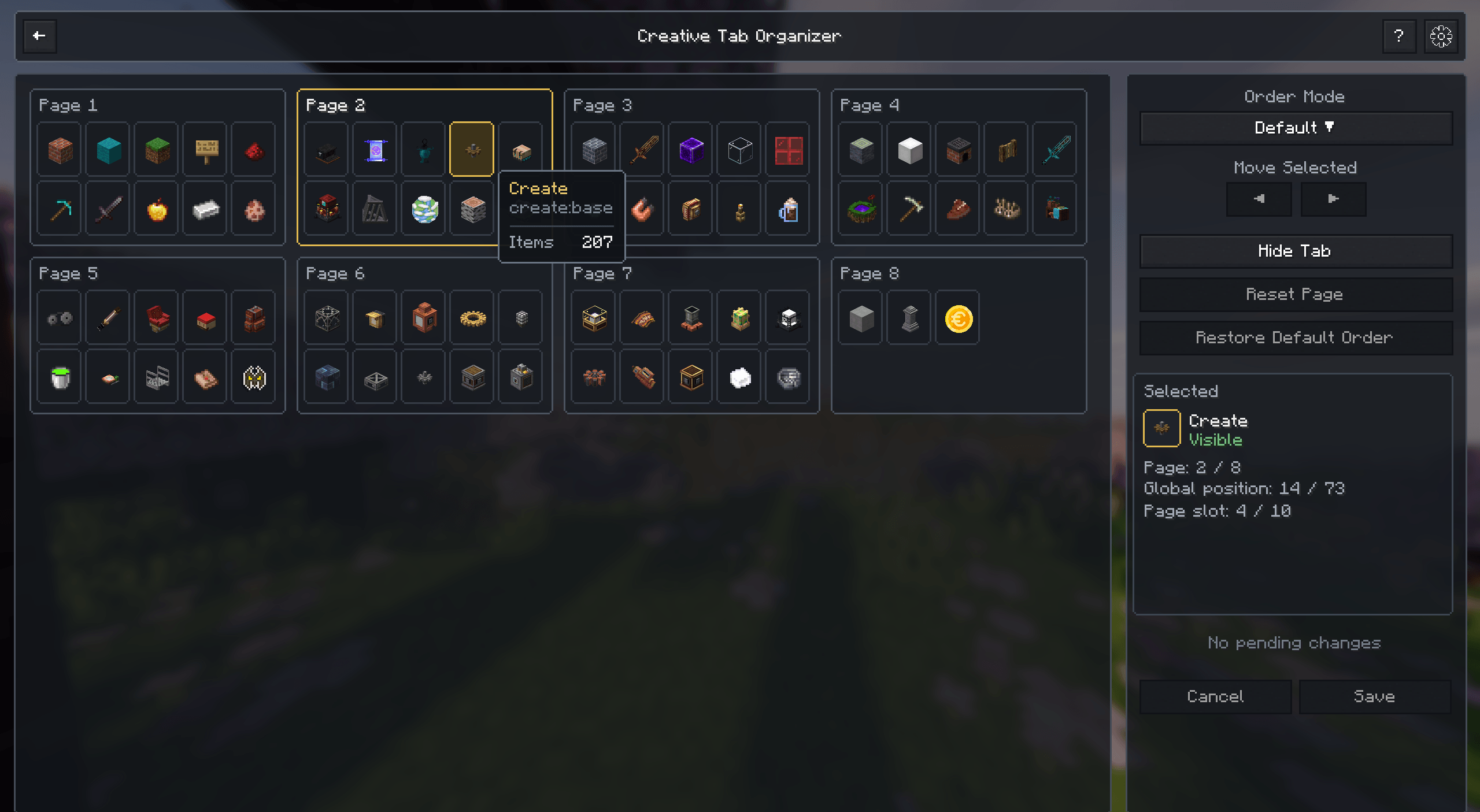
Creative Tab Organizer is a client-side utility for organizing Minecraft's Creative Mode tabs through a dedicated visual interface.
It is designed for modpacks with many creative tabs, allowing you to reorder, hide, inspect, and manage them without editing configuration files manually.
✨ Features
- Custom tab ordering with drag and drop
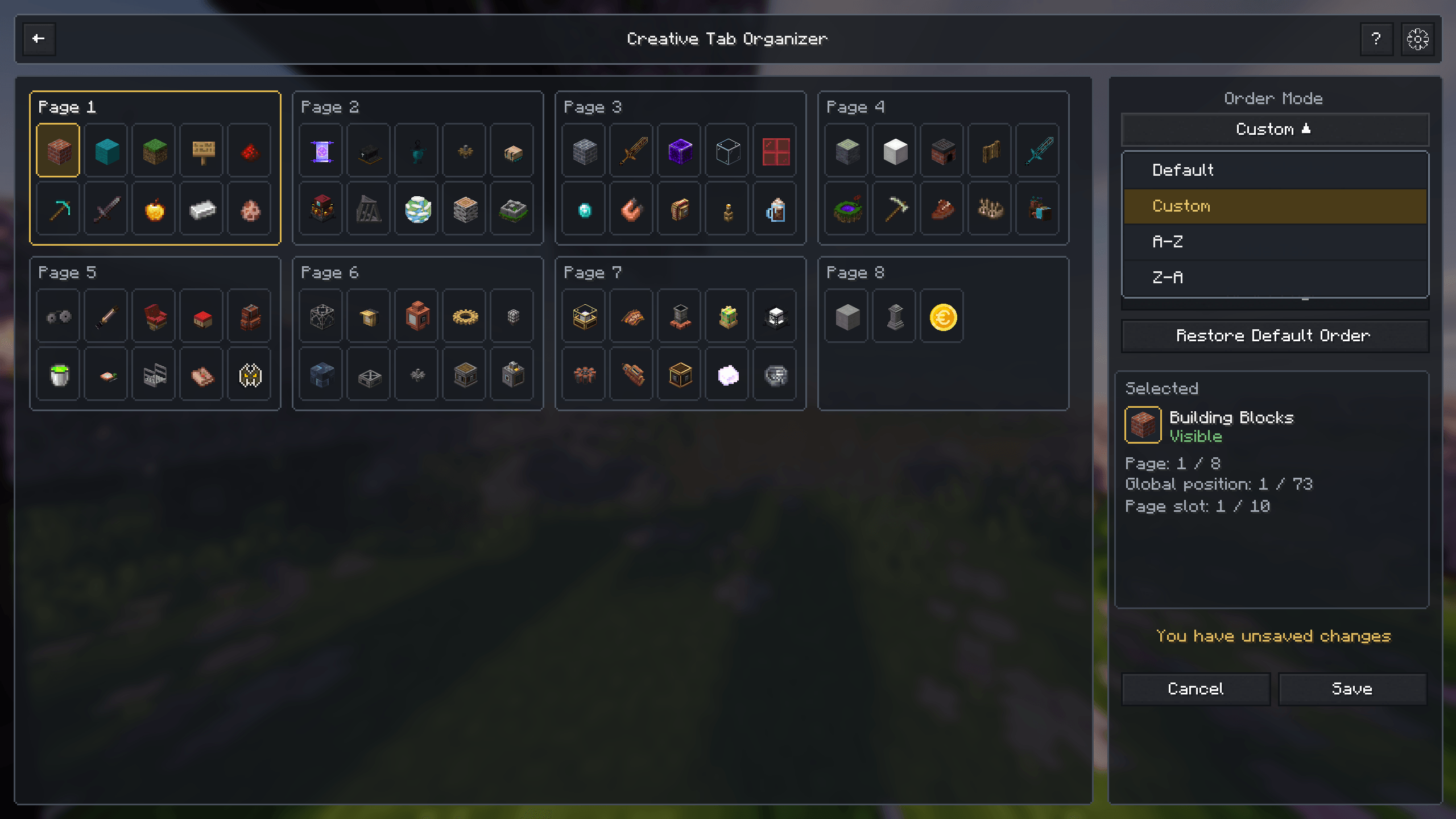
- Default, custom, A–Z, and Z–A ordering modes
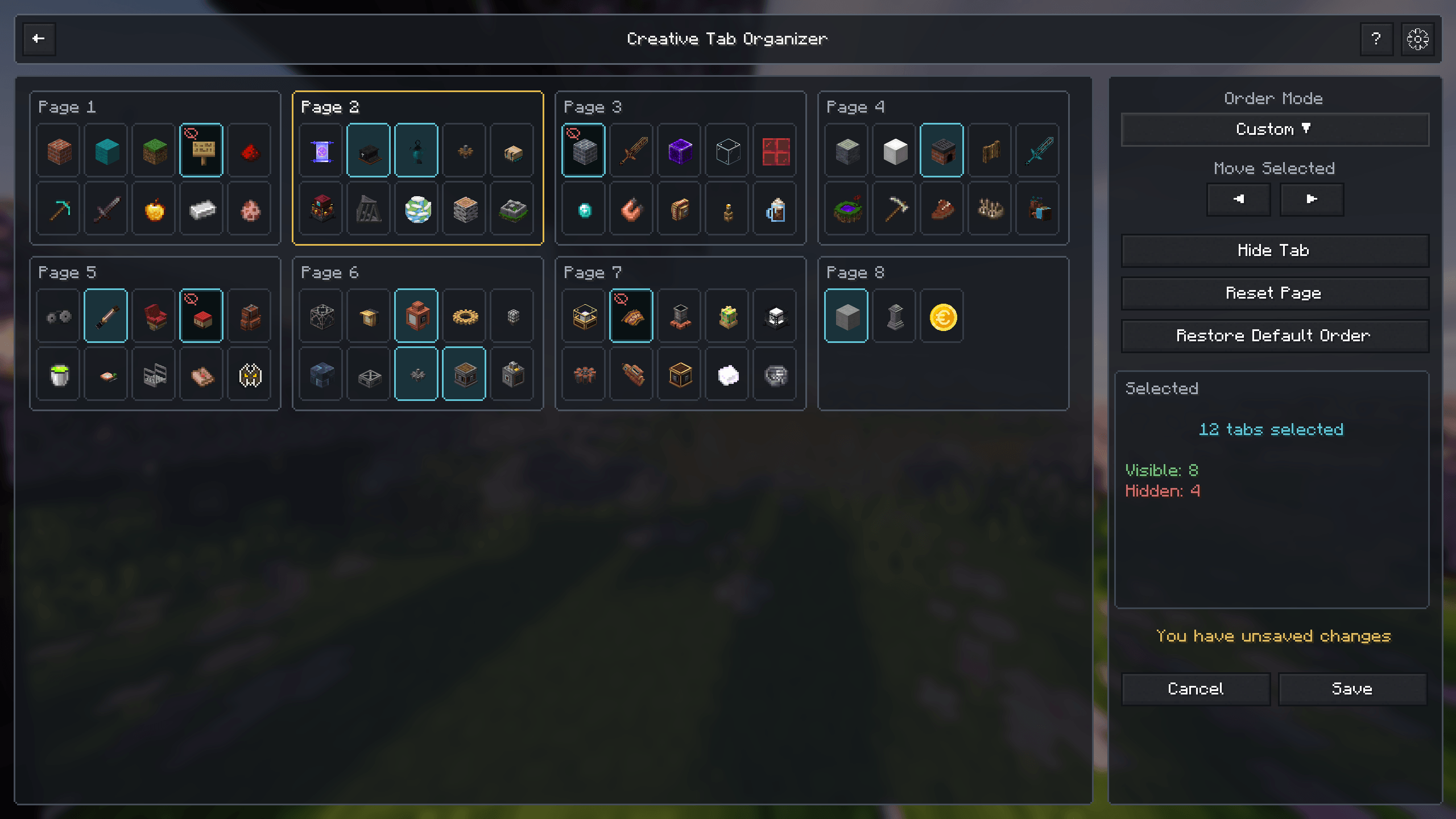
- Multi-selection for moving and managing several tabs at once
- Hide and restore individual or multiple tabs
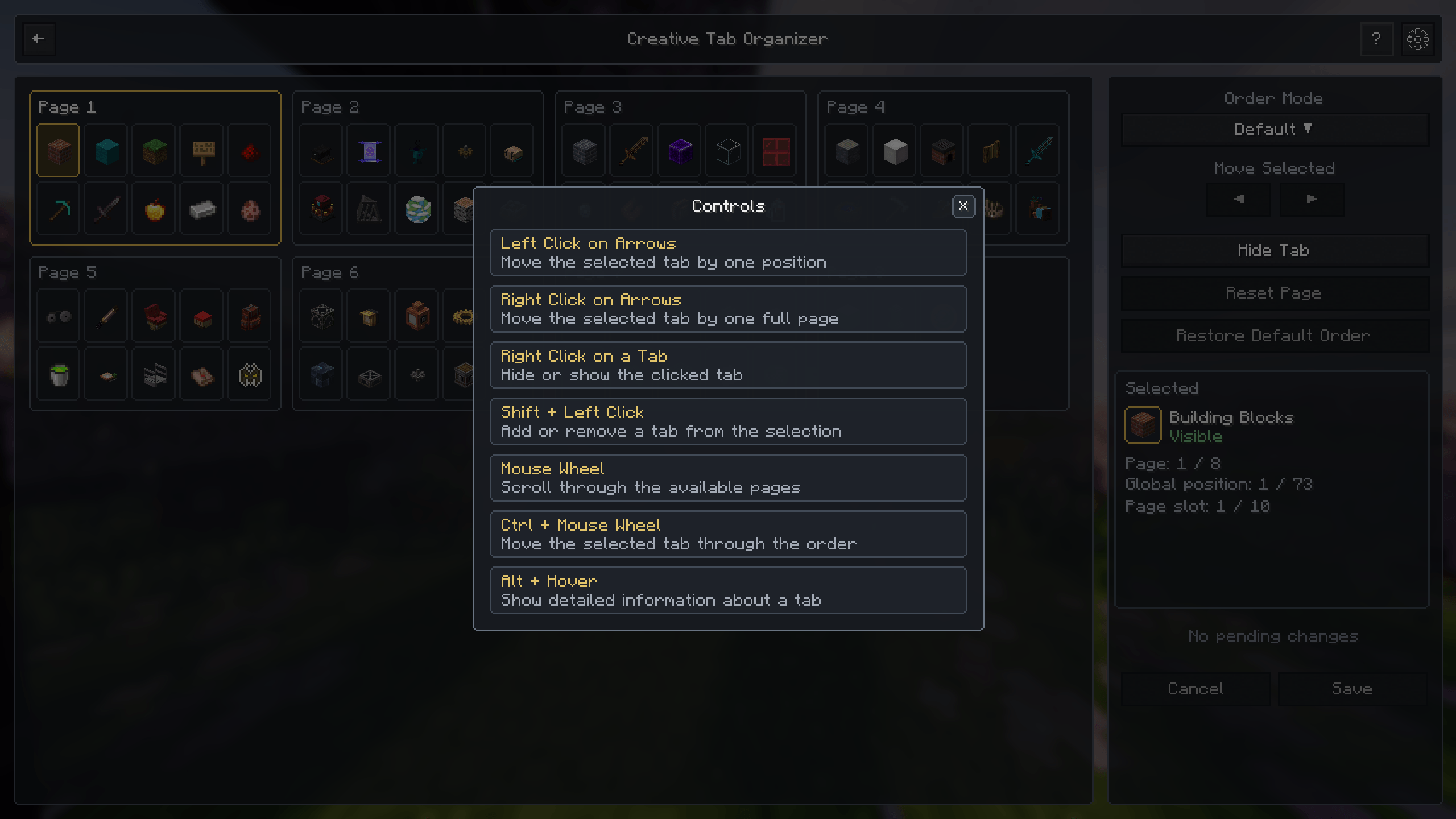
- Precise movement using buttons, mouse controls, and shortcuts
- Global and per-page order restoration
- Multi-page organizer for large modpacks
- Detailed tab information, including position, visibility, ID, and item count
- Visual feedback for empty tabs
- Integrated controls guide
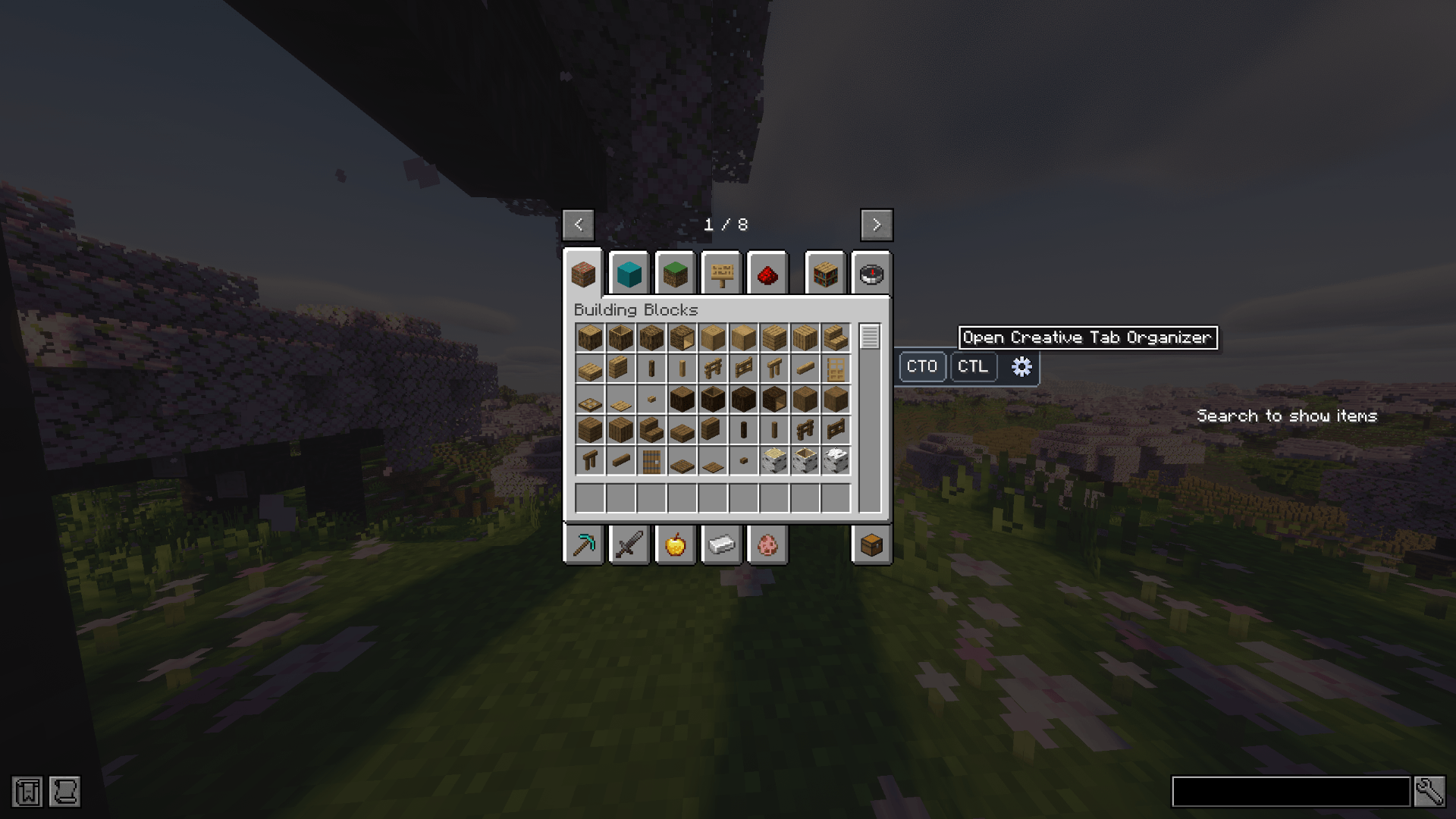
- Optional Creative Tab Layouts integration
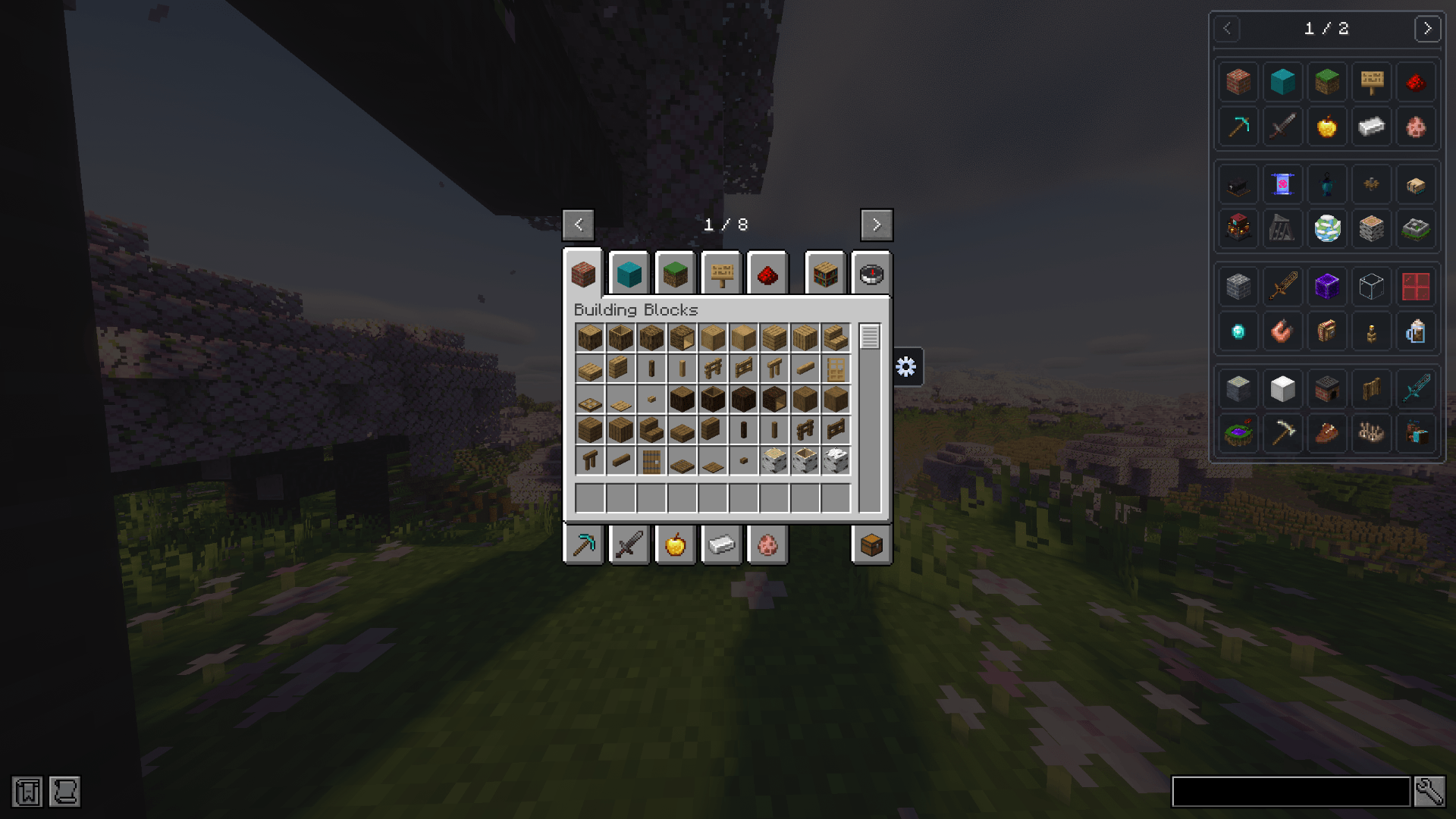
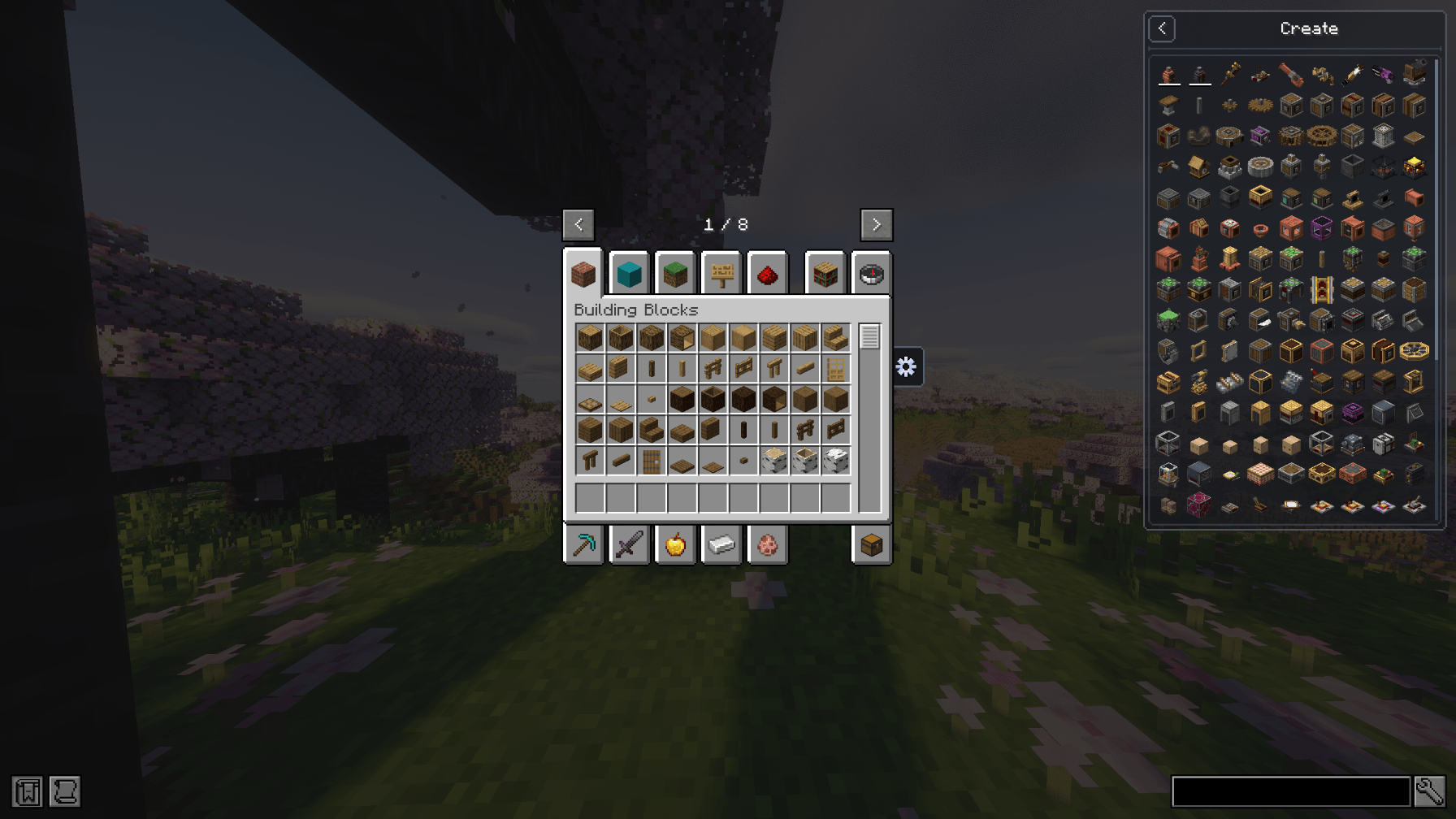
- Optional creative tab browser for JEI
- Support for CTL layouts, sections, pages, and subtabs inside JEI
🔗 Compatibility
- Works with vanilla and modded Creative Mode tabs
- Creative Tab Layouts integration is optional
- JEI integration is optional
- Client-side only
- Does not need to be installed on the server
📦 Creative Tab Organizer
Creative Tab Organizer es una utilidad de cliente para organizar las pestañas del modo creativo de Minecraft mediante una interfaz visual dedicada.
Está diseñado para modpacks con muchas pestañas creativas y permite reordenarlas, ocultarlas, inspeccionarlas y administrarlas sin editar manualmente archivos de configuración.
✨ Características
- Orden personalizado mediante arrastrar y soltar
- Modos de orden predeterminado, personalizado, A–Z y Z–A
- Selección múltiple para mover y administrar varias pestañas a la vez
- Posibilidad de ocultar y restaurar pestañas individuales o múltiples
- Movimiento preciso mediante botones, controles del ratón y atajos
- Restauración global o individual por página
- Organizador dividido en páginas para modpacks grandes
- Información detallada de cada pestaña, incluyendo posición, visibilidad, ID y cantidad de objetos
- Indicadores visuales para pestañas vacías
- Guía de controles integrada
- Integración opcional con Creative Tab Layouts
- Navegador opcional de pestañas creativas para JEI
- Soporte para layouts, secciones, páginas y subtabs de CTL dentro de JEI
🔗 Compatibilidad
- Funciona con pestañas vanilla y de mods
- La integración con Creative Tab Layouts es opcional
- La integración con JEI es opcional
- Solo cliente
- No necesita instalarse en el servidor
- Edition: Minecraft Java
- File type: .jar
- Minecraft versions listed: 1.21.1, 1.20.1
- How to install: Install the matching mod loader (Forge, Fabric or NeoForge) for your Minecraft version. → Download the .jar. → Put it in the .minecraft/mods folder and launch that loader profile.
- Where to get it: Opens on CurseForge — not every file is mirrored on our own servers.
Install steps are the general flow for this file type — How to install Minecraft Java mods & modpacks walks through it step by step.
- Ships as tab_organizer-2.3.0-forge.jar — drop this file into the mods folder
- Download size: 130 KB
- Download link checked 2 Oct 2026 — working
These come from our own check of the pack file, not from the source page.