
Chest Finder Esp - Neo/Forge/Fabric
Java mod listed for Minecraft 1.20–1.21. File opened and checked on 9 Oct 2026; downloads from the MC Java Mods app on Android.
Chest Finder is a client-side utility mod that helps you locate containers and storage blocks through walls using an ESP (Extra Sensory Perception)…
I don't know my version or loader
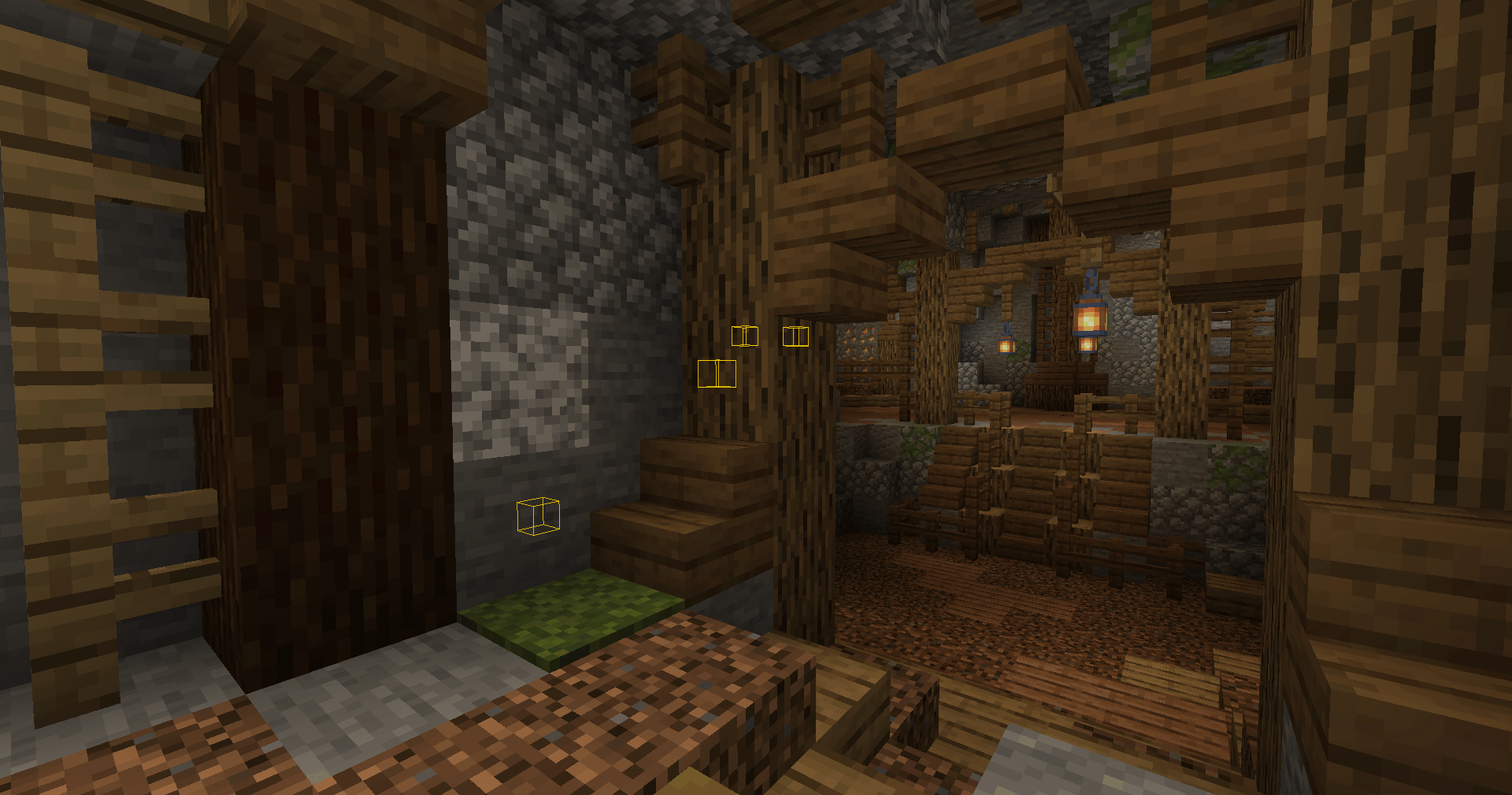
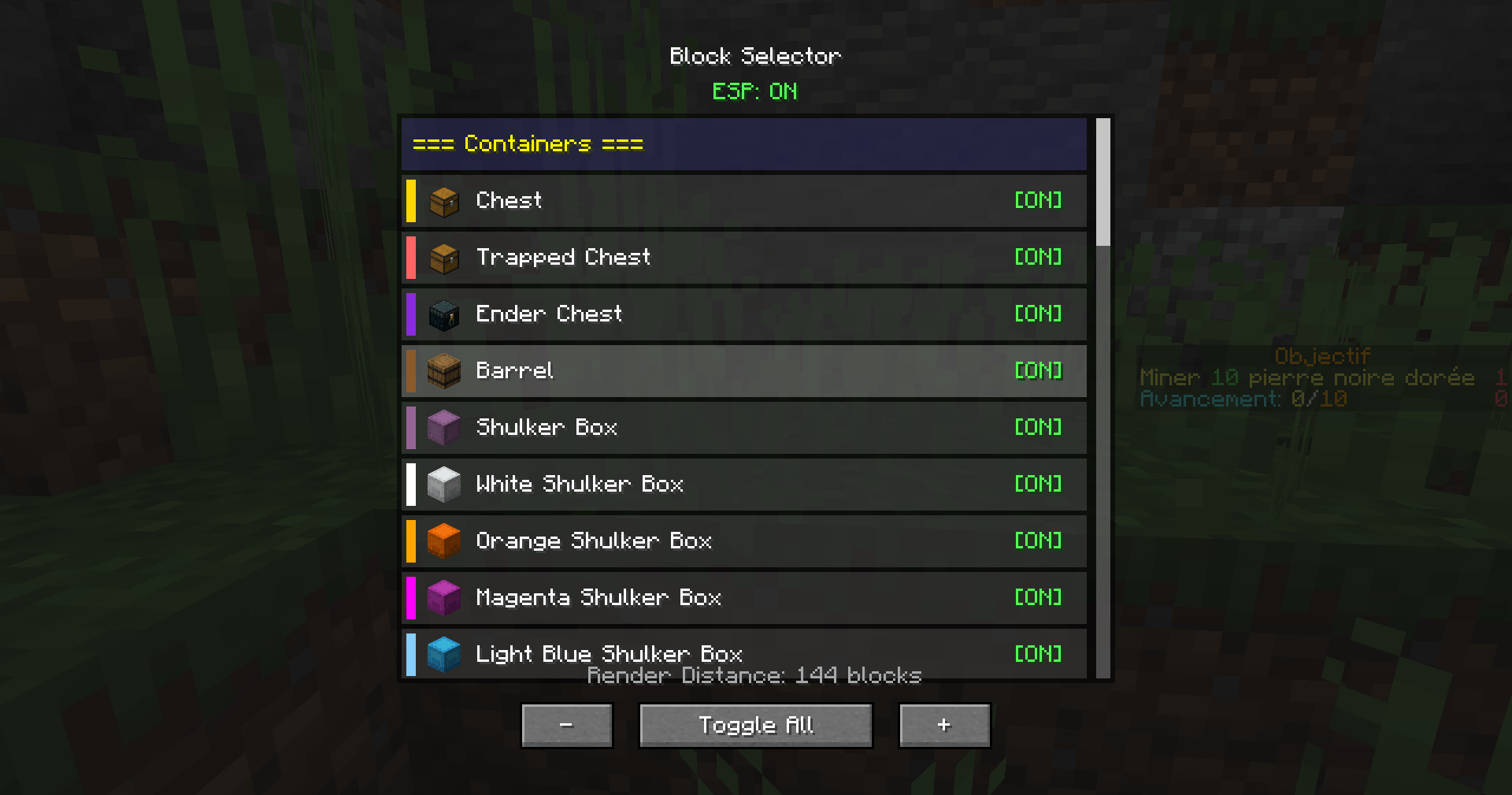
Chest Finder — ESP Utility Mod
Description
Chest Finder is a client-side utility mod that helps you locate containers and storage blocks through walls using an ESP (Extra Sensory Perception) overlay.
Perfect for exploring abandoned mineshafts, finding hidden loot in dungeons, or simply keeping track of your storage rooms!
My Others mods click on text :
>> WallHack Neo/Forge/Fabric <<
✅ Features
ESP Highlight System
- Renders colored outlines around supported storage blocks visible through walls
- Configurable render distance (16–256 blocks)
- Toggle on/off instantly with a keybind
🧱 Supported Blocks
Containers
- Chest, Trapped Chest, Ender Chest, Barrel
- All 17 Shulker Box variants (each with its matching color)
Redstone & Transport
- Hopper, Dropper, Dispenser
Furnaces
- Furnace, Blast Furnace, Smoker
Spawners
- Mob Spawner
Miscellaneous
- Brewing Stand, Jukebox, Lectern
- Chiseled Bookshelf, Decorated Pot
- Beehive, Bee Nest
- Campfire, Soul Campfire
- Composter
🖥️ Block Selector GUI
- Clean interface with block icons
- Enable/disable individual blocks
- Unique colors for each block type
- Scrollable list organized by category
- Render distance slider (16–256)
🎮 Controls
| Key | Action |
|---|---|
| R | Toggle ESP On/Off |
| G | Open Block Selector GUI |
(Keybinds can be changed in Minecraft’s Controls menu.)
📥 Installation
-
Install Minecraft Forge 1.20.1 (47.2.0 or higher)
-
Download Chest Finder and place the
.jarin your mods folder -
Launch Minecraft — done!
🖼️ Screenshots
Add screenshots here showing:
- ESP outlines in caves/mineshafts
- Block Selector GUI
- Render distance settings
❓ FAQ
Q: Does this work on servers?
A: Yes. This is a client-side only mod. It uses block entity data that is already sent to your client.
Q: Will this get me banned?
A: It only displays information your client already receives, but server rules vary — always check the server’s policy before using utility mods.
Q: Can I customize the colors?
A: Each block type uses a pre-configured color matching its appearance. Full color customization may be added in future updates.
🧩 Compatibility
- Minecraft: 1.20.1/1.21.1/1.21.11/1.21.4
- Mod Loader: Forge/Neoforge/Fabric
- Side: Client-only
🛠️ Support
Found a bug or have a suggestion?
Leave a comment or open an issue — feedback is welcome!
Happy treasure hunting!
- Edition: Minecraft Java
- File type: .jar
- Minecraft versions listed: 1.21.4, 1.21.1, 1.20.1
- How to install: Install the matching mod loader (Forge, Fabric or NeoForge) for your Minecraft version. → Download the .jar. → Put it in the .minecraft/mods folder and launch that loader profile.
- Where to get it: Opens on CurseForge — not every file is mirrored on our own servers.
Install steps are the general flow for this file type — How to install Minecraft Java mods & modpacks walks through it step by step.
- Ships as chestfinder-neoforge-1.21.1-1.0.1.jar — drop this file into the mods folder
- Download size: 22 KB
- Download link checked 2 Oct 2026 — working
These come from our own check of the pack file, not from the source page.