Block Outline Customizer
A mod that let you customize the outline of blocks when you hover them. Free Minecraft Java mod for 1.21.11, 1.21.1, 1.20.1.
I don't know my version or loader
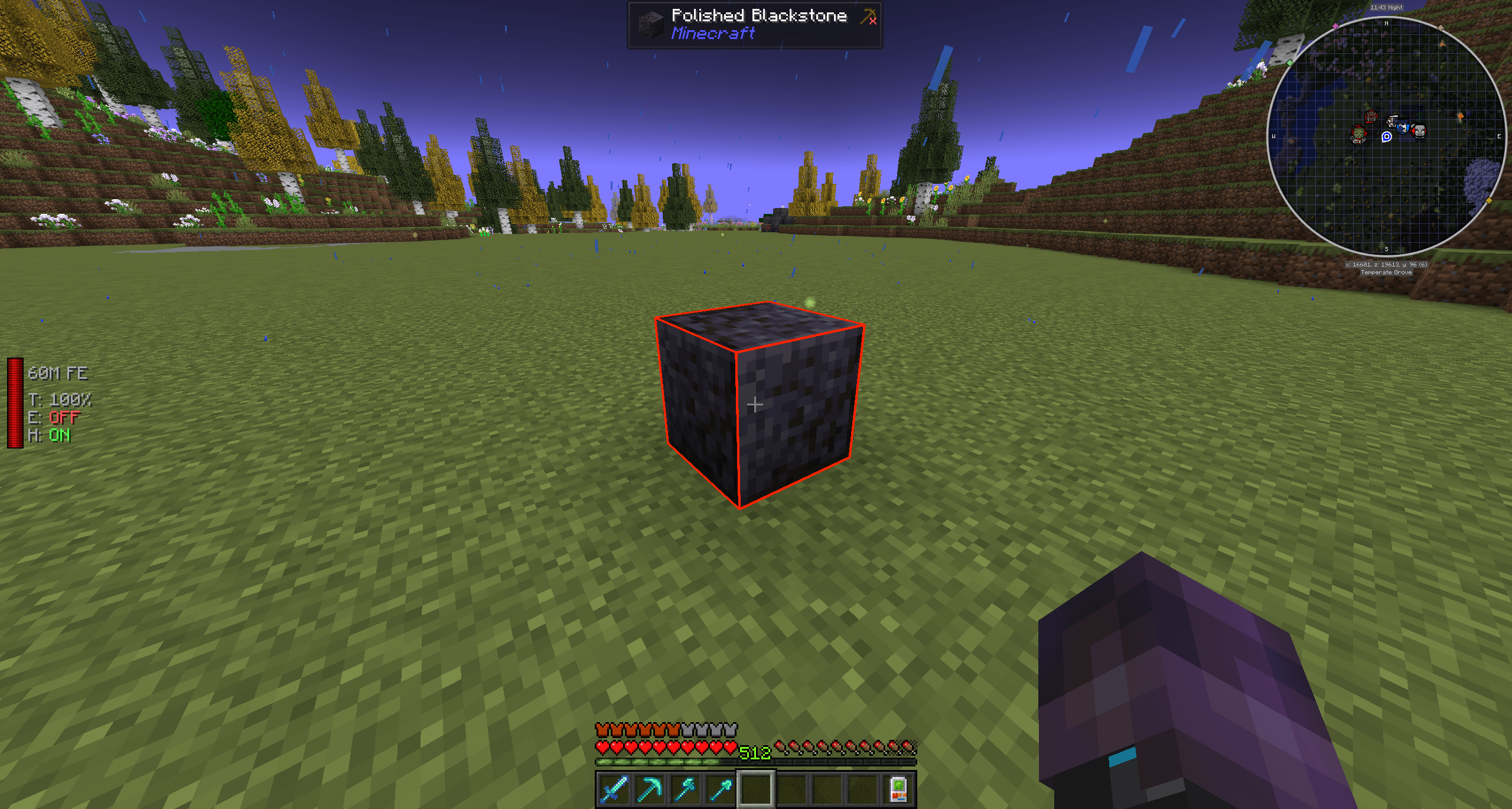
Block Outline Customizer
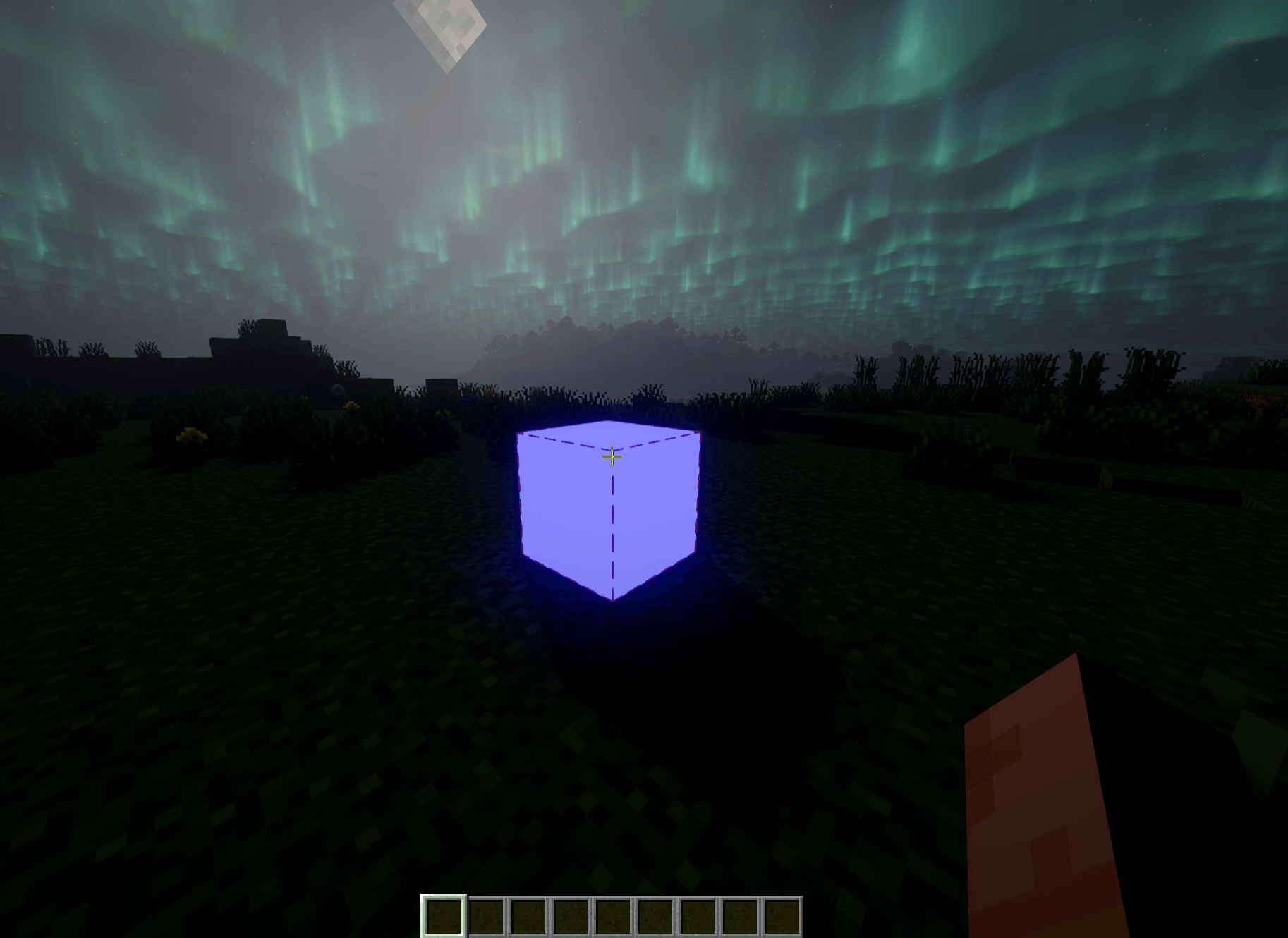
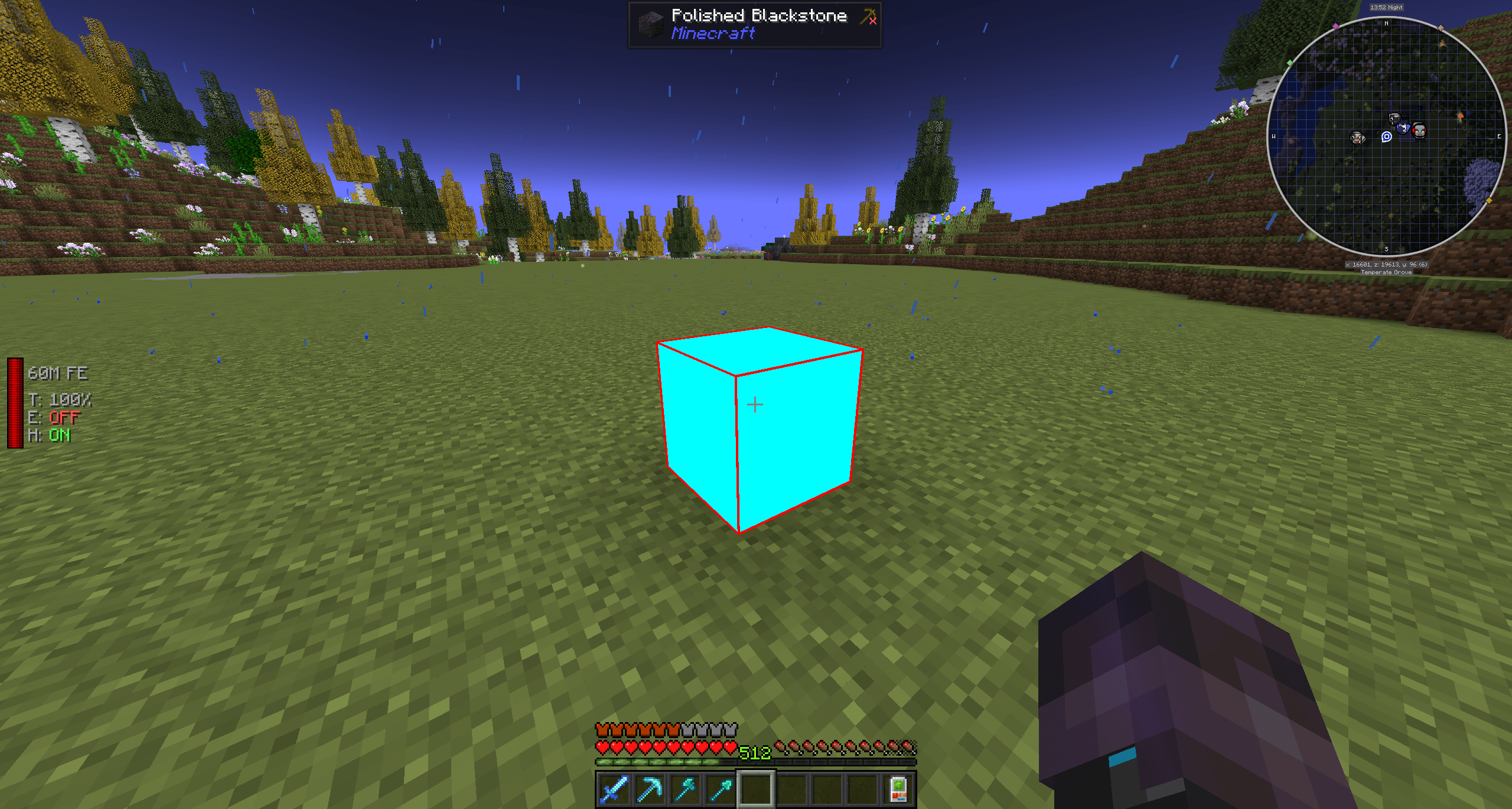
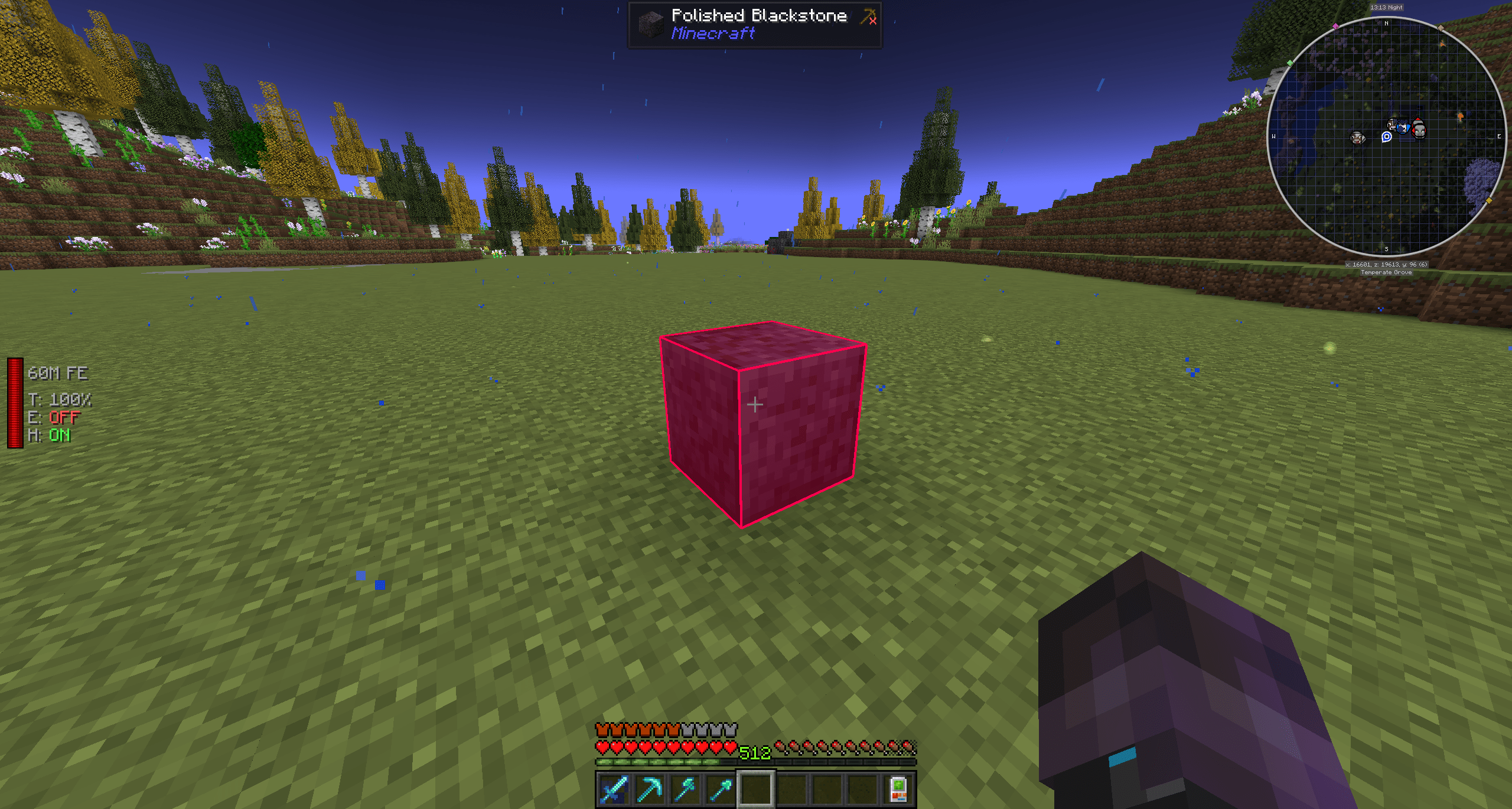
Customize your block selection outline with RGB colors, opacity, and more!
Tired of the plain black selection outline in Minecraft? Block Outline Customizer lets you personalize it with custom colors, RGB mode, adjustable transparency, and variable thickness!
Features
Full Color Control
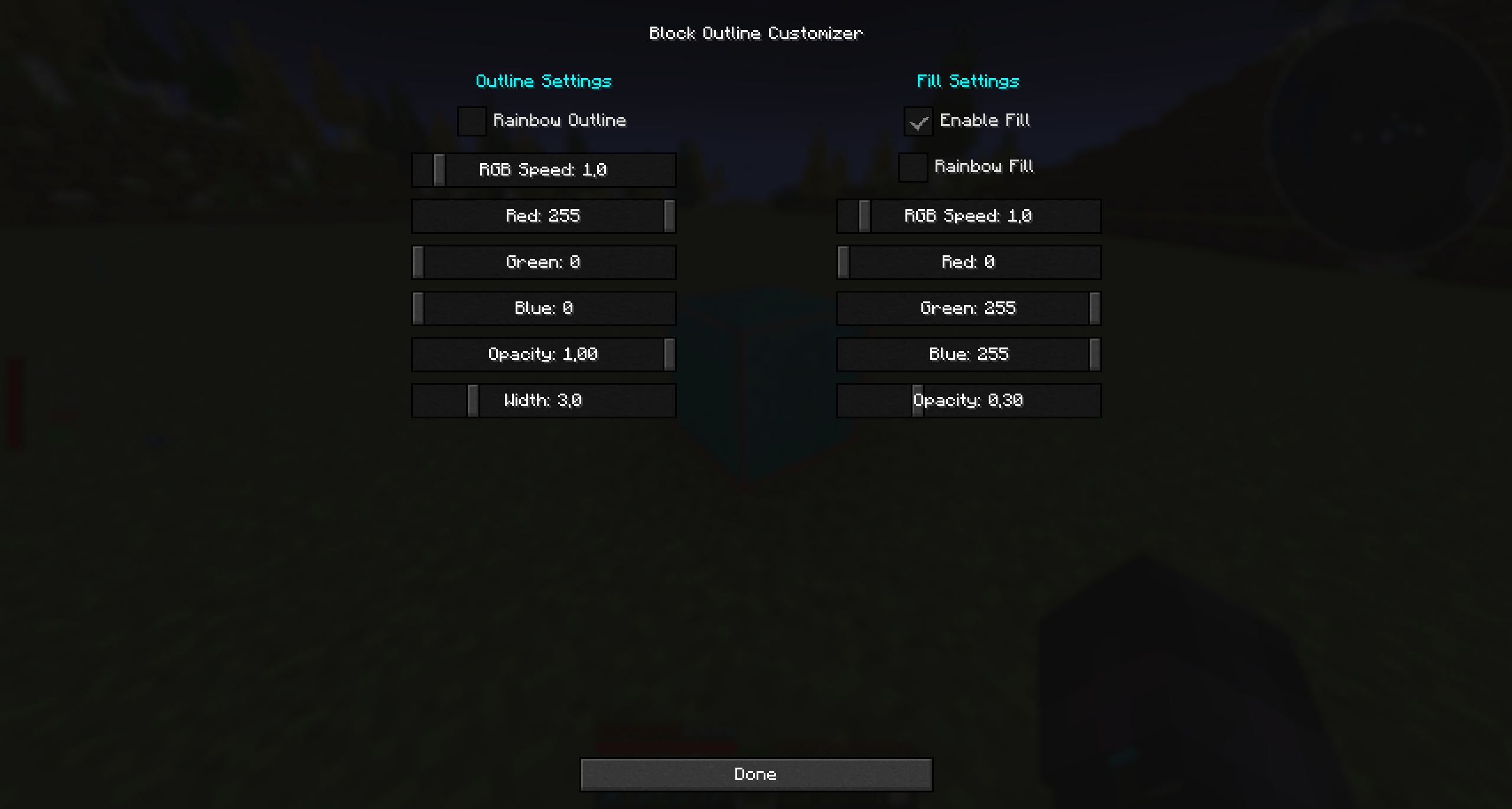
- Custom RGB Colors: Set any color you want (0-255 for Red, Green, Blue)
- RGB Mode: Color shifting RGB style with adjustable speed
Outline Customization
- Adjustable Opacity: From fully transparent to completely opaque (0.0 - 1.0)
- Variable Width: Thicker or thinner outlines (1.0 - 10.0)*
- Smooth Animations: Buttery smooth rainbow cycling
Easy Configuration
- In-Game GUI: Press a keybind to open settings (no file editing!)
- Real-Time Updates: Changes apply immediately
- Persistent Settings: Your preferences are saved automatically
How to Use
- Install the mod (requires NeoForge or Fabric)
- Launch Minecraft and load into a world
- Press
U(default keybind) to open the settings menu - Customize your outline colors, opacity, and width
- Enable RGB mode for RGB colors!
- Click Done - your settings are saved automatically
Change Keybind: Options → Controls → Key Binds → Block Outline Settings
Version Support
Fabric: 1.20.1, 1.20.6, 1.21.1 to 1.21.11, 26.1.X
NeoForge: 1.20.6, 1.21.1 to 1.21.11, 26.1.X
Forge: 1.20.1
Installation
Requirements:
- NeoForge or Fabric (for your Minecraft version)
- Minecraft 1.21.1 - 1.21.11 or 26.1.X | Minecraft 1.20.1 for Forge
- The .jar file
Steps:
- Download and install NeoForge or Fabric
- Download the mod for your Minecraft version
- Place the
.jarfile in yourmodsfolder - Launch Minecraft with the correct profile
- Enjoy!
Keybinds
U- Open Block Outline Settings GUI
Keybind can be changed in Minecraft's controls menu
FAQ
Q: Does this work in multiplayer?
A: Yes! Settings are client-side only and don't affect server gameplay.
Q: Is this compatible with OptiFine/Sodium?
A: Should be compatible, but not extensively tested. Report issues if found!
Q: Can I use this in modpacks?
A: Absolutely! No permission needed, just credit is appreciated. Tested with ATM10 and works perfectly!
Q: Will you backport to older versions?
A: Currently focused on 1.21.x. May consider 1.20.x and less if there's demand.
If you enjoy this mod:
- ⭐ Leave a rating on CurseForge
- Share with friends
- Report bugs to help improve it
- Ships as boc-1.20.1-forge-1.4.0.jar — drop this file into the mods folder
- Download size: 68 KB
- Download link checked 22 Aug 2026 — working
These come from our own check of the pack file, not from the source page.