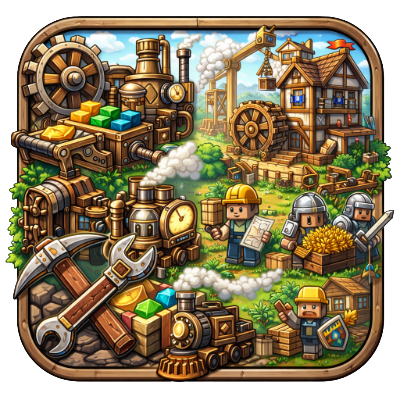
Create: Colony
Java mod listed for Minecraft 1.21. Downloads from the MC Java Mods app on Android.
A specialized integration mod bridging the mechanical power of Create with the colony management of MineColonies. Features custom block placement handlers…
⬇ Download on CurseForgeThe author built this one for Minecraft 1.21.1 on NeoForge. On other versions it may install and then do nothing.
Create: Colonies (NeoForge 1.21)




Create Colonies is a compatibility bridge mod that connects the industrial engineering of Create with the thriving civilizations of MineColonies.
This project is a modern port designed for Minecraft 1.21.1 on NeoForge.
🛠 Features
📋 Smart Resource Management
Tired of manually checking what blocks your Builder needs?
- Clipboard Integration: Right-click while shifted a Minecolonies Hut Builder block with a Create Clipboard.
- Automatic Checklists: The mod automatically reads the building's required resources and writes them onto the Clipboard as a checklist.
- Visual Tracking: Easily track gathered materials and hand them off to your builder without switching back and forth between GUIs.
(More integration features are planned for future updates!)
📜 Credits & Inspiration
This mod stands on the shoulders of giants. It is heavily inspired by and based on the work of previous developers who pioneered Create/Minecolonies compatibility:
- Create Colonies by MotionlessTrain: The direct predecessor to this codebase.
- Create Colonial by Tribulla: The original inspiration for bridging these two mods.
This project aims to keep their vision alive on modern Minecraft versions (1.21+ NeoForge).
⚖️ License
This project is licensed under the GNU Lesser General Public License v2.1 (LGPL-2.1).
You may copy, distribute, and modify the software as long as you track changes/dates in source files. Any modifications to or software including (via compiler) LGPL-licensed code must also be made available under the LGPL-2.1 terms.
- Edition: Minecraft Java
- File type: .jar
- Minecraft version listed: 1.21.1
- How to install: Install the matching mod loader (Forge, Fabric or NeoForge) for your Minecraft version. → Download the .jar. → Put it in the .minecraft/mods folder and launch that loader profile.
- Where to get it: Opens on CurseForge — not every file is mirrored on our own servers.
Install steps are the general flow for this file type — How to install Minecraft Java mods & modpacks walks through it step by step.
- Ships as createcolony-1.0.0.jar — drop this file into the mods folder
- Download size: 445 KB
- Download link checked 2 Oct 2026 — working
These come from our own check of the pack file, not from the source page.