
BuildingGadgets2GUI
Java mod listed for Minecraft 1.21. Downloads from the MC Java Mods app on Android.
⬇ Download on CurseForgeThe author built this one for Minecraft 1.21.1 on NeoForge. On other versions it may install and then do nothing.
BuildingGadgets2 GUI Mod
Description
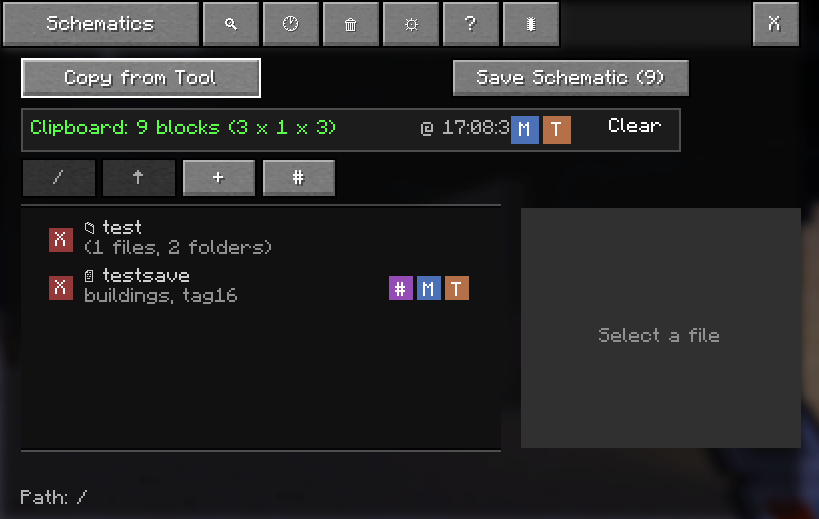
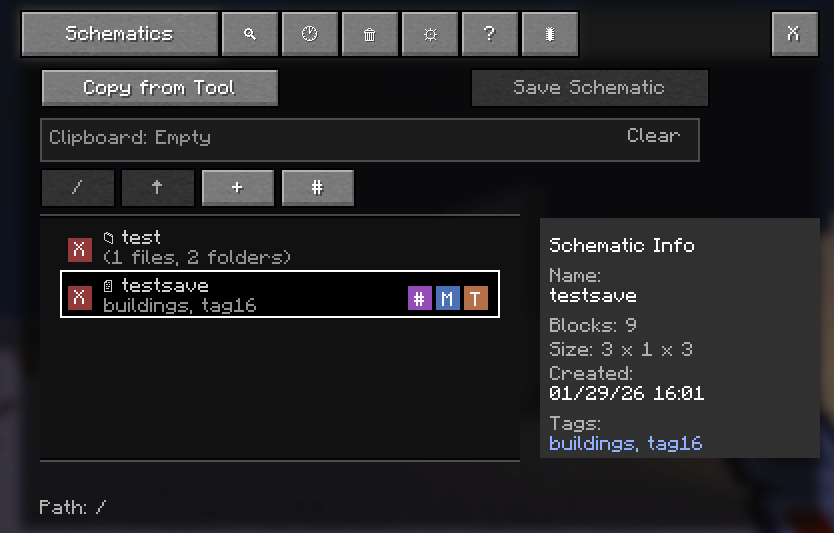
This is a mod that enhances the Building Gadgets 2 (BG2) mod by adding a GUI interface for managing schematics. It allows players to save, load, and organize templates (schematics) to disk, making them reusable across different Minecraft worlds.
Demo
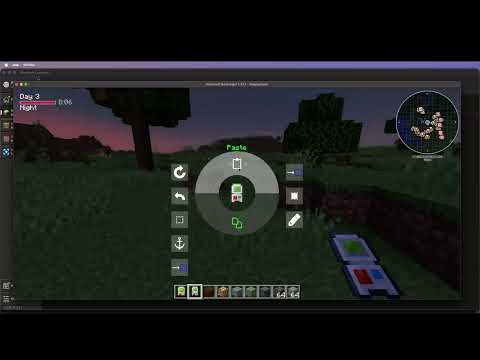
NB: You need to have Bg2 installed, this mod does not replace Bg2!
Key Features
- GUI interface for BG2 copy/paste tool
- Schematic save/load functionality
- File organization with folders
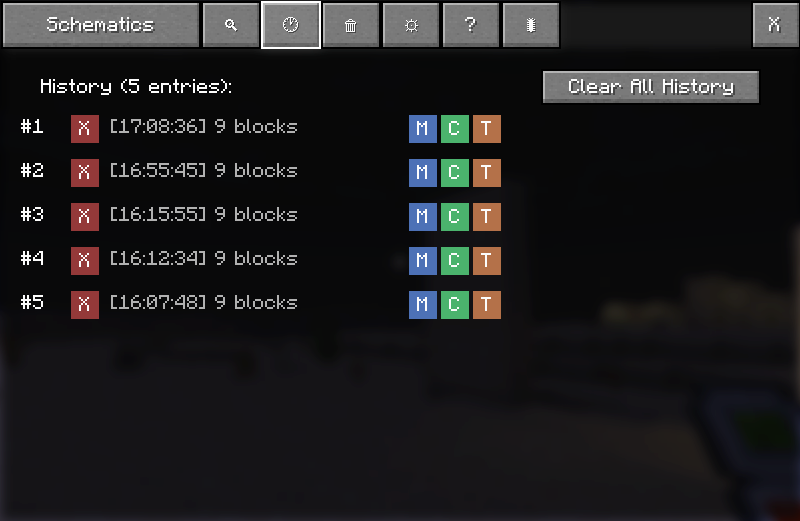
- History tracking of operations
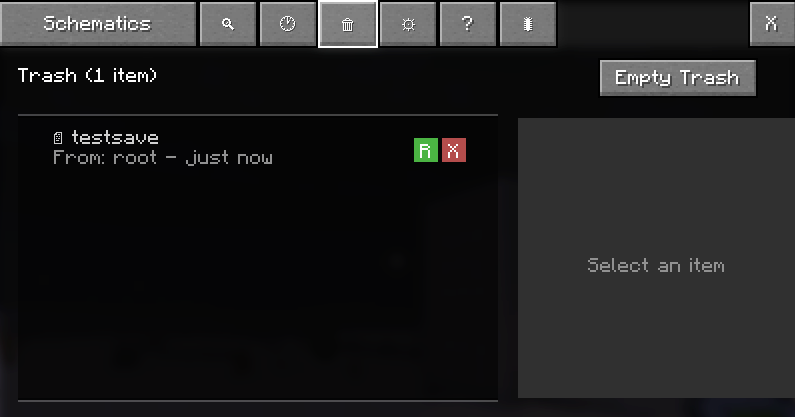
- Trash/recycle bin for deleted schematics
- Keyboard shortcuts
- Cross-world schematic reusability
Screenshots
Clipboard & Schematics
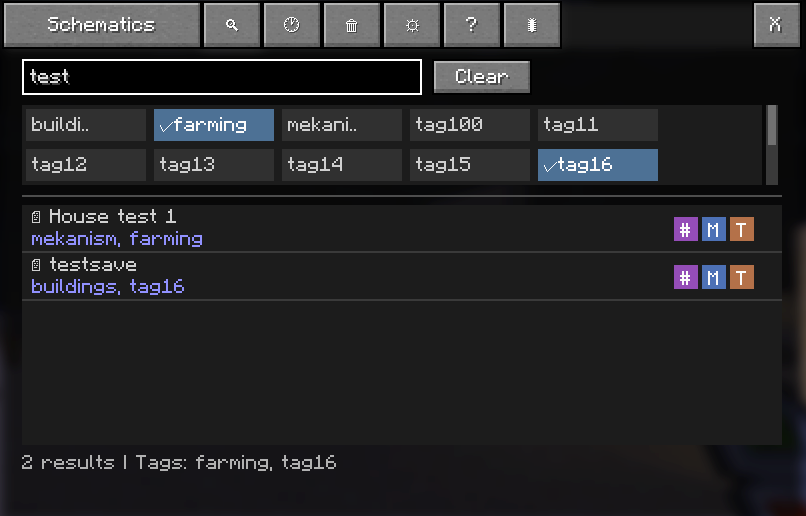
Search
History
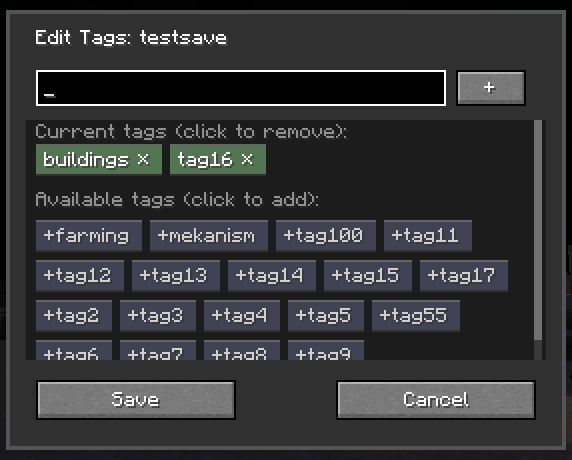
Tags
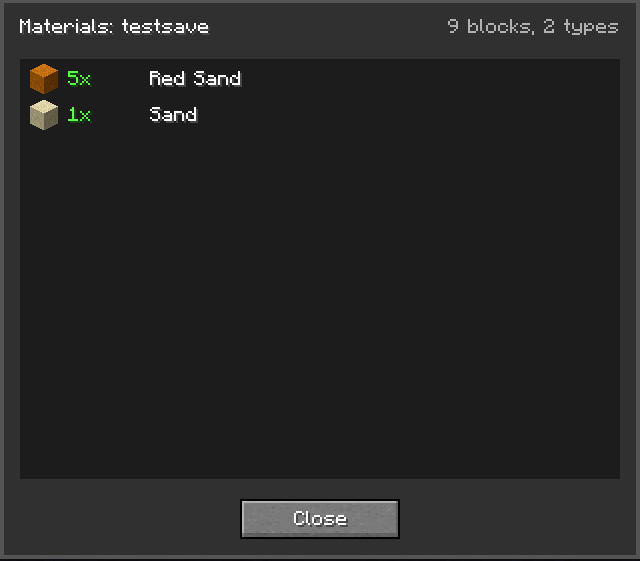
Materials
Trash
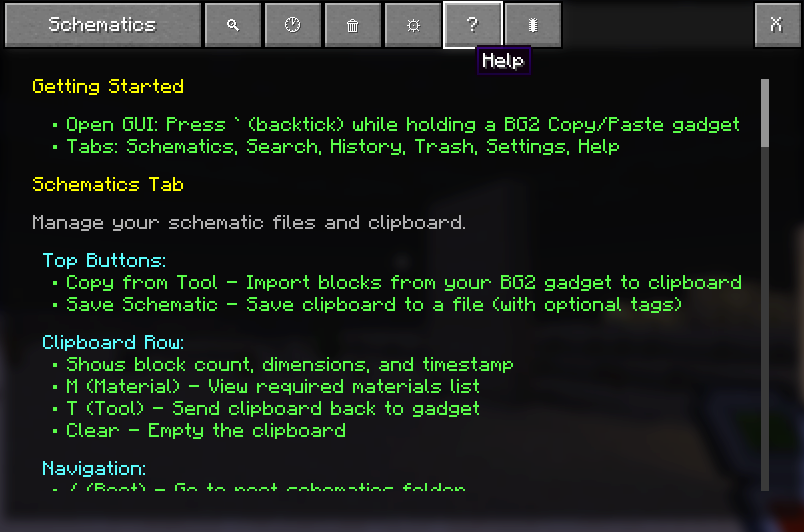
Help
Technology Stack
- Minecraft Version: 1.21.1
- NeoForge Version: 21.1.217
- Java Version: 21
- Build Tool: Gradle
- Dependencies: Building Gadgets 2 (v1.3.9) (See note below)
NB: A pending PR #225 is awaiting on Bg2 which fixes copying and pasting fluids and pipe blocks, I have a Bg2 v1.3.10 compiled on my releases in the interim. This fixes copying and more importantly pasting TE (TileEntity data) which fixes issues from copying blocks from Mekanism and other mods alike. https://github.com/TheFern2/BuildingGadgets2GUI/releases
Contact
Please send feedback, ideas, to [fernandobe+mc@protonmail.com](mailto:fernandobe mc@protonmail.com) if you have github open issues there, if not also use email.
- Edition: Minecraft Java
- File type: .jar
- Minecraft version listed: 1.21.1
- How to install: Install the matching mod loader (Forge, Fabric or NeoForge) for your Minecraft version. → Download the .jar. → Put it in the .minecraft/mods folder and launch that loader profile.
- Where to get it: Opens on CurseForge — not every file is mirrored on our own servers.
Install steps are the general flow for this file type — How to install Minecraft Java mods & modpacks walks through it step by step.
- Ships as buildinggadgets2gui-0.2.0-beta.1.jar — drop this file into the mods folder
- Download size: 182 KB
- Download link checked 2 Oct 2026 — working
These come from our own check of the pack file, not from the source page.