Minecolonies EMI Integration
Java mod listed for Minecraft 1.20–1.21. Downloads from the MC Java Mods app on Android.
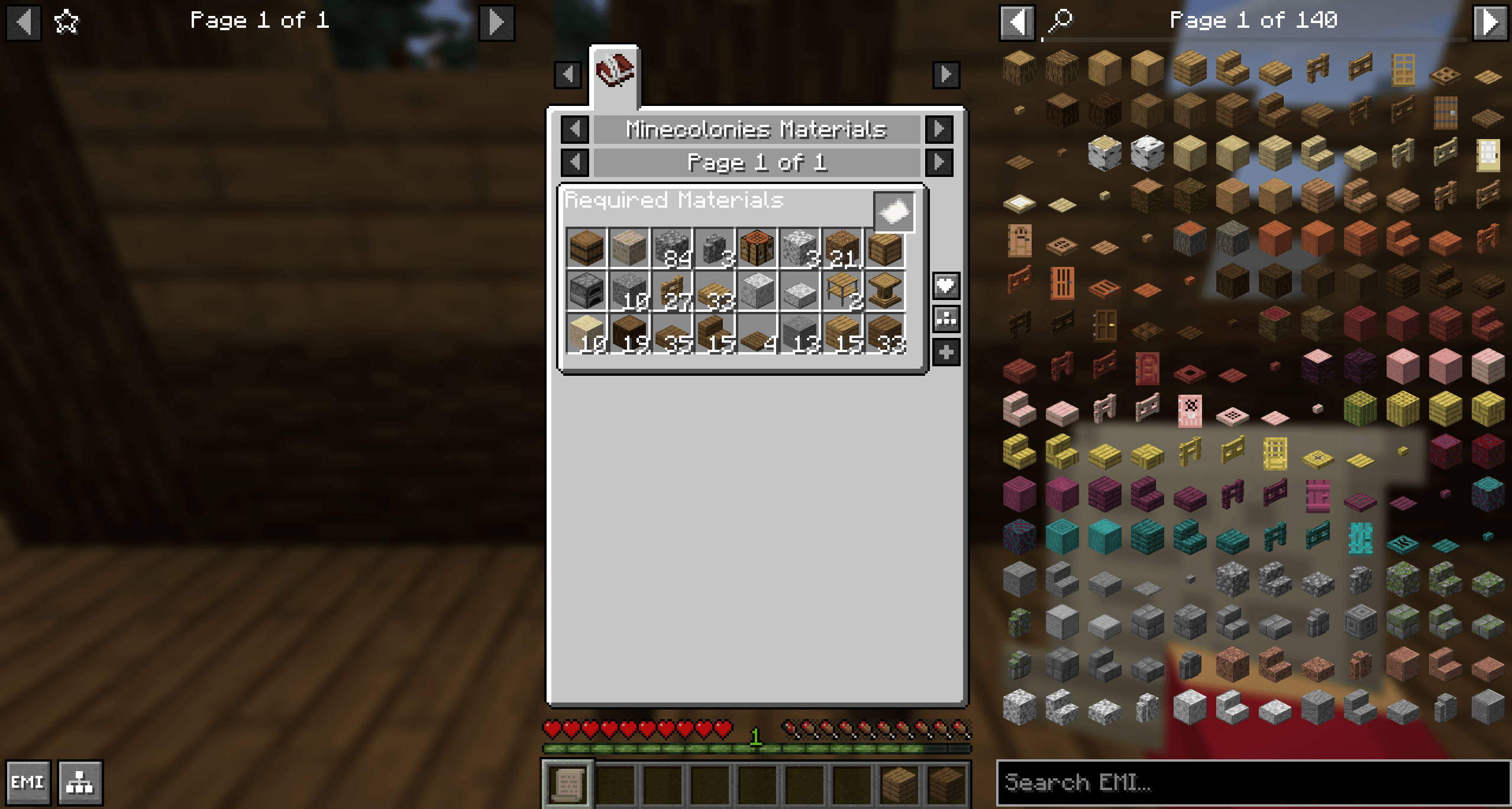
This mod adds the ability to export the required materials from the minecolonies resource scroll to the EMI inventory screen mod. Additionally, it adds…
I don't know my version or loader
Minecolonies EMI Addon
Bridge the gap between Minecolonies and EMI.
This addon solves the problem of "dynamic" block recipes (like Domum Ornamentum) not showing correct materials in EMI. It allows you to see exactly what materials are needed for your colony builds and easily export missing resources from the Builder's Hut request list directly to your EMI sidebar.
Usage
Export & Track Recipes
To see the exact material components for dynamic blocks (like Domum Ornamentum framed blocks, shingles, etc.) and track your colony's needs:
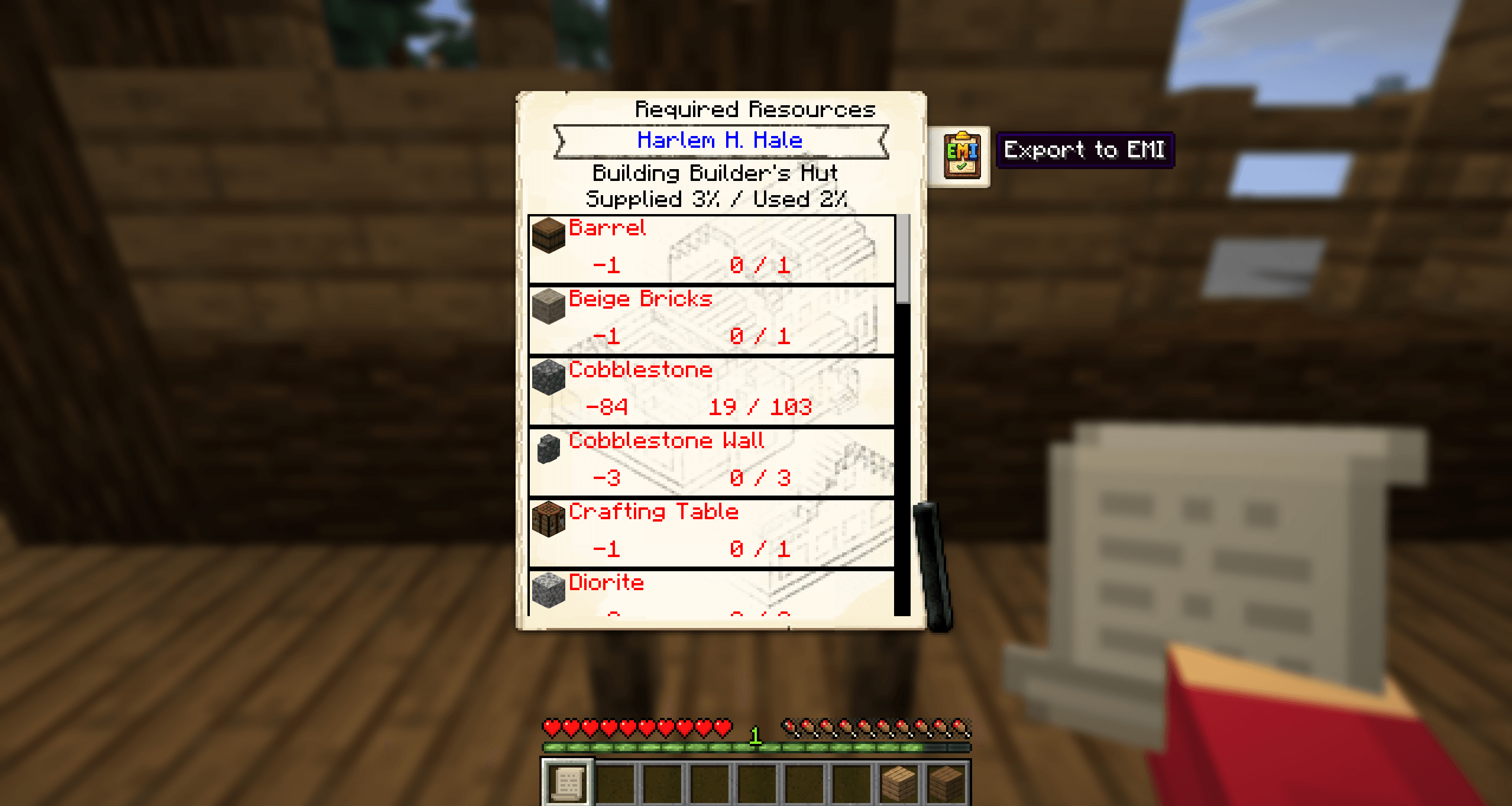
- Open the Required Resources list (using the ressource scroll).
- Click the Export to EMI button attached to the scroll.
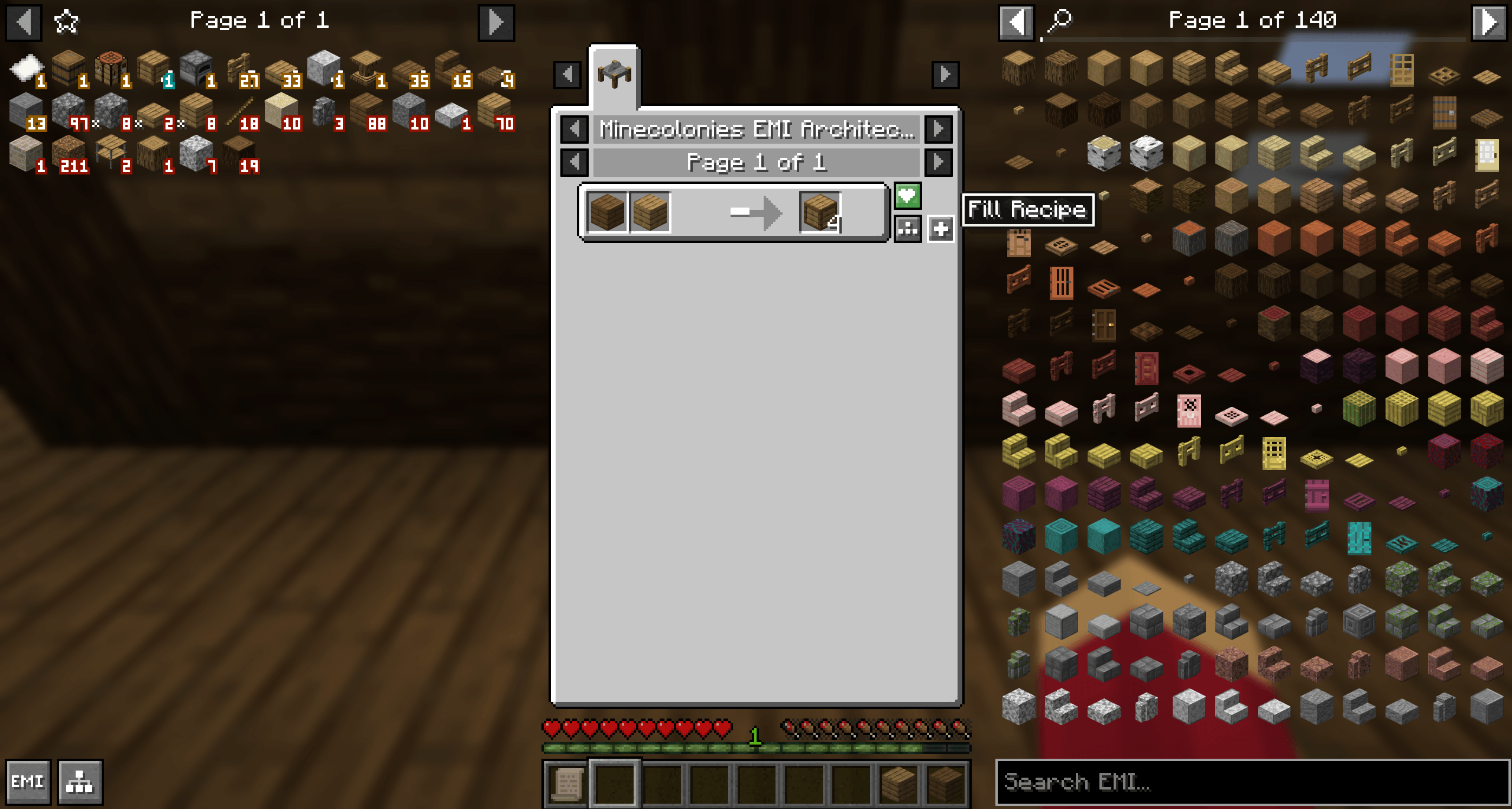
- You will now see a custom recipe containing the required materials, which you can add to the recipe tree.
- Click exported Domum Ornamentum items in the recipe tree to see their precise recipes (e.g. Framed blocks showing the right components required with functional autofill)
Note: Browsing generic items in the creative menu may still show generic inputs. Using the Export feature ensures you verify the exact NBT-specific recipe your builder requires.
Credits
- Edition: Minecraft Java
- File type: .jar
- Minecraft versions listed: 1.21.1, 1.20.1
- How to install: Install the matching mod loader (Forge, Fabric or NeoForge) for your Minecraft version. → Download the .jar. → Put it in the .minecraft/mods folder and launch that loader profile.
- Where to get it: Opens on CurseForge — not every file is mirrored on our own servers.
Install steps are the general flow for this file type — How to install Minecraft Java mods & modpacks walks through it step by step.
- Ships as minecolonies-emi-integration-1.0.0.jar — drop this file into the mods folder
- Download size: 1.1 MB
- Download link checked 2 Oct 2026 — working
These come from our own check of the pack file, not from the source page.