
Blocks Previewer
Java mod listed for Minecraft 1.20–1.21. Downloads from the MC Java Mods app on Android.
I don't know my version or loader
Blocks Previewer
Preview blocks before placing!

Ever placed a stair or piston the wrong way and had to break it again? Blocks Previewer lets you see how a block will be oriented before it’s placed, saving your time and frustration, especially useful for builders and redstoners.
This is a purely client-sided mod, and does not interact the server. Works similarly to Create’s placement preview, but for any block in Minecraft.
To open config for the mod, use the command /blockspreviewer or by using Mod Menu for Fabric or the built in (neo)Forge config menu.
Features
Controls
- Press G to toggle preview
- Hold H for a momentary preview
(Both keys are fully configurable in the controls menu.)
Block filtering
- Use J to switch between previewing:
- All blocks
- Only directional blocks (stairs, pistons, observers, etc.)
Showcase
TRANSPARENT mode

OUTLINE mode

CONFIGS
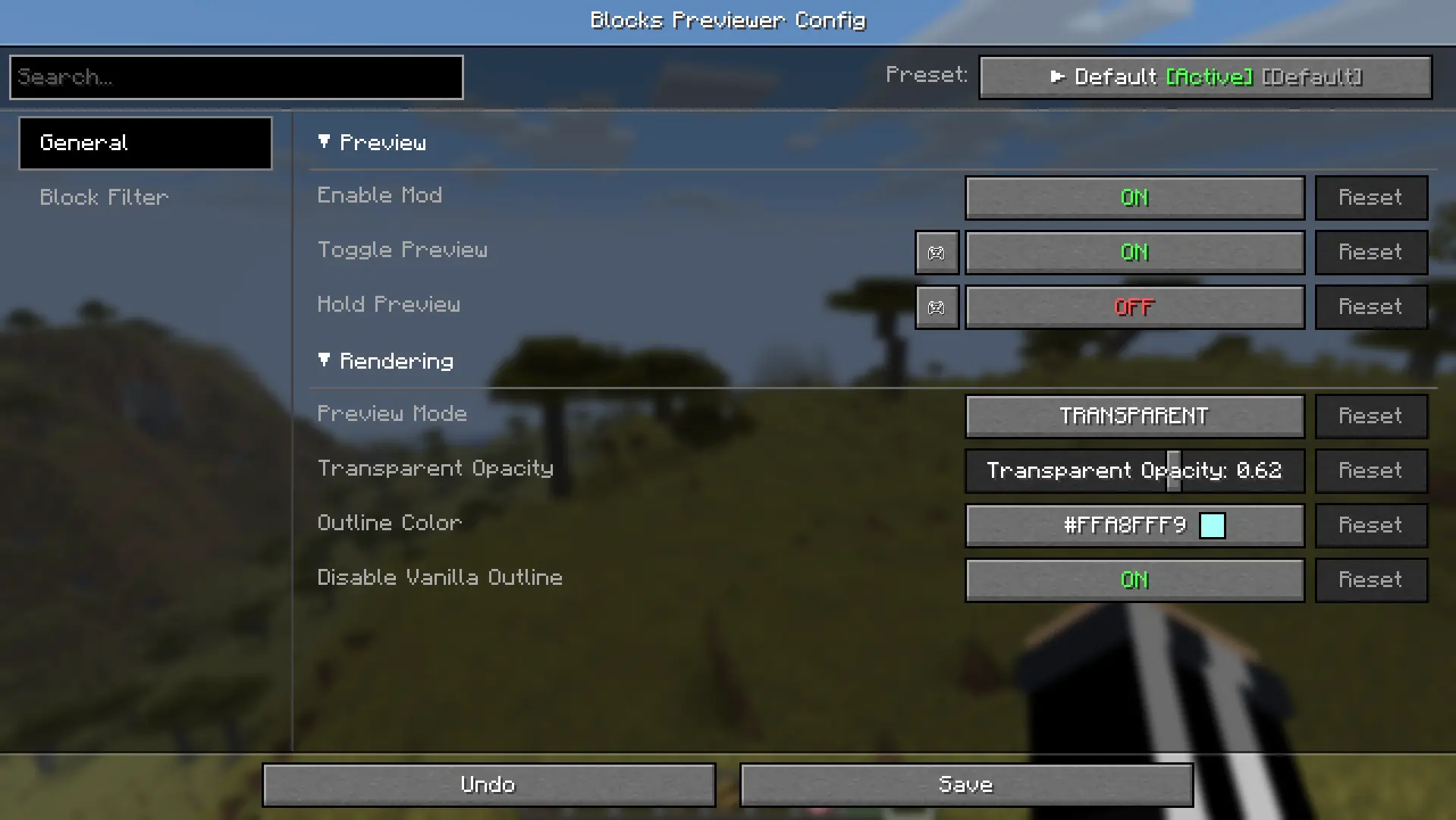
Dependencies (For versions >= 2.1.0)
Fabric Dependencies
Mod Menu is optional. All else is required.
| Modrinth | Curseforge |
|---|---|
| Craft Config Lib | Craft Config Lib |
| Fabric API | Fabric API |
| Mod Menu | Mod Menu |
- Edition: Minecraft Java
- File type: .jar
- Minecraft versions listed: 1.21.11, 1.21.1, 1.21.10
- How to install: Install the matching mod loader (Forge, Fabric or NeoForge) for your Minecraft version. → Download the .jar. → Put it in the .minecraft/mods folder and launch that loader profile.
- Where to get it: Opens on CurseForge — not every file is mirrored on our own servers.
Install steps are the general flow for this file type — How to install Minecraft Java mods & modpacks walks through it step by step.
- Ships as blockpreview-1.0.0 1.20.1 Forge.jar — drop this file into the mods folder
- Download size: 18 KB
- Download link checked 2 Oct 2026 — working
These come from our own check of the pack file, not from the source page.