WebDisplay More (fork for shimmer and more...)
Java mod listed for Minecraft 1.20. File opened and checked on 13 Oct 2026; downloads from the MC Java Mods app on Android.
This mod is a fork of the WebDisplays ( ) mod created by the WebDisplays Team. This mod Requires MCEF Fork for shimmer! : To access all the new features…
⬇ Download on CurseForgeThe author built this one for Minecraft 1.20.1 on Forge. On other versions it may install and then do nothing.
This mod is a fork of the WebDisplays (https://www.curseforge.com/minecraft/mc-mods/webdisplays) mod created by the WebDisplays Team.
This mod Requires MCEF Fork for shimmer! : https://www.curseforge.com/minecraft/mc-mods/mcef-fork-for-webdisplay-shimmer
To access all the new features, you need to download MCEF.jar and webdisplay.jar from this project.
It introduces several new features:
- Light projection
- Compatibility with the Shimmer mod
- Per-screen audio support
- Audio fading based on distance
- Allow Weird Shapes
- Smooth Angles
- Linked Screens (one main screen controls the others)
- Easier mod configuration through the menu "mod" -> "configuration"
There is the OG description:
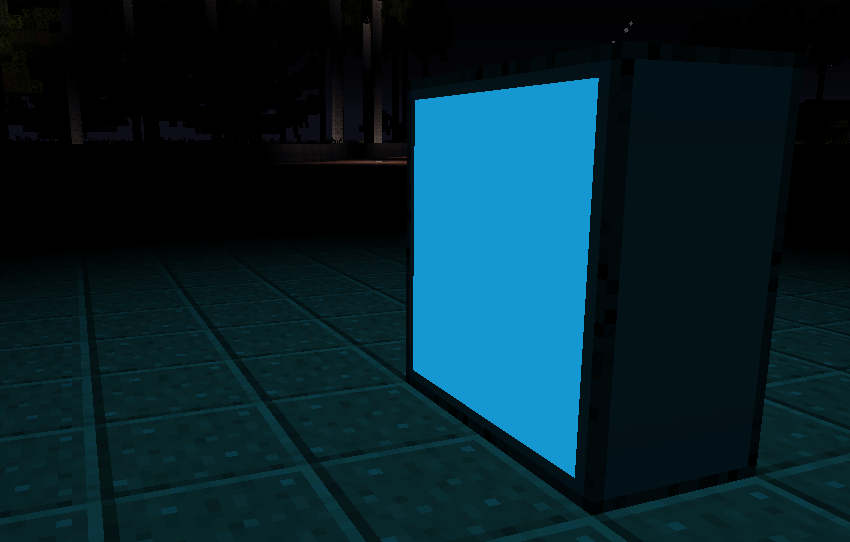
WebDisplays is a mod for creating and interacting with web browsers in Minecraft. You can create screens in your world and browse the internet.
WebDisplays was originally written by montoyo. It is currently maintained by CinemaMod Group.
Discussion: https://discord.gg/rNrh5kW8Ty
Install
WebDisplays Requires MCEF Fork for shimmer! You must install MCEF in order for WebDisplays to work.
Download MCEF from either:
- CurseForge: https://legacy.curseforge.com/minecraft/mc-mods/mcef
- Modrinth: https://modrinth.com/mod/mcef
 Wiki
Wiki
 Outdated Wiki from the original creator
The WebDisplays Team
- Edition: Minecraft Java
- File type: .jar
- Minecraft version listed: 1.20.1
- How to install: Install the matching mod loader (Forge, Fabric or NeoForge) for your Minecraft version. → Download the .jar. → Put it in the .minecraft/mods folder and launch that loader profile.
- Where to get it: Opens on CurseForge — not every file is mirrored on our own servers.
Install steps are the general flow for this file type — How to install Minecraft Java mods & modpacks walks through it step by step.
- Ships as webdisplays-2.0.23-1.20.1.jar — drop this file into the mods folder
- Download size: 840 KB
- Download link checked 2 Oct 2026 — working
These come from our own check of the pack file, not from the source page.