
Create: Polymer
Java mod listed for Minecraft 1.20–1.21. Downloads from the MC Java Mods app on Android.
Integrates the Rubber Tree and Rubber components from Tech Reborn into Create’s progression, as an alternative to Kelp in relevant recipes.
I don't know my version or loader

About
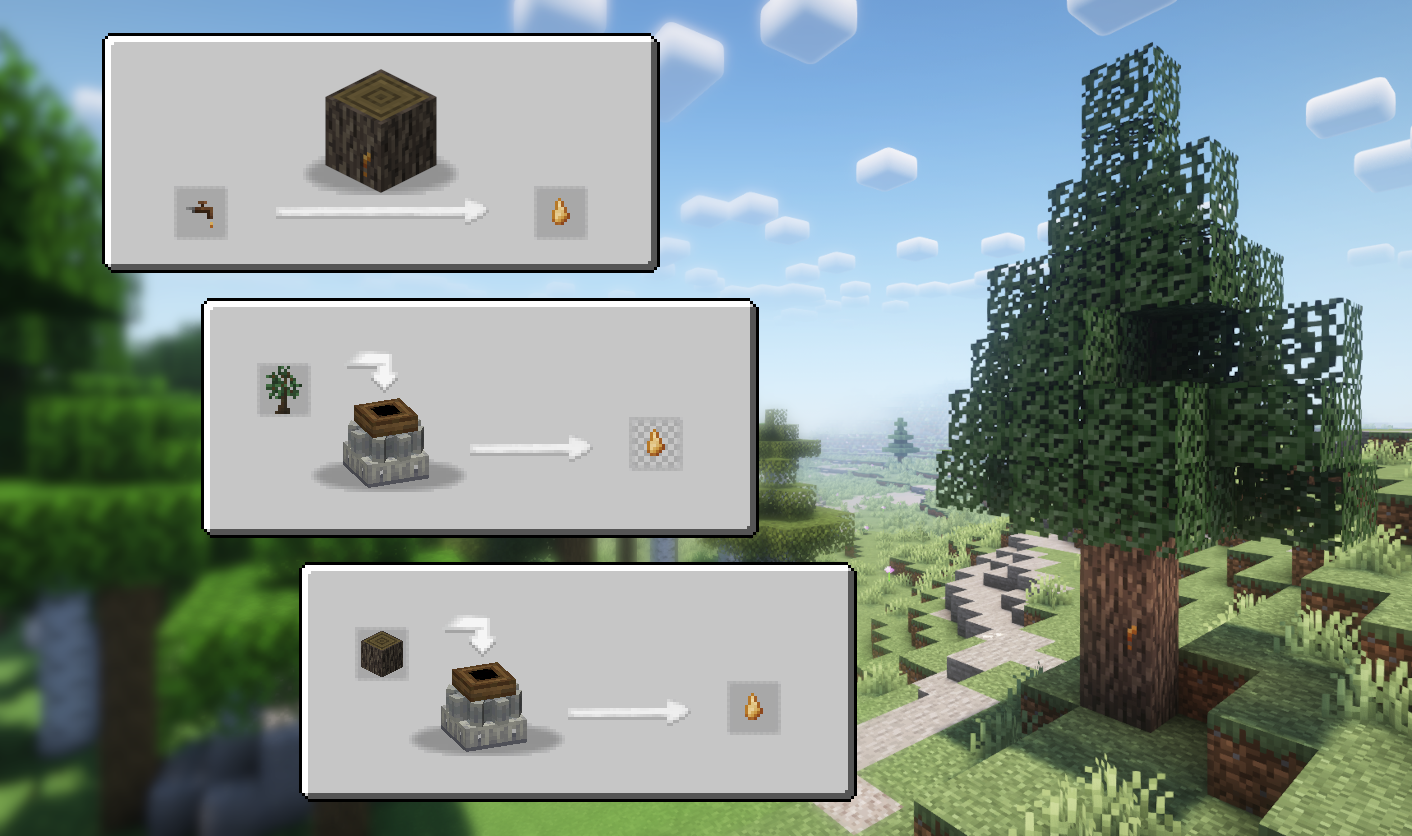
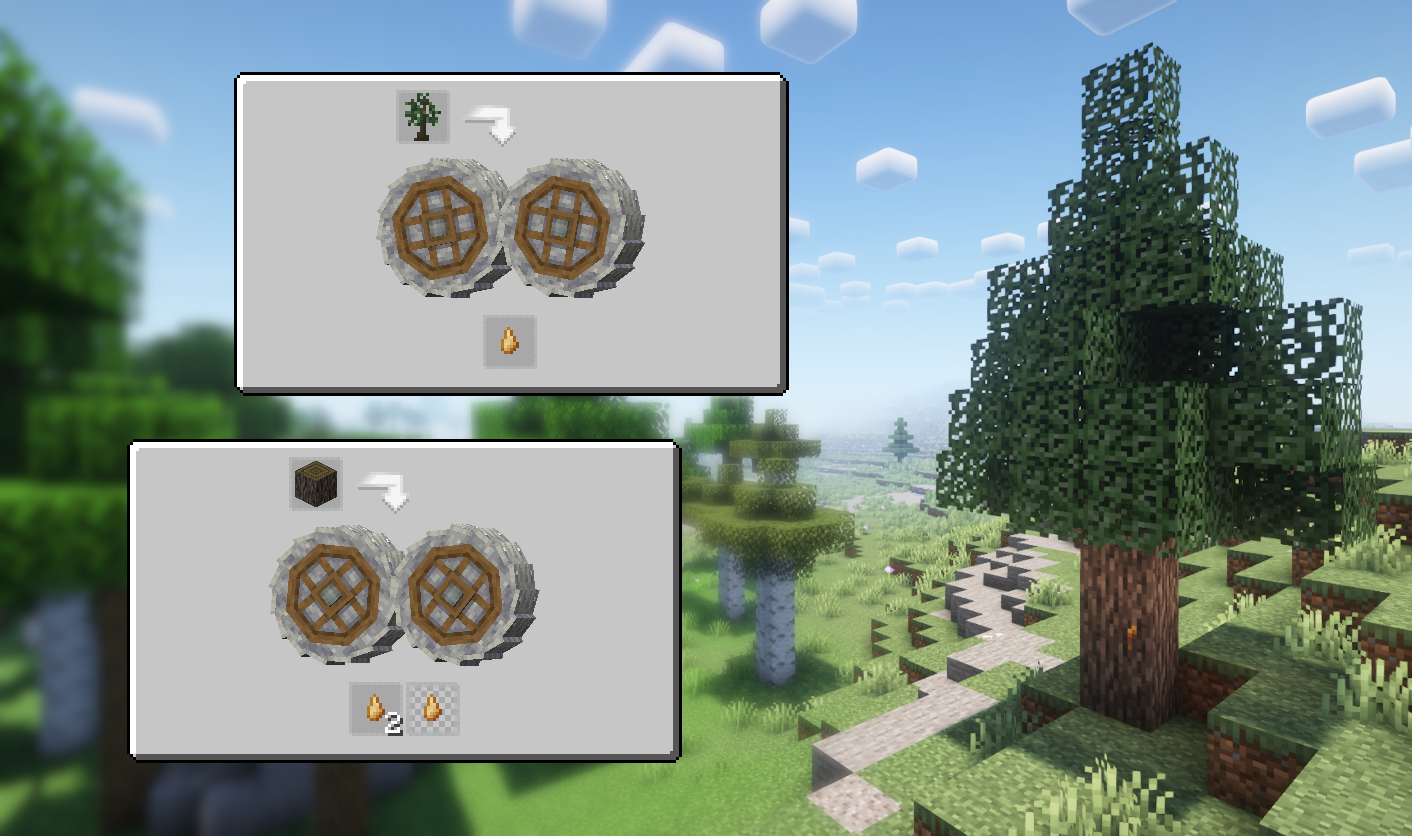
This mod adds the Rubber Tree and related items from Tech Reborn (MIT License) and integrate them into Create's progression.
Rubber Trees generate in all Overworld biomes. Sap will occasionally drip from the trunk, and can be harvested manually using a Treetap or automated with standard Create tree farms.
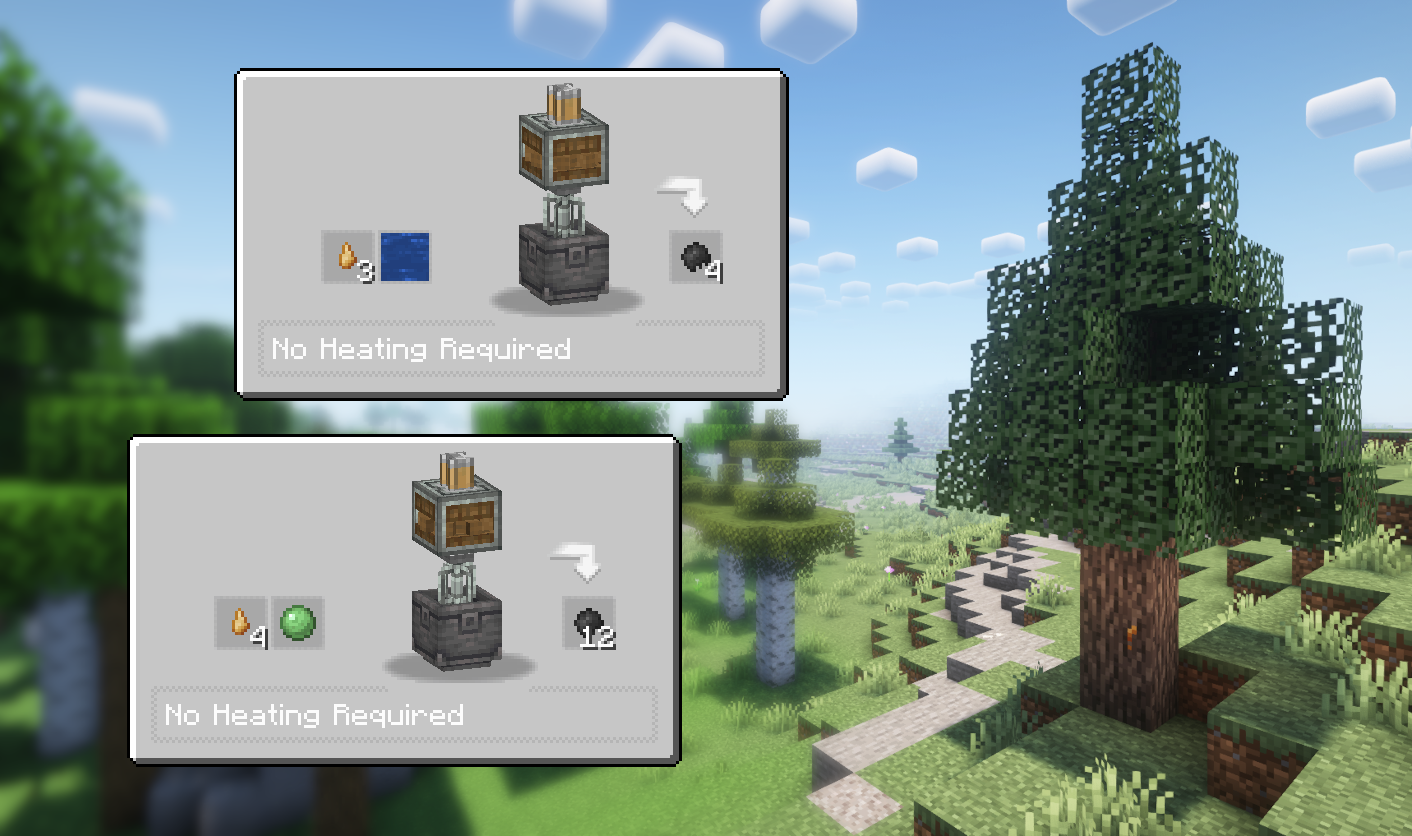
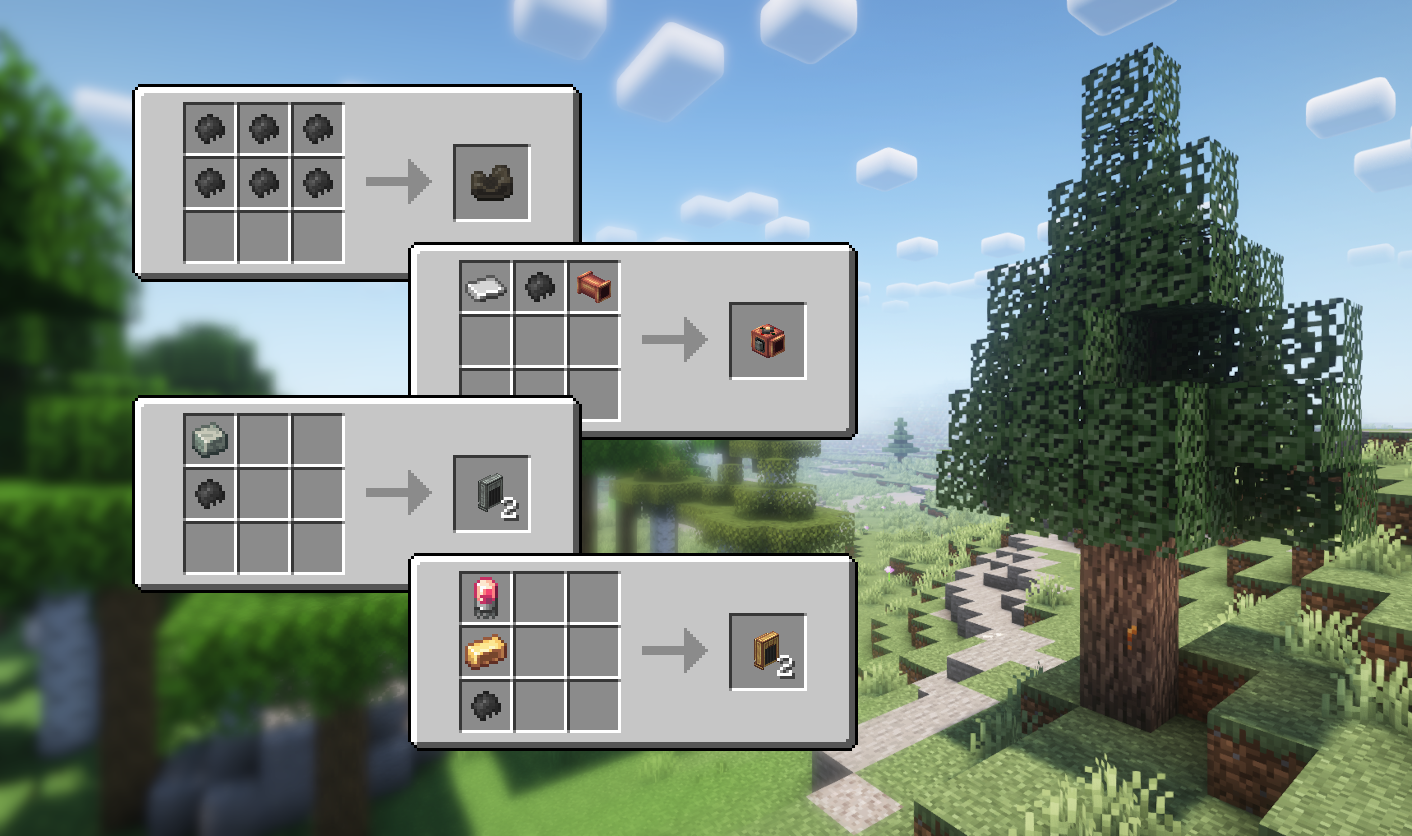
Rubber can be used as an alternative to Kelp in relevant recipes (Belts, Funnels, etc), providing more items per craft. This gives more opportunities for automation without replacing existing methods.
Preview


Credits
All custom textures used (if any) are either created by me or have a license that allows modification and distribution.
I make every effort to comply with project license obligations and to always credit the original owners. If you believe your name is missing from the credits or if you decide to change your project's license, please contact me.
Credits:
- Tech Reborn (MIT License) for the textures.
Dependencies
This mod requires Create.
JEI is recommended for recipes but not required.
Installation
Add the .jar mod file into your mods folder.
Alternatively, you can browse the CurseForge launcher for the mod (if it doesn't show up, try typing the autor's name). Once found, click "Install" to add it to your modpack.
Permissions
You are free to include this mod in any modpack, public or private.
Support my work
 Download my projects on CurseForge
 Download my projects on Modrinth
Donate on Paypal
- Edition: Minecraft Java
- File type: .jar
- Minecraft versions listed: 1.21, 1.21.1, 1.20.1
- How to install: Install the matching mod loader (Forge, Fabric or NeoForge) for your Minecraft version. → Download the .jar. → Put it in the .minecraft/mods folder and launch that loader profile.
- Where to get it: Opens on CurseForge — not every file is mirrored on our own servers.
Install steps are the general flow for this file type — How to install Minecraft Java mods & modpacks walks through it step by step.
- Ships as create_polymer-1.0.2-forge-1.20.1.jar — drop this file into the mods folder
- Download size: 1.1 MB
- Download link checked 2 Oct 2026 — working
These come from our own check of the pack file, not from the source page.