Afterimages
Java mod listed for Minecraft 1.20–1.21. Downloads from the MC Java Mods app on Android.
I don't know my version or loader
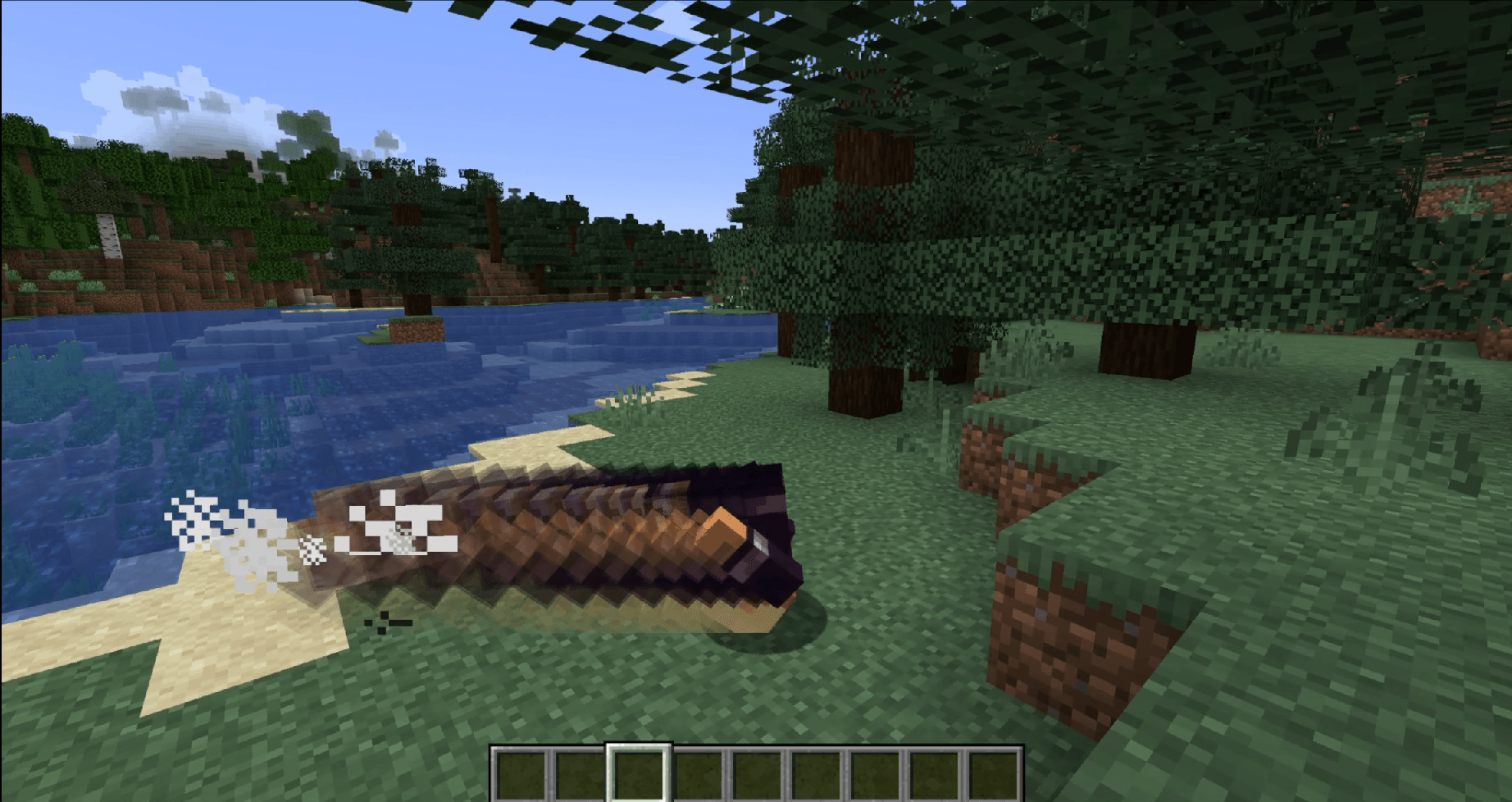
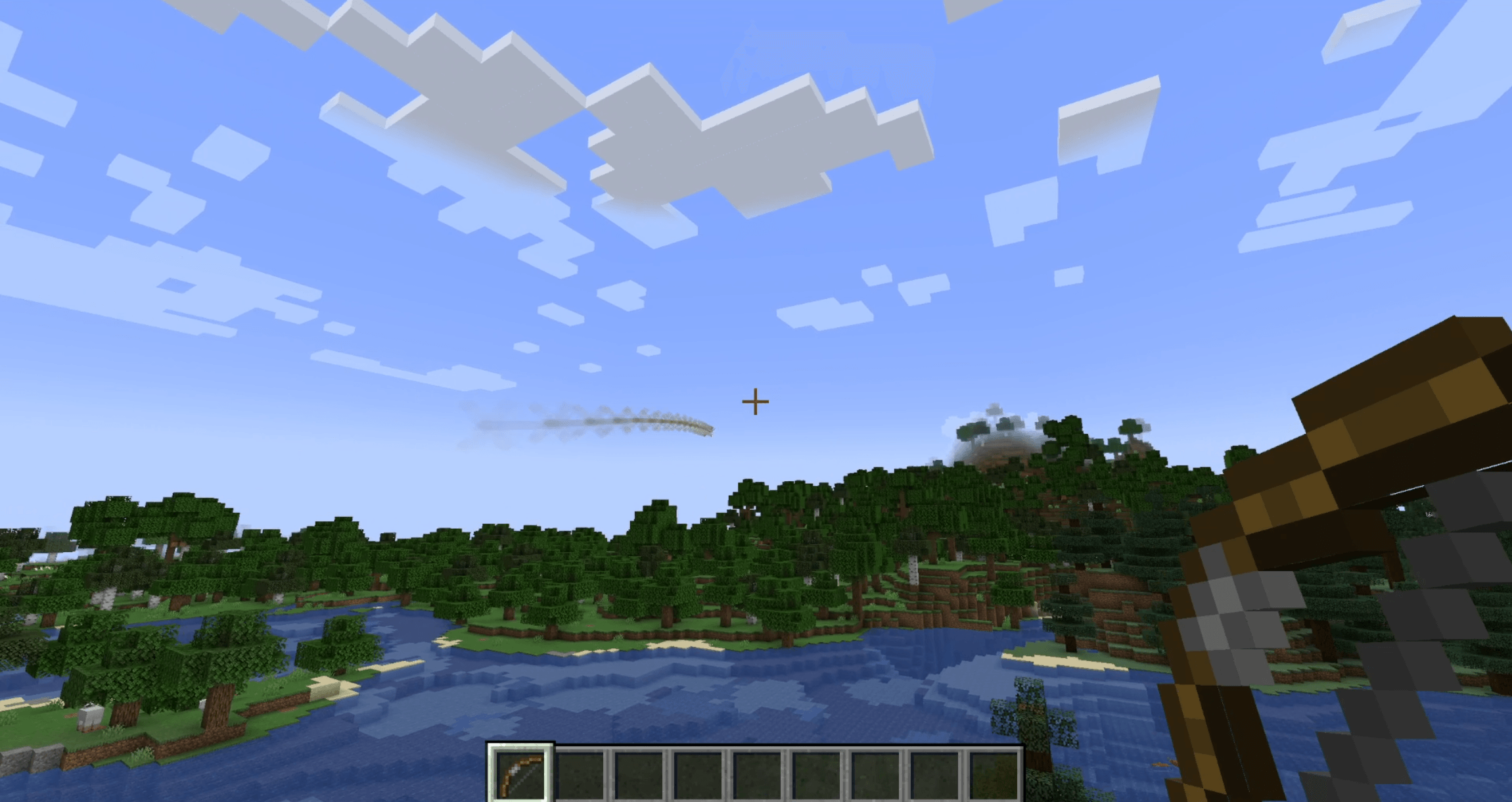
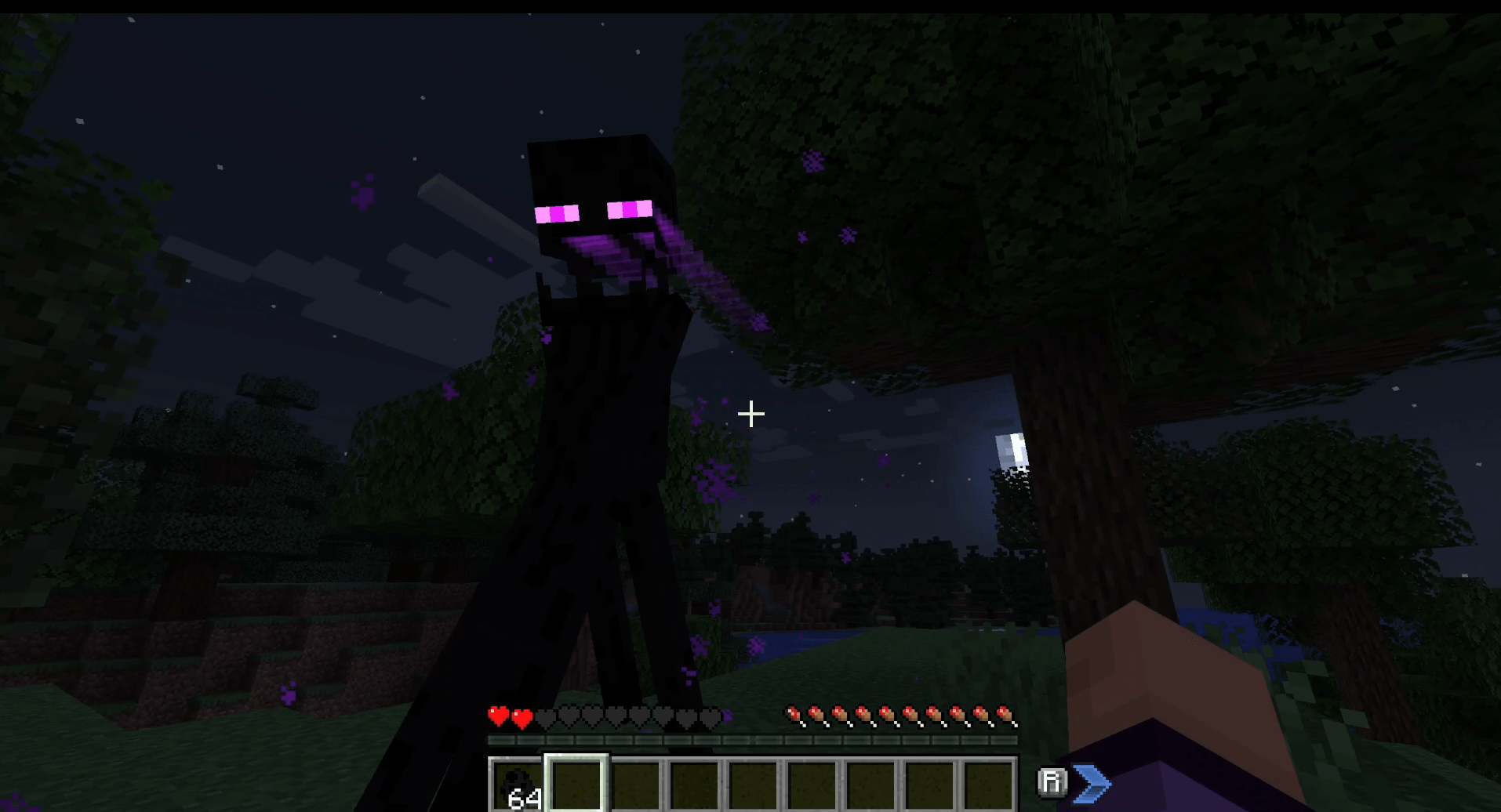

A lightweight, data-driven mod that adds visual afterimage trails to entities. You can configure which entities have afterimages, how they look, and when they appear—entirely through Resource Packs.
Features
- Data-Driven: Every aspect of the afterimage (duration, color, triggers) is controlled via JSON files.
- Mod Compatible: Built-in support for Combat Roll and other mods in the future, upon request.
Global Configuration
This mod uses Cloth Config for global settings. You can access the config menu via Mod Menu (on Fabric) or the configured keybind.
| Option | Default | Description |
|---|---|---|
| Step Size | 0.25 |
Controls the density of the afterimage trail. Lower values (e.g. 0.1) create smoother, connected trails but may impact performance. Higher values create distinct "snapshots". |
Entity Configuration
To add an afterimage to an entity, create a JSON file in your resource pack at: assets/<namespace>/afterimages/entities/<entity_name>.json
Example: Standard Arrow Trail
assets/example/afterimages/entities/arrow.json
{
  "entity": "minecraft:arrow",
  "speed_threshold": 0.5,
  "duration": 5,
  "color": "0xFFFFFF",
  "start_alpha": 0.6
}
Example: Combat Roll Exclusive
assets/example/afterimages/entities/player.json
{
  "entity": "minecraft:player",
  "combat_roll_only": true,
  "duration": 15,
  "start_alpha": 0.8
}
Configuration Fields
| Field | Type | Default | Description |
|---|---|---|---|
entity |
String | Filename | The entity ID (e.g. minecraft:ender_pearl). If omitted, the mod tries to guess based on the JSON filename. |
speed_threshold |
Double | 0.5 |
The minimum speed (blocks/tick) required to trigger the effect. Ignored if combat_roll_only is true. |
duration |
Integer | 10 |
How long the afterimage trail lasts in ticks. |
color |
Hex String | "0xFFFFFF" |
A hex color code to tint the afterimage. |
start_alpha |
Float | 0.5 |
The opacity of the afterimage when it first appears (0.0 to 1.0). |
overlay_only |
Boolean | false |
If true, the afterimage will render only the overlay layer (e.g., skin outer layer, armor glint). Useful for ghost-like effects. |
combat_roll_only |
Boolean | false |
If true, afterimages will only appear when the entity is performing a Combat Roll (requires the Combat Roll mod). |
Mod Integration
Combat Roll
Afterimages has native support for the Combat Roll mod.
- Usage: Set
"combat_roll_only": truein your player configuration file to make trails appear exclusively during a roll dodge.
License
This project is licensed under the MIT License.


- Edition: Minecraft Java
- File type: .jar
- Minecraft versions listed: 1.20.1, 1.21.8, 1.21.11
- How to install: Install the matching mod loader (Forge, Fabric or NeoForge) for your Minecraft version. → Download the .jar. → Put it in the .minecraft/mods folder and launch that loader profile.
- Where to get it: Opens on CurseForge — not every file is mirrored on our own servers.
Install steps are the general flow for this file type — How to install Minecraft Java mods & modpacks walks through it step by step.
- Ships as afterimages-neoforge-1.21.8-1.1.6.jar — drop this file into the mods folder
- Download size: 64 KB
- Download link checked 2 Oct 2026 — working
These come from our own check of the pack file, not from the source page.