
ModsJava
Chroma
Java mod listed for Minecraft 1.20. Downloads from the MC Java Mods app on Android.
⬇ Download on Modrinth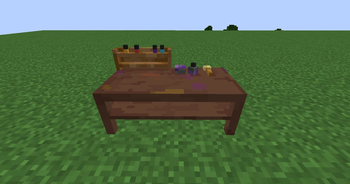
Chroma
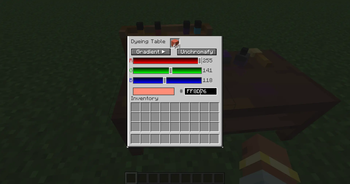
Chroma unlocks true color customization in Minecraft by allowing you to dye any supported block with any color in the RGB spectrum.
Features
- Dye blocks with over 16 million colors using RGB values.
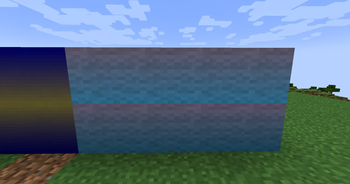
- Works with a wide range of dyeable blocks, including wool, terracotta, concrete, glass, carpets, beds, banners, and more.
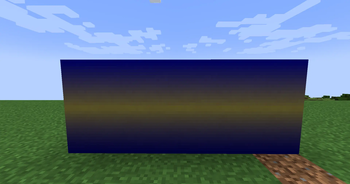
- Create smooth gradients, custom palettes, and unique color schemes impossible with vanilla dyes.
- Recolor existing builds without being limited to Minecraft's 16 dye colors.
- Fast, intuitive, and designed to fit naturally into survival and creative gameplay.
Whether you're building pixel art, modern cities, fantasy worlds, or anything in between, Chroma gives you complete control over every color.
Soon to be added:
- Compatability with mods such as blahaj, blahaj reborn, create, quark, another furniture, and many more!
Quick facts
- Edition: Minecraft Java
- File type: .jar
- Minecraft version listed: 1.20.1
- How to install: Install the matching mod loader (Forge, Fabric or NeoForge) for your Minecraft version. → Download the .jar. → Put it in the .minecraft/mods folder and launch that loader profile.
- Where to get it: Opens on Modrinth — not every file is mirrored on our own servers.
Install steps are the general flow for this file type — How to install Minecraft Java mods & modpacks walks through it step by step.
File checked by MCModsHub
- Ships as chroma-1.0-SNAPSHOT.jar — drop this file into the mods folder
- Download size: 131 KB
- Download link checked 13 Nov 2026 — working
These come from our own check of the pack file, not from the source page.