
ResourcepacksJava
xSpecial's Photographic DSLR Realism 32x32 Version (VRAY)
Minecraft Java resource pack. Download on the author's site.
⬇ DownloadWelcome to my texture pack. This is a photo-realistic texture pack meaning that the purpose of it is to reflect the real life view in Minecraft. Every block is created by a photo taken of the material it represents them edited in Adobe Photoshop and fixed several parameters. As you can understand this takes a lot of time and sometimes severe Photoshop skills as there are not all blocks in nature. This texture pack is currently in progress and i am working hard on it to keep it updated and with every part of it edited.
I would appreciate any small donations to help me on my work, since this is taking a ton of hours and i would like to make the download ad-free. My donations link is HERE
Thank you in advance for your support!


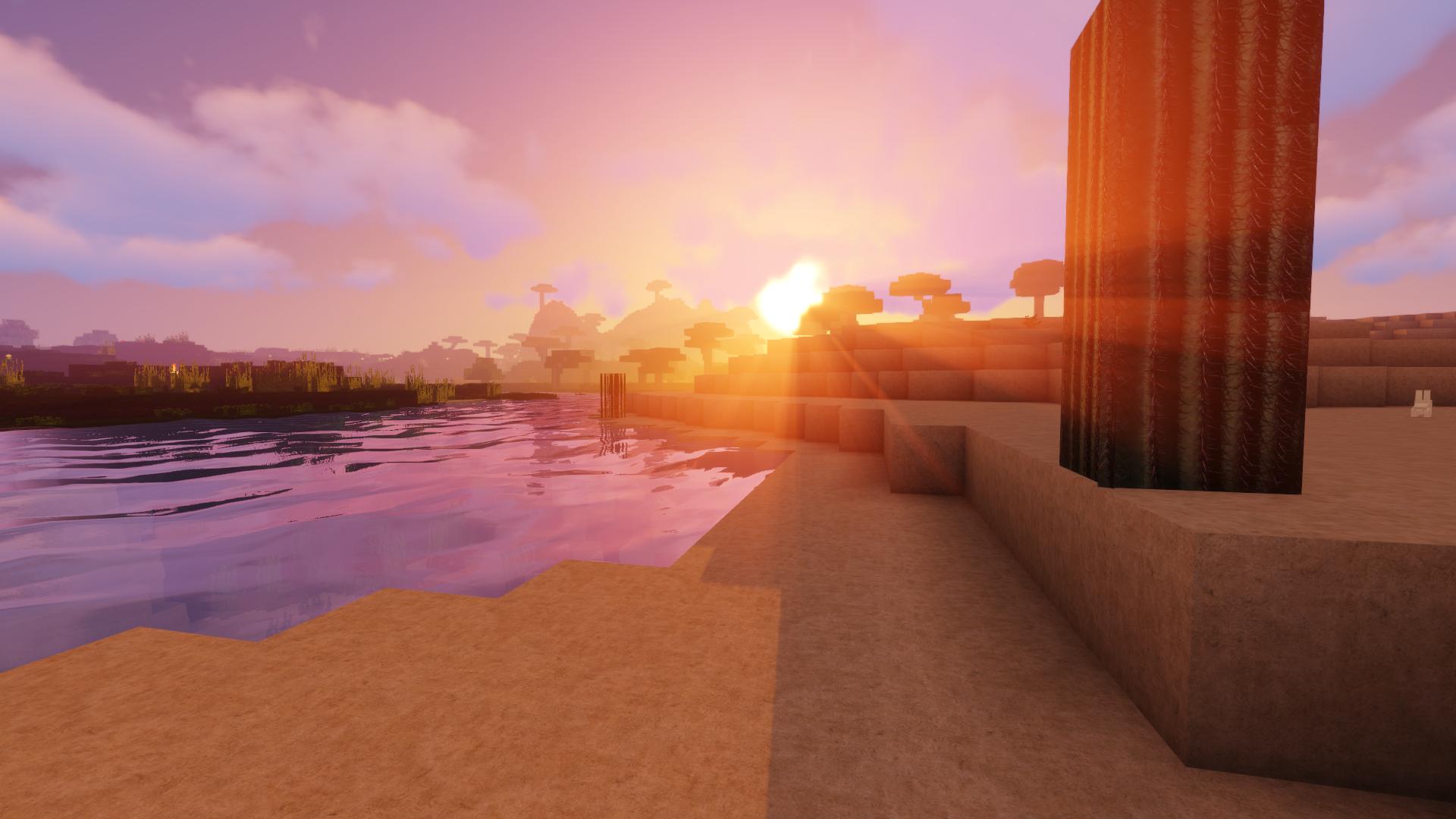
There are 4 versions available and they are updated simultaneously, you can find them here:
256X : https://www.planetminecraft.com/texture_pack/xspecial-s-photo-realism-256-256/
128X : https://www.planetminecraft.com/texture_pack/xspecial-s-photo-realism-updated-128-128/
64X : https://www.planetminecraft.com/texture_pack/xspecial-s-photo-realism-1-13-1-14-64-64/
32X : https://www.planetminecraft.com/texture_pack/xspecial-s-photo-realism-1-14-32-32/
In conclution xSpecial's Photo Realism is one of the most realistic resource packs, with the most realistic materials and the perfect resolution for the best graphics.
The resource pack still in development, there will be updates.
My download links are via Dropbox and AdFly since this is helping me and I kindly appreciate it.
Furthermore i would like to thank you for your support keeping it a top trending texture pack, for every favourite and diamond given. It encourages me to keep working on it and its other versions.
DISCLAIMER: This texture pack is provided for personal use only. This texture pack must not be distributed (in whole or part) for commercial or personal benefits purposes without giving credit to the original owner. All other uses of this texture pack (including parts), particularly for commercial or financial purposes (e.g (Ad link removed) links) are strictly forbidden or have to be arranged with the original owner.
NEEDED ADDONS:
How to use Shaders: Since this a 256*256 texture pack you will need to install OptiFinewith Magic Launcher. If you have downloaded Magic Launcher and Optifine * Standard version, simply start Magic Launcher and click on "SETUP" there you will be able to click "ADD" to browse to the Optifine zip which you have downloaded before. If Optifine Standard is loaded into the list you can simply press OK and log into Minecraft via Magic Launcher
Thank you.
I would appreciate any small donations to help me on my work, since this is taking a ton of hours and i would like to make the download ad-free. My donations link is HERE
Thank you in advance for your support!
There are 4 versions available and they are updated simultaneously, you can find them here:
256X : https://www.planetminecraft.com/texture_pack/xspecial-s-photo-realism-256-256/
128X : https://www.planetminecraft.com/texture_pack/xspecial-s-photo-realism-updated-128-128/
64X : https://www.planetminecraft.com/texture_pack/xspecial-s-photo-realism-1-13-1-14-64-64/
32X : https://www.planetminecraft.com/texture_pack/xspecial-s-photo-realism-1-14-32-32/
In conclution xSpecial's Photo Realism is one of the most realistic resource packs, with the most realistic materials and the perfect resolution for the best graphics.
The resource pack still in development, there will be updates.
My download links are via Dropbox and AdFly since this is helping me and I kindly appreciate it.
Furthermore i would like to thank you for your support keeping it a top trending texture pack, for every favourite and diamond given. It encourages me to keep working on it and its other versions.
DISCLAIMER: This texture pack is provided for personal use only. This texture pack must not be distributed (in whole or part) for commercial or personal benefits purposes without giving credit to the original owner. All other uses of this texture pack (including parts), particularly for commercial or financial purposes (e.g (Ad link removed) links) are strictly forbidden or have to be arranged with the original owner.
NEEDED ADDONS:
How to use Shaders: Since this a 256*256 texture pack you will need to install OptiFinewith Magic Launcher. If you have downloaded Magic Launcher and Optifine * Standard version, simply start Magic Launcher and click on "SETUP" there you will be able to click "ADD" to browse to the Optifine zip which you have downloaded before. If Optifine Standard is loaded into the list you can simply press OK and log into Minecraft via Magic Launcher
Thank you.
Quick facts
- Edition: Minecraft Java
- File type: .zip (resource pack)
- How to install: Download the .zip resource pack — do not unzip it. → Put it in .minecraft/resourcepacks. → Enable it in Options → Resource Packs.
- Where to get it: Opens on the file's original source — not every file is mirrored on our own servers.
Install steps are the general flow for this file type — How to install Minecraft Java resource packs walks through it step by step.
xSpecial's Photographic DSLR Realism 32x32 Version (VRAY) is a free Minecraft Java resourcepack. Downloaded 31,900 times. Download it and open it directly in the game.