KeyBind MacroKey
Java mod listed for Minecraft 1.21. Downloads from the MC Java Mods app on Android.
Create custom keybinds and macros for commands and chat. An essential utility with a GUI editor, supporting complex scripts, delays, chains, hotkeys, and…
⬇ Download on CurseForgeThe author built this one for Minecraft 1.21.8 on Forge. On other versions it may install and then do nothing.
Modrith - https://modrinth.com/mod/macrokey
⌨️ MacroKey: The Ultimate Keybinder & Macro Utility
MacroKey is a powerful client-side utility mod that allows you to bind commands, chat messages, and complex scripts to any key on your keyboard. Whether you need a simple shortcut for /gamemode creative or a complex automation chain with delays, MacroKey handles it all through a user-friendly in-game GUI.
Forget about manually editing configuration files. Press K (default) to open the menu and start creating your own hotkeys instantly!
✨ Key Features
- Easy In-Game GUI: Create, edit, and delete macros without leaving the game. No need to touch .json files manually!
- Complex Chains: Create multi-step macros. Want to switch gamemode, wait 1 second, and then teleport? Easy.
- Custom Delays: Add precise delays (in ticks) between actions to automate tasks perfectly.
- Command & Chat Support: Works with any server command (
/home,/spawn,/feed) or regular chat text. - Unlimited Binds: Bind as many macros as you want to any keyboard key.
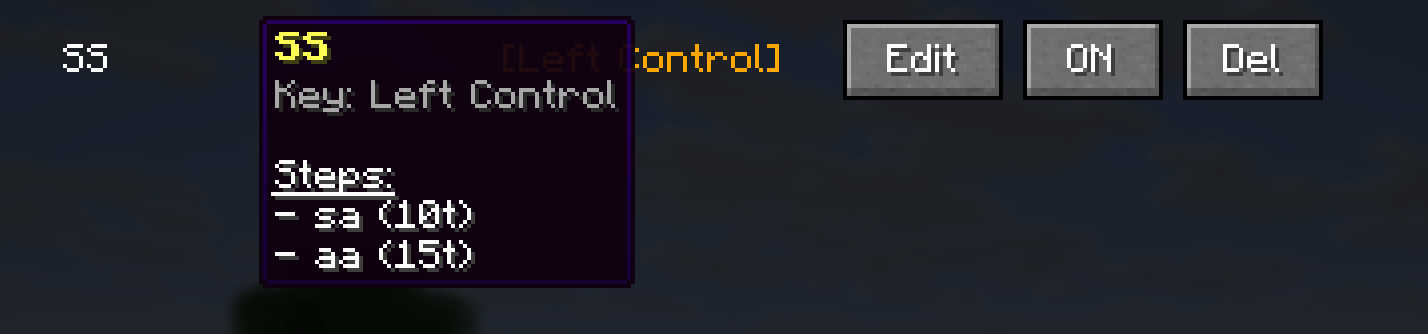
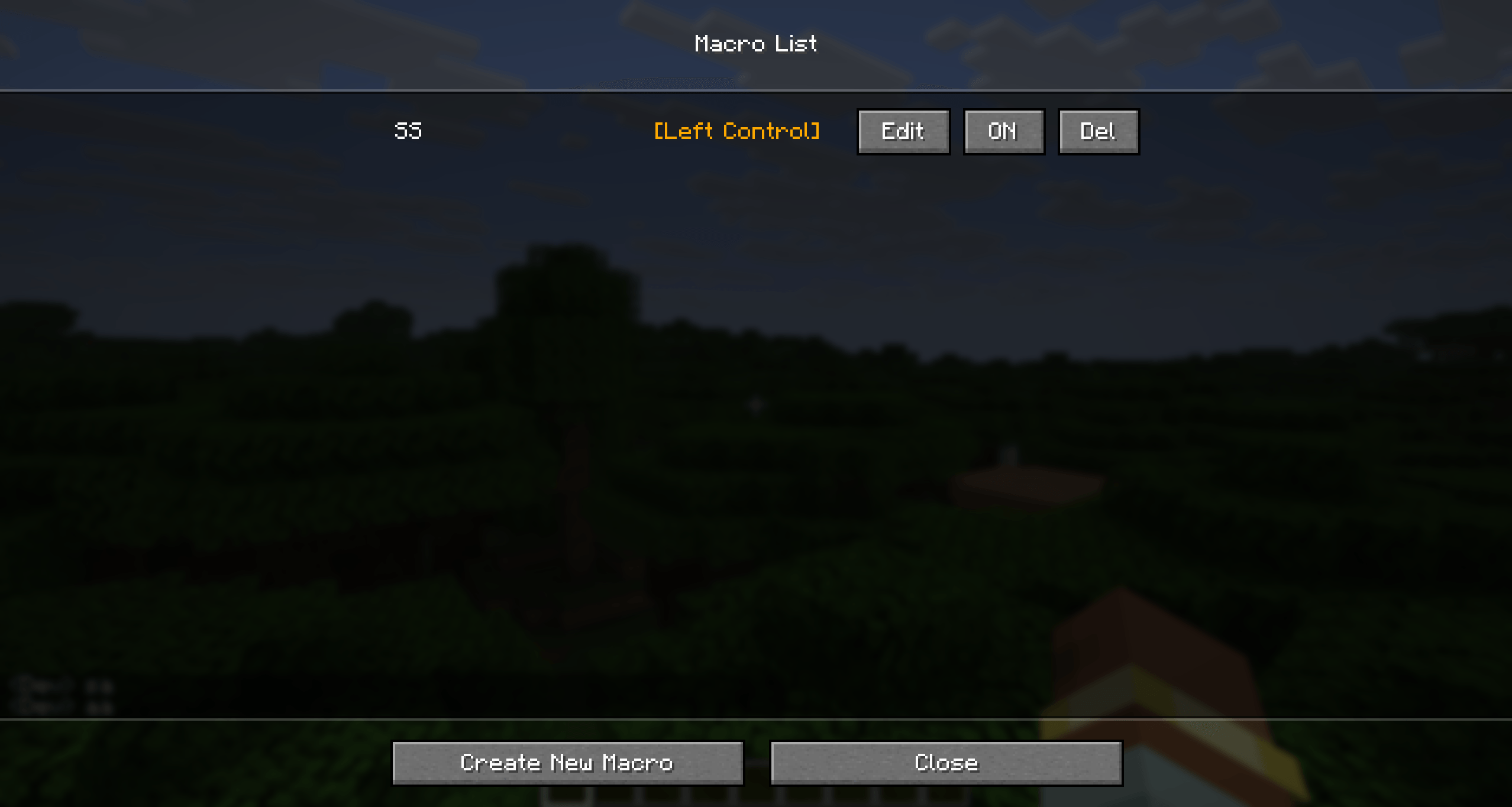
- Visual Feedback: See exactly what keys are bound and manage them effortlessly.
- JSON Configuration: Macros are saved in a simple JSON file, making it easy to share your setup with friends.
🚀 How to use
- Press K (can be changed in Controls) to open the Macro Manager.
- Click "Create New Macro".
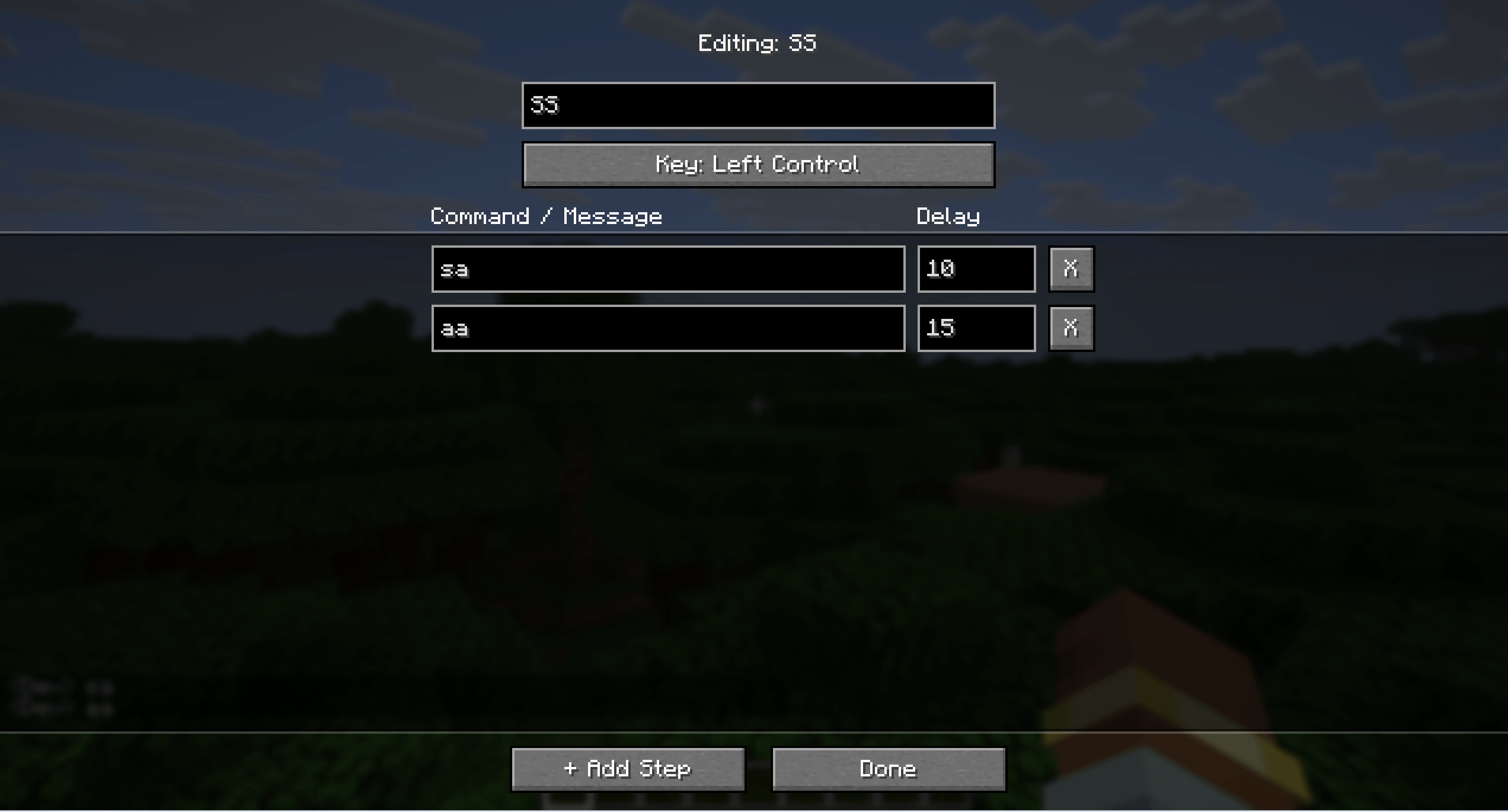
- Enter a name and choose a trigger key.
- Click "+ Add Step" to add commands or messages.
- Set a Delay (0 for instant, 20 ticks = 1 second) if you have multiple steps.
- Click Done and enjoy your new shortcuts!
🔧 Technical Info
- Client-Side Only: This mod works entirely on your client. You can use it on any server (Vanilla, Spigot, Paper, Modded).
- Mod Loaders: Supports Forge, support will be added - NeoForge, and Fabric.
⌨️ MacroKey: Мощные бинды и макросы (Russian)
MacroKey — это незаменимый клиентский мод, который позволяет создавать бинды на команды, сообщения в чате и сложные цепочки действий на любую клавишу клавиатуры. Хотите быстро переключать режимы игры, мгновенно телепортироваться домой или отправлять заготовленные сообщения? MacroKey сделает это за вас!
Забудьте о ручном редактировании сложных конфигов. Просто нажмите K (по умолчанию), чтобы открыть удобное меню.
✨ Главные функции
- Удобный GUI интерфейс: Создавайте и редактируйте бинды прямо в игре.
- Цепочки макросов: Создавайте сценарии из нескольких действий. Например: переключить режим -> подождать 1 секунду -> написать сообщение.
- Настройка задержки: Указывайте точную задержку (в тиках) между действиями для идеальной автоматизации.
- Поддержка всего: Работает с любыми серверными командами (
/warp,/login,/cmi) и обычным чатом. - Бесконечные бинды: Создавайте сколько угодно макросов на любые кнопки.
- Простой конфиг: Все настройки сохраняются в JSON, так что вы легко можете скинуть свой конфиг друзьям.
🚀 Как пользоваться
- Нажмите K (можно поменять в настройках управления), чтобы открыть Macro Manager.
- Нажмите "Create New Macro".
- Введите название и выберите клавишу.
- Нажмите "+ Add Step" (Добавить шаг), чтобы вписать команду.
- Укажите Delay (Задержку). 0 — мгновенно, 20 тиков — 1 секунда.
- Нажмите Done и наслаждайтесь!
🔧 Техническая информация
- Только клиент: Мод работает на стороне игрока. Вы можете использовать его на любых серверах.
- Совместимость: Поддерживает Forge, а так-же будет добавляться поддержка - NeoForge и Fabric.
- Edition: Minecraft Java
- File type: .jar
- Minecraft version listed: 1.21.8
- How to install: Install the matching mod loader (Forge, Fabric or NeoForge) for your Minecraft version. → Download the .jar. → Put it in the .minecraft/mods folder and launch that loader profile.
- Where to get it: Opens on CurseForge — not every file is mirrored on our own servers.
Install steps are the general flow for this file type — How to install Minecraft Java mods & modpacks walks through it step by step.
- Ships as macrokey-1.0.0.jar — drop this file into the mods folder
- Download size: 1.3 MB
- Download link checked 13 Nov 2026 — working
These come from our own check of the pack file, not from the source page.