
ModsJava
Footsteps Trail
Java mod listed for Minecraft 1.19–1.21. Downloads from the MC Java Mods app on Android.
I don't know my version or loader
Open the Minecraft launcher and look at the profile you play on — it names both, like fabric-loader-1.21.4. The version also shows in the bottom-right corner of the game's main menu.
No loader in the profile name? Then it's plain Minecraft, and these mods won't run — you need Fabric or NeoForge installed first.
👣 Footsteps Trail
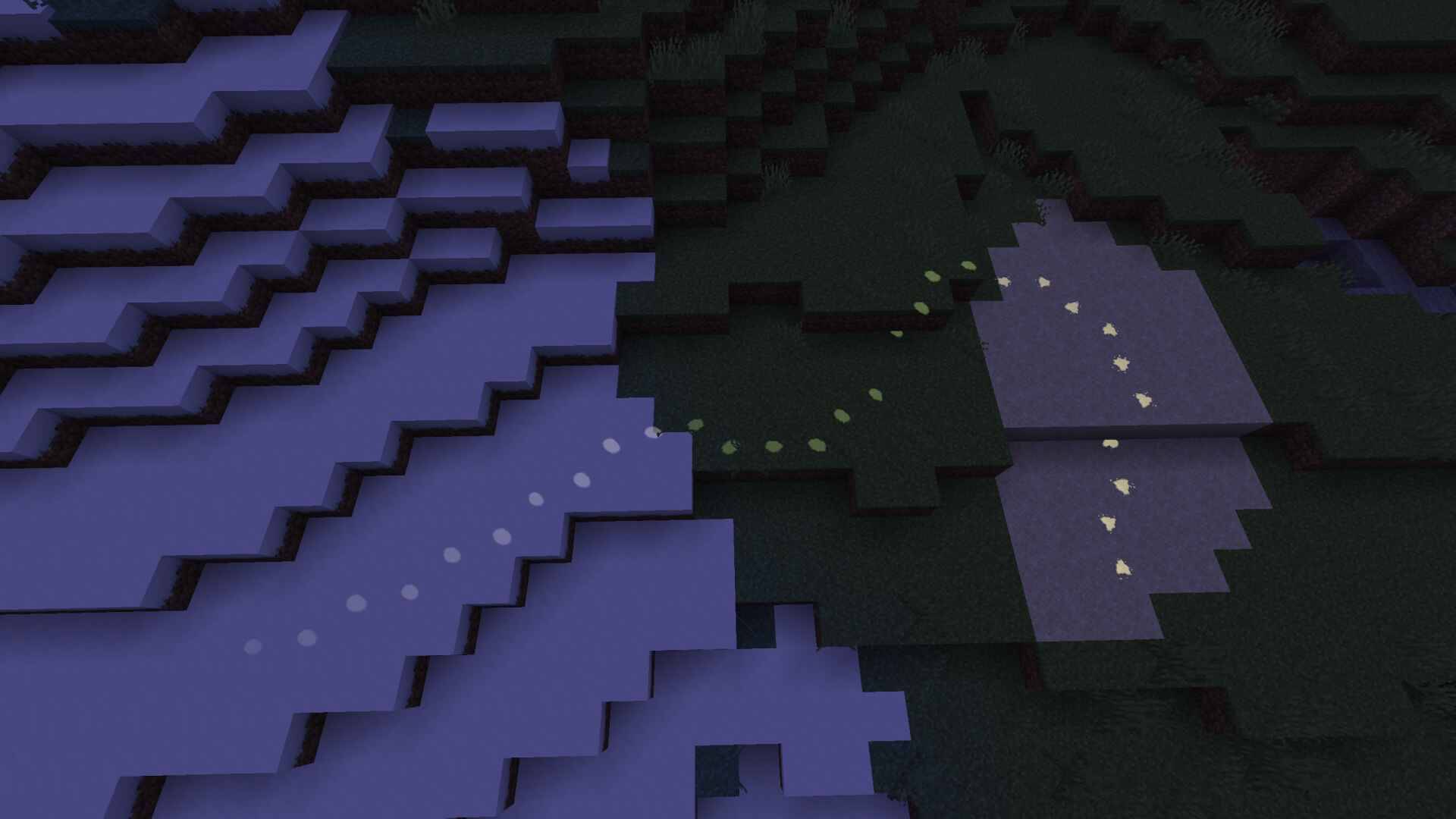
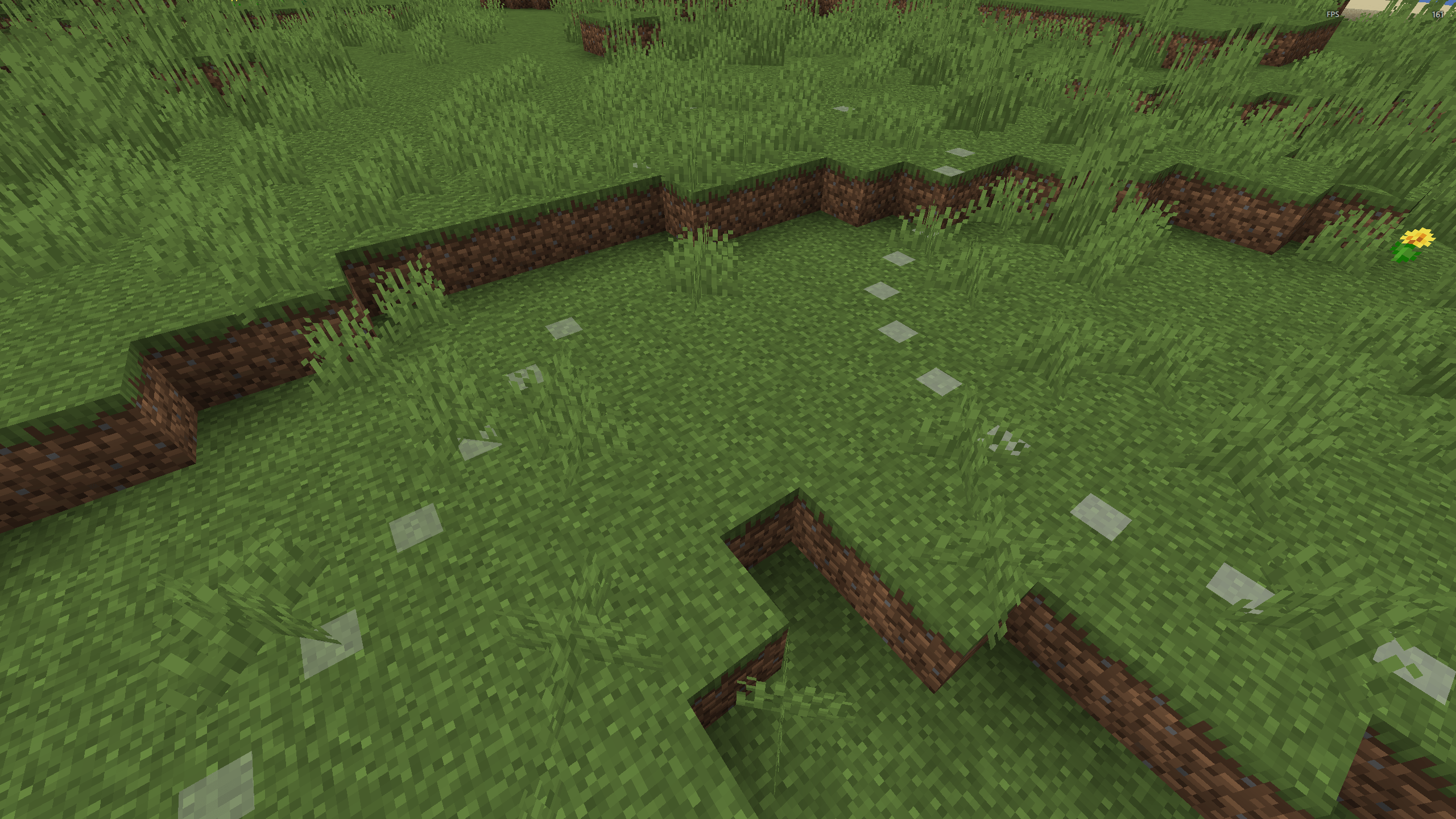
A lightweight client side mod that displays fading footstep markers behind you as you explore. Whether you're delving into caves, navigating forests, or mapping new areas, your trail will guide you back.
(Outdated video. Doesn't Show realistic Footsteps. Please check preview images)
✨ Features
Tracking Modes
- Steps Mode – Keep your last N footsteps (default: 50, max: 500)
- Time Mode – Footsteps fade after a set duration (default: 30s, max: 300s)
- Stealth Mode – Automatically disables footstep tracking and rendering while sneaking/crouching (default: enabled)
- Stride Adjustment – Stride length is automatically factored in: sprinting increases the minimum distance between steps by 50% to reflect larger strides
Placement Modes
- Ground Only (default) – Markers only on solid ground
- Continuous – Track everywhere, even in air/water
Marker Shapes
- Realistic (default) – Surface aware procedural footprints that dynamically adapt shape, depth, and scuffs per block type (sand, snow, dirt, stone, etc.)
- Square – Simple flat square
- Circle – Smooth circular marker
- Paw – Paw print with toe pads
- Cross – Plus shaped marker
Customization
- Colors: White, Gray, Red, Green, Blue, Yellow (ignored in Realistic mode, block colors are sampled automatically)
- Size: Adjustable from 0.05 to 2.0
- Opacity: Adjustable from 0.05 to 1.0
- Rotation Alignment: Rotates markers to match the player's looking (yaw) direction (default: enabled)
- Alternating Feet: Offsets consecutive footsteps to the left and right alternately to simulate realistic walking (default: enabled)
- Note: Custom shapes and manual colors only apply when Realistic mode is disabled.
- Quick toggle with
Bkey
⌨️ Commands
All commands are client-side and start with /footsteps.
| Command | Description |
|---|---|
/footsteps or /footsteps status |
Show current status |
/footsteps toggle |
Enable / disable the trail |
/footsteps clear |
Clear all active markers |
/footsteps mode <time|steps> |
Switch tracking mode |
/footsteps placement <ground|continuous> |
Switch placement mode |
/footsteps config time set <1–300> |
Set time-mode duration (seconds) |
/footsteps config steps set <1–500> |
Set max steps to keep |
/footsteps config rotation <true|false> |
Enable / disable matching player direction rotation |
/footsteps config alternating <true|false> |
Enable / disable alternating left/right foot offsets |
/footsteps config stealth <true|false> |
Enable / disable stealth mode (disable footprints while sneaking) |
/footsteps appearance realistic <true|false> |
Enable / disable realistic footprint mode |
/footsteps appearance shape <square|circle|paw|cross> |
Change marker shape |
/footsteps appearance color <color> |
Change marker color |
/footsteps appearance size <0.05–2.0> |
Change marker size |
📦 Requirements
- For Fabric: Fabric Loader • Fabric API
- For Forge: Forge Loader
- For NeoForge: NeoForge Loader
Client-side only • Works on any server • MIT License • Made by Blue print
Quick facts
- Edition: Minecraft Java
- File type: .jar
- Minecraft versions listed: 1.20.1, 1.20.2, 1.20.6
- How to install: Install the matching mod loader (Forge, Fabric or NeoForge) for your Minecraft version. → Download the .jar. → Put it in the .minecraft/mods folder and launch that loader profile.
- Where to get it: Opens on CurseForge — not every file is mirrored on our own servers.
Install steps are the general flow for this file type — How to install Minecraft Java mods & modpacks walks through it step by step.
File checked by MCModsHub
- Ships as footsteps-trail 1.3.0 1.20.1-forge.jar — drop this file into the mods folder
- Download size: 25 KB
- Download link checked 3 Oct 2026 — working
These come from our own check of the pack file, not from the source page.